
iOS 8.3 完美越獄後,這樣刪掉用不到的 Watch 等應用
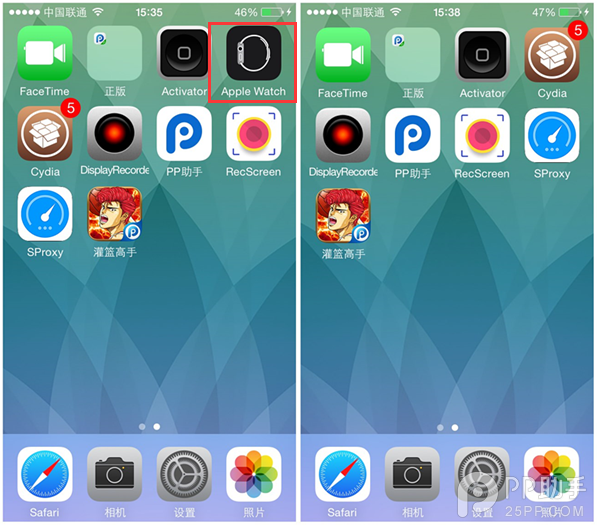
蘋果在 iOS 8.2 加入了用來配對 iPhone 與 Apple Watch 的 Watch 應用,由於無法刪除,讓不少小容量版本的用戶抱怨連連。好消息是,iOS 8.3 完美越獄已被攻破,只要把手機越獄,就能自由刪除 Watch 應用。沒有 Apple Watch、也不打算入手的果粉,趕緊跟著做,還能順手清掉推特、臉書、播客、提示等一堆不常用的應用。
一、先把裝置完成 iOS 8.3 完美越獄。
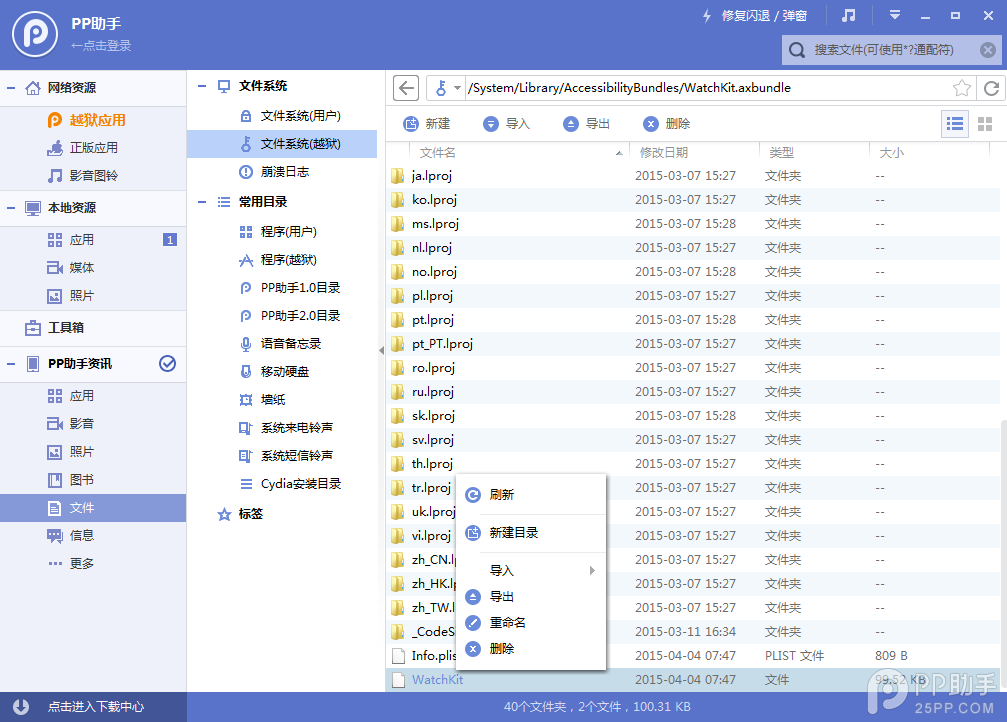
二、連接 PP 助手等同步工具,進入「文件系統(越獄)」,開始刪除檔案:
1、Apple Watch
/Applications/Bridge.app
/private/var/mobile/Library/SpringBoard/PushStore/com.apple.Bridge.pushstore
/System/Library/AccessibilityBundles/Bridge.axbundle
/private/var/mobile/Library/Preferences/com.apple.Bridge.plist
/System/Library/AccessibilityBundles/WatchKit.axbundle
/System/Library/Frameworks/WatchKit.framework
/System/Library/LocationBundles/AppleWatchFaces.bundle
/System/Library/PrivateFrameworks/BridgePreferences.framework
2、Facebook
/Applications/SocialUIService.app/PlugIns/com.apple.social.FacebookComposeService.appex
/Applications/FacebookAccountMigrationDialog.app
/System/Library/AccessibilityBundles/FacebookSettings.axbundle
/System/Library/PreferenceBundles/FacebookSettings.bundle
/System/Library/Accounts/Authentication/FacebookAuthenticationPlugin.bundle
/System/Library/Accounts/Access/FacebookAccessPlugin.bundle
/System/Library/Frameworks/Social.framework/XPCServices/com.apple.facebook.xpc
3、Flickr
/Applications/SocialUIService.app/PlugIns/com.apple.social.FlickrComposeService.appex
/System/Library/PreferenceBundles/FlickrSettings.bundle
/System/Library/Accounts/Authentication/FlickrAuthenticationPlugin.bundle
/System/Library/Frameworks/Social.framework/XPCServices/com.apple.flickr.xpc
/System/Library/PrivateFrameworks/VUSocialUpload.framework
4、Vimeo
/Applications/SocialUIService.app/PlugIns/com.apple.social.VimeoComposeService.appex
/System/Library/PreferenceBundles/VimeoSettings.bundle
/System/Library/Accounts/Authentication/VimeoAuthenticationPlugin.bundle
/System/Library/Frameworks/Social.framework/XPCServices/com.apple.vimeo.xpc
/System/Library/PrivateFrameworks/VUSocialUpload.framework
5、iBooks
/Applications/iBooks.app
/Applications/Setup.app/AppleIDiBooks@2x.png
/System/Library/SyncBundles/Books.syncBundle
/var/mobile/Media/Books
6、Podcasts
/Applications/Podcasts.app
/private/var/mobile/Library/SpringBoard/PushStore/com.apple.podcasts.pushstore
/System/Library/AccessibilityBundles/Podcasts.axbundle
/System/Library/Assistant/Plugins/Podcasts.assistantBundle
7、Tips
/Applications/Tips.app
/etc/asl/com.apple.tips
/etc/asl/com.apple.tipsd
/private/var/mobile/Library/Preferences/com.apple.tipsd.plist
/System/Library/AccessibilityBundles/Tips.axbundle
/System/Library/LaunchDaemons/com.apple.tipsd.plist 或 /Library/LaunchDaemons/com.apple.tipsd.plist
/System/Library/PrivateFrameworks/Tips.framework
/usr/libexec/tipsd
8、Twitter
/Applications/SocialUIService.app/PlugIns/com.apple.social.TwitterComposeService.appex
/System/Library/AccessibilityBundles/TwitterFramework.axbundle
/System/Library/AccessibilityBundles/TwitterSettings.axbundle
/System/Library/Frameworks/Twitter.framework
/System/Library/PreferenceBundles/TwitterSettings.bundle
/System/Library/Accounts/Authentication/TwitterAuthenticationPlugin.bundle
/System/Library/Frameworks/Social.framework/XPCServices/com.apple.twitter.xpc
/System/Library/PrivateFrameworks/MobileSync.framework/
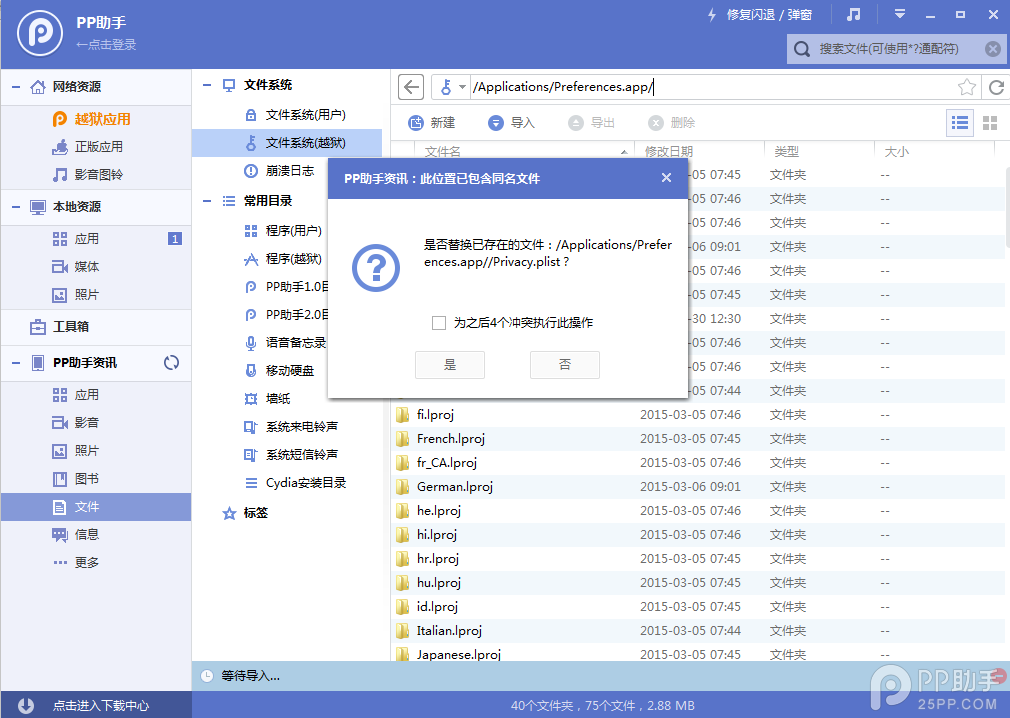
三、下載刪除陣列檔案,解壓後替換到【/Applications/Preferences.app/】路徑。這麼做是因為「設定」裡某些地方會出現上述應用,刪掉相關陣列就能徹底清乾淨。
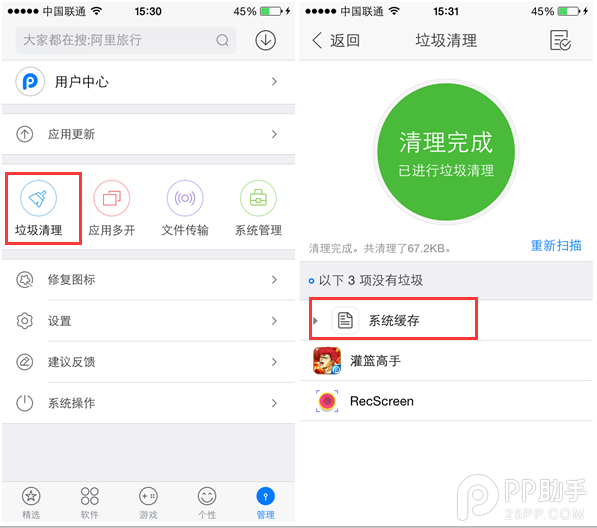
四、完成以上操作後,清理手機快取(可用 PP 助手 3.0 的垃圾清理功能),再重啟手機,就會發現 Watch 等應用通通不見了。
- 上一篇文章: iOS 8.3 越獄前先備份!完整資料備份與恢復教學
- 下一篇文章: iOS 8.3 越獄後刪除 Apple Watch 應用的完整教學