
iPhone 4 鎖屏鍵壞了怎麼辦?用 AssistiveTouch 代替
編輯:iOS 相關教學
iPhone 4 的鎖屏鍵故障時,可用 AssistiveTouch 暫代實體鍵。
1. 進入「設定」。

2. 點選「一般」。

3. 進入「輔助功能」。

4. 找到並開啟「AssistiveTouch」。
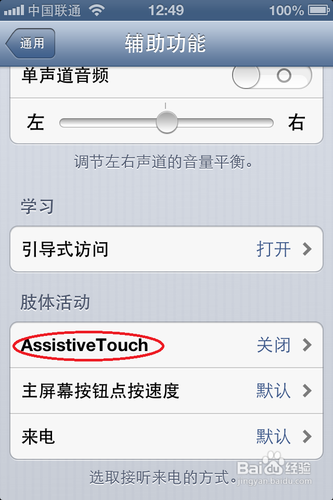
5. 將其設為開啟。

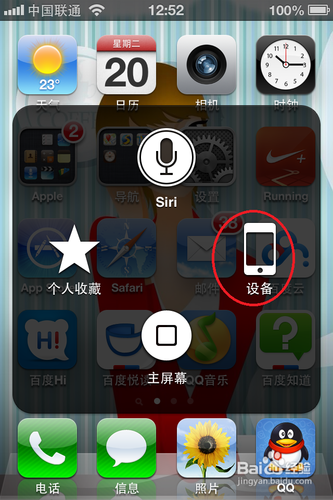
6. 點擊螢幕上的小圓點,選擇「裝置」。
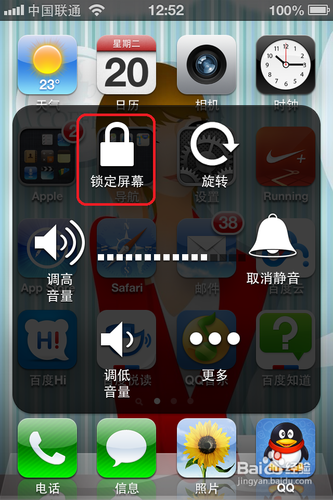
7. 即可選取「鎖定螢幕」。
- 上一篇文章: iPhone 如何批量刪除聯絡人?用 iTunes 同步取消
- 下一篇文章: iPhone 5 收不到彩信怎麼辦?電信設定排查