
iPhone 4/4S 如何關閉 Voice Control 或 Siri
編輯:iOS 相關教學
若想停用 Voice Control 或 Siri,可透過檔案工具修改系統檔案。操作前建議先備份。
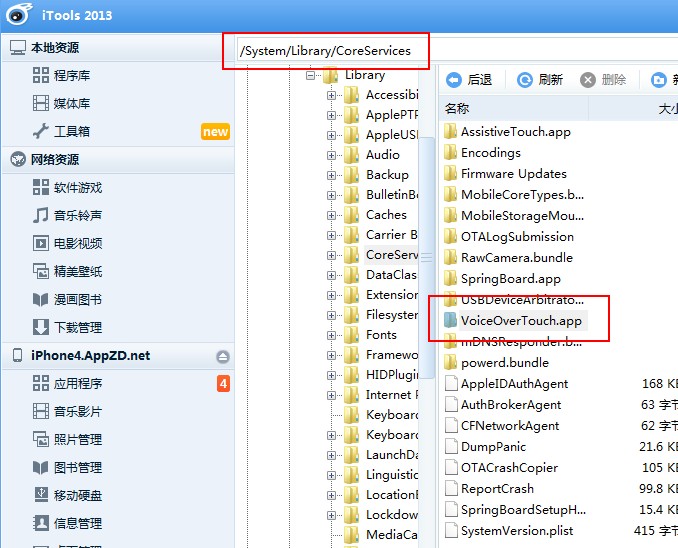
1. 用 iFile 或 iTools 打開 /System/Library/CoreServices,刪除或重新命名 VoiceOverTouch.app。
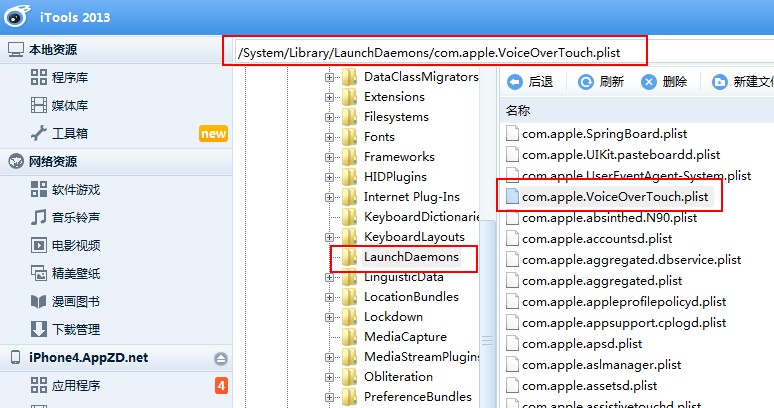
2. 刪除或重新命名 /System/Library/LaunchDaemons 中的 com.apple.VoiceOverTouch.plist。
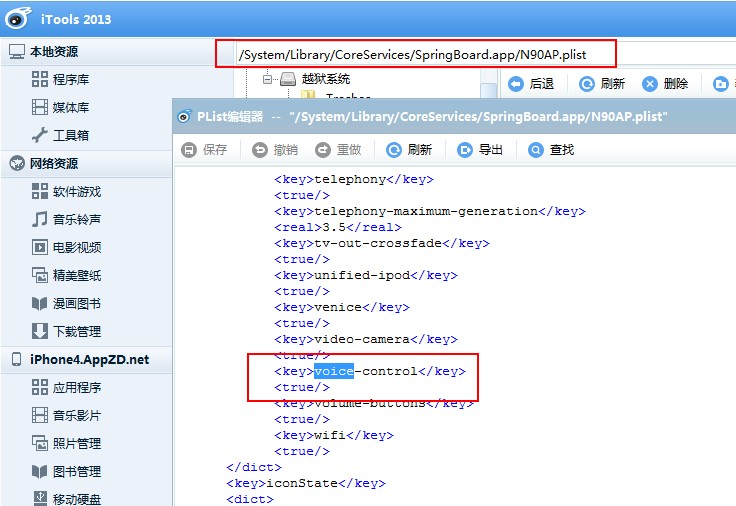
3. 修改 SpringBoard.app 中的 N94AP.plist,找到 voice-control,把 true 改成 false。
完成後重新開機,即可停用 Voice Control 或 Siri。
- 上一篇文章: iPhone 5s 解析度與拍照尺寸一次看
- 下一篇文章: iPhone 5s 螢幕規格與材質解析