
NSURLConnection 同步與異步請求:用法梳理與線程阻塞真相
編輯:iOS 相關教學
還需要關注 NSURLConnection 嗎
從 iOS 7 起,NSURLSession 逐步取代了 NSURLConnection;到 iOS 9,NSURLConnection 的相關接口被正式標記為 deprecated。不過 Objective-C 運行時的向下兼容傳統意味著這些方法依然可用。如果項目需要支持較老的系統版本,或者在維護存量代碼,仍然有必要把它的行為搞清楚。
同步與異步的區別
同步請求的意思是:代碼會停在發起請求的那一行,直到響應完全返回才繼續往下走。異步請求則是發出請求後立刻返回,數據在後台線程中陸續到達,收完之後通過回調通知你處理。
同步請求
NSURL *url = [NSURL URLWithString:@"https://www.baidu.com"];
NSURLRequest *request = [NSURLRequest requestWithURL:url];
NSData *data = [NSURLConnection sendSynchronousRequest:request
                                      returningResponse:nil
                                                  error:nil];
NSLog(@"%@", data);
NSLog(@"繼續執行");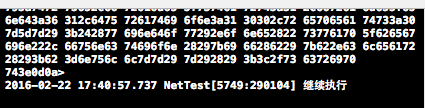
從輸出可以看到,「繼續執行」必須等到數據回來之後才打印。網絡耗時不可控,如果這段代碼在主線程執行,界面就會完全凍住。
異步請求的兩種寫法
1. Block 方式
NSURL *url = [NSURL URLWithString:@"https://www.baidu.com"];
NSURLRequest *request = [NSURLRequest requestWithURL:url];

// queue 參數決定 completionHandler 在哪個隊列中執行
[NSURLConnection sendAsynchronousRequest:request
                                   queue:[NSOperationQueue mainQueue]
                         completionHandler:^(NSURLResponse *response, NSData *data, NSError *connectionError) {
    NSLog(@"%@", data);
}];

NSLog(@"繼續執行");
2. 代理回調方式
先聲明遵守協議,並準備一個可變數據對象用來拼接分片:
@interface ViewController () <NSURLConnectionDataDelegate>
{
    NSMutableData *_data;
}
@end
_data = [[NSMutableData alloc] init];
NSURL *url = [NSURL URLWithString:@"https://www.baidu.com"];
NSURLRequest *request = [NSURLRequest requestWithURL:url];
[NSURLConnection connectionWithRequest:request delegate:self];請求發出後,下面幾個代理方法會按順序被調用:
- (void)connection:(NSURLConnection *)connection didReceiveResponse:(NSURLResponse *)response {
    [_data setLength:0];   // 開始接收,先清空
}

- (void)connection:(NSURLConnection *)connection didReceiveData:(NSData *)data {
    [_data appendData:data];   // 分片追加
}

- (void)connection:(NSURLConnection *)connection didFailWithError:(NSError *)error {
    NSLog(@"%@", error);
}

- (void)connectionDidFinishLoading:(NSURLConnection *)connection {
    NSLog(@"%@", _data);
}
關於「同步一定阻塞主線程」的誤解
這是最常被講錯的一點。準確的說法是:同步連接阻塞的是調用它的那條線程。在主線程上發起同步請求,主線程自然會被卡住;但如果把同步請求放進 GCD 的全局隊列,主線程照樣可以流暢響應。同步與異步的本質差別在於:運行時會為異步連接單獨創建一條線程,而同步連接不會。
異步下載並寫入文件
- (void)fetchAppleHtml {
    NSString *urlString = @"https://www.apple.com";
    NSURL *url = [NSURL URLWithString:urlString];
    NSURLRequest *urlRequest = [NSURLRequest requestWithURL:url
                                              cachePolicy:NSURLRequestReloadIgnoringLocalAndRemoteCacheData
                                          timeoutInterval:30.0f];

    NSOperationQueue *queue = [[NSOperationQueue alloc] init];
    [NSURLConnection sendAsynchronousRequest:urlRequest
                                      queue:queue
                            completionHandler:^(NSURLResponse *response, NSData *data, NSError *connectionError) {
        if ([data length] > 0 && connectionError == nil) {
            NSString *documentsDir = [NSSearchPathForDirectoriesInDomains(NSDocumentDirectory, NSUserDomainMask, YES) objectAtIndex:0];
            NSString *filePath = [documentsDir stringByAppendingPathComponent:@"apple.html"];
            [data writeToFile:filePath atomically:YES];
            NSLog(@"已保存到 %@", filePath);

            NSString *html = [[NSString alloc] initWithData:data encoding:NSUTF8StringEncoding];
            NSLog(@"HTML = %@", html);
        } else if ([data length] == 0 && connectionError == nil) {
            NSLog(@"沒有下載到任何內容");
        } else if (connectionError != nil) {
            NSLog(@"出錯 = %@", connectionError);
        }
    }];
}
在主線程上執行同步下載
- (void)fetchYahooData {
    NSLog(@"開始");
    NSString *urlString = @"https://www.yahoo.com";
    NSURL *url = [NSURL URLWithString:urlString];
    NSURLRequest *urlRequest = [NSURLRequest requestWithURL:url];
    NSURLResponse *response = nil;
    NSError *error = nil;

    NSData *data = [NSURLConnection sendSynchronousRequest:urlRequest
                                        returningResponse:&response
                                                    error:&error];
    if ([data length] > 0 && error == nil) {
        NSLog(@"%lu 字節數據返回", (unsigned long)[data length]);
    } else if ([data length] == 0 && error == nil) {
        NSLog(@"無數據返回");
    } else if (error != nil) {
        NSLog(@"出錯 = %@", error);
    }
    NSLog(@"結束");
}
把同一段同步邏輯丟到 GCD 全局隊列
- (void)fetchYahooData2_GCD {
    NSLog(@"開始");
    NSString *urlString = @"https://www.yahoo.com";

    dispatch_queue_t dispatchQueue = dispatch_get_global_queue(DISPATCH_QUEUE_PRIORITY_DEFAULT, 0);
    dispatch_async(dispatchQueue, ^{
        NSURL *url = [NSURL URLWithString:urlString];
        NSURLRequest *urlRequest = [NSURLRequest requestWithURL:url];
        NSURLResponse *response = nil;
        NSError *error = nil;

        NSData *data = [NSURLConnection sendSynchronousRequest:urlRequest
                                            returningResponse:&response
                                                        error:&error];
        if ([data length] > 0 && error == nil) {
            NSLog(@"%lu 字節數據返回", (unsigned long)[data length]);
        } else if ([data length] == 0 && error == nil) {
            NSLog(@"無數據返回");
        } else if (error != nil) {
            NSLog(@"出錯 = %@", error);
        }
    });
    NSLog(@"結束");
}
對比兩組輸出:


第一組中「結束」在數據返回後才出現,說明主線程被卡住;第二組裡「結束」幾乎瞬間打印,網絡請求則在後台靜靜完成。
選型建議
新項目沒有理由再使用 NSURLConnection,NSURLSession 提供了更好的線程管理、後台傳輸與任務取消能力。若確實需要維護舊代碼,記住三條原則:主線程絕不用同步請求、異步回調中的 UI 更新要切回主線程、請求一定要設置合理的 timeoutInterval 並處理 error 分支。