
iOS 橫向瀑布流實作:自訂 GridLayout 佈局
編輯:iOS 相關教學
效果

原始碼:https://github.com/YouXianMing/Animations
與常見的縱向瀑布流不同,這裡要解決的是「橫向排列、每列高度固定、每張圖依比例給出不同寬度」的問題。做法是自訂 GridLayout(繼承 UICollectionViewLayout),由外部指定列數與列高,再由 delegate 回傳每個項目該有的寬度。
// // GridFlowLayoutViewController.m // Animations // // Created by YouXianMing on 16/5/5. // Copyright © 2016年 YouXianMing. All rights reserved. // #import "GridFlowLayoutViewController.h" #import "UIView+SetRect.h" #import "GridLayout.h" #import "FlowStyleCell.h" #import "FileManager.h" #import "NSString+MD5.h" #import "NSData+JSONData.h" #import "ResponseData.h" #import "Math.h" #import "GCD.h" static NSString *picturesSource = @"https://www.duitang.com/album/1733789/masn/p/0/50/"; @interface GridFlowLayoutViewController () <UICollectionViewDataSource, UICollectionViewDelegate, GridLayoutDelegate> @property (nonatomic, strong) UICollectionView *collectionView; @property (nonatomic) CGFloat rowHeight; @property (nonatomic, strong) NSMutableArray *datas; @property (nonatomic, strong) ResponseData *picturesData; @property (nonatomic, strong) NSMutableArray <WaterfallPictureModel *> *dataSource; @end @implementation GridFlowLayoutViewController - (void)setup { [super setup]; _dataSource = [NSMutableArray new]; // 初始化佈局檔 CGFloat gap = 1; NSInteger rowCount = arc4random() % 3 + 2; _rowHeight = (self.contentView.height - (rowCount + 1) * gap) / (CGFloat)rowCount; GridLayout *layout = [GridLayout new]; layout.manager.edgeInsets = UIEdgeInsetsMake(gap, gap, gap, gap); layout.manager.gap = gap; layout.delegate = self; NSMutableArray *rowHeights = [NSMutableArray array]; for (int i = 0; i < rowCount; i++) { [rowHeights addObject:@(_rowHeight)]; } layout.manager.rowHeights = rowHeights; self.collectionView = [[UICollectionView alloc] initWithFrame:self.contentView.bounds collectionViewLayout:layout]; self.collectionView.delegate = self; self.collectionView.dataSource = self; self.collectionView.backgroundColor = [UIColor clearColor]; self.collectionView.showsHorizontalScrollIndicator = NO; self.collectionView.alpha = 0; [self.collectionView registerClass:[FlowStyleCell class] forCellWithReuseIdentifier:@"FlowStyleCell"]; [self.contentView addSubview:self.collectionView]; // 取得資料 [GCDQueue executeInGlobalQueue:^{ NSString *string = [picturesSource lowerMD532BitString]; NSString *realFilePath = [FileManager theRealFilePath:[NSString stringWithFormat:@"~/Documents/%@", string]]; NSData *data = nil; if ([FileManager fileExistWithRealFilePath:realFilePath] == NO) { data = [[NSData alloc] initWithContentsOfURL:[NSURL URLWithString:picturesSource]]; [data writeToFile:realFilePath atomically:YES]; } else { data = [NSData dataWithContentsOfFile:realFilePath]; } NSDictionary *dataDic = [data toListProperty]; [GCDQueue executeInMainQueue:^{ self.picturesData = [[ResponseData alloc] initWithDictionary:dataDic]; if (self.picturesData.success.integerValue == 1) { for (int i = 0; i < self.picturesData.data.blogs.count; i++) { [_dataSource addObject:self.picturesData.data.blogs[i]]; } [_collectionView reloadData]; [UIView animateWithDuration:0.5f animations:^{ _collectionView.alpha = 1.f; }]; } }]; }]; } - (NSInteger)collectionView:(UICollectionView *)collectionView numberOfItemsInSection:(NSInteger)section { return self.dataSource.count; } - (UICollectionViewCell *)collectionView:(UICollectionView *)collectionView cellForItemAtIndexPath:(NSIndexPath *)indexPath { WaterfallPictureModel *pictureModel = _dataSource[indexPath.row]; FlowStyleCell *cell = [collectionView dequeueReusableCellWithReuseIdentifier:@"FlowStyleCell" forIndexPath:indexPath]; cell.indexPath = indexPath; cell.data = pictureModel; cell.rowHeight = _rowHeight; [cell loadContent]; return cell; } - (CGFloat)itemWidthWithIndexPath:(NSIndexPath *)indexPath { WaterfallPictureModel *pictureModel = _dataSource[indexPath.row]; return [Math resetFromSize:CGSizeMake(pictureModel.iwd.floatValue, pictureModel.iht.floatValue) withFixedHeight:_rowHeight].width; } @end
幾個實作細節
繼承 UICollectionViewLayout
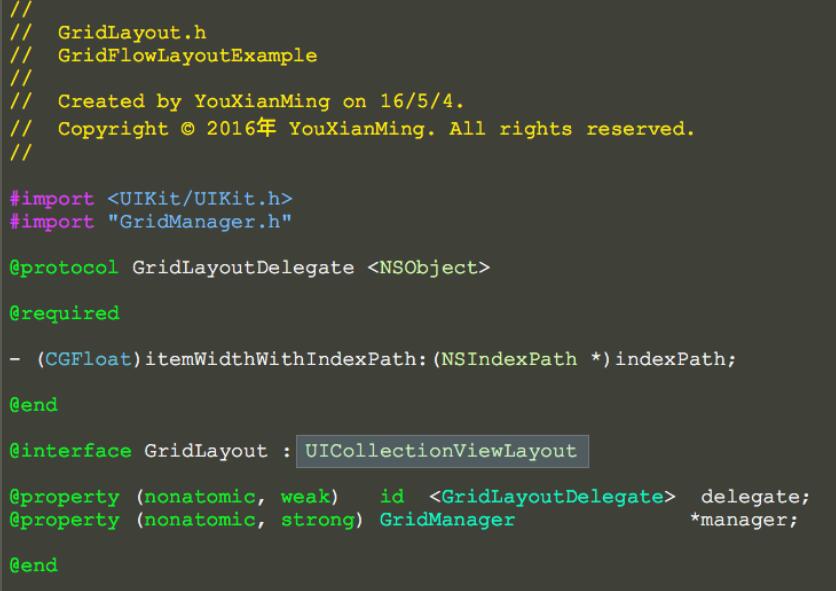
重載 UICollectionViewLayout 的四個方法
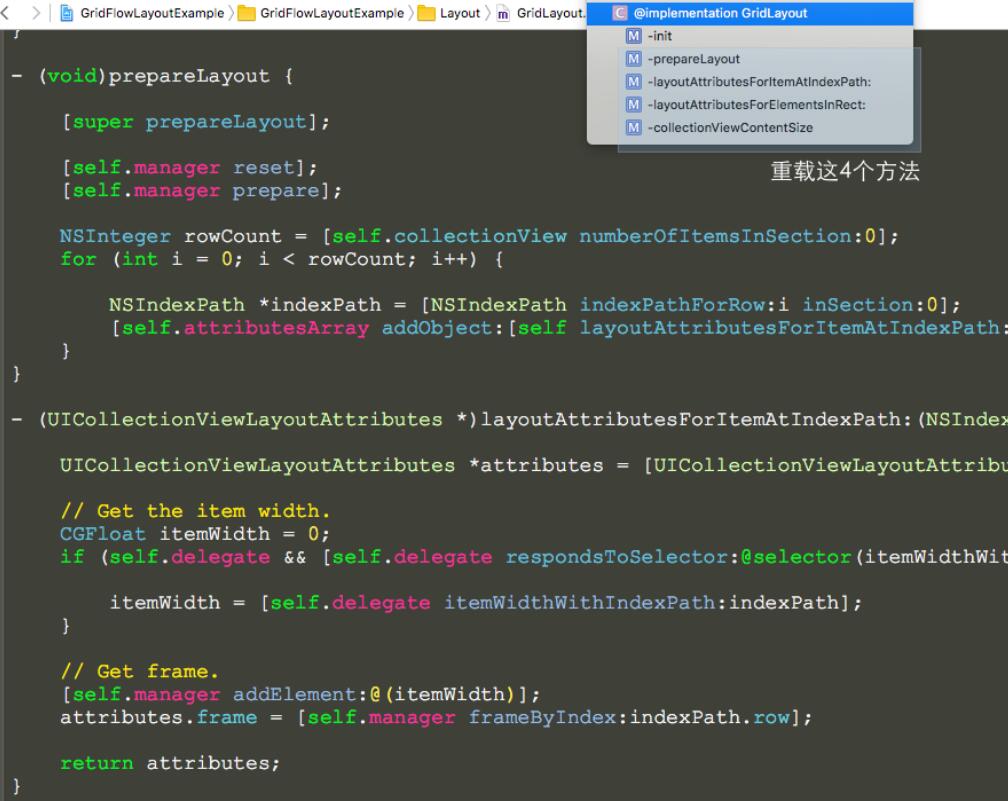
部分實作細節
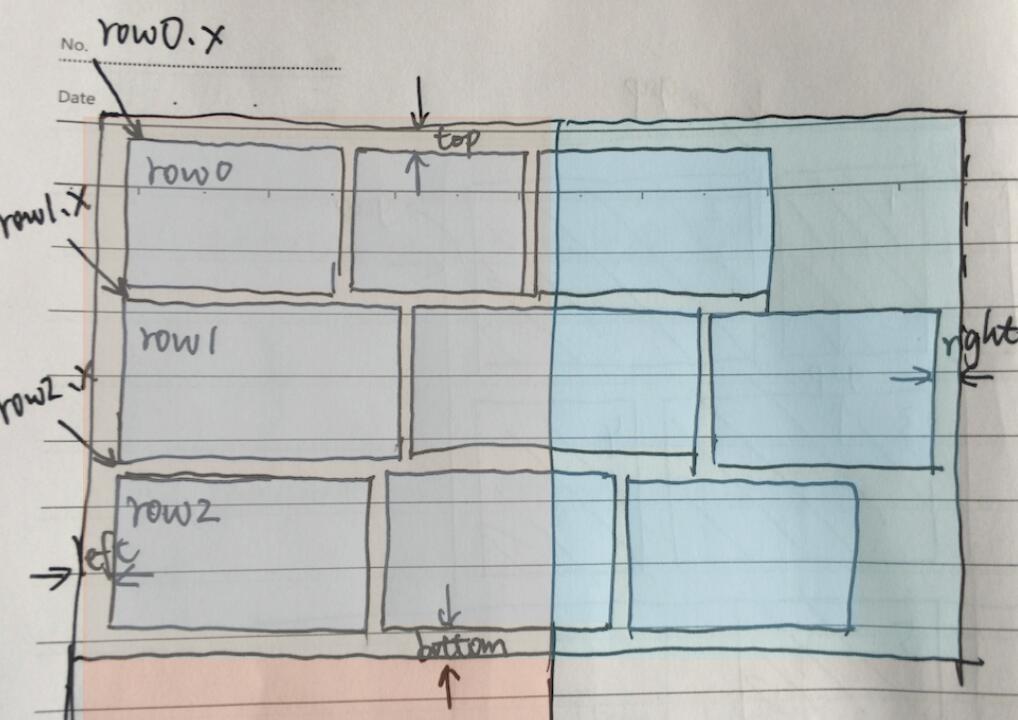
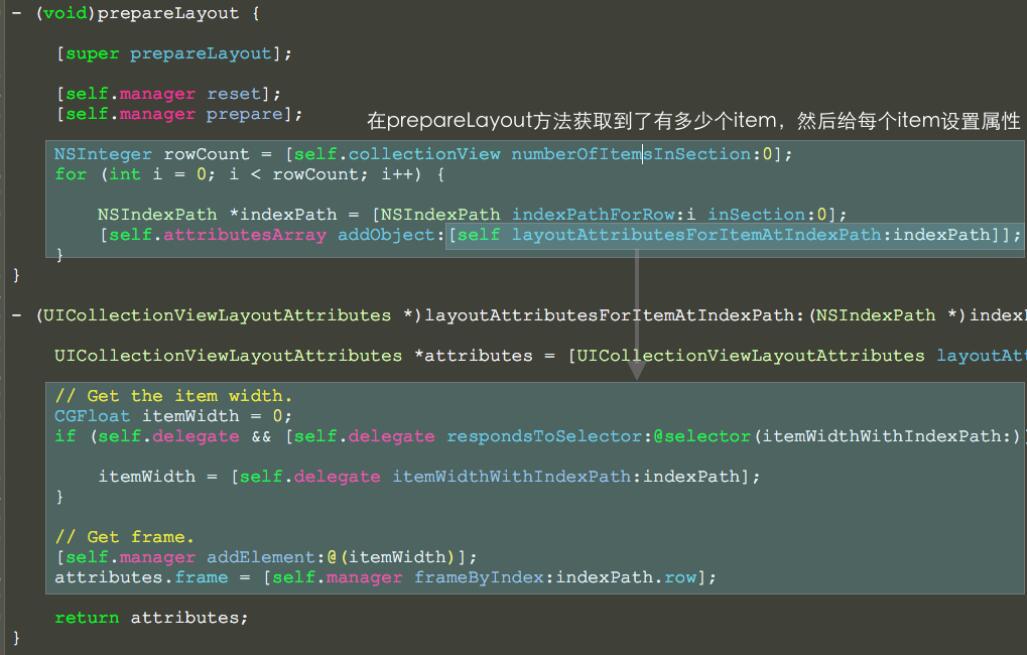
這裡最值得借鑑的是寬度計算的抽象:把「依固定高度反推寬度」獨立成一個 delegate 方法,佈局類只負責決定「下一個項目該放哪一列、放在哪個 x 座標」,具體尺寸交給外部提供。這樣同一套 GridLayout 就能同時服務不同資料來源。以上就是本文的全部內容,希望對大家有幫助。
- 上一篇文章: iOS 遠端推送原理與完整配置流程解析
- 下一篇文章: iOS 圖片異步下載與緩存:從零打造 SDWebImage 式管理器