
iOS 故事板(Storyboards)使用教學
編輯:iOS 入門介紹
iOS 故事板(Storyboards)
簡介
Storyboards 是 iOS 5 才引入的功能,因此部署目標需設定為 iOS 5.0 以上。它的優勢在於把整個應用的畫面流程視覺化,所有畫面都集中在一個 MainStoryboard.storyboard 檔案中管理,一眼就能看懂頁面之間的跳轉關係。
實作步驟
1. 建立一個 Single View Application,建立時記得勾選 storyboard 選項。
2. 開啟 MainStoryboard.storyboard,此時畫面上只有一個視圖控制器。再拖入一個視圖控制器並更新內容。
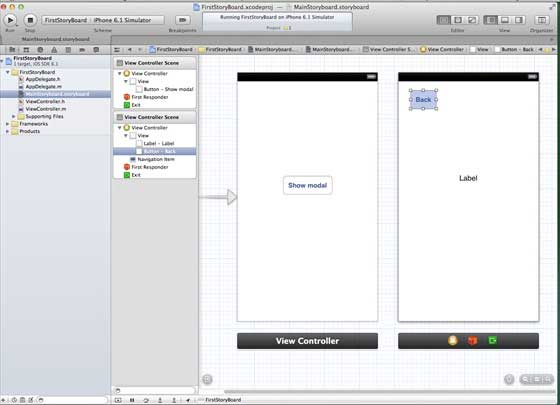
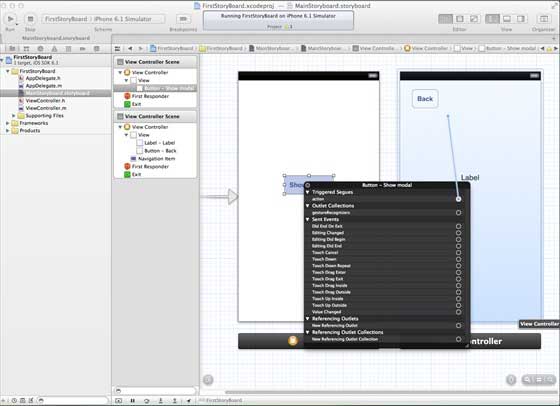
3. 連接兩個視圖控制器。右鍵點擊「show」按鈕,從左側視圖控制器拖曳到右侧視圖控制器。
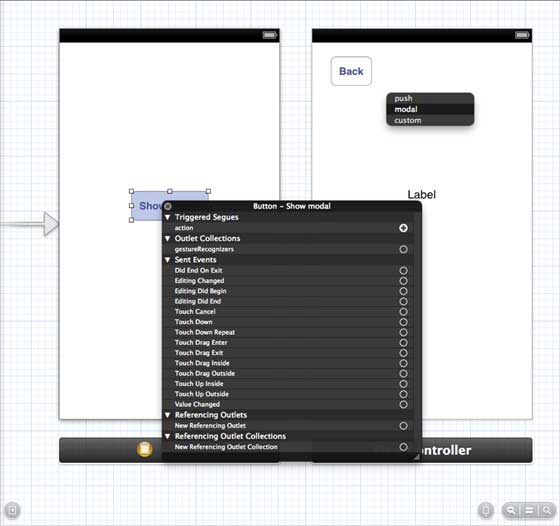
4. 從弹出的三個選項中選擇 modal。
5. 更新 ViewController.h:
#import <UIKit/UIKit.h> @interface ViewController : UIViewController -(IBAction)done:(UIStoryboardSegue *)seque; @end
6. 更新 ViewController.m:
#import "ViewController.h" @interface ViewController () @end @implementation ViewController - (void)viewDidLoad { [super viewDidLoad]; } - (void)didReceiveMemoryWarning { [super didReceiveMemoryWarning]; // Dispose of any resources that can be recreated. } -(IBAction)done:(UIStoryboardSegue *)seque{ [self.navigationController popViewControllerAnimated:YES]; } @end
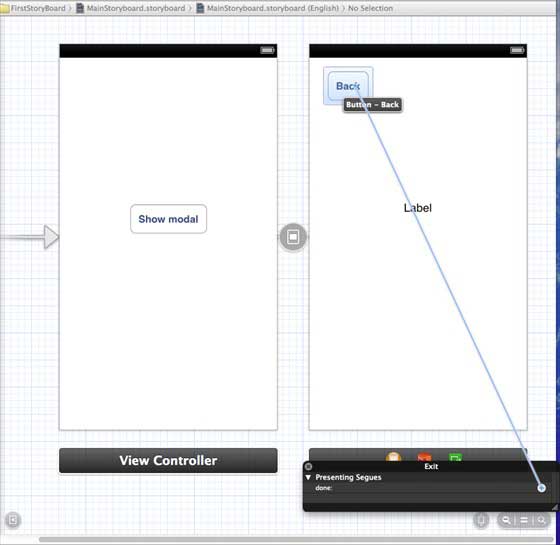
7. 回到 MainStoryboard.storyboard,右鍵點擊「Exit」按鈕,並在右側視圖控制器中連接到返回用的 action。
輸出結果
在 iPhone 上執行程式:
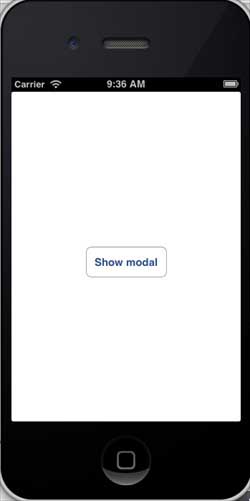
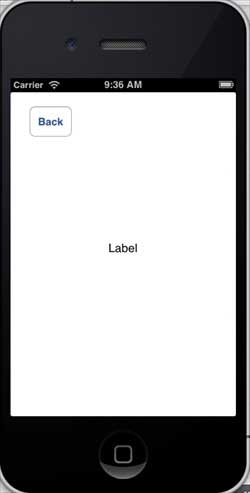
點擊顯示模式按鈕後:
- 上一篇文章: iOS 自動布局(Auto Layout)實作教學
- 下一篇文章: iOS GameKit 開發教學:Game Center 與排行榜