
iOS 9 適配實戰:URL Scheme 白名單與 iPad Slide Over、Split View
編輯:iOS 相關資訊
本文為投稿文章,作者:ChenYilong(iOS9AdaptationTips)。
一、URL Scheme:必須先加入白名單
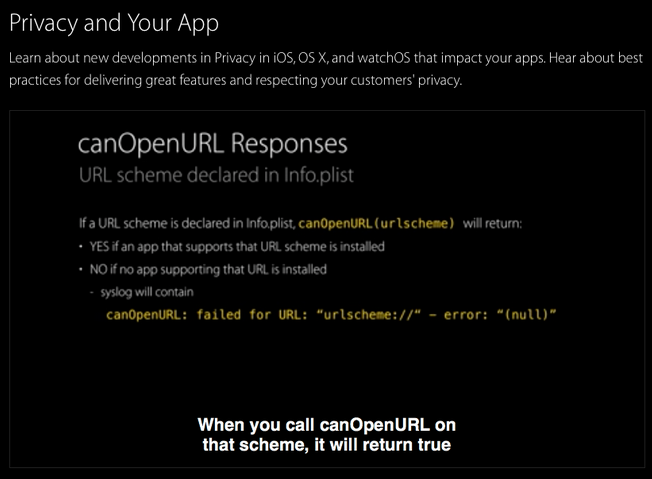
iOS 9 之後,如果 App 需要查詢或喚起外部 URL Scheme,就必須先在 Info.plist 中把要調用的 scheme 聲明為白名單,否則一律不可用。對應的 key 是 LSApplicationQueriesSchemes,值是一個包含各個 scheme 的陣列:
LSApplicationQueriesSchemes
    urlscheme
    urlscheme2
    urlscheme3
    urlscheme4
這裡推薦一篇講解得很透徹的文章:Quick Take on iOS 9 URL Scheme Changes。其中最关键的兩段是:
If you call the "canOpenURL" method on a URL that is not in your
whitelist, it will return "NO", even if there is an app installed that
has registered to handle this scheme. A "This app is not allowed to
query for scheme xxx" syslog entry will appear.

If you call the "openURL" method on a URL that is not in your whitelist,
it will fail silently. A "This app is not allowed to query for scheme
xxx" syslog entry will appear.
翻譯過來就是兩點:未列入白名單的 scheme,canOpenURL: 會直接返回 NO(哪怕對方 App 確實已安裝);openURL: 則會靜默失敗,只在系統日誌裡留下一條提示。這也是為什麼很多老項目升級到 iOS 9 後突然「跳轉失效」的原因。
更多背景可以參考 WWDC 2015 Session 703 — Privacy and Your App,大約在 30:18 處。
二、iPad 適配 Slide Over 與 Split View
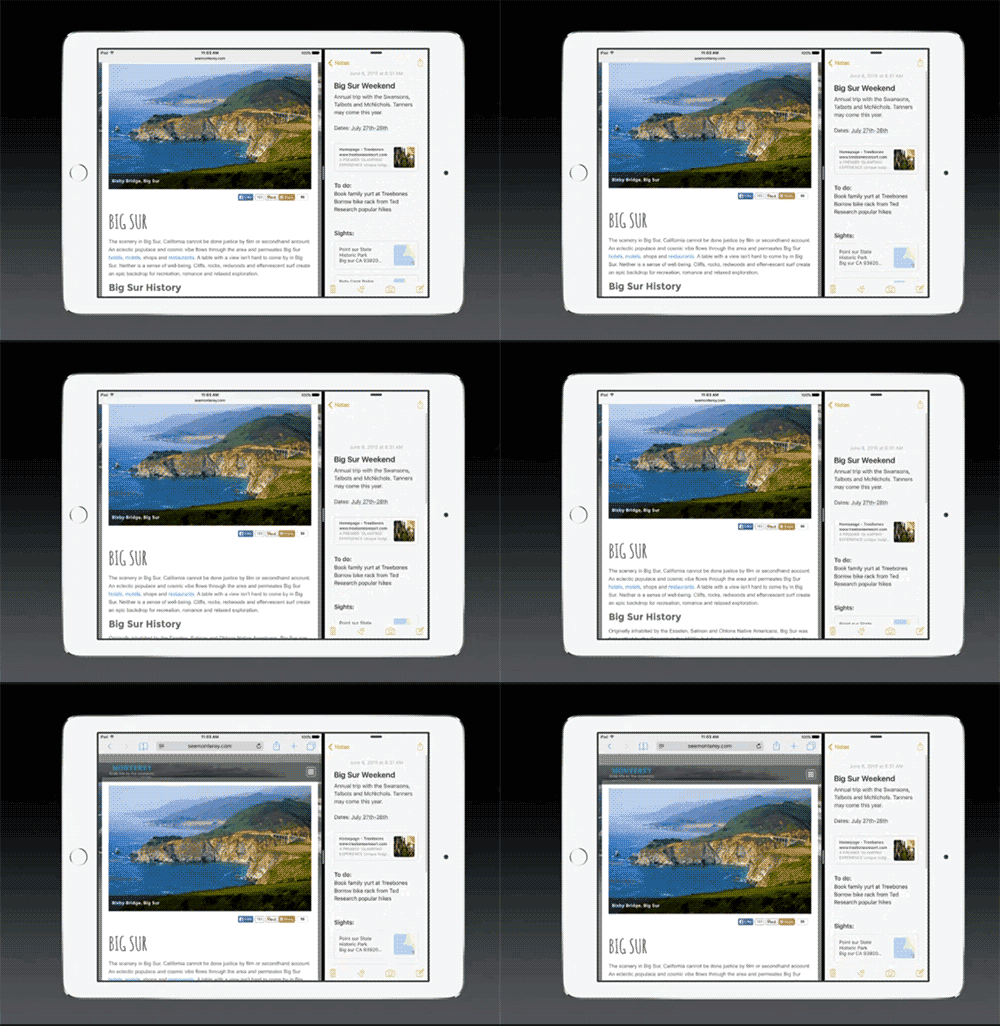
要讓 App 支持 iPad 多任務(Slide Over、Split View),唯一的建議是:告別純代碼寫 UI,改用 Storyboard 與 xib,並加上 Auto Layout 約束。纵观蘋果 WWDC 的所有 Demo,基本都是這麼做的。
值得一看的幾場 Session:
- Mysteries of Auto Layout, Part 1
- What's New in Storyboards
- Implementing UI Designs in Interface Builder
- Getting Started with Multitasking on iPad in iOS 9
- Optimizing Your App for Multitasking on iPad in iOS
核心原因在於:多任務模式下 App 的窗口尺寸會在用戶拖動分屏的過程中持續變化,純 frame 布局幾乎不可能跟得上這種動態。Auto Layout 描述「關係」而非「坐標」,才是應對可變尺寸的正確姿势。