
動手封裝:iOS 音頻播放工具類的設計與音效擴展實戰
編輯:iOS 開發綜合
一、基礎知識
1. 關於音樂播放
iOS 播放音樂主要用到 AVAudioPlayer 這個類,它的常用方法與屬性如下:
// 加載音樂文件
- (id)initWithContentsOfURL:(NSURL *)url error:(NSError **)outError;
- (id)initWithData:(NSData *)data error:(NSError **)outError;

- (BOOL)prepareToPlay;  // 準備播放(緩衝,提升流暢度)
- (BOOL)play;           // 播放(異步)
- (void)pause;          // 暫停
- (void)stop;           // 停止

@property(readonly, getter=isPlaying) BOOL playing; // 是否正在播放
@property(readonly) NSTimeInterval duration;        // 時長
@property NSTimeInterval currentTime;               // 當前播放位置
@property NSInteger numberOfLoops;                  // 播放次數(-1 代表無限循環,其他代表播放 numberOfLoops+1 次)
@property float volume;                             // 音量
@property BOOL enableRate;                          // 是否允許更改速率
@property float rate;                               // 播放速率(1 正常,0.5 半速,2 雙倍)
@property(readonly) NSUInteger numberOfChannels;    // 聲道數
2. 播放多個音樂文件
如果要播放多個音樂文件,最直白的做法是為每個文件創建一個全局播放器,但這種方式不適合文件數量龐大的情況。更好的做法是封裝一個工具類。
封裝步驟很簡單:新建一個繼承自 NSObject 的類,對外提供三個接口——播放、暫停、停止音樂(都以文件名為參數)。
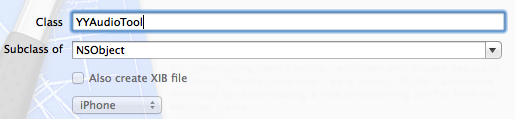
YYAudioTool.h:
#import#import @interface YYAudioTool : NSObject /** 播放音樂文件 */ +(BOOL)playMusic:(NSString *)filename; /** 暫停播放 */ +(void)pauseMusic:(NSString *)filename; /** 停止播放 */ +(void)stopMusic:(NSString *)filename; @end
YYAudioTool.m 的核心思路是:用一個靜態字典存放所有播放器,以文件名作為 key,避免重複創建。
#import "YYAudioTool.h"

@implementation YYAudioTool

/** 存放所有的音樂播放器 */
static NSMutableDictionary *_musices;
+(NSMutableDictionary *)musices {
    if (_musices == nil) {
        _musices = [NSMutableDictionary dictionary];
    }
    return _musices;
}

/** 播放音樂 */
+(BOOL)playMusic:(NSString *)filename {
    if (!filename) return NO;              // 沒傳文件名直接返回
    AVAudioPlayer *player = [self musices][filename]; // 1. 取出對應播放器
    if (!player) {                         // 2. 播放器不存在則初始化
        NSURL *url = [[NSBundle mainBundle] URLForResource:filename withExtension:nil];
        if (!url) return NO;
        player = [[AVAudioPlayer alloc] initWithContentsOfURL:url error:nil];
        if (![player prepareToPlay]) return NO; // 2.3 緩衝
        [self musices][filename] = player;      // 2.4 存入字典
    }
    if (![player isPlaying]) {             // 3. 未在播放則播放
        return [player play];
    }
    return YES;
}

+(void)pauseMusic:(NSString *)filename {
    if (!filename) return;
    AVAudioPlayer *player = [self musices][filename];
    [player pause]; // player 為空等同 [nil pause],無需額外處理
}

+(void)stopMusic:(NSString *)filename {
    if (!filename) return;
    AVAudioPlayer *player = [self musices][filename];
    [player stop];
    [[self musices] removeObjectForKey:filename]; // 停止後從字典移除
}
@end
測試界面在 storyboard 中拖拽控件並連線,導入音樂素材即可:

YYViewController 的關鍵代碼:
#import "YYViewController.h"
#import "YYAudioTool.h"

@interface YYViewController ()
- (IBAction)play;
- (IBAction)pause;
- (IBAction)stop;
- (IBAction)next;
@property(nonatomic, strong) NSArray *songs;   // 保存所有音樂文件
@property(nonatomic, assign) int currentIndex; // 記錄當前索引
@end

@implementation YYViewController

// 懶加載歌曲列表
-(NSArray *)songs {
    if (_songs == nil) {
        self.songs = @[@"235319.mp3", @"309769.mp3", @"120125029.mp3"];
    }
    return _songs;
}

- (IBAction)play {
    [YYAudioTool playMusic:self.songs[self.currentIndex]];
}
- (IBAction)pause {
    [YYAudioTool pauseMusic:self.songs[self.currentIndex]];
}
- (IBAction)stop {
    [YYAudioTool stopMusic:self.songs[self.currentIndex]];
}
// 播放下一首
- (IBAction)next {
    [self stop];
    self.currentIndex++;
    if (self.currentIndex >= self.songs.count) {
        self.currentIndex = 0;
    }
    [self play];
}
@end
二、改造工具類,讓它也能播放音效
音效通常只有創建、播放和銷毀(停止)三個操作,因為音效一般都很短,所以不需要暫停方法。

在 YYAudioTool 中新增兩個接口:playSound: 與 disposeSound:,內部用 SystemSoundID 管理音效:
#import "YYAudioTool.h"

@implementation YYAudioTool

/** 存放所有音樂播放器 */
static NSMutableDictionary *_musicPlayers;
+(NSMutableDictionary *)musicPlayers {
    if (_musicPlayers == nil) {
        _musicPlayers = [NSMutableDictionary dictionary];
    }
    return _musicPlayers;
}

/** 存放所有音效 ID */
static NSMutableDictionary *_soundIDs;
+(NSMutableDictionary *)soundIDs {
    if (_soundIDs == nil) {
        _soundIDs = [NSMutableDictionary dictionary];
    }
    return _soundIDs;
}

// 播放音樂(同上,改用 musicPlayers 存放)
+(BOOL)playMusic:(NSString *)filename {
    if (!filename) return NO;
    AVAudioPlayer *player = [self musicPlayers][filename];
    if (!player) {
        NSURL *url = [[NSBundle mainBundle] URLForResource:filename withExtension:nil];
        if (!url) return NO;
        player = [[AVAudioPlayer alloc] initWithContentsOfURL:url error:nil];
        if (![player prepareToPlay]) return NO;
        [self musicPlayers][filename] = player;
    }
    if (![player isPlaying]) {
        return [player play];
    }
    return YES;
}

+(void)pauseMusic:(NSString *)filename {
    if (!filename) return;
    AVAudioPlayer *player = [self musicPlayers][filename];
    [player pause];
}

+(void)stopMusic:(NSString *)filename {
    if (!filename) return;
    AVAudioPlayer *player = [self musicPlayers][filename];
    [player stop];
    [[self musicPlayers] removeObjectForKey:filename];
}

// 播放音效
+(void)playSound:(NSString *)filename {
    if (!filename) return;
    SystemSoundID soundID = [[self soundIDs][filename] unsignedIntegerValue];
    if (!soundID) {   // 音效 ID 不存在則創建
        NSURL *url = [[NSBundle mainBundle] URLForResource:filename withExtension:nil];
        if (!url) return;
        OSStatus status = AudioServicesCreateSystemSoundID((__bridge CFURLRef)(url), &soundID);
        NSLog(@"%ld", status);
        [self soundIDs][filename] = @(soundID);
    }
    AudioServicesPlaySystemSound(soundID); // 有 ID 後播放
}

// 銷毀音效
+(void)disposeSound:(NSString *)filename {
    if (!filename) return;
    SystemSoundID soundID = [[self soundIDs][filename] unsignedIntegerValue];
    if (soundID) {
        AudioServicesDisposeSystemSoundID(soundID);
        [[self soundIDs] removeObjectForKey:filename];
    }
}
@end
測試與說明:


其中 AudioServicesCreateSystemSoundID 返回的 status 打印值為 0,代表播放成功(因為它本身就是 C 語言風格的接口)。這樣一來,同一個工具類既能播放較長的音樂,也能勝任短促的音效,複用性大大提升。