
iOS 使用 UICollectionView 打造無限輪播效果
一、案例演示
本案例示範一個首頁輪播的效果,同時支援手動滑動與自動輪播。核心知識點集中在 UICollectionView 與 NSTimer 的運用。
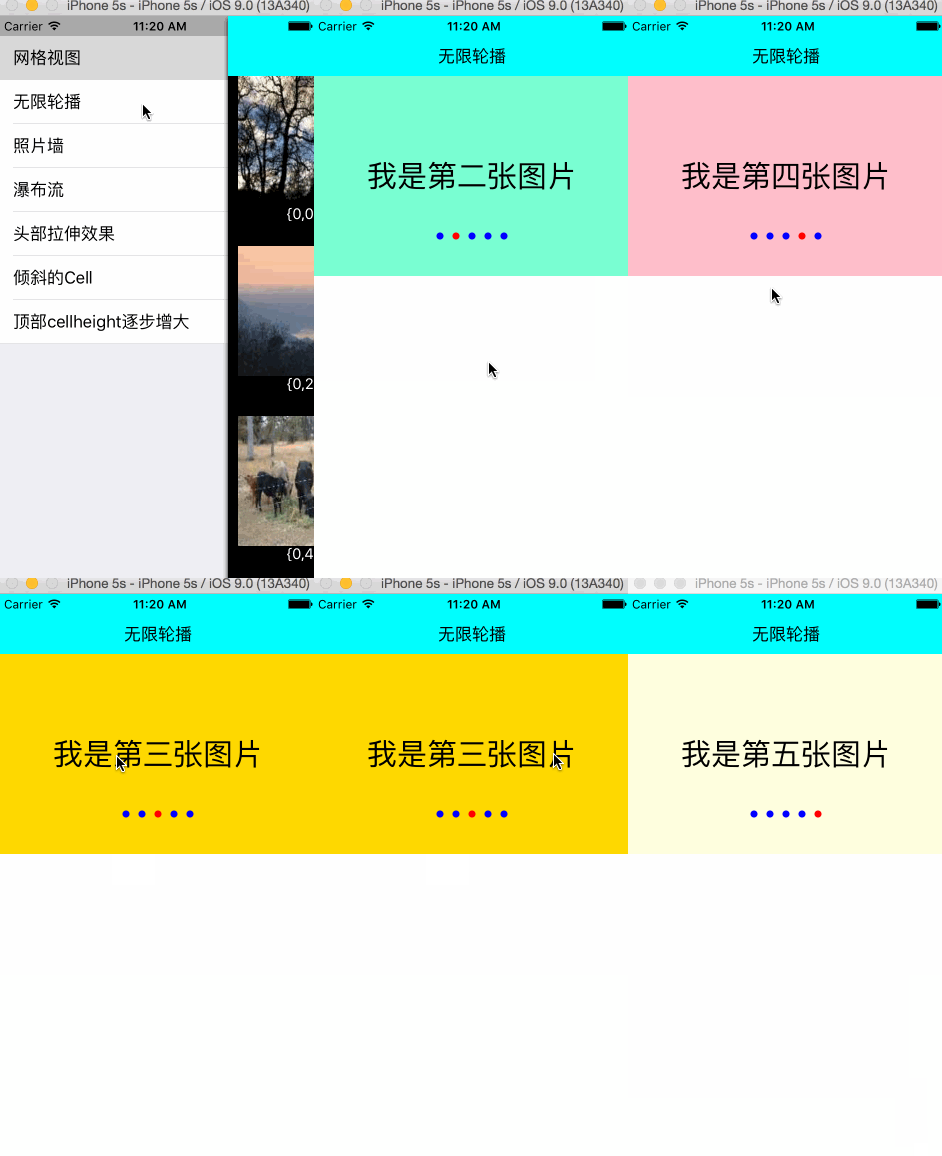
二、知識儲備
2.1、UICollectionView 橫向布局
只需將 UICollectionViewFlowLayout 的 scrollDirection 設為 UICollectionViewScrollDirectionHorizontal 即可。
2.2、NSTimer 的基本使用
NSTimer 的初始化方法:
+ (NSTimer *)scheduledTimerWithTimeInterval:(NSTimeInterval)ti target:(id)aTarget selector:(SEL)aSelector userInfo:(nullable id)userInfo repeats:(BOOL)yesOrNo;
1)ti:預訂一個計時器,設定時間間隔,以秒為單位的浮點值;若輸入值小於 0,系統會預設為 0.1。
2)target:訊息發送的對象,如 self。
3)selector:在時間間隔內要呼叫的實例方法。
4)userInfo:需要傳遞的參數,可為 nil。
5)repeats:為 YES 時計時器會不斷循環直到失效或被釋放;為 NO 時只觸發一次就失效。
開啟計時器:
[[NSRunLoop mainRunLoop] addTimer:timer forMode:NSRunLoopCommonModes];
關閉計時器:
[self.timer invalidate];
2.3、自動輪播與手動輪播的切換
初始化時預設開啟計時器,定時切換到下一張圖片。當使用者觸摸到 View 時關閉計時器,改為手動切換;當使用者的手離開 View 後,重新開啟計時器恢復自動輪播。
三、關鍵程式碼分析
3.1、建立 UICollectionViewFlowLayout 物件,將滾動方向設為水平
 UICollectionViewFlowLayout *flowLayout = [[UICollectionViewFlowLayout alloc] init];
 flowLayout.itemSize = CGSizeMake(SCREEN_WIDTH, 200);
 flowLayout.scrollDirection = UICollectionViewScrollDirectionHorizontal;
 flowLayout.minimumLineSpacing = 0;
3.2、初始化 UICollectionView 物件
 UICollectionView *collectionView = [[UICollectionView alloc] initWithFrame:CGRectMake(0, self.navBarHeight, SCREEN_WIDTH, 200) collectionViewLayout:flowLayout];
 collectionView.delegate = self;
 collectionView.dataSource = self;
 collectionView.showsHorizontalScrollIndicator = NO;
 collectionView.pagingEnabled = YES;
 collectionView.backgroundColor = [UIColor clearColor];
 [self.view addSubview:collectionView];
3.3、UICollectionViewDataSource 代理方法
 #pragma mark- UICollectionViewDataSource
 -(NSInteger)numberOfSectionsInCollectionView:(UICollectionView *)collectionView{
     return YYMaxSections;
 }
 -(NSInteger)collectionView:(UICollectionView *)collectionView numberOfItemsInSection:(NSInteger)section{
     return self.newses.count;
 }
 -(UICollectionViewCell *)collectionView:(UICollectionView *)collectionView cellForItemAtIndexPath:(NSIndexPath *)indexPath{
     YYCell *cell = [collectionView dequeueReusableCellWithReuseIdentifier:YYIDCell forIndexPath:indexPath];
     if(!cell){
         cell = [[YYCell alloc] init];
     }
     cell.news=self.newses[indexPath.item];
     return cell;
 }
3.4、計時器的開啟與關閉
 #pragma mark 添加計時器
 -(void) addTimer{
     NSTimer *timer = [NSTimer scheduledTimerWithTimeInterval:1 target:self selector:@selector(nextpage) userInfo:nil repeats:YES];
     [[NSRunLoop mainRunLoop] addTimer:timer forMode:NSRunLoopCommonModes];
     self.timer = timer ;
 }
 #pragma mark 刪除計時器
 -(void) removeTimer{
     [self.timer invalidate];
     self.timer = nil;
 }
3.5、手動切換與自動輪播的切換
 -(void) scrollViewWillBeginDragging:(UIScrollView *)scrollView{
     [self removeTimer];
 }
 #pragma mark 當使用者停止的時候呼叫
 -(void) scrollViewDidEndDragging:(UIScrollView *)scrollView willDecelerate:(BOOL)decelerate{
     [self addTimer];
 }
 #pragma mark 設置頁碼
 -(void) scrollViewDidScroll:(UIScrollView *)scrollView{
     int page = (int) (scrollView.contentOffset.x/scrollView.frame.size.width+0.5)%self.newses.count;
     self.pageControl.currentPage =page;
 }
3.6、自動輪播切換到下一個 View 的方法
 -(void) nextpage{
     NSIndexPath *currentIndexPath = [[self.collectionView indexPathsForVisibleItems] lastObject];
     NSIndexPath *currentIndexPathReset = [NSIndexPath indexPathForItem:currentIndexPath.item inSection:YYMaxSections/2];
     [self.collectionView scrollToItemAtIndexPath:currentIndexPathReset atScrollPosition:UICollectionViewScrollPositionLeft animated:NO];
     NSInteger nextItem = currentIndexPathReset.item +1;
     NSInteger nextSection = currentIndexPathReset.section;
     if (nextItem==self.newses.count) {
         nextItem=0;
         nextSection++;
     }
     NSIndexPath *nextIndexPath = [NSIndexPath indexPathForItem:nextItem inSection:nextSection];
     [self.collectionView scrollToItemAtIndexPath:nextIndexPath atScrollPosition:UICollectionViewScrollPositionLeft animated:YES];
 }
Demo 下載地址:https://github.com/yixiangboy/YXCollectionView
關鍵思路在於:透過大量重複的 section 造成「無限」的錯覺,並在每次滾動時把位置重置到中間的 section,讓使用者永遠察覺不到邊界。以上就是本文的全部內容,希望對大家的學習有所幫助。