
iOS 9 提示框的正确写法:從 UIAlertView 遷移到 UIAlertController
從 iOS 8 升級到 iOS 9 的過程中,彈出提示框的方式出現了明顯變化。在 Xcode 7、iOS 9.0 SDK 裡,蘋果已經明確標記 UIAlertView 為不建議使用,並推薦改用 UIAlertController。本文用一個登入頁的例子走一遍遷移過程。
舊寫法:UIAlertView
#import "LoginViewController.h"

@interface LoginViewController ()
@property (weak, nonatomic) IBOutlet UITextField *passWord;
@property (weak, nonatomic) IBOutlet UITextField *userName;
@property (weak, nonatomic) IBOutlet UIButton *login;
- (IBAction)loginOnClick:(UIButton *)sender;
@end

@implementation LoginViewController

- (void)viewDidLoad {
    [super viewDidLoad];

    // 取得通知中心並註冊監聽
    NSNotificationCenter *center = [NSNotificationCenter defaultCenter];
    [center addObserver:self selector:@selector(textChange)
                   name:UITextFieldTextDidChangeNotification object:self.userName];
    [center addObserver:self selector:@selector(textChange)
                   name:UITextFieldTextDidChangeNotification object:self.passWord];
}

// 只有帳號與密碼都有內容時,登入鈕才可點
-(void)textChange {
    self.login.enabled = (self.userName.text.length > 0 && self.passWord.text.length > 0);
}

- (IBAction)loginOnClick:(UIButton *)sender {
    if ([self.userName.text isEqual:@"xiaojin"] && [self.passWord.text isEqual:@"123456"]) {
        NSLog(@"successful");
        [self performSegueWithIdentifier:@"loginIdentifier" sender:nil];
    } else {
        UIAlertView *alert = [[UIAlertView alloc] initWithTitle:@"提示"
                                                       message:@"用戶名或密碼出現錯誤"
                                                      delegate:self
                                             cancelButtonTitle:@"確定"
                                             otherButtonTitles:nil];
        [alert show];
    }
}

@end
寫完就會看到警告:
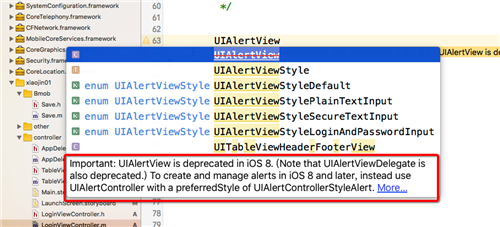

訊息大意是 UIAlertView 在 iOS 9 已被棄用。不過實測會發現程式仍然跑得動,輸入錯誤帳密時照樣彈出提示:
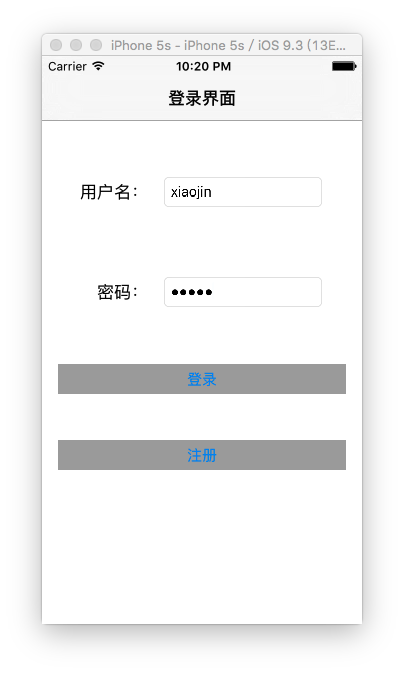
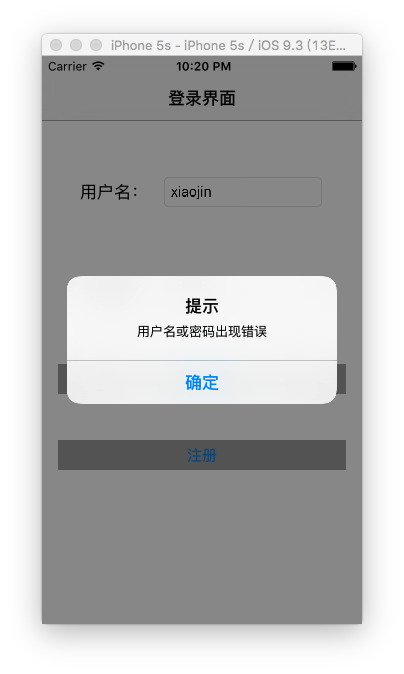
但在實際專案開發中有個「潛規則」:把每一個 warning 都當成 error 看待。所以為了消掉這個警告,我們改用 UIAlertController。
新寫法:UIAlertController
- (IBAction)loginOnClick:(UIButton *)sender {
    if ([self.userName.text isEqual:@"xiaojin"] && [self.passWord.text isEqual:@"123456"]) {
        NSLog(@"successful");
        [self performSegueWithIdentifier:@"loginIdentifier" sender:nil];
    } else {
        // 建立提示框
        UIAlertController *alert = [UIAlertController alertControllerWithTitle:@"提示"
                                                                      message:@"用戶名或密碼出現錯誤"
                                                               preferredStyle:UIAlertControllerStyleAlert];

        [alert addAction:[UIAlertAction actionWithTitle:@"確定"
                                                 style:UIAlertActionStyleDefault
                                               handler:^(UIAlertAction * _Nonnull action) {
            // 點擊後的響應事件
        }]];

        // 呈現提示框
        [self presentViewController:alert animated:YES completion:nil];
    }
}
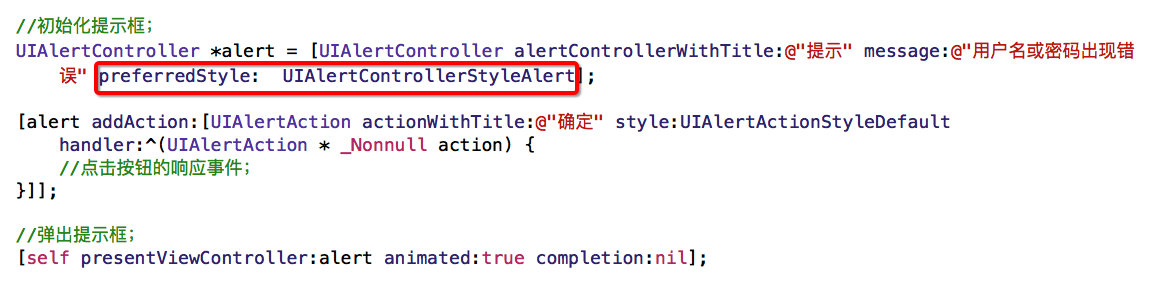
這樣就不會再有警告了,而執行後的畫面與先前完全相同。
其中 preferredStyle 還有另一個選擇:UIAlertControllerStyleActionSheet。
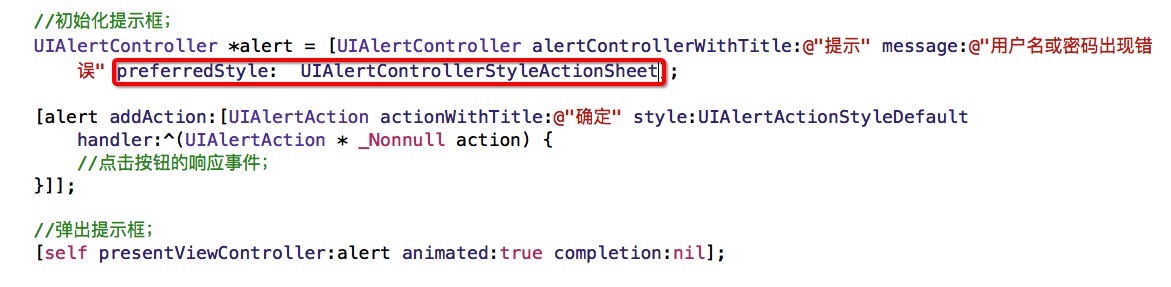
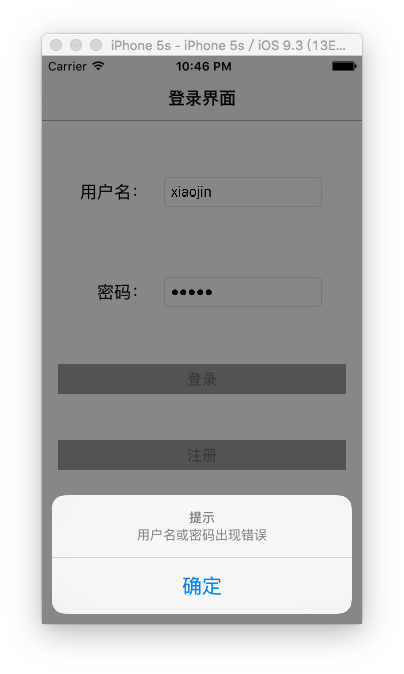
可以發現這種樣式是從底部彈出的,比較適合呈現「一組並列選項」。判斷依據很簡單:只有一個確定性動作(例如「確定」)用 Alert;有多個互斥選項(例如分享、儲存、刪除)用 ActionSheet。
新舊寫法的關鍵差異
除了 API 名稱,有兩點值得注意:
第一,不再需要 delegate。每個按鈕的行為直接透過 addAction: 的 handler block 處理,不必再實作 alertView:clickedButtonAtIndex: 這種回呼方法,也不用手動維護 button index。按鈕數量多時,這個改進尤其明顯。
第二,它是一個真正的 view controller。呈現時用的是 presentViewController,也就是說提示框本身就是一個模態視圖(Modal View)。這與我們做頁面跳轉時的做法完全一致——模態視圖可以理解為疊在原視圖之上的臨時性畫面,而在模態視圖中呼叫 dismissViewControllerAnimated: 就會回到上一層並銷毀它。
理解這一點很重要,因為它意味著 alert 也受 view controller 的生命週期與 container 結構影響。例如在 viewDidAppear 之前 presented 的狀況、或同一時間試圖疊兩層 modal,都可能出現不如預期的行為。
以上就是本文的全部內容,希望能給大家一個參考。