
iOS 10 推送進階:UNNotificationRequest 與附件配置
編輯:iOS 開發綜合
iOS 10 的本地通知需要透過 UNNotificationRequest 建立,並加入 UNUserNotificationCenter。
UNNotificationRequest *request = [UNNotificationRequest requestWithIdentifier:@"TestRequest" content:content trigger:trigger];
[[UNUserNotificationCenter currentNotificationCenter] addNotificationRequest:request withCompletionHandler:nil];
identifier 可用來更新或刪除通知。
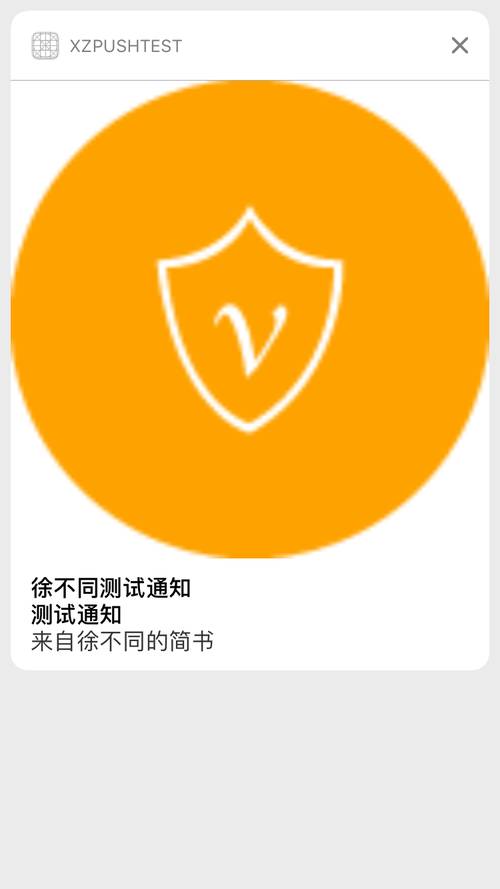
通知內容可包含標題、副標題、body、badge、附件與啟動圖。
附件
UNNotificationAttachment 可加入圖片、音訊或影片。URL 必須是有效檔案路徑。
UNNotificationAttachment *att = [UNNotificationAttachment attachmentWithIdentifier:@"att1" URL:[NSURL fileURLWithPath:path] options:nil error:&error];
縮圖設定
可透過 options 隱藏縮圖:
dict[UNNotificationAttachmentOptionsThumbnailHiddenKey] = @YES;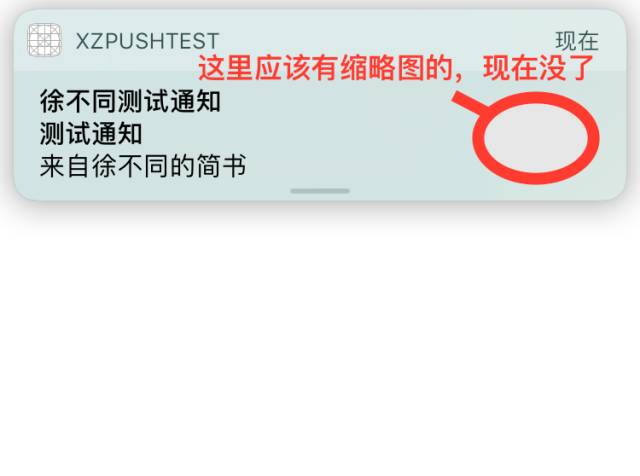
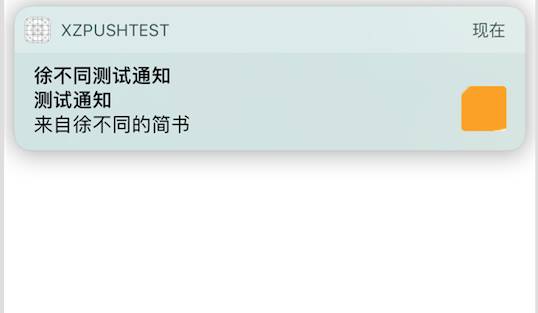
也可裁剪縮圖:
dict[UNNotificationAttachmentOptionsThumbnailClippingRectKey] = (__bridge id _Nullable)(CGRectCreateDictionaryRepresentation(CGRectMake(0.5, 0.5, 0.25, 0.25)));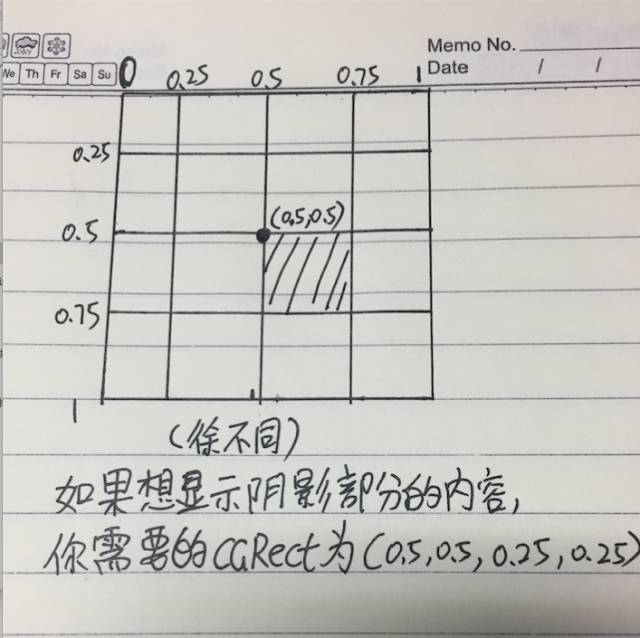
觸發器
計時觸發器可設定間隔與是否重複;若 repeats 為 YES,timeInterval 需至少 60 秒。日曆觸發器可指定日期元件;位置觸發器則可搭配 CLCircularRegion。
- 上一篇文章: iOS 10 SpeechFramework 語音識別入門
- 下一篇文章: Xcode 8 與 iOS 10 升級後常見錯誤排查