
iOS 10 UserNotification 框架完整指南
iOS 10 將通知能力整合到 UserNotification 框架,讓本地通知與遠程通知的處理更結構化。
主要優勢
- 通知邏輯可從 AppDelegate 剝離。
- 支援自訂音效、啟動圖與媒體附件。
- 可定義多套通知模板與互動按鈕。
- 可透過擴充自訂通知 UI。
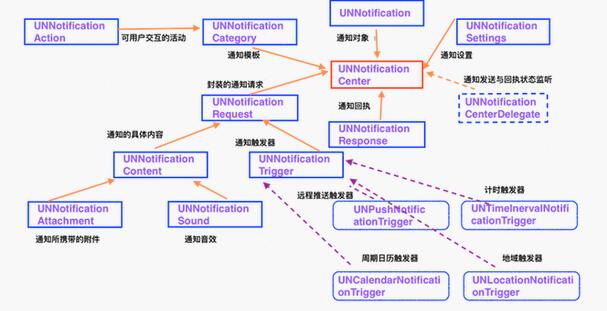
核心類別
UNNotificationCenter 負責管理通知;UNNotificationRequest 描述通知內容與觸發方式;UNNotificationContent 承載標題、內文、badge、附件等;UNNotificationTrigger 則定義觸發時機。
申請權限與建立通知
[[UNUserNotificationCenter currentNotificationCenter] requestAuthorizationWithOptions:UNAuthorizationOptionBadge | UNAuthorizationOptionSound | UNAuthorizationOptionAlert completionHandler:^(BOOL granted, NSError * _Nullable error) {
    if (granted) {
        [UNUserNotificationCenter currentNotificationCenter].delegate = self;
    }
}];
建立五分鐘後觸發的通知:
UNMutableNotificationContent *content = [UNMutableNotificationContent new];
content.title = @"通知標題";
content.body = @"通知內容";
content.sound = [UNNotificationSound defaultSound];
UNTimeIntervalNotificationTrigger *trigger = [UNTimeIntervalNotificationTrigger triggerWithTimeInterval:5 repeats:NO];
UNNotificationRequest *request = [UNNotificationRequest requestWithIdentifier:@"NotificationDefault" content:content trigger:trigger];
[[UNUserNotificationCenter currentNotificationCenter] addNotificationRequest:request withCompletionHandler:nil];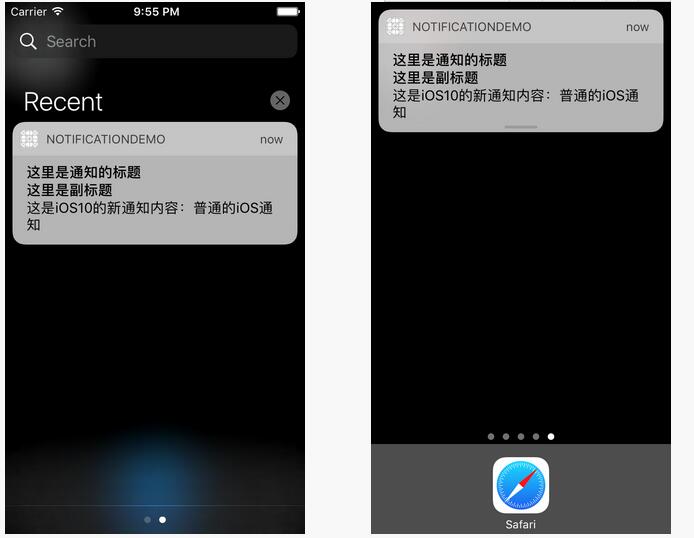
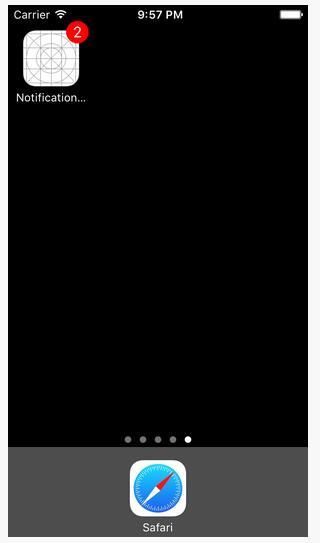
音效與觸發器
UNNotificationSound 可使用系統音效或 bundle 內音檔。UNNotificationTrigger 常見子類包含計時、日曆與位置觸發器。
附件
UNNotificationAttachment 可加入圖片、音訊或影片。建立時需注意格式與大小限制。
UNNotificationAttachment *attach = [UNNotificationAttachment attachmentWithIdentifier:@"imageAttach" URL:[NSURL fileURLWithPath:path] options:nil error:nil];
content.attachments = @[attach];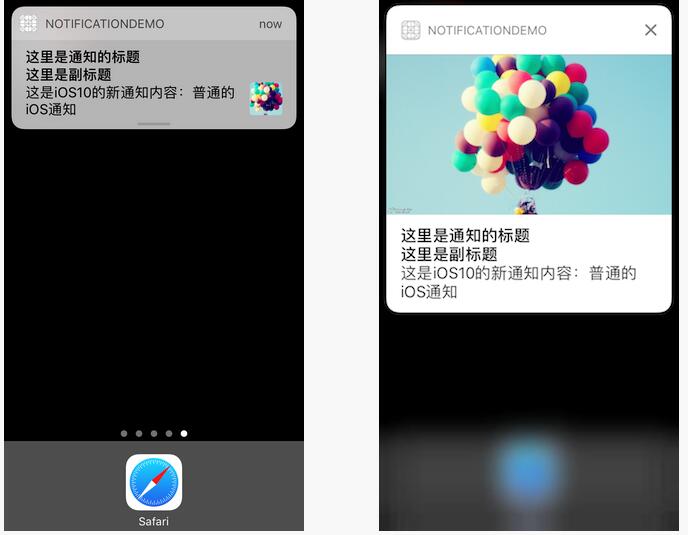
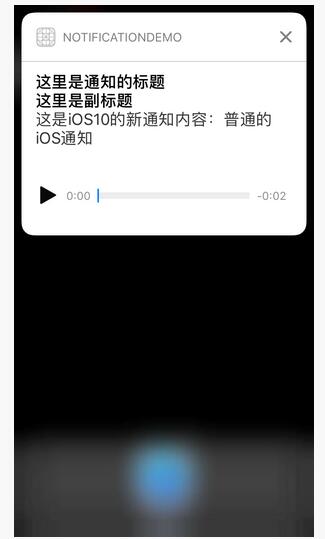
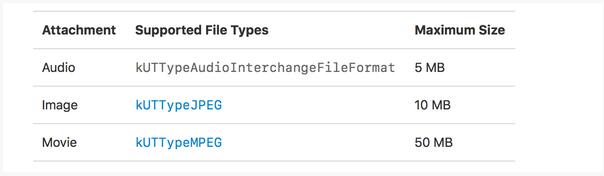
options 可設定類型提示、縮圖隱藏、裁剪區域與影片縮圖時間。
通知模板與互動
UNNotificationCategory 可定義一組通知樣式,UNNotificationAction 則定義按鈕或文字輸入行為。通知內容的 categoryIdentifier 必須與模板 id 對應。
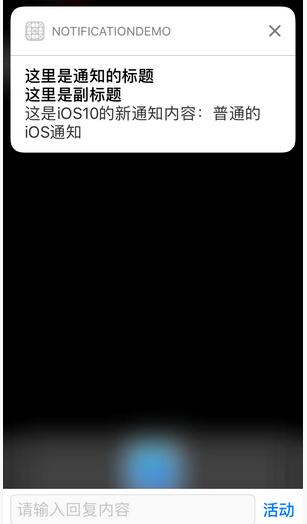
系統模板最多支援四個互動按鈕。
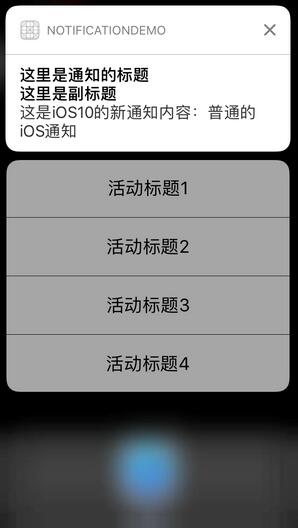
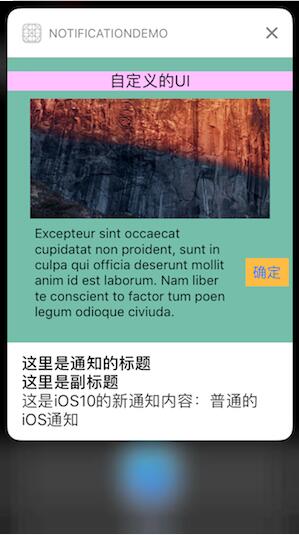
自訂通知 UI
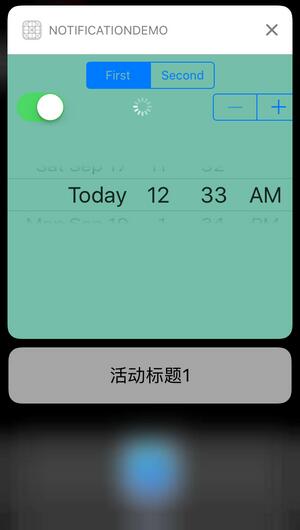
要建立完全自訂的通知畫面,可新增 Notification Content Extension。
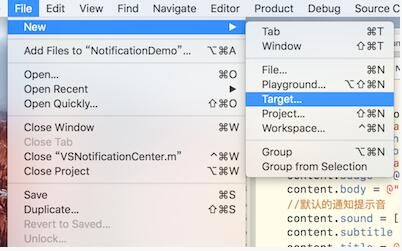
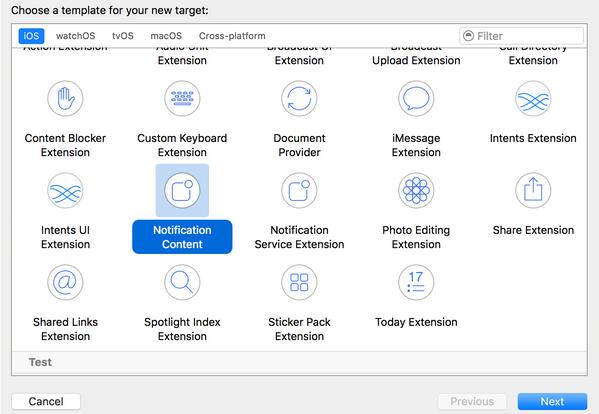
在 NotificationViewController 中實作 UNNotificationContentExtension 協議,並於 didReceiveNotification 更新畫面。
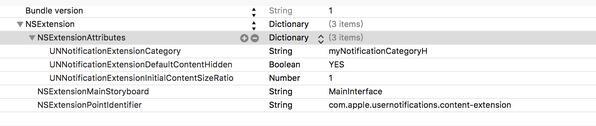
若需要隱藏系統預設內容,可設定 UNNotificationExtensionDefaultContentHidden。
通知回調
透過 UNUserNotificationCenterDelegate,可處理前台顯示與使用者點擊通知後的行為。
整體而言,UserNotification 讓通知從單純提醒,變成可互動、可擴充、可自訂介面的完整體驗。
- 上一篇文章: iOS 動態元素引導頁:滑動時元素移動與淡入淡出
- 下一篇文章: iOS 本地通知 UILocalNotification 使用流程