
iOS 在固定大小的 Label 上動態滾動顯示全部文字
編輯:iOS 開發綜合
先看效果圖:
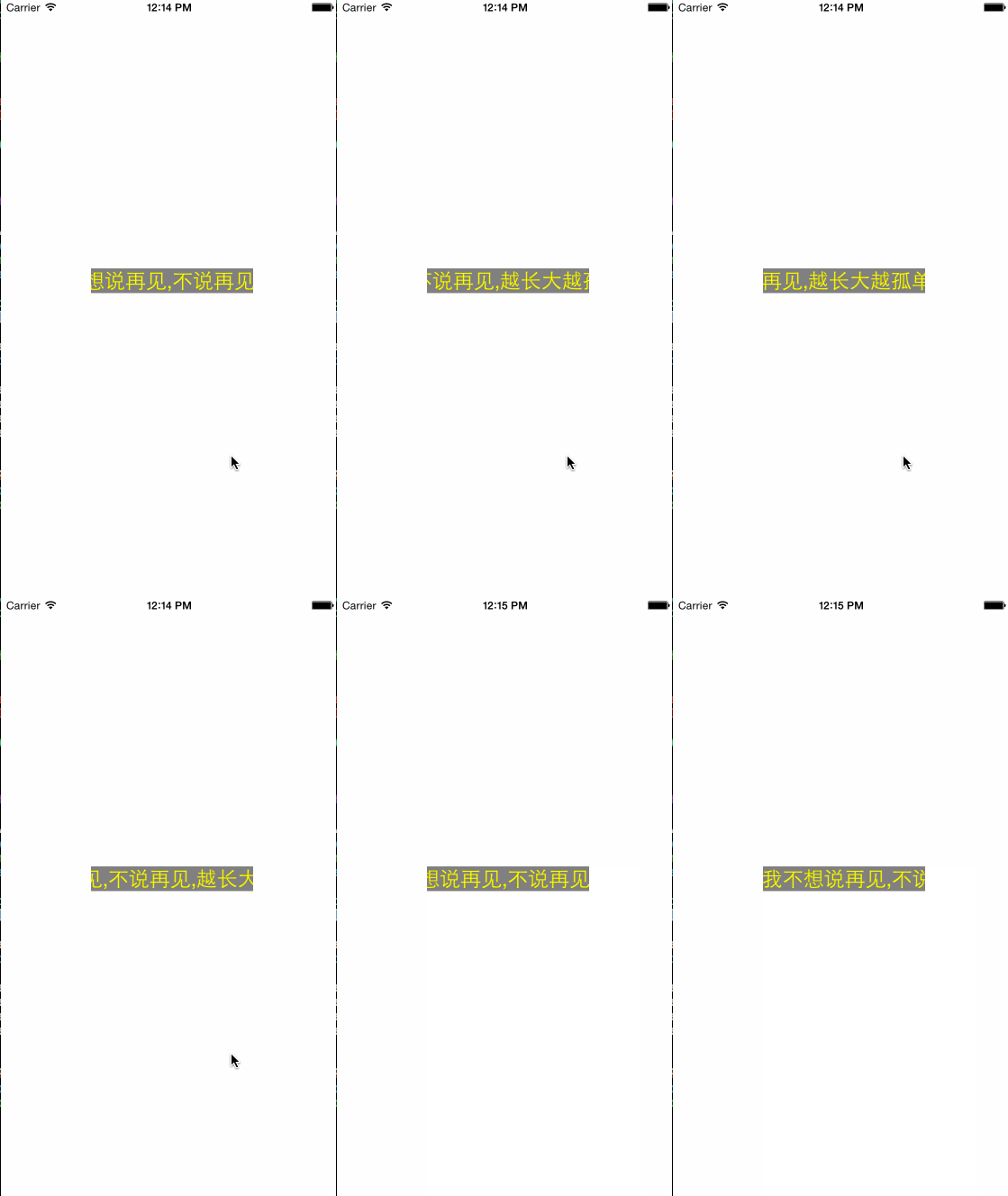
思路
建立一個 view 作為所有內容的父控制項,並在它上面放一個 label 作為顯示文字的載體:
UILabel* contentLabel = [[UILabel alloc] init]; [contentLabel sizeToFit]; contentLabel.backgroundColor = [UIColor clearColor]; _contentLabel = contentLabel; [self addSubview:self.contentLabel];
給內容 view 的 layer 加上一個 mask 層,並把範圍設為整個 view 的 bounds,這樣超出 view 的內容就不會顯示出來:
CAShapeLayer* maskLayer = [CAShapeLayer layer]; maskLayer.path = [UIBezierPath bezierPathWithRect:self.bounds].CGPath; self.layer.mask = maskLayer;
再給 label 加上動畫,讓文字左右滾動:
CAKeyframeAnimation* keyFrame = [CAKeyframeAnimation animation]; keyFrame.keyPath = @"transform.translation.x"; keyFrame.values = @[@(0), @(-space), @(0)]; keyFrame.repeatCount = NSIntegerMax; keyFrame.duration = self.speed * self.contentLabel.text.length; keyFrame.timingFunctions = @[[CAMediaTimingFunction functionWithName:kCAMediaTimingFunctionEaseInEaseOut], [CAMediaTimingFunction functionWithControlPoints:0 :0 :0.5 :0.5]]; keyFrame.delegate = self; [self.contentLabel.layer addAnimation:keyFrame forKey:nil];
使用方法
// 創建 CFDynamicLabel* testLabel = [[CFDynamicLabel alloc] initWithFrame:CGRectMake(100, 300, 180, 21)]; // 設置滾動速度 testLabel.speed = 0.6; [self.view addSubview:testLabel]; // 設置基本屬性 testLabel.text = @"我不想說再見,不說再見,越長大越孤單"; testLabel.textColor = [UIColor yellowColor]; testLabel.font = [UIFont systemFontOfSize:23]; testLabel.backgroundColor = [UIColor grayColor];
總結
核心做法就是用 mask 裁切超出範圍的內容,再對 label 加上 CAKeyframeAnimation 做位移滾動,即可在固定大小的區域內動態顯示完整文字。以上是本文全部內容,希望對大家的學習或工作有所幫助,有疑問歡迎留言交流。
- 上一篇文章: Objective-C 與 JavaScript 雙向互動實作範例
- 下一篇文章: Objective-C 宏定義全面深入解析