
用 UICountingLabel 實現 iOS 數字跳動動畫效果
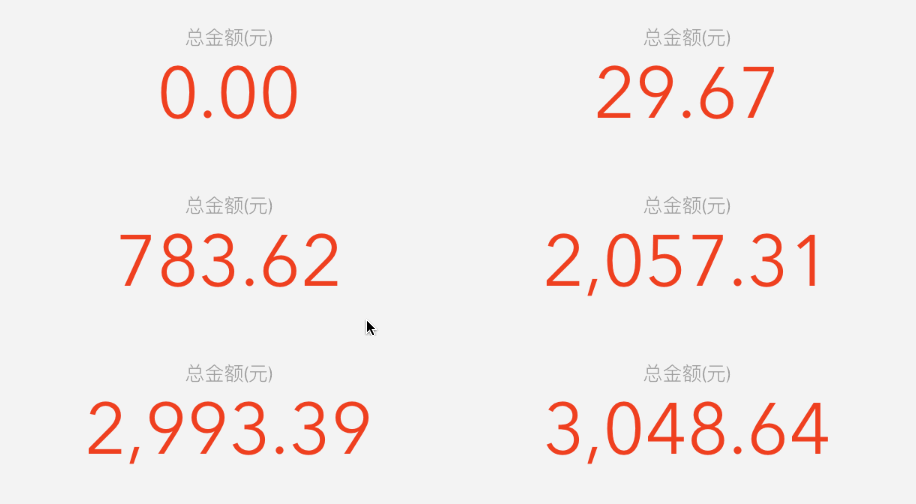
在多數金融類 App,或其他需要展示數字的 App 上,經常會看到如下的動畫效果:
動畫效果
那要怎麼做呢?
一、下載 UICountingLabel
下載地址:https://xiazai.jb51.net/201612/yuanma/UICountingLabel-master_jb51.rar
UICountingLabel 只支援整數與浮點數樣式,像大部分金融類 App 中顯示的帶有千分位分隔符的金額樣式是無法直接顯示的,不過後面會給出解決方案,讓這些效果也能實現!
二、使用 UICountingLabel
1. 初始化
UICountingLabel 繼承自 UILabel,初始化方式與 UILabel 相同,如下:
UICountingLabel* myLabel = [[UICountingLabel alloc] initWithFrame:CGRectMake(10, 10, 100, 40)]; [self.view addSubview:myLabel];
2. 設定文字樣式
可以這樣設定:
myLabel.format = @"%d";
也可以使用 block 設定:
myLabel.formatBlock = ^NSString* (CGFloat value) { NSInteger years = value / 12; NSInteger months = (NSInteger)value % 12; if (years == 0) { return [NSString stringWithFormat: @"%ld months", (long)months]; } else { return [NSString stringWithFormat: @"%ld years, %ld months", (long)years, (long)months]; } };
3. 設定變化範圍及動畫時間
[myLabel countFrom:50 to:100 withDuration:5.0f];
就這麼簡單!
三、實例效果
1. 整數樣式數字的變化
程式碼如下:
UICountingLabel *myLabel = [[UICountingLabel alloc] initWithFrame:CGRectMake(20, CGRectGetMaxY(titleLabel.frame)+1, 280, 45)]; myLabel.textAlignment = NSTextAlignmentCenter; myLabel.font = [UIFont fontWithName:@"Avenir Next" size:48]; myLabel.textColor = [UIColor colorWithRed:236/255.0 green:66/255.0 blue:43/255.0 alpha:1]; [self.view addSubview:myLabel]; //設置格式 myLabel.format = @"%d"; //設置變化范圍及動畫時間 [self.myLabel countFrom:0 to:100 withDuration:1.0f];
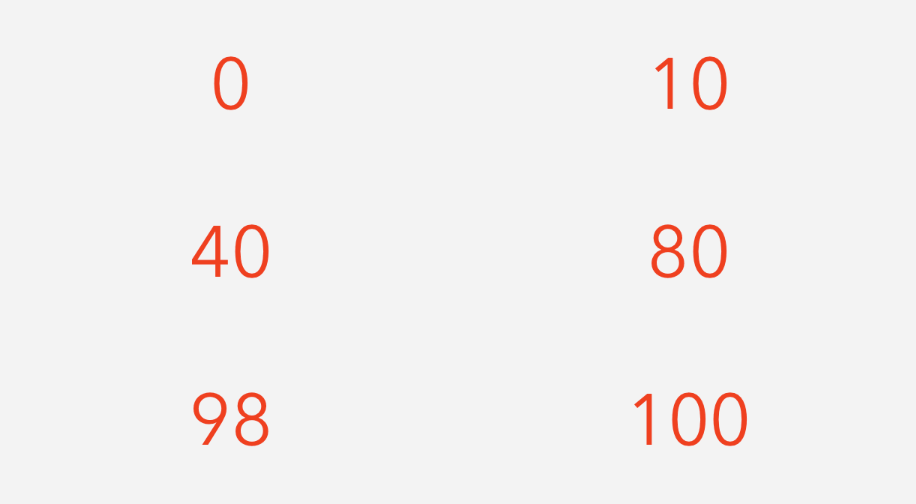
效果圖如下:
整數樣式
2. 浮點數樣式數字的變化
程式碼如下:
UICountingLabel *myLabel = [[UICountingLabel alloc] initWithFrame:CGRectMake(20, CGRectGetMaxY(titleLabel.frame)+1, 280, 45)]; myLabel.textAlignment = NSTextAlignmentCenter; myLabel.font = [UIFont fontWithName:@"Avenir Next" size:48]; myLabel.textColor = [UIColor colorWithRed:236/255.0 green:66/255.0 blue:43/255.0 alpha:1]; [self.view addSubview:myLabel]; //設置格式 myLabel.format = @"%.2f"; //設置變化范圍及動畫時間 [self.myLabel countFrom:0.00 to:3198.23 withDuration:1.0f];
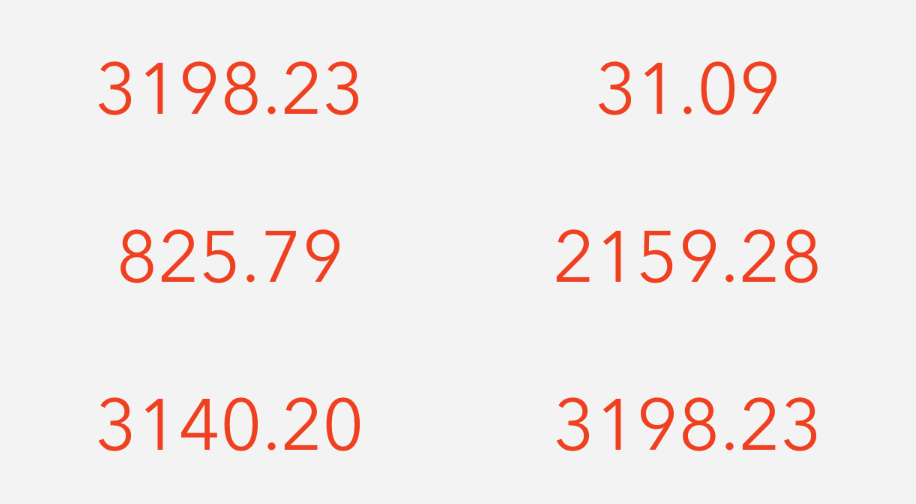
效果圖如下:
浮點數樣式
3. 帶有千分位分隔符的浮點數樣式
由於 UICountingLabel 本身沒有這種樣式,所以需要稍微修改一下 UICountingLabel 檔案。
首先在 UICountingLabel.h 頭檔案中增加一個屬性,如下圖:

添加 positiveFormat 屬性
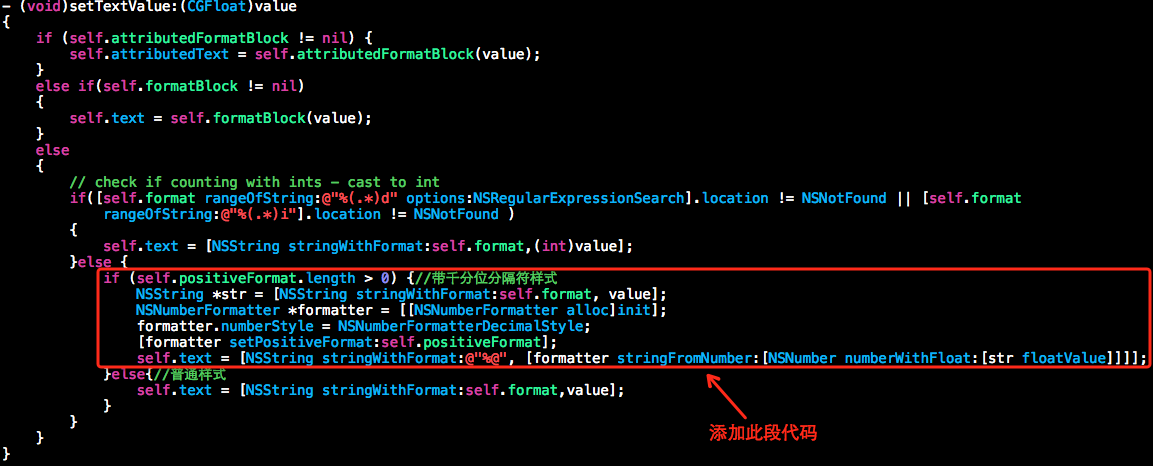
接著在 UICountingLabel.m 檔案的 - (void)setTextValue:(CGFloat)value 方法中,加入如下程式碼:
添加此段程式碼
這樣一來,UICountingLabel 就能實現這種樣式了。
下面開始實現這種樣式,程式碼如下:
UICountingLabel *myLabel = [[UICountingLabel alloc] initWithFrame:CGRectMake(20, CGRectGetMaxY(titleLabel.frame)+1, 280, 45)]; myLabel.textAlignment = NSTextAlignmentCenter; myLabel.font = [UIFont fontWithName:@"Avenir Next" size:48]; myLabel.textColor = [UIColor colorWithRed:236/255.0 green:66/255.0 blue:43/255.0 alpha:1]; [self.view addSubview:myLabel]; //設置格式 myLabel.format = @"%.2f"; //設置分隔符樣式 myLabel.positiveFormat = @"###,##0.00"; //設置變化范圍及動畫時間 [self.myLabel countFrom:0.00 to:3048.64 withDuration:1.0f];
效果圖如下:
以上就是本文的全部內容,希望對大家的學習或工作帶來一些幫助。
- 上一篇文章: 用 Charts 框架繪製 iOS 柱形圖的完整實作
- 下一篇文章: iOS 常用公共方法大集合:30 個可直接複用的工具函式