
UITableView 下拉刷新:用 UIRefreshControl 幾行搞定
編輯:iOS 開發綜合
下拉刷新是行動平台上最普及的互動之一。iOS 從 6.0 之後就把這件事標準化了,實作成本非常低。
原理
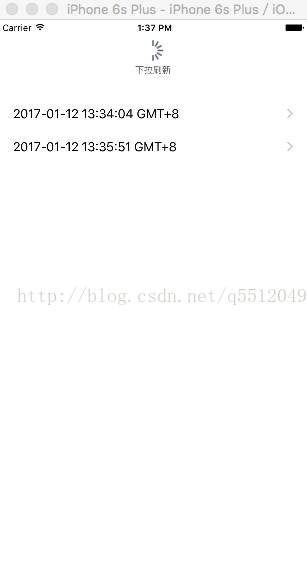
UITableView 有一個 refreshControl 屬性,型別是 UIRefreshControl。這個類別就是系統為列表下拉刷新準備的,目前也只能用在 tableView 上。你只要建立一個實例、掛上事件、指定給 refreshControl,剩下的動畫與手勢判定都由系統處理。
完整程式碼
#import "ViewController.h"

@interface ViewController ()
@end

@implementation ViewController

- (void)viewDidLoad {
    [super viewDidLoad];

    self.Logs = [[NSMutableArray alloc] init]; // 初始化資料
    NSDate *date = [[NSDate alloc] init];      // 初始化日期
    [self.Logs addObject:date];                // 插入一筆日期

    UIRefreshControl *rc = [[UIRefreshControl alloc] init]; // 初始化 UIRefreshControl
    rc.attributedTitle = [[NSAttributedString alloc] initWithString:@"下拉刷新"]; // 設定標題文字
    [rc addTarget:self action:@selector(refreshAction) forControlEvents:UIControlEventValueChanged]; // 掛上事件
    self.refreshControl = rc;
}

- (void)didReceiveMemoryWarning {
    [super didReceiveMemoryWarning];
    // Dispose of any resources that can be recreated.
}

// 下拉刷新事件
- (void)refreshAction {
    if (self.refreshControl.refreshing) {
        self.refreshControl.attributedTitle = [[NSAttributedString alloc] initWithString:@"加載中"];

        NSDate *date = [[NSDate alloc] init];
        [self.Logs addObject:date]; // 每次刷新加一筆當前時間

        [self.refreshControl endRefreshing]; // 結束刷新
        self.refreshControl.attributedTitle = [[NSAttributedString alloc] initWithString:@"下拉刷新"];
        [self.tableView reloadData];
    }
}

#pragma mark - UITableViewDataSource

- (NSInteger)numberOfSectionsInTableView:(UITableView *)tableView {
    return 1;
}

- (NSInteger)tableView:(UITableView *)tableView numberOfRowsInSection:(NSInteger)section {
    return [self.Logs count];
}

- (UITableViewCell *)tableView:(UITableView *)tableView cellForRowAtIndexPath:(NSIndexPath *)indexPath {
    UITableViewCell *cell = [tableView dequeueReusableCellWithIdentifier:@"cell"];

    NSDateFormatter *dateFormat = [[NSDateFormatter alloc] init]; // 可把 NSDate 轉成字串
    [dateFormat setDateFormat:@"yyyy-MM-dd HH:mm:ss zzz"];        // 設定時間格式

    cell.textLabel.text = [dateFormat stringFromDate:[self.Logs objectAtIndex:indexPath.row]];
    cell.accessoryType = UITableViewCellAccessoryDisclosureIndicator;

    return cell;
}

@end
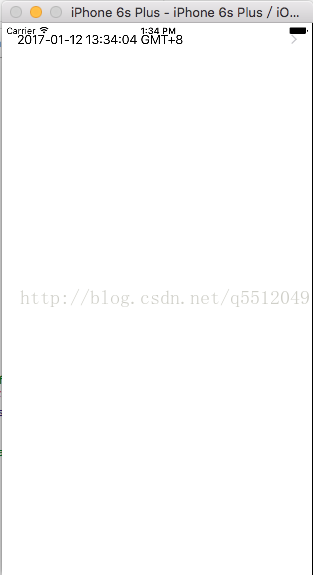
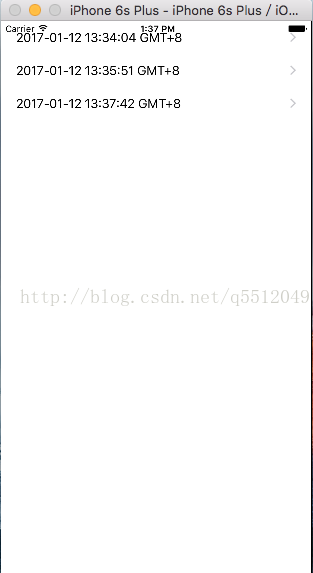
效果如下:
幾個實務提醒
一定要呼叫 endRefreshing。忘了呼叫,轉圈動畫會永遠轉下去,看起來就像卡住了。
非同步載入時的順序。如果刷新要發網路請求,正確做法是:先呼叫 beginRefreshing 讓轉圈持續,在請求回來後更新資料、reloadData,最後才 endRefreshing。
iOS 10 之後的變化。attributedTitle 在新版系統上的視覺呈現不如早期明顯,若要更完整的自訂(例如換掉整條的樣式或加上圖示),可以改用 refreshControl 的 layer 客製,或直接沿用系統樣式保持一致性。
dequeueReusableCellWithIdentifier: 已不建議使用。iOS 6 之後請改用 dequeueReusableCellWithIdentifier:forIndexPath:,並在 Storyboard 或註冊時指定 cell 識別碼,可以少寫很多樣板程式碼。
- 上一篇文章: Touch ID 指紋驗證入門:原生 LAContext 與第三方封裝
- 下一篇文章: 讓 UILabel 的文字左右兩端對齊(分散對齊)