
iOS 按鈕點擊事件的兩種處理方式:target-action 與代理模式對比
寫在前面
iOS 裡按鈕事件的實現方式有多種,最常見的是 target-action 對,但它會讓 view 與 controller 的耦合偏高,並不是好設計;另一種是代理方式——按鈕事件在 view 內部綁定,controller 作為 view 的代理來實現回調方法。本文用同一個例子把兩種做法完整對比一遍。
方式一:target-action 對
思路是:view 把按鈕暴露在頭文件中,controller 拿到按鈕後自行綁定動作方法。
1、MyView.h —— 包含一個可被外部訪問的按鈕
@interface MyView : UIView @property (strong, nonatomic) UIButton *myBtn; @end
2、MyView.m
#import "MyView.h" @implementation MyView //view的初始化方法 - (id)initWithFrame:(CGRect)frame { self = [super initWithFrame:frame]; if (self) { //初始化按鈕 _myBtn = [[UIButton alloc] initWithFrame:CGRectMake(140, 100, 100, 50)]; _myBtn.backgroundColor = [UIColor redColor]; //將按鈕添加到自身 [self addSubview:_myBtn]; } return self; } @end
3、MyViewController.h
#import <UIKit/UIKit.h> @interface MyViewController : UIViewController @end
4、MyViewController.m —— 添加 MyView 作為自身 view
#import "MyViewController.h" #import "MyView.h" @interface MyViewController () @property (strong, nonatomic) MyView *myview; @end @implementation MyViewController - (void)loadView { MyView *myView = [[MyView alloc] initWithFrame: [[UIScreen mainScreen] bounds] ]; self.view = myView; self.myview = myView; //在controller中設置按鈕的目標-動作,其中目標是self,也就是控制器自身,動作是目標提供的BtnClick:方法 [self.myview.myBtn addTarget:self action:@selector(BtnClick:) forControlEvents:UIControlEventTouchUpInside]; } //MyView中的按鈕的事件 - (void)BtnClick:(UIButton *)btn { NSLog(@"Method in controller."); NSLog(@"Button clicked."); }
5、AppDelegate.m
#import "AppDelegate.h" #import "MyViewController.h" @interface AppDelegate () @end @implementation AppDelegate - (BOOL)application:(UIApplication *)application didFinishLaunchingWithOptions:(NSDictionary *)launchOptions { self.window = [ [UIWindow alloc] initWithFrame: [[UIScreen mainScreen] bounds ] ]; MyViewController *myVC = [[MyViewController alloc] init]; self.window.rootViewController = myVC; self.window.backgroundColor = [UIColor whiteColor]; [self.window makeKeyAndVisible]; return YES; }
6、運行結果
界面:
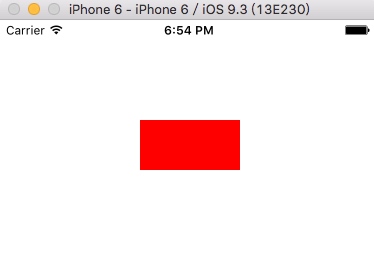
輸出:

7、小結
把 view 的內部屬性暴露在頭文件中,本質上破壞了封裝性。一旦 myBtn 公開,任何持有該 view 的對象都可能在不知情的情況下修改它,違背高內聚低耦合的原則,因此不推薦。
方式二:代理監聽按鈕事件
思路是:按鈕不外露,改為在 view 頭文件中聲明一個協議,controller 成為 view 的代理並實現協議方法;view 內部自己綁定按鈕,點擊後回調代理。
1、MyView.h —— 不再將按鈕暴露在頭文件中
#import <UIKit/UIKit.h> //自定義的按鈕協議,該協議實現了<NSObject>協議,協議的名稱自定,不過不要和Apple的協議重名 @protocol myBtnDelegate <NSObject> //協議中的方法,遵循該協議的類提供其具體的實現,協議有@optional和@required兩個修飾符,默認情況下是@required - (void) BtnClick:(UIButton *)btn; @end //MyView的接口 @interface MyView : UIView //聲明一個屬性,這個屬性用於指定誰來成為本類的代理 @property (weak, nonatomic) id<myBtnDelegate> delegate; @end
這裡有兩個細節值得注意:協議名不要與系統重名;delegate 屬性必須用 weak,避免循環引用。
2、MyView.m —— 按鈕封裝在 .m 中,同時提供本地方法去調用代理方法
#import "MyView.h" @interface MyView () //聲明在.m中的按鈕對外部不可見 @property (strong, nonatomic) UIButton *myBtn; @end @implementation MyView //初始化 - (id)initWithFrame:(CGRect)frame { self = [super initWithFrame:frame]; if (self) { _myBtn = [[UIButton alloc] initWithFrame:CGRectMake(140, 100, 100, 50)]; _myBtn.backgroundColor = [UIColor redColor]; //為按鈕設置目標-動作,其中目標是self即包含該按鈕的view自身,動作是由目標(view)提供的myBtnClick:方法 [_myBtn addTarget:self action:@selector(myBtnClick:) forControlEvents:UIControlEventTouchUpInside]; [self addSubview:_myBtn]; } return self; } //view中按鈕的事件 - (void)myBtnClick:(UIButton *)btn { NSLog(@"Method in view"); //在回調代理方法時,首先判斷自身的代理是否實現了代理方法,否則會導致崩潰 if ( [self.delegate respondsToSelector:@selector(BtnClick:)] ) { [self.delegate BtnClick: btn]; } else { NSLog(@"BtnClick: haven't found in delegate."); } } @end
調用代理方法前先用 respondsToSelector: 做保護,是必須養成的習慣,否則代理未實現該方法時會直接崩潰。
3、MyViewController.h —— 同上
4、MyViewController.m
#import "MyViewController.h" #import "MyView.h" //聲明該controller遵循 <myBtnDelegate>協議,因此需要實現協議中的方法 @interface MyViewController () <myBtnDelegate> @end @implementation MyViewController - (void)loadView { //創建MyView類型的myView MyView *myView = [[MyView alloc] initWithFrame: [[UIScreen mainScreen] bounds] ]; //將myView的代理設置為self,即當前controller自身 myView.delegate = self; //將controller的view指向myView self.view = myView; } //該方法是代理中的方法,在controller中決定點擊myBtn按鈕後具體要做的事情,但controller並不能直接獲取到myBtn - (void)BtnClick:(UIButton *)btn { NSLog(@"Method in controller."); NSLog(@"Button clicked."); }
5、AppDelegate —— 同上
6、運行結果
界面同上,日誌:

7、小結
從日誌可以看出,執行順序是:view 中按鈕的動作方法 → controller 提供的代理方法。
代理模式裡有三個角色:
- 協議:一般是一組方法列表,規定代理雙方的行為,本例中即 myBtnDelegate;
- 代理:遵循協議並實現其中方法的類,完成委托方交辦的功能,本例中是 MyViewController;
- 委托:持有代理並指定它去完成功能,本例中是 MyView。
用白話說:委托方讓代理方代替自己執行一定的動作。
總結
iOS 中類不支持多繼承,但協議可以多繼承。協議本身不提供實現,通常由一系列方法組成(也可以有屬性,但那不是主要用途),有點像 Java 的接口,實現協議的類負責提供具體邏輯。
代理模式在 iOS 裡應用極廣,價值就在於解耦。以本文例子來說,controller 雖然能決定點擊後的行為,但它並不知道 view 內部存在 myBtn 這個屬性,也就無法從外部改動按鈕的各項配置——這就是解耦的體現。同時,因為事件綁定在 view 內部,任何使用這個 view 的類只需實現相應代理方法就能定制點擊行為,複用性大大增強。
以上就是 iOS 按鈕點擊事件兩種處理方式的完整對比。
- 上一篇文章: 為 UIImage 添加 Category:按屏幕寬度等比縮放
- 下一篇文章: iOS 時間與時間戳互轉的三段實用代碼