
用 UIView 動畫實作雪花飄落效果
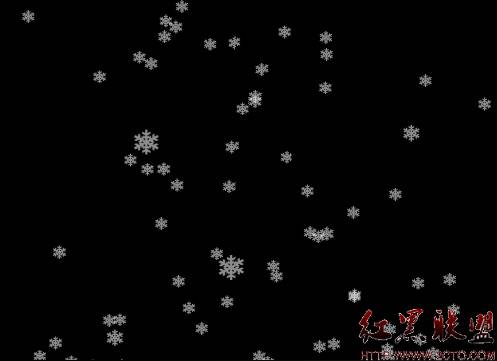
這個效果的做法很直觀:用一個 NSTimer 定期產生新的雪花視圖,每片雪花從螢幕上方隨機位置落下,尺寸、透明度、下落速度與水平終點都隨機,動畫結束後就把該視圖移除並釋放。累積起來就是漫天飛雪。
- (void)viewDidLoad {
    [super viewDidLoad];
    flakeImage = [UIImage imageNamed:@"flake.png"];
    [NSTimer scheduledTimerWithTimeInterval:(0.05)
                                     target:self
                                   selector:@selector(play)
                                   userInfo:nil
                                    repeats:YES];
}

- (BOOL)shouldAutorotateToInterfaceOrientation:(UIInterfaceOrientation)interfaceOrientation {
    return (interfaceOrientation == UIInterfaceOrientationLandscapeLeft);
}

- (void)play {
    UIImageView *flakeView = [[UIImageView alloc] initWithImage:flakeImage];

    int startX = round(random() % 1024);
    int endX = round(random() % 1024);
    double scale = 1 / round(random() % 100) + 1.0;
    double speed = 1 / round(random() % 100) + 1.0;

    flakeView.frame = CGRectMake(startX, -100.0, 25.0 * scale, 25.0 * scale);
    flakeView.alpha = 0.55;
    [self.view addSubview:flakeView];

    [UIView beginAnimations:nil context:flakeView];
    [UIView setAnimationDuration:5 * speed];
    flakeView.frame = CGRectMake(endX, 768.0, 25.0 * scale, 25.0 * scale);
    [UIView setAnimationDidStopSelector:@selector(onAnimationComplete:finished:context:)];
    [UIView setAnimationDelegate:self];
    [UIView commitAnimations];
}

- (void)onAnimationComplete:(NSString *)animationID
                   finished:(NSNumber *)finished
                    context:(void *)context {
    UIImageView *flakeView = context;
    [flakeView removeFromSuperview];
    [flakeView release];
}
示例圖:
幾個值得改進的地方
一、隨機計算有 bug。1 / round(random() % 100) + 1.0 這行的問題是 random() % 100 可能為 0,此時會發生除以零;另外 1 除以一個整數的結果在 0 到 1 之間,加上 1.0 之後實際範圍只有 1.0 到 2.0,random 的效果相當有限。若要讓雪花大小與速度分布更自然,建議改用 arc4random() 並明確寫出範圍,例如 1.0 + (arc4random() % 100) / 100.0。
二、座標寫死了。startX 用 % 1024、終點 Y 寫死 768,這是典型 iPad 橫向的解析度。換到 iPhone 或其他尺寸就會出現雪花沒飄滿螢幕的窘境。應該改用 self.view.bounds.size.width 與 height 動態計算。
三、Timer 從未停止。scheduledTimerWithTimeInterval 建立後會被 run loop 強引用,若沒有 invalidate,離開畫面後它仍會持續觸發 play,造成多餘耗電與可能的崩潰。務必在 viewWillDisappear 或 dealloc 中 [timer invalidate],並把 timer 存成實例變數。
四、用 context 傳遞物件並手動 release 有其風險。把 flakeView 當成 void* context 傳給動畫回呼,再於回呼中 release,能運作但很脆弱——若動畫被系統打斷而未觸發 didStop selector,物件就會洩漏。更穩妥的做法是讓每片雪花自己管理生命週期:建立一個小的 UIView 子類,在內部啟動動畫並於動畫結束時自行 removeFromSuperview,或乾脆改用 blocks 版本的 animateWithDuration:animations:completion:,直接在 completion 中收尾,不必繞 context。
五、動畫幀率與效能。每 0.05 秒產生一片、每片動畫 5 秒以上,代表螢幕上同時存在上百個視圖。若改用 CAEmitterLayer 做粒子系統,把發射器與雪花 cell 定義好,效能會好得多,程式碼也更短——粒子系統正是為這種大量同質元素而設計的。