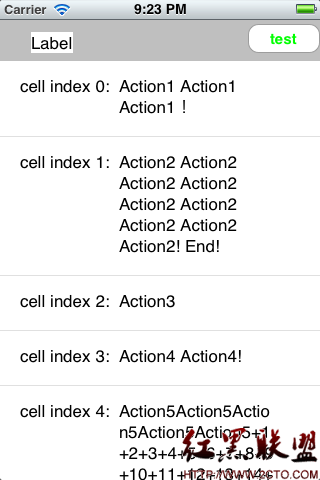
iPhone 開發學習筆記:讓 UITableViewCell 依內容自動調整高度
編輯:iOS 開發綜合
讓 Cell 高度依內容調整
若 Cell 中的文字長度不一,就不能固定高度。做法是把 label 的 numberOfLines 設為 0,讓它自動換行,再依文字內容計算實際高度。
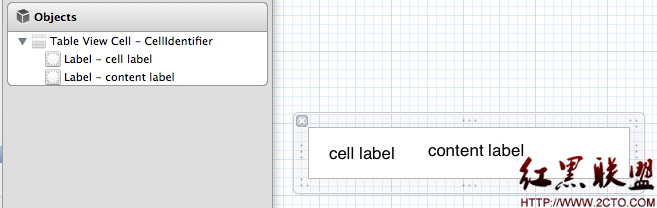
計算文字高度
在 cellForRowAtIndexPath 中,可先取得文字與字型,再用 sizeWithFont 計算在限定寬度下的高度。
UILabel *contentLabel = (UILabel *)[cell viewWithTag:2];
[contentLabel setNumberOfLines:0];
UIFont *font = [UIFont fontWithName:@"Arial" size:12];
CGSize size = CGSizeMake(100, 2000);
NSString *labelText = [rowData objectForKey:@"Name"];
CGSize labelsize = [labelText sizeWithFont:font constrainedToSize:size lineBreakMode:UILineBreakModeWordWrap];
[contentLabel setFrame:CGRectMake(contentLabel.frame.origin.x, contentLabel.frame.origin.y, contentLabel.frame.size.width, labelsize.height)];
回傳動態行高
在 heightForRowAtIndexPath 中,可先取得 cell 內的 label,計算它的高度。若高度大於預設值,就把多出的部分加回基礎行高;若沒有超過,就維持基礎高度。
這樣就能讓短內容保持精簡,長內容自動撐高,避免文字被裁切。