
iPhone UITableView 基本用法:DataSource、Delegate 與 Cell 重用
編輯:iOS 開發綜合
UITableView 是 iOS 中非常常用的列表元件。要建立基本表格,通常需要實作 UITableViewDataSource 提供資料,以及 UITableViewDelegate 處理點擊事件。
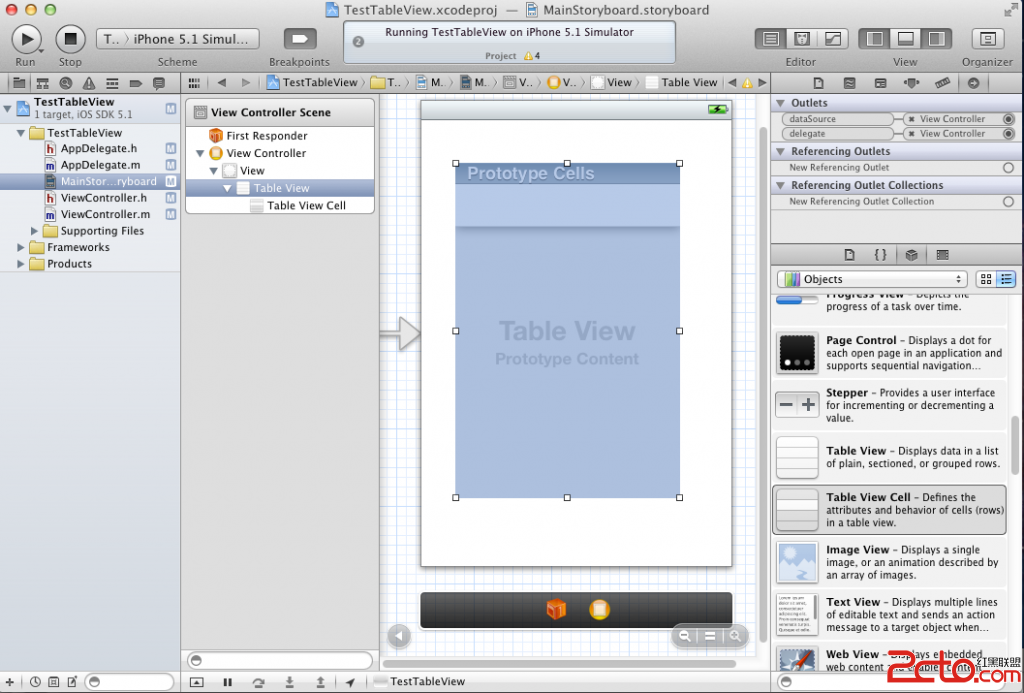
建立步驟
使用 Single View Application 建立專案,在 ViewController.h 宣告 UITableViewDataSource 與 UITableViewDelegate 協定,並準備 listData 陣列。
@interface ViewController : UIViewController <UITableViewDataSource, UITableViewDelegate>
@property (nonatomic, retain) NSArray *listData;
@end
提供資料來源
numberOfRowsInSection 回傳列數,cellForRowAtIndexPath 則建立或重用 cell,並設定文字。
- (NSInteger)tableView:(UITableView *)tableView numberOfRowsInSection:(NSInteger)section {
    return [self.listData count];
}

- (UITableViewCell *)tableView:(UITableView *)tableView cellForRowAtIndexPath:(NSIndexPath *)indexPath {
    static NSString *tag = @"tag";
    UITableViewCell *cell = [tableView dequeueReusableCellWithIdentifier:tag];
    if (cell == nil) {
        cell = [[UITableViewCell alloc] initWithStyle:UITableViewCellStyleDefault reuseIdentifier:tag];
    }
    cell.textLabel.text = [self.listData objectAtIndex:indexPath.row];
    return cell;
}
處理點擊事件
實作 didSelectRowAtIndexPath,即可在使用者點選列時顯示提示或跳轉頁面。
- (void)tableView:(UITableView *)tableView didSelectRowAtIndexPath:(NSIndexPath *)indexPath {
    NSString *message = [NSString stringWithFormat:@"You chose the : %@", [self.listData objectAtIndex:indexPath.row]];
    UIAlertView *alert = [[UIAlertView alloc] initWithTitle:@"Selected" message:message delegate:nil cancelButtonTitle:@"OK" otherButtonTitles:nil];
    [alert show];
}
最後,在 Interface Builder 中把 UITableView 的 delegate 與 dataSource 連到 ViewController,並在 viewDidLoad 設定 listData,即可完成簡單列表。