iOS 帶箭頭的彈出框
編輯:IOS開發綜合
IOS 帶箭頭的彈出框
1.做什麼?
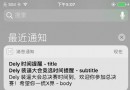
許多項目中,需要用到帶箭頭的彈出框框,比如菜單的選擇等等。效果類似這樣


2.如何做?
step1:在github下載並導入第三方文件:WBPopOverView.h WBPopOverView.m ;找不到可以留言,我發給你哦。
step2:popview的初始化,需要指點其箭頭彈出的位置和箭頭彈出的方向;彈出框view是WBPopOverView的backview屬性,可以在上面add想要的內容。最後顯示WBPopOverView用pop方法。
- (void)popViewWithPoint:(CGPoint)point andDirction:(WBArrowDirection)direction
{
    self.popView = [[WBPopOverView alloc]initWithOrigin:point Width:200 Height:300 Direction:direction];
    //這裡是設置backView的顏色
    self.popView.backView.backgroundColor = [UIColor blueColor];
    //彈出框
    [self.popView popView];
}
箭頭的方向在有12個方向,在WBPopOverView.h中
typedef NS_ENUM(NSUInteger,WBArrowDirection){
    //箭頭位置
    WBArrowDirectionLeft1=1,//左上
    WBArrowDirectionLeft2,//左中
    WBArrowDirectionLeft3,//左下
    WBArrowDirectionRight1,//右上
    WBArrowDirectionRight2,//右中
    WBArrowDirectionRight3,//右下
    WBArrowDirectionUp1,//上左
    WBArrowDirectionUp2,//上中
    WBArrowDirectionUp3,//上右
    WBArrowDirectionDown1,//下左
    WBArrowDirectionDown2,//下中
    WBArrowDirectionDown3,//下右
};
以按鈕1為例,指定箭頭的位置是在按鈕1的正下方中間,箭頭的方向是在上方中央。
- (IBAction)button1clicked:(UIButton *)sender {
    //設定箭頭的位置
    CGPoint point = CGPointMake(sender.frame.origin.x+sender.frame.size.width/2, sender.frame.origin.y+sender.frame.size.height);
    //箭頭的方向
    [self popViewWithPoint:point andDirction:WBArrowDirectionUp1];
}
以上就是iOS 帶箭頭的彈出框的全文介紹,希望對您學習和使用iOS開發有所幫助.[db:作者簡介][db:原文翻譯及解析]
【iOS 帶箭頭的彈出框】的相關資料介紹到這裡,希望對您有所幫助! 提示:不會對讀者因本文所帶來的任何損失負責。如果您支持就請把本站添加至收藏夾哦!


相關文章
+