IOS項目開發布局四
編輯:IOS開發綜合
IOS項目開發布局四
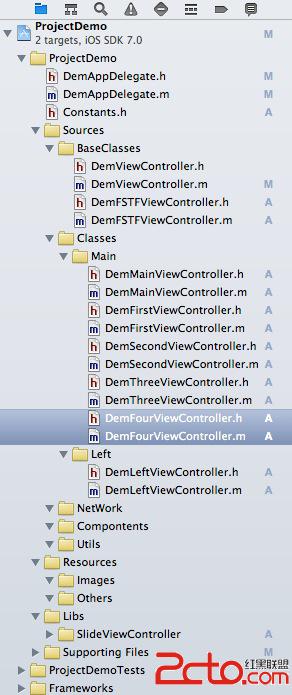
在上次框架基礎上添加UITabViewController控件和頂部滾動欄,首先看文件布局如下圖
1. 在DemMainViewController中添加如下:
- (void)addMainController
{
    _tabController=[[UITabBarController alloc] init];
    [_tabController.view setFrame: [self.view bounds]];

    NSArray *classStringArray = [NSArray arrayWithObjects:@"DemFirstViewController",@"DemSecondViewController",@"DemThreeViewController",@"DemFourViewController",nil];

    NSMutableArray *array = [[NSMutableArray alloc] init];

    for (int i = 0; i < [classStringArray count]; i++) {
        Class c = NSClassFromString([classStringArray objectAtIndex:i]);
        DemFSTFViewController *fstfViewController = [[c alloc] init];
        UINavigationController *nav = [[UINavigationController alloc] initWithRootViewController:fstfViewController];
        [fstfViewController release];
        [array addObject:nav];
        [nav release];
    }

    [_tabController setViewControllers:array];

    [self.view addSubview:_tabController.view];
}
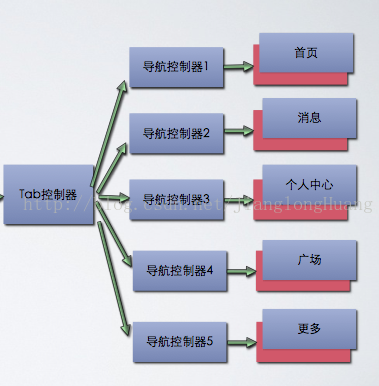
說明:DemFirstViewController、DemSecondViewController、DemThreeViewController和DemFourViewController四個類繼承於DemFSTFViewController基類,作為TabBarViewController的四個控制器
2. 在DemFSTFViewController中可以定義一個公有方法如下
- (void)setTitle:(NSString *)title withImageName:(NSString *)imageName
{
    self.title = title;
    self.tabBarItem.image = [UIImage imageNamed:imageName];
    self.navigationItem.title = title;
}
說明:這個方法可以為每個繼承它的子類設置title和tabbarItem。
運行結果如下:
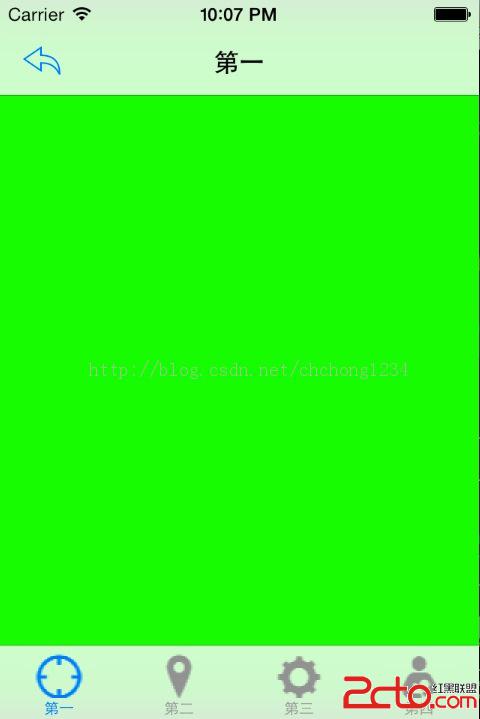
圖一
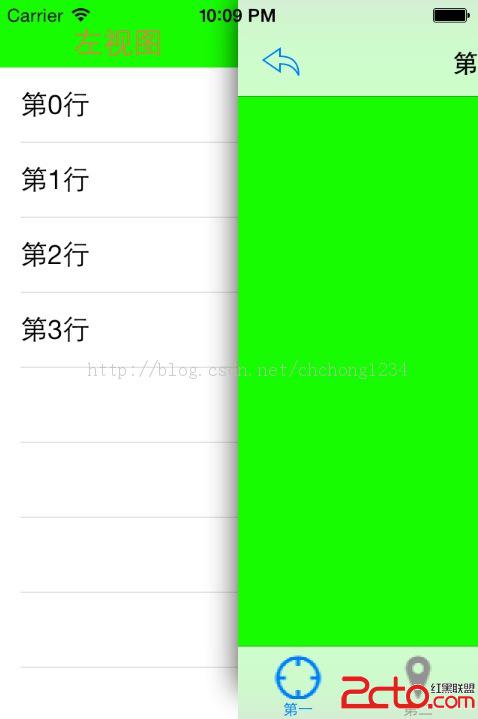
圖二
提供項目的下載鏈接:http://download.csdn.net/detail/chchong1234/6993253

相關文章
+