iOS AV Foundation 二維碼掃描 縮放攝像頭
編輯:IOS開發綜合
最後一節,我們為程序添加通過手勢對攝像頭進行縮放控制的功能。
添加實例變量,並在viewDidLoad方法的最後,進行初始化:
CGFloat _initialPinchZoom;
[_previewView addGestureRecognizer:[[UIPinchGestureRecognizer alloc] initWithTarget:self action:@selector(pinchDetected:)]];
實現pinchDetected:方法:
- (void)pinchDetected:(UIPinchGestureRecognizer*)recogniser
{
    // 1
    if (!_videoDevice)
        return;

    // 2
    if (recogniser.state == UIGestureRecognizerStateBegan)
    {
        _initialPinchZoom = _videoDevice.videoZoomFactor;
    }

    // 3
    NSError *error = nil;
    [_videoDevice lockForConfiguration:&error];

    if (!error) {
        CGFloat zoomFactor;
        CGFloat scale = recogniser.scale;
        if (scale < 1.0f) {
            // 4
            zoomFactor = _initialPinchZoom - pow(_videoDevice.activeFormat.videoMaxZoomFactor, 1.0f - recogniser.scale);
        }
        else
        {
            // 5
            zoomFactor = _initialPinchZoom + pow(_videoDevice.activeFormat.videoMaxZoomFactor, (recogniser.scale - 1.0f) / 2.0f);
        }

        // 6
        zoomFactor = MIN(10.0f, zoomFactor);
        zoomFactor = MAX(1.0f, zoomFactor);

        // 7
        _videoDevice.videoZoomFactor = zoomFactor;

        // 8
        [_videoDevice unlockForConfiguration];
    }
}
檢查是否有可用的視頻設備。在手勢識別開始時,記錄初始縮放因子。在開始修改視頻設備參數前,鎖定視頻設備。如果鎖定成功,計算手勢行為,scale小於1.0表示用戶兩指間距離在縮小,程序需要放大攝像頭。scale大於1.0表示用戶兩指間距離在變大,程序需要縮小攝像頭。第4步和第5步中的計算公式是為了讓縮放看起來更自然。限制縮放的最大最小值。為視頻設備設置縮放因子。最後,解鎖視頻設備。
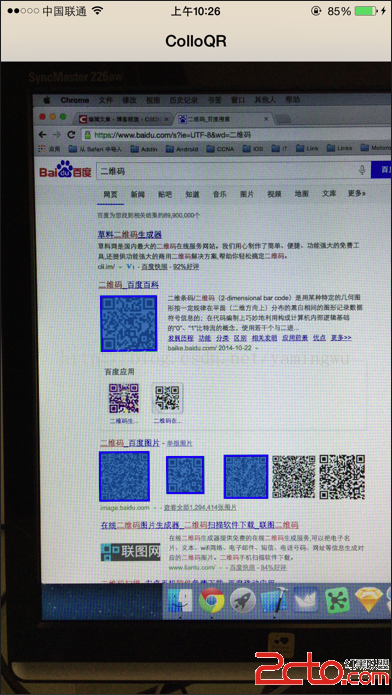
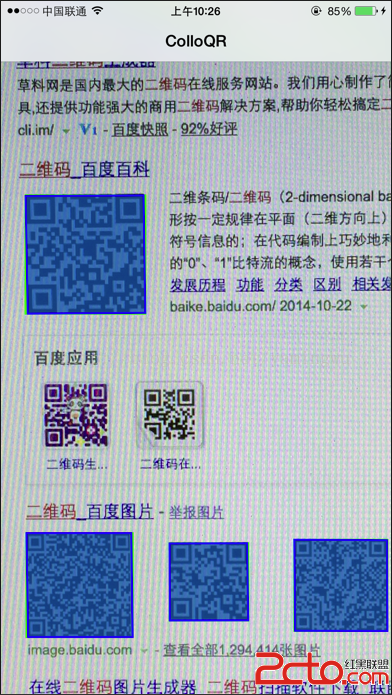
編譯執行,在手機上縮放效果如下:
- 上一頁:ios多線程操作— GCD調度組
- 下一頁:iOS_AutoLayout

相關文章
+