iOS項目開發實戰——通過Http Get方式與服務器通信
編輯:IOS開發綜合
移動客戶端往往需要同後台服務器進行通信,上傳或者下載數據,最常用到的方式就是Http Get,現在我們來學習在iOS項目中使用Get方式同服務器進行通信。
【一】服務器端實現
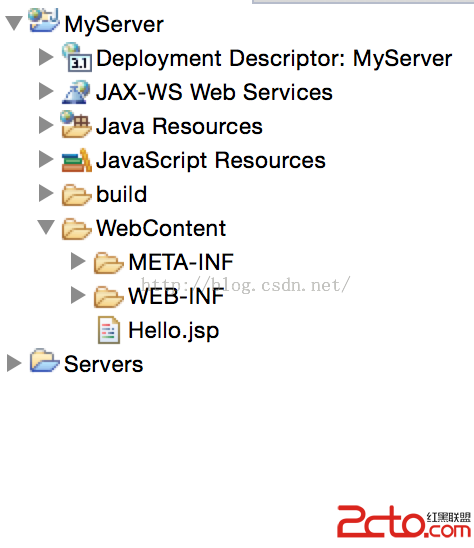
(1)首先要安裝好能進行J2EE開發的Eclipse或者MyEclipse,配置好Tomcat環境。我這裡使用Eclipse Mars,Tomcat版本為8. 然後新建一個Dynamic Web Project。名稱為MyServer。然後在WebContent中新建一個JSP File。名稱為index.當前目錄結構如下:
 。
。
(2)然後在Hello.jsp中實現如下:對於客戶端的請求,我將會返回“Hello 名字”,否則返回No Paras.
<%@ page language=java contentType=text/html; charset=UTF-8
	pageEncoding=UTF-8%>
<%
	String name = request.getParameter(name);
	if (name != null) {

		out.print(Hello  + name);
	} else {

		out.print(No Paras);
	}
%>
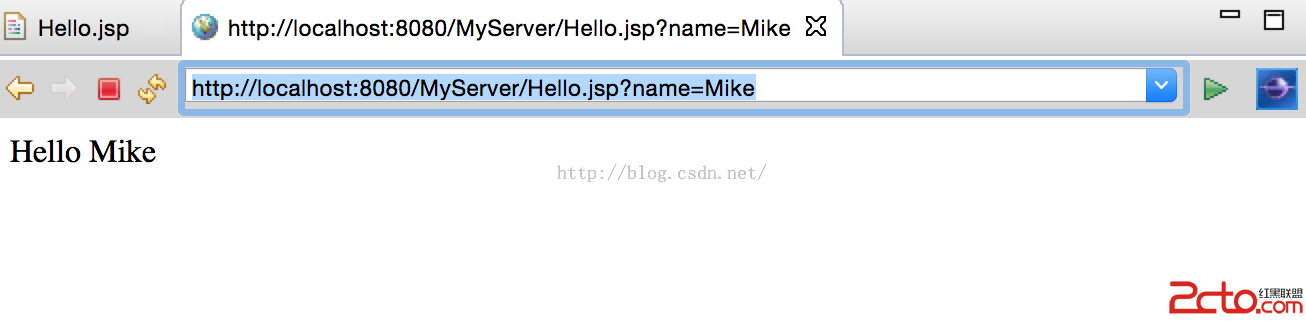
(3)直接點擊運行,或者在浏覽器中輸入url,結果如下:
 。
。
【二】iOS客戶端實現
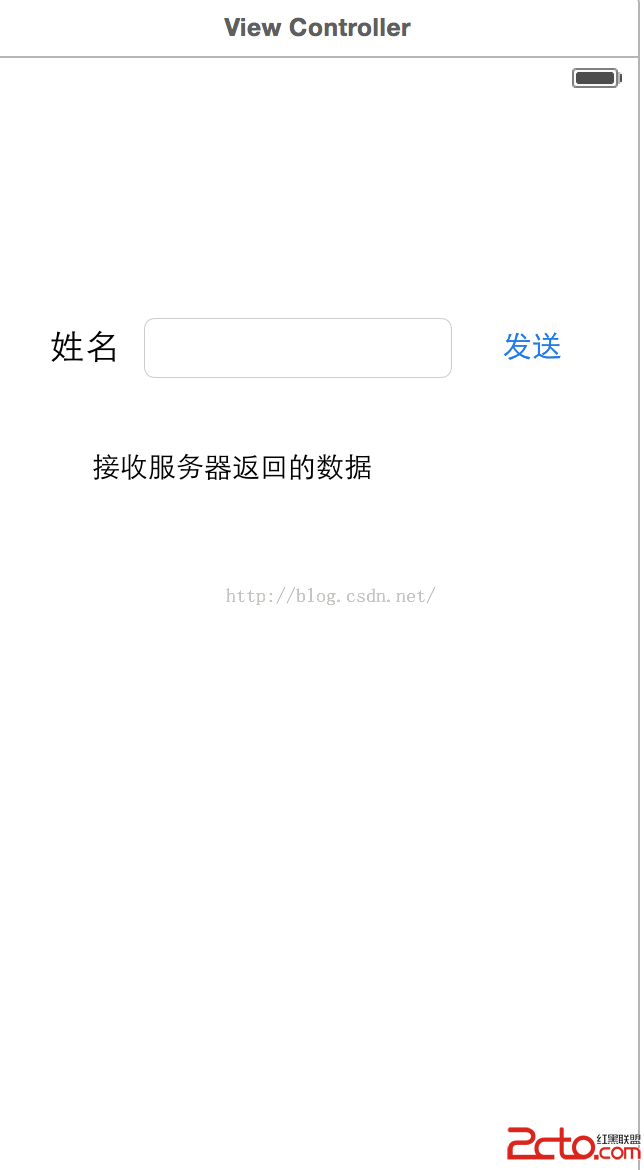
(1)新建一個iOS項目,Language選擇Swift。然後在storyboard中設計界面如下:
 。
。
(2)然後分別進行控件和代碼的綁定,輸入框TextField和顯示返回結果的TextView進行Outlets綁定,發送按鈕進行Action綁定;最後實現代碼如下:
    @IBOutlet weak var inputName: UITextField!

    @IBOutlet weak var feedbackInfo: UITextView!

    override func viewDidLoad() {

        super.viewDidLoad()

    }


    @IBAction func connectServer(sender: UIButton) {

        NSURLConnection.sendAsynchronousRequest(NSURLRequest(URL: NSURL(string: http://localhost:8080/MyServer/Hello.jsp?name=(inputName.text))!),
queue: NSOperationQueue()) { (resp:NSURLResponse!, data:NSData!, error:NSError!) -> Void in

            if let d = data{

                dispatch_sync(dispatch_get_main_queue(), { () -> Void in
                    self.feedbackInfo.text = String(NSString(data: d, encoding: NSUTF8StringEncoding)!)
                })
            }

        }
    }
其中按鈕的點擊事件也可以是下面的形式:
    @IBAction func connectServer(sender: UIButton) {

        NSURLConnection.sendAsynchronousRequest(NSURLRequest(URL: NSURL(string: http://localhost:8080/MyServer/Hello.jsp?name=(inputName.text))!),
queue: NSOperationQueue.mainQueue()) { (resp:NSURLResponse!, data:NSData!, error:NSError!) -> Void in

            if let d = data{

                self.feedbackInfo.text = String(NSString(data: d, encoding: NSUTF8StringEncoding)!)

            }

        }
    }
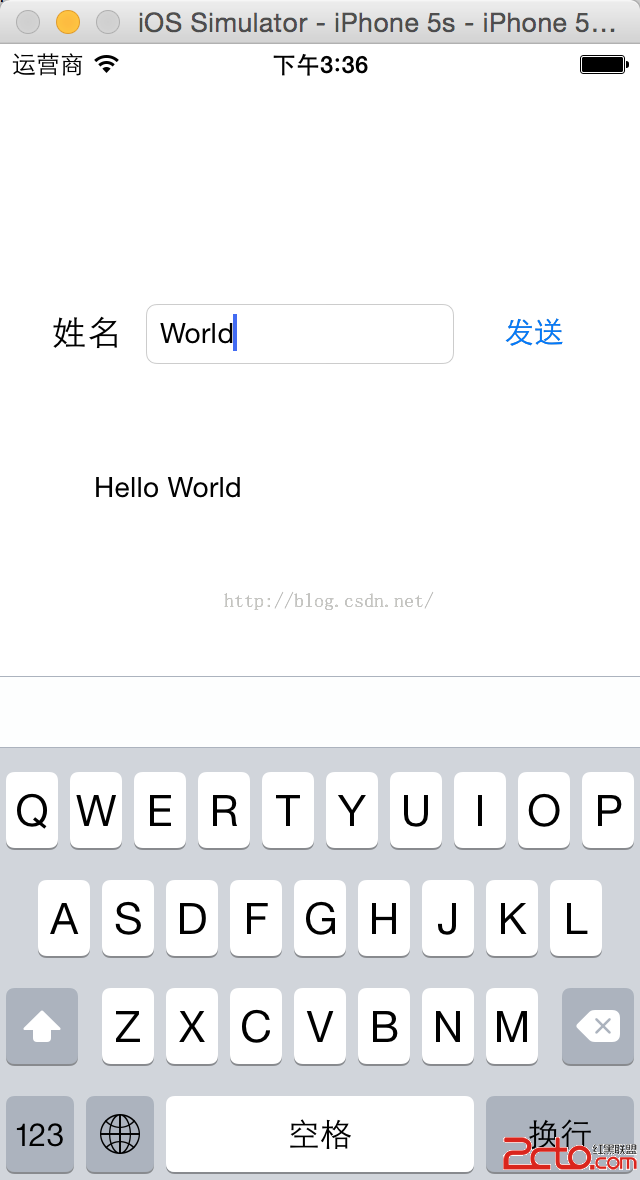
(3)運行程序,實現效果如下:
- 上一頁:iOS-截屏功能的實現。
- 下一頁:iOS 獲取appstore 版本號


相關文章
+