iOS項目開發實戰——自定義圓形進度提示控件
編輯:IOS開發綜合
iOS中默認的進度條是水平方向的進度條,這往往不能滿足我們的需求。但是我們可以自定義類似的圓形的進度提示控件,主要使用iOS中的繪圖機制來實現。這裡我們要實現一個通過按鈕點擊然後圓形進度提示不斷增加的效果。
(1)新建一個Cocoa Touch Class,注意要繼承自UIView。這個是繪制圖形的類,繪制一個圓形的背景和扇形的進度。具體實現如下:
import UIKit

class ProgressControl: UIView {


    override init(frame: CGRect) {
        super.init(frame: frame)

        self.backgroundColor = UIColor(white: 1, alpha: 0)//初始化繪圖背景為白色;
    }

    required init(coder aDecoder: NSCoder) {
        super.init(coder: aDecoder)
    }

    private var _progressValue:CGFloat = 0//這個就是當前的進度;

    func getProgressValue()->CGFloat{

        return _progressValue
    }

    func setProgressvalue(value:CGFloat){//設置進度;

        _progressValue = value

        setNeedsDisplay()
    }


    override func drawRect(rect: CGRect) {//繪制圓形背景和扇形進度;

        var context = UIGraphicsGetCurrentContext()

        var r = rect.width/2

        CGContextAddArc(context, r, r, r, 0, 3.1415926 * 2 , 0)
        CGContextSetRGBFillColor(context, 0.5, 0.5, 0.5, 1)
        CGContextFillPath(context)

        CGContextAddArc(context, r, r, r, 0, 3.1415926 * 2 * _progressValue, 0)
        CGContextAddLineToPoint(context, r, r)
        CGContextSetRGBFillColor(context, 0, 0, 1, 1)
        CGContextFillPath(context)

    }

}
(2)界面中拖入一個按鈕,拖拽Action事件。在ViewController中實現如下:
import UIKit

class ViewController: UIViewController {

    var progressControl:ProgressControl!

    override func viewDidLoad() {
        super.viewDidLoad()


        progressControl = ProgressControl(frame:CGRect(x: 100, y: 100, width: 100, height: 100))
        self.view.addSubview(progressControl)

    }

    //點擊按鈕,增加進度
    @IBAction func addProgressValuePressed(sender: UIButton) {

        progressControl.setProgressvalue(progressControl.getProgressValue()+0.1)

    }


    override func didReceiveMemoryWarning() {
        super.didReceiveMemoryWarning()
        // Dispose of any resources that can be recreated.
    }


}
(3)最後的實現效果如下:
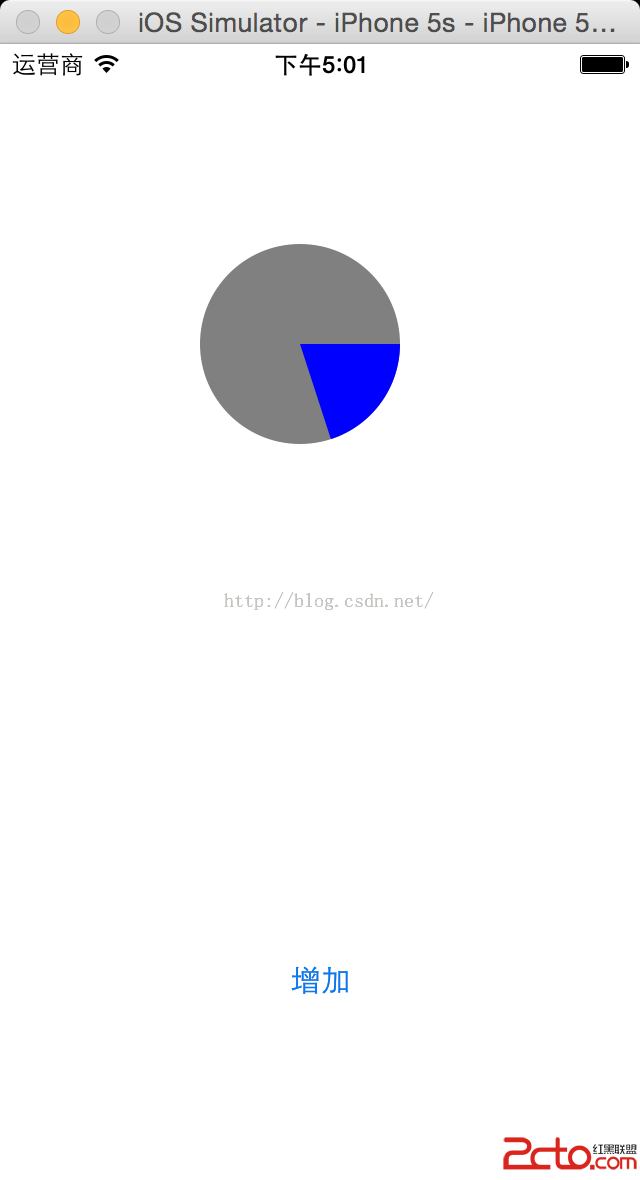 。
。
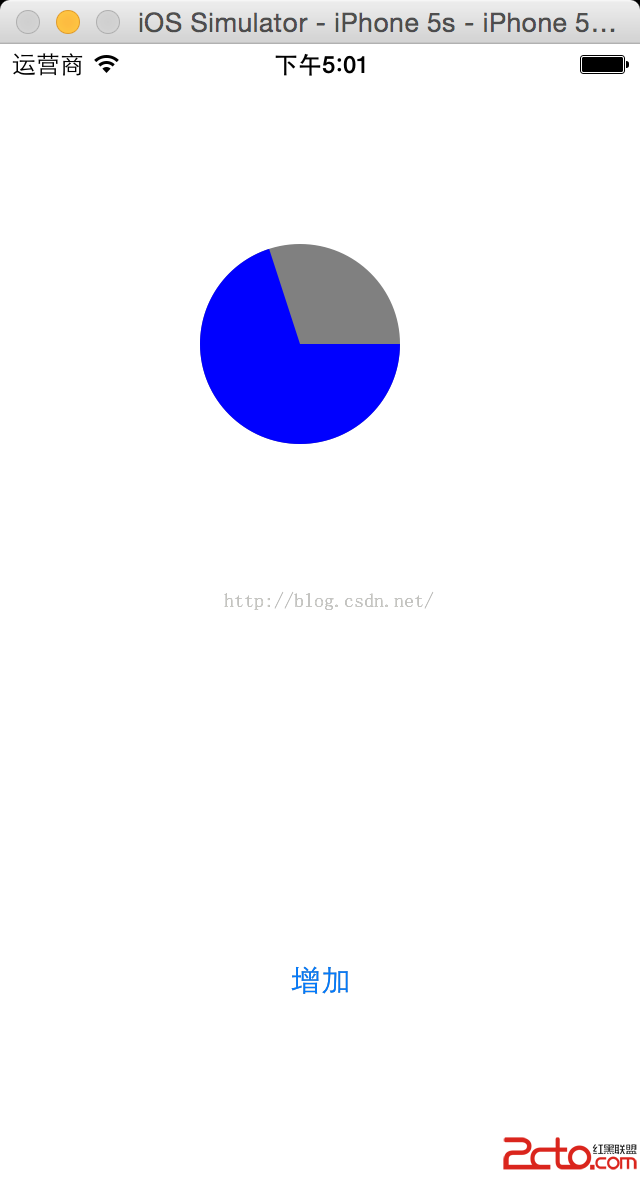 。
。
對於其他的觸發事件,也可以使用這個自定義圓形進度控件來進行提示。
- 上一頁:iOS項目開發實戰——實現視圖切換動畫
- 下一頁:iOS視圖控制對象生命周期

相關文章
+