iOS9使用提示框的正確實現方式
編輯:IOS開發綜合
在從iOS8到iOS9的升級過程中,彈出提示框的方式有了很大的改變,在Xcode7 ,iOS9.0的SDK中,已經明確提示不再推薦使用UIAlertView,而只能使用UIAlertController,我們通過代碼來演示一下。
我通過點擊一個按鈕,然後彈出提示框,代碼示例如下:
#import ViewController.h

@interface ViewController ()

@property(strong,nonatomic) UIButton *button;

@end

@implementation ViewController

- (void)viewDidLoad {
  [super viewDidLoad];

  self.button = [[UIButton alloc] initWithFrame:CGRectMake(0, 100, [[UIScreen mainScreen] bounds].size.width, 20)];
  [self.button setTitle:@跳轉 forState:UIControlStateNormal];
  [self.button setTitleColor:[UIColor blackColor] forState:UIControlStateNormal];
  [self.view addSubview:self.button];

  [self.button addTarget:self action:@selector(clickMe:) forControlEvents:UIControlEventTouchUpInside];

}

-(void)clickMe:(id)sender{

    UIAlertView *alert = [[UIAlertView alloc] initWithTitle:@提示 message:@按鈕被點擊了 delegate:self cancelButtonTitle:@確定 otherButtonTitles:nil, nil];
    [alert show];

}

@end
編寫上述代碼時,會有下列的警告提示:
 。
。
“‘UIAlertView’ is deprecated:first deprecated in iOS 9.0 - UIAlertView is deprecated. Use UIAlertController with a preferredStyle of UIAlertControllerStyleAlert instead”.
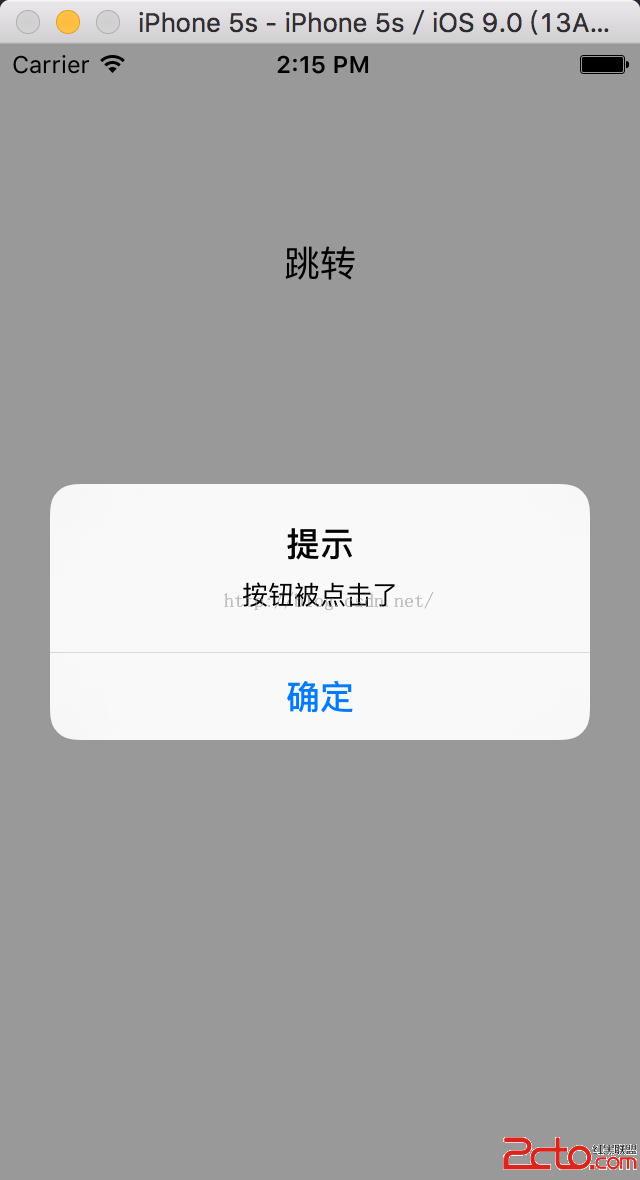
說明UIAlertView首先在iOS9中被棄用(不推薦)使用。讓我們去用UIAlertController。但是運行程序,發現代碼還是可以成功運行,不會出現crash。
 。
。
但是在實際的工程開發中,我們有這樣一個“潛規則”:要把每一個警告(warning)當做錯誤(error)。所以為了順應蘋果的潮流,我們來解決這個warning,使用UIAlertController來解決這個問題。代碼如下:
#import ViewController.h

@interface ViewController ()

@property(strong,nonatomic) UIButton *button;

@end

@implementation ViewController

- (void)viewDidLoad {
  [super viewDidLoad];

  self.button = [[UIButton alloc] initWithFrame:CGRectMake(0, 100, [[UIScreen mainScreen] bounds].size.width, 20)];
  [self.button setTitle:@跳轉 forState:UIControlStateNormal];
  [self.button setTitleColor:[UIColor blackColor] forState:UIControlStateNormal];
  [self.view addSubview:self.button];

  [self.button addTarget:self action:@selector(clickMe:) forControlEvents:UIControlEventTouchUpInside];

}

-(void)clickMe:(id)sender{

  //初始化提示框;
  UIAlertController *alert = [UIAlertController alertControllerWithTitle:@提示 message:@按鈕被點擊了 preferredStyle:  UIAlertControllerStyleAlert];

  [alert addAction:[UIAlertAction actionWithTitle:@確定 style:UIAlertActionStyleDefault handler:^(UIAlertAction * _Nonnull action) {
    //點擊按鈕的響應事件;
  }]];

  //彈出提示框;
  [self presentViewController:alert animated:true completion:nil];


}


@end
這樣,代碼就不會有警告了。
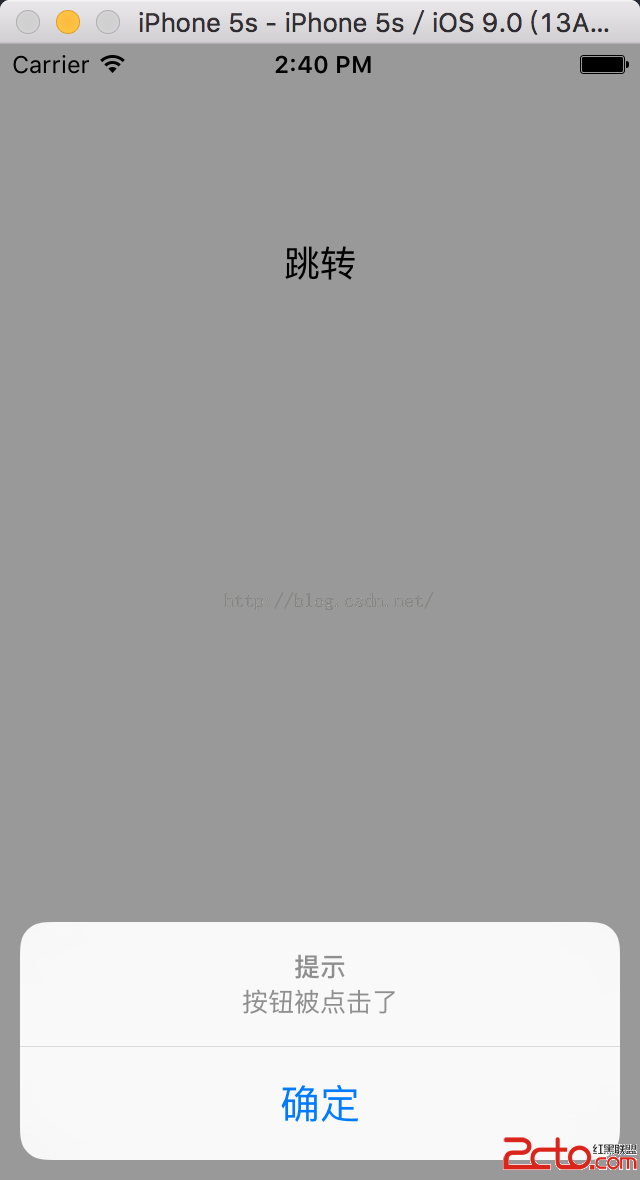
程序運行後的效果同上。 其中preferredStyle這個參數還有另一個選擇:UIAlertControllerStyleActionSheet。選擇這個枚舉類型後,實現效果如下:
 。
。
發現這個提示框是從底部彈出的。是不是很簡單呢?通過查看代碼還可以發現,在提示框中的按鈕響應不再需要delegate委托來實現了。直接使用addAction就可以在一個block中實現按鈕點擊,非常方便。


相關文章
+