iOS開發——使用MBProgressHUD來增加用戶體驗(二)
編輯:IOS開發綜合
我在上一篇博客《iOS開發——使用MBProgressHUD來增加用戶體驗》主要實現了使用別人已經封裝的MBProgressHUD來進行加載提示,可以說是相當的方便。今天我們使用Github上原生的MBProgressHUD第三方庫來進行加載提示,會比別人已經封裝的麻煩一點點。代碼已經上傳至:https://github.com/chenyufeng1991/UseMBProgressHUD。實現步驟如下:
(1)同樣是使用網絡請求號碼歸屬地來實現。(請看注釋)
- (IBAction)sourceButtonPressed:(id)sender {


  //聲明對象;
  MBProgressHUD *hud = [MBProgressHUD showHUDAddedTo:self.view animated:true];
  //顯示的文本;
  hud.labelText = @正在加載;

  AFHTTPRequestOperationManager *manager = [AFHTTPRequestOperationManager manager];
  manager.responseSerializer             = [AFHTTPResponseSerializer serializer];
  //這裡改成POST,就可以進行POST請求;
  //把要傳遞的參數直接放到URL中;而不是放到字典中;
  [manager GET:@http://webservice.webxml.com.cn/WebServices/MobileCodeWS.asmx/getMobileCodeInfo?mobileCode=18888888888&userId=
    parameters:nil
       success:^(AFHTTPRequestOperation *operation,id responseObject){
         NSString *string                       = [[NSString alloc] initWithData:responseObject encoding:NSUTF8StringEncoding];
         NSLog(@成功: %@, string);


         //加載成功,先移除原來的HUD;
         hud.removeFromSuperViewOnHide = true;
         [hud hide:true afterDelay:0];

         //然後顯示一個成功的提示;
         MBProgressHUD *successHUD = [MBProgressHUD showHUDAddedTo:self.view animated:true];
         successHUD.labelText = @加載成功;
         successHUD.mode = MBProgressHUDModeCustomView;//自定義視圖;
         //可以設置對應的圖片;
         successHUD.customView = [[UIImageView alloc] initWithImage:[UIImage imageNamed:@success]];
         successHUD.removeFromSuperViewOnHide = true;
         [successHUD hide:true afterDelay:1];
       }
       failure:^(AFHTTPRequestOperation *operation,NSError *error){
         NSLog(@失敗: %@, error);

         hud.removeFromSuperViewOnHide = true;
         [hud hide:true afterDelay:0];

         //顯示失敗的提示;
         MBProgressHUD *failHUD = [MBProgressHUD showHUDAddedTo:self.view animated:true];
         failHUD.labelText = @加載失敗;
         failHUD.mode = MBProgressHUDModeCustomView;
         failHUD.customView = [[UIImageView alloc] initWithImage:[UIImage imageNamed:@error]];
         failHUD.removeFromSuperViewOnHide = true;
         [failHUD hide:true afterDelay:1];


       }];

}
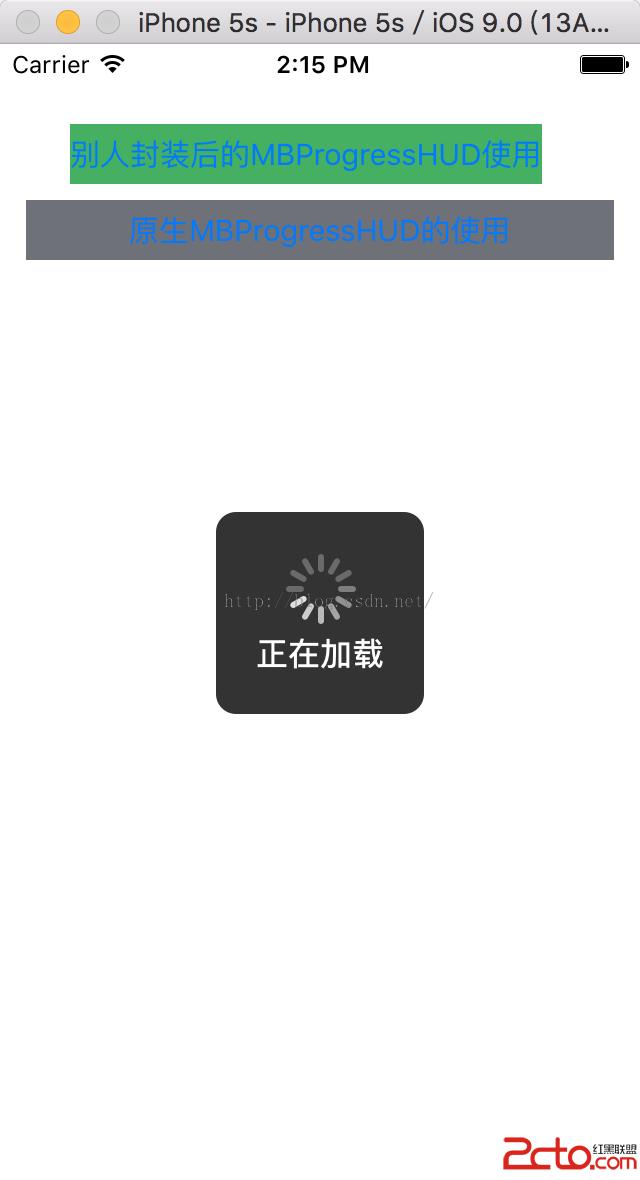
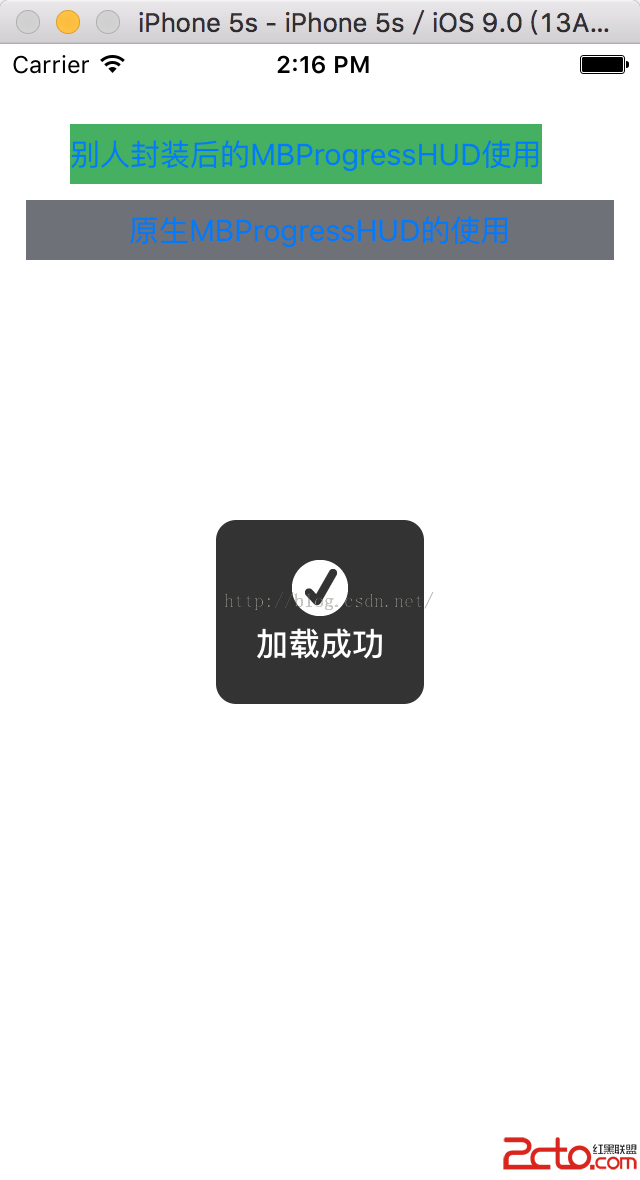
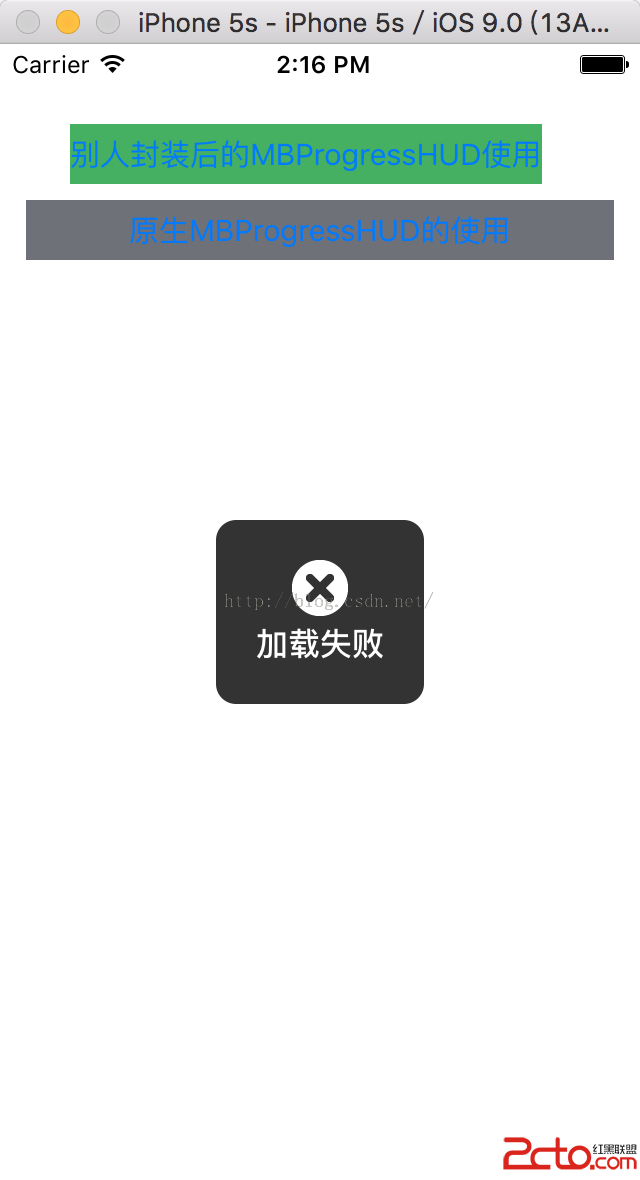
(2)顯示效果如下:
【正在加載】
 。
。
【加載成功】
 。
。
【加載失敗】
 。
。
可見,使用默認的HUD需要寫不少代碼,如果你比較感興趣,可以自己進行封裝。這樣可以大大簡化代碼量。

相關文章
+