iOS 代理傳值 - 逆傳
編輯:IOS開發綜合
這次主題是通過代理來實現傳值,是逆傳,就是反方向傳值(廢話),准備工作的是,有兩個控制器,每個控制器上有兩個控件,一個是Button(用來實現控制器之間的跳轉),一個是Label(用來展示要傳遞的值和傳遞過來的值),代理傳值很實用,很多時候用代理解耦,不過代碼量也不少;
基本原理:有控制器A,控制器B,代理C,當B快要死的時候找了代理C,說:我快死了,你把我這點遺產給A送過去,我是沒機會了,我全權委托你把這些錢送給A,然後C快馬加鞭,送給了A。正式因為B不能做,所以找了代理C,C說:給我100w吧,要不然我就。。。。。。。
我用了VIewController(我比較懶);
ViewContoller.m
#import "ViewController.h"
#import "AirViewController.h"


@interface ViewController ()

/**
 *  用來顯示傳遞過來的值
 */
@property (nonatomic,weak) UILabel *textLabel;

@end

@implementation ViewController

- (void)viewDidLoad {
    [super viewDidLoad];

    [self setupSubviews];
}

- (void)setupSubviews
{
    //初始化一個按鈕
    UIButton *btn = [[UIButton alloc] initWithFrame:CGRectMake(100, 100, 100, 100)];
    btn.backgroundColor = [UIColor grayColor];
    [btn setTitle:@"下一頁" forState:UIControlStateNormal];
    [btn addTarget:self action:@selector(btnClick) forControlEvents:UIControlEventTouchUpInside];
    [self.view addSubview:btn];

    //初始化顯示傳遞過來值得label
    UILabel *textLabel = [[UILabel alloc] initWithFrame:CGRectMake(0, 40, self.view.bounds.size.width, 40)];
    textLabel.text = @"毛都沒有";
    textLabel.textAlignment = NSTextAlignmentCenter;
    textLabel.backgroundColor = [UIColor greenColor];
    [self.view addSubview:textLabel];
    self.textLabel = textLabel;
}

//點擊按鈕事件
- (void)btnClick
{
    AirViewController *nextVC = [[AirViewController alloc] init];
    nextVC.delegate = self;
    [self presentViewController:nextVC animated:YES completion:nil];
}

#pragma mark -
#pragma mark - AirViewControllerDelegate的方法
-(void)airViewController:(AirViewController *)controleller andValue:(NSString *)myStr
{
    self.textLabel.text = myStr;
}


@end
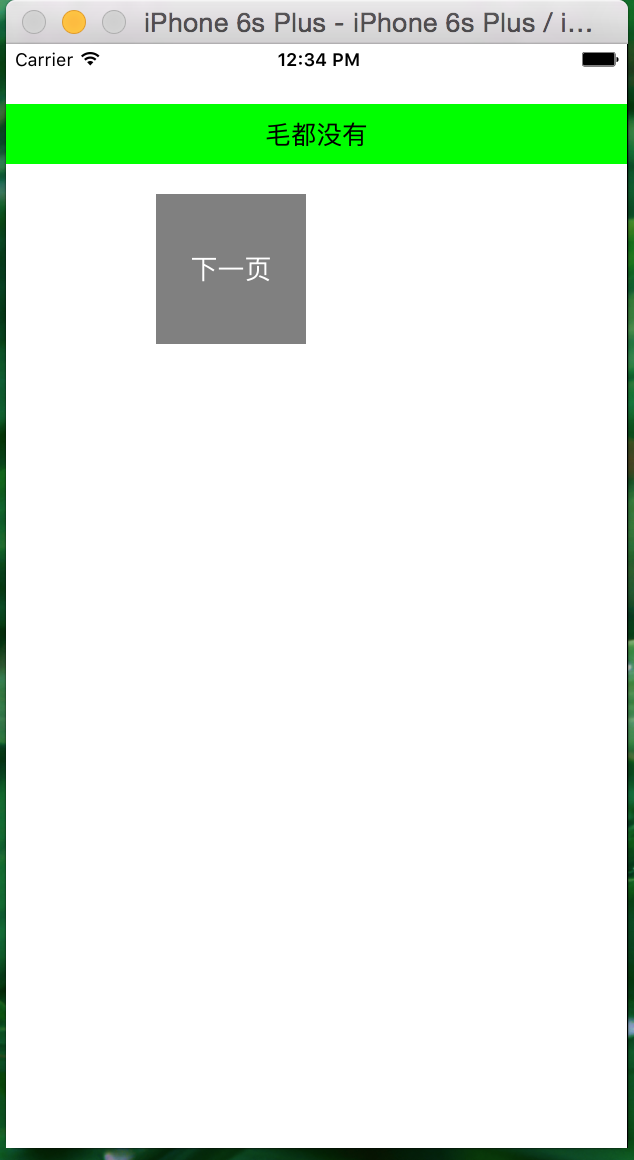
效果圖如下:
AirViewController.h
#import@class AirViewController; @protocol AirViewControllerDelegate /** * 通知傳值 * * @param controleller self * @param myStr 要傳的字符串,根據需求可以更改類型 */ - (void)airViewController:(AirViewController *)controleller andValue:(NSString *)myStr; @end @interface AirViewController : UIViewController /** * 設置代理(注意:一定是weak) */ @property (nonatomic,weak) id delegate; @end
AirViewController.m
#import "AirViewController.h"

@interface AirViewController ()

@property (nonatomic,weak) UILabel *myLabel;

@end

@implementation AirViewController

- (void)viewDidLoad {
    [super viewDidLoad];
    self.view.backgroundColor = [UIColor whiteColor];

    [self setupSubviews];
}

- (void)setupSubviews
{
    //返回按鈕,點擊返回按鈕的時候通知傳遞mylabel上面的的字符串
    UIButton *backBtn = [[UIButton alloc] initWithFrame:CGRectMake(100, 400, 100, 100)];
    backBtn.backgroundColor = [UIColor grayColor];
    [backBtn setTitle:@"上一頁" forState:UIControlStateNormal];
    [backBtn addTarget:self action:@selector(backBtnClick) forControlEvents:UIControlEventTouchUpInside];
    [self.view addSubview:backBtn];

    //
    UILabel *textLabel = [[UILabel alloc] initWithFrame:CGRectMake(0, 300, self.view.bounds.size.width, 40)];
    textLabel.textAlignment = NSTextAlignmentCenter;
    textLabel.backgroundColor = [UIColor greenColor];
    textLabel.text = @"welcome to my blog!";
    [self.view addSubview:textLabel];
    self.myLabel = textLabel;
}

- (void)backBtnClick
{
    if ([self.delegate respondsToSelector:@selector(airViewController:andValue:)])
    {
        [self.delegate airViewController:self andValue:self.myLabel.text];
    }
    [self dismissViewControllerAnimated:YES completion:nil];
}

@end
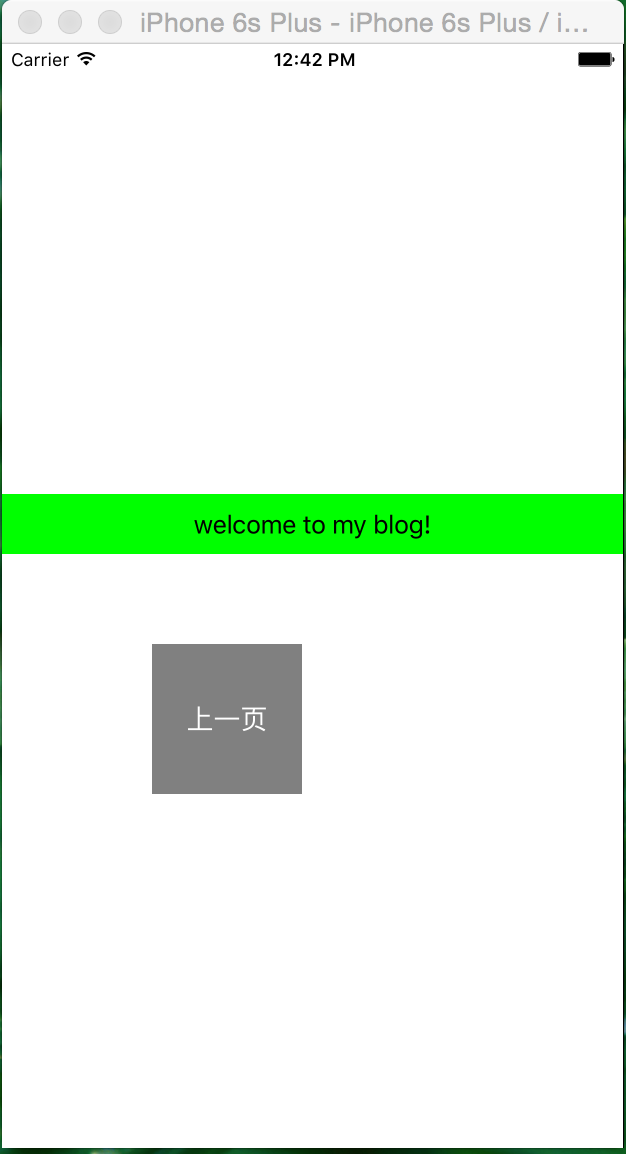
效果圖如下:
當我點擊@“上一頁”按鈕的時候,奇跡出現了,如下圖:
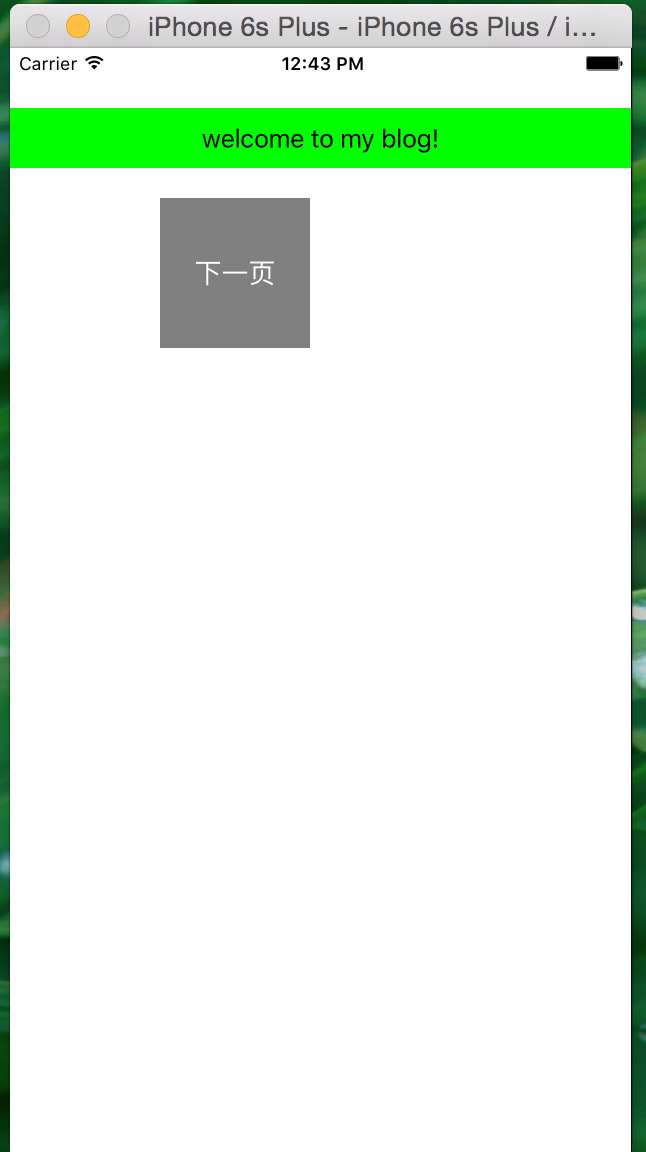
此時,不是@毛都沒有了,而是有了一句高端大氣的上檔次的英文,這就是代理傳值,傳遞的可以是任何對象
- 上一頁:iOS開發 - 個人見解
- 下一頁:iOS開發中常用到的加密方式
相關文章
+