IOS-—UICollectionView使用綜述(二 )(基礎篇--畫廊展示圖片,瀑布流展示圖片)
編輯:IOS開發綜合
效果圖 :
畫廊:
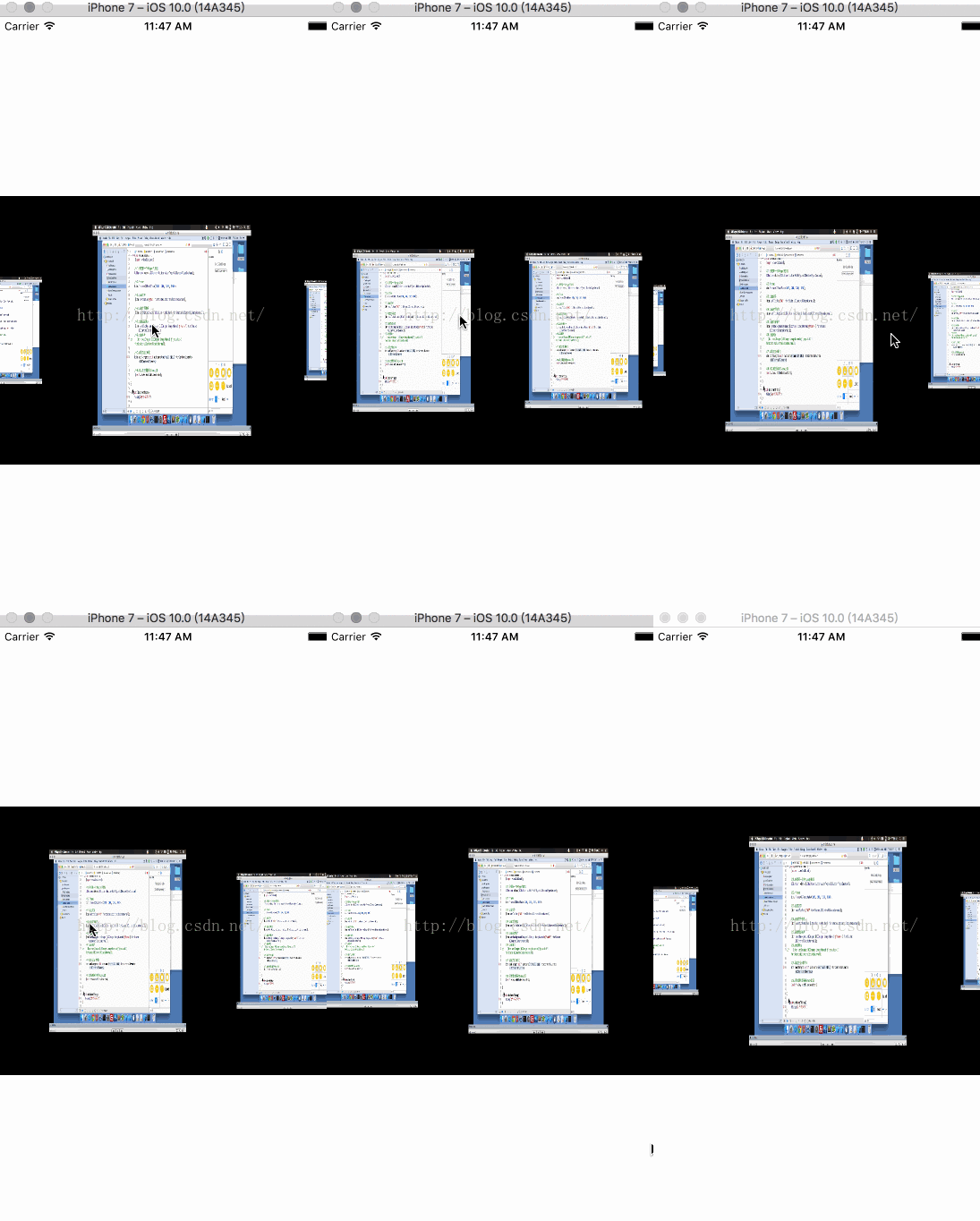
瀑布流:
1、畫廊
1.1 簡述
這裡是通過純代碼的方式進行添加操作
1.2 創建設置UICollectionView
#import "ViewController.h" #import "AppCell.h" #import "AppFlowLayout.h" @interface ViewController ()@end //重用標識符 static NSString *identifier = @"cell"; @implementation ViewController - (void)viewDidLoad { [super viewDidLoad]; //實例化一個自定義Flowlayout AppFlowLayout *flowlayout = [[AppFlowLayout alloc]init]; //實例化創建一個CollectionView UICollectionView *collectionView = [[UICollectionView alloc]initWithFrame:CGRectMake(0 , 200, 375, 300) collectionViewLayout:flowlayout]; //設置數據源代理 collectionView.dataSource = self; //注冊Cell [collectionView registerClass:[AppCell class] forCellWithReuseIdentifier:identifier]; //添加到控制器上 [self.view addSubview:collectionView]; } //組 -(NSInteger)numberOfSectionsInCollectionView:(UICollectionView *)collectionView{ return 1; } //行 -(NSInteger)collectionView:(UICollectionView *)collectionView numberOfItemsInSection:(NSInteger)section{ return 10; } //內容 -(UICollectionViewCell *)collectionView:(UICollectionView *)collectionView cellForItemAtIndexPath:(NSIndexPath *)indexPath{ AppCell *collection =[collectionView dequeueReusableCellWithReuseIdentifier:identifier forIndexPath:indexPath]; return collection; } @end
1.3 自定義Cell
AppCell.h
#import@interface AppCell : UICollectionViewCell @end
AppCell.m
#import "AppCell.h"

@implementation AppCell

-(instancetype)initWithFrame:(CGRect)frame{
    if (self =[super initWithFrame:frame]) {
        //初始化創建UIImageView
        UIImageView *imageView =[[UIImageView alloc]initWithFrame:self.contentView.bounds];
        //設置默認圖片
        imageView.image = [UIImage imageNamed:@"aqs"];
        [self.contentView addSubview:imageView];

    }
    return self;
}
@end
1.4 自定義流式布局
AppFlowLayout.h
#import@interface AppFlowLayout : UICollectionViewFlowLayout @end
AppFlowLayout.m
#import "AppFlowLayout.h"

@implementation PhotoFlowLayout

//在這個方法中,UICollectionView還沒有實例化,所以取不到其對應的frame
-(instancetype)init{
    if (self == [super init]) {

    }
    return self;
}
//當布局刷新的時候會自動調用這個方法
-(void)prepareLayout{
    [super prepareLayout];
    //修改滾動方向 為水平方向來滾動
    self.scrollDirection = UICollectionViewScrollDirectionHorizontal;
    //獲取對應UICollectionView的Size
    CGSize collectionSize = self.collectionView.frame.size;

    //定義顯示ITEM的 寬 高
    CGFloat itemWidth = collectionSize.height*0.6;
    CGFloat itemHeight = collectionSize.height*0.8;

    //修改ITEM大小
    self.itemSize = CGSizeMake(itemWidth, itemHeight);

    //設置頭部和尾部的初始間距
    CGFloat topMargin = collectionSize.width/2-itemWidth/2;
    self.sectionInset = UIEdgeInsetsMake(0, topMargin, 0, topMargin);

}

//返回所的有的Item對應的屬性設置
-(NSArray *)layoutAttributesForElementsInRect:(CGRect)rect{
    //取出所有的Item對應的屬性
    NSArray *superAttributesArray = [super layoutAttributesForElementsInRect:rect];

    //計算中心點
    CGFloat screenCenter = self.collectionView.contentOffset.x+self.collectionView.frame.size.width/2;
    //循環設置Item 的屬性

    for (UICollectionViewLayoutAttributes  *attributes in superAttributesArray) {
        //計算 差值
        CGFloat deltaMargin = ABS(screenCenter - attributes.center.x);
        //計算放大比例
        CGFloat scale = 1 - deltaMargin/(self.collectionView.frame.size.width/2+attributes.size.width);
        //設置
        attributes.transform = CGAffineTransformMakeScale(scale, scale);
    }
    return superAttributesArray;
}

//當手指離開屏幕時會調用此方法
-(CGPoint)targetContentOffsetForProposedContentOffset:(CGPoint)proposedContentOffset withScrollingVelocity:(CGPoint)velocity{
    //取出屏幕的中心點
    CGFloat screenCenter = proposedContentOffset.x +self.collectionView.frame.size.width/2;
    //取出可見范圍內的Cell
    CGRect visibleRect = CGRectZero;
    visibleRect.size = self.collectionView.frame.size;
    visibleRect.origin = proposedContentOffset;

    NSArray *visibleArray = [super layoutAttributesForElementsInRect:visibleRect];

    CGFloat minMargin = MAXFLOAT;

    for (UICollectionViewLayoutAttributes *attributes in visibleArray) {
        CGFloat deltaMargin = attributes.center.x -screenCenter;
        if (ABS(minMargin)>ABS(deltaMargin)) {
            minMargin = deltaMargin;
        }
    }
    return CGPointMake(proposedContentOffset.x+ minMargin, proposedContentOffset.y);
}

//當屏幕的可見范圍發生變化 的時候
//重新刷新視圖
-(BOOL)shouldInvalidateLayoutForBoundsChange:(CGRect)newBounds{
    return YES;
}
@end


相關文章
+