iOS開發 APP如何實現檢測更新
App檢測更新可以使用兩種方法。
第一種是和安卓等系統一樣,獲取自己服務器的App版本號與已安裝的App版本號比較;
第二種是根據已發布到App Store上的應用版本號與已安裝的App版本號比較更新。
兩種方法比較
第一種檢測更新方法的優點是:檢測更新速度快、檢測穩定;缺點是:和App Store上的應用版本號不同步(App上架需要審核時間,不確定什麼時候成功更新到App Store上)。
第二種方法檢測更新方法的優點是:檢測版本號是實時同步的;缺點是:蘋果網絡不穩定,檢測更新有點延時,部分App獲取不到任何參數。代碼在github的cjq002的CheckVersion上。
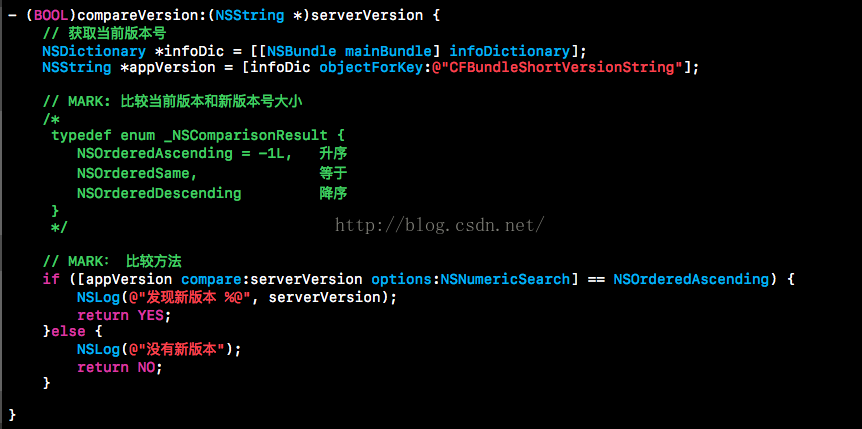
版本號比較方法
1、獲取App當前版本號;
2、使用NSString自帶方法進行比較。
跳轉到App Store下載
1、格式化下載鏈接;
2、使用系統自帶方法跳轉到App Store應用下載頁。

方法一:獲取自己服務器版本號檢查
1、通過網絡請求獲取服務器上的版本號;
2、調用上面的比較方法,比較前應用版本號和服務器上的版本號;
3、如果有版本更新則跳轉到App Store上下載。
注:獲取服務器版本號就需要自己去請求了。
方法二:獲取App Store上架版本號檢查
1、通過網絡同步請求獲取App Store上對應APP ID的應用信息;
2、提取信息上的最新版本號等信息;
3、提取最新版本號;
4、調用上面的比較方法,比較前應用版本號和最新版本號;
5、如果有版本更新則跳轉到App Store上下載。
運行效果(以第二種方法,iOS版企鵝應用為例)
當前版本為3.2.1,請求控制台返回:“發現新版本 6.5.6”
(Demo在真機上會跳轉到AppStore的企鵝下載頁);
當前版本為6.5.6,請求控制台返回:“沒有新版本”;
當前版本為6.6.6,請求控制台返回:“沒有新版本”。
以上是全部步驟, 為了方便大家使用,下面粘上代碼。
- (BOOL)compareVersion:(NSString *)serverVersion {

// 獲取當前版本號

NSDictionary *infoDic = [[NSBundle mainBundle] infoDictionary];

NSString *appVersion = [infoDic objectForKey:@"CFBundleShortVersionString"];


// MARK: 比較當前版本和新版本號大小

/*

typedef enum _NSComparisonResult {

NSOrderedAscending = -1L, 升序

NSOrderedSame, 等於

NSOrderedDescending 降序

}

*/


// MARK: 比較方法

if ([appVersion compare:serverVersion options:NSNumericSearch] == NSOrderedAscending) {

NSLog(@"發現新版本 %@", serverVersion);

return YES;

}else {

NSLog(@"沒有新版本");

return NO;

}


}


- (void)aaa {


// 下載地址可以是trackViewUrl, 也可以是items-apps://itunes.apple.com/app/idxxxxxxxxxx

NSString *appId = @"xxxxxxxxx";

NSString *string = [NSString stringWithFormat:@"items-apps://itunes.apple.com/app/id%@", appId];

[[UIApplication sharedApplication] openURL:[NSURL URLWithString:string]];

}


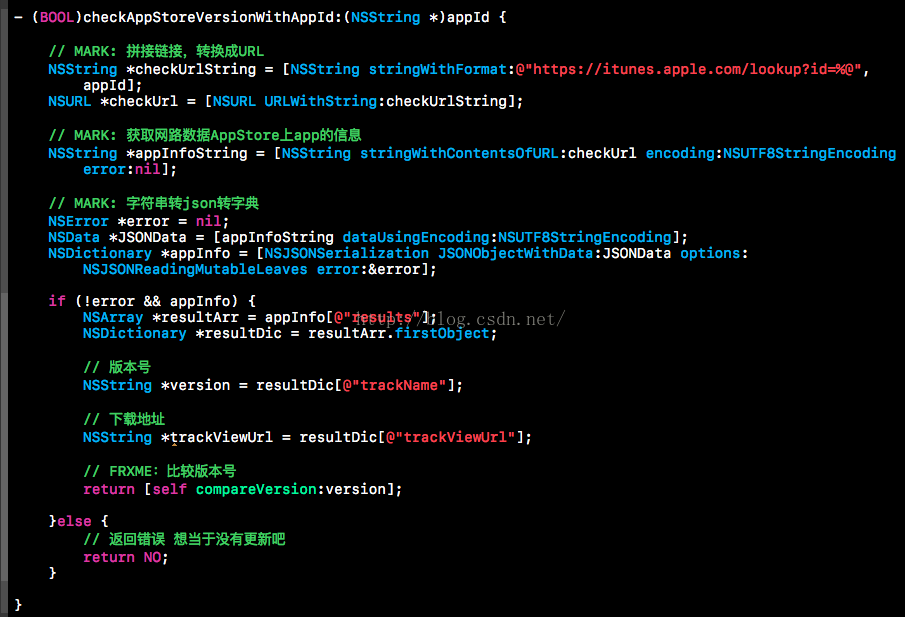
- (BOOL)checkAppStoreVersionWithAppId:(NSString *)appId {


// MARK: 拼接鏈接,轉換成URL

NSString *checkUrlString = [NSString stringWithFormat:@"https://itunes.apple.com/lookup?id=%@", appId];

NSURL *checkUrl = [NSURL URLWithString:checkUrlString];


// MARK: 獲取網路數據AppStore上app的信息

NSString *appInfoString = [NSString stringWithContentsOfURL:checkUrl encoding:NSUTF8StringEncoding error:nil];


// MARK: 字符串轉json轉字典

NSError *error = nil;

NSData *JSONData = [appInfoString dataUsingEncoding:NSUTF8StringEncoding];

NSDictionary *appInfo = [NSJSONSerialization JSONObjectWithData:JSONData options:NSJSONReadingMutableLeaves error:&error];


if (!error && appInfo) {

NSArray *resultArr = appInfo[@"results"];

NSDictionary *resultDic = resultArr.firstObject;


// 版本號

NSString *version = resultDic[@"trackName"];


// 下載地址

NSString *trackViewUrl = resultDic[@"trackViewUrl"];


// FRXME:比較版本號

return [self compareVersion:version];


}else {

// 返回錯誤 想當於沒有更新吧

return NO;

}


}


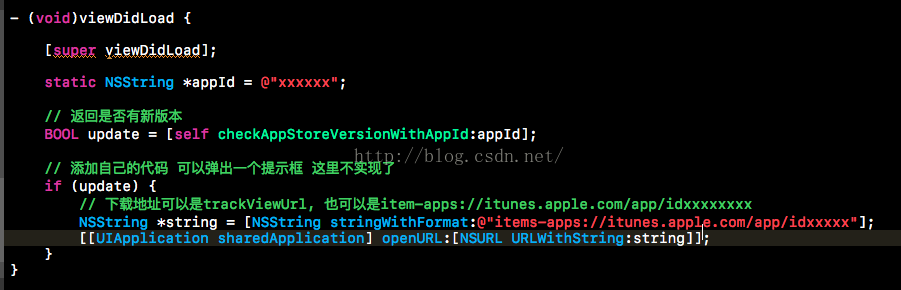
- (void)viewDidLoad {


[super viewDidLoad];


static NSString *appId = @"xxxxxx";


// 返回是否有新版本

BOOL update = [self checkAppStoreVersionWithAppId:appId];


// 添加自己的代碼 可以彈出一個提示框 這裡不實現了

if (update) {

// 下載地址可以是trackViewUrl, 也可以是item-apps://itunes.apple.com/app/idxxxxxxxx

NSString *string = [NSString stringWithFormat:@"items-apps://itunes.apple.com/app/idxxxxx"];

[[UIApplication sharedApplication] openURL:[NSURL URLWithString:string]];

}

}
- 上一頁:iOS 通知與消息機制
- 下一頁:iOS10新特性