
iOS 入門實作:用多個 UISwitch 控制密碼產生器
編輯:iOS 開發綜合
這次的練習目標是把幾個常見控制項串起來:一個 button 的動態方法(IBAction)、多個 switch、兩個 text field。按下按鈕時,依據三個開關的狀態,從對應的字元集裡隨機取字,組出指定長度的密碼,並顯示在文字欄中;同時在 Interface Builder 裡把這些控制項與程式碼連線。
介面與連線
#import <UIKit/UIKit.h>
#import <Foundation/Foundation.h>

@interface ViewController : UIViewController
{
    IBOutlet UITextField *passwordlength;
    IBOutlet UITextField *password;
    IBOutlet UISwitch *includeUpperCase;
    IBOutlet UISwitch *includeLowerCase;
    IBOutlet UISwitch *includeNumbers;
}

@property (nonatomic, retain) UITextField *passwordlength;
@property (nonatomic, retain) UITextField *password;
@property (nonatomic, retain) UISwitch *includeUpperCase;
@property (nonatomic, retain) UISwitch *includeLowerCase;
@property (nonatomic, retain) UISwitch *includeNumbers;

- (IBAction)onPasswordButtonClick:(id)sender;
@end
實作
#import "ViewController.h"

@implementation ViewController
@synthesize passwordlength, password;
@synthesize includeLowerCase, includeNumbers, includeUpperCase;

#define RANDOM_SEED() srandom(time(NULL))
// 以最小值、最大值與隨機數計算,回傳整數
#define RANDOM_INT(_MIN_, _MAX_) ((_MIN_) + random() % ((_MAX_ + 1) - (_MIN_)))

// 鍵盤 Return 鍵的處理
- (BOOL)textFieldShouldReturn:(UITextField *)textField {
    if (textField == password) {
        [password resignFirstResponder];
    }
    if (textField == passwordlength) {
        [passwordlength resignFirstResponder];
    }
    return YES;
}

- (IBAction)onPasswordButtonClick:(id)sender {
    NSInteger iPasswordLength = [passwordlength.text intValue];

    BOOL bIncludeLowerCase = includeLowerCase.on;
    BOOL bIncludeUpperCase = includeUpperCase.on;
    BOOL bIncludeNumbers   = includeNumbers.on;

    NSString *lowercaseChars = @"abcdefghijklmnopqrstuvwxyz";
    NSString *uppercaseChars = @"ABCDEFGHIJKLMNOPQRSTUVWXYZ";
    NSString *numbersChars   = @"1234567890";

    RANDOM_SEED();

    // 依開關狀態組出候選字元池
    NSString *passwordChars = @"";
    if (bIncludeLowerCase) {
        passwordChars = [NSString stringWithFormat:@"%@%@", passwordChars, lowercaseChars];
    }
    if (bIncludeUpperCase) {
        passwordChars = [NSString stringWithFormat:@"%@%@", passwordChars, uppercaseChars];
    }
    if (bIncludeNumbers) {
        passwordChars = [NSString stringWithFormat:@"%@%@", passwordChars, numbersChars];
    }

    // 逐位隨機取字
    NSString *passwordText = @"";
    for (NSInteger i = 0; i < iPasswordLength; i++) {
        int index = RANDOM_INT(0, [passwordChars length] - 1);
        NSRange range = NSMakeRange(index, 1);
        NSString *passwordChar = [passwordChars substringWithRange:range];
        passwordText = [NSString stringWithFormat:@"%@%@", passwordText, passwordChar];
    }

    password.text = passwordText;
}

- (void)viewDidLoad {
    [super viewDidLoad];
}

- (void)didReceiveMemoryWarning {
    [super didReceiveMemoryWarning];
}

- (void)dealloc {
    [passwordlength release];
    [password release];
    [includeNumbers release];
    [includeLowerCase release];
    [includeUpperCase release];
    [super dealloc];
}
@end
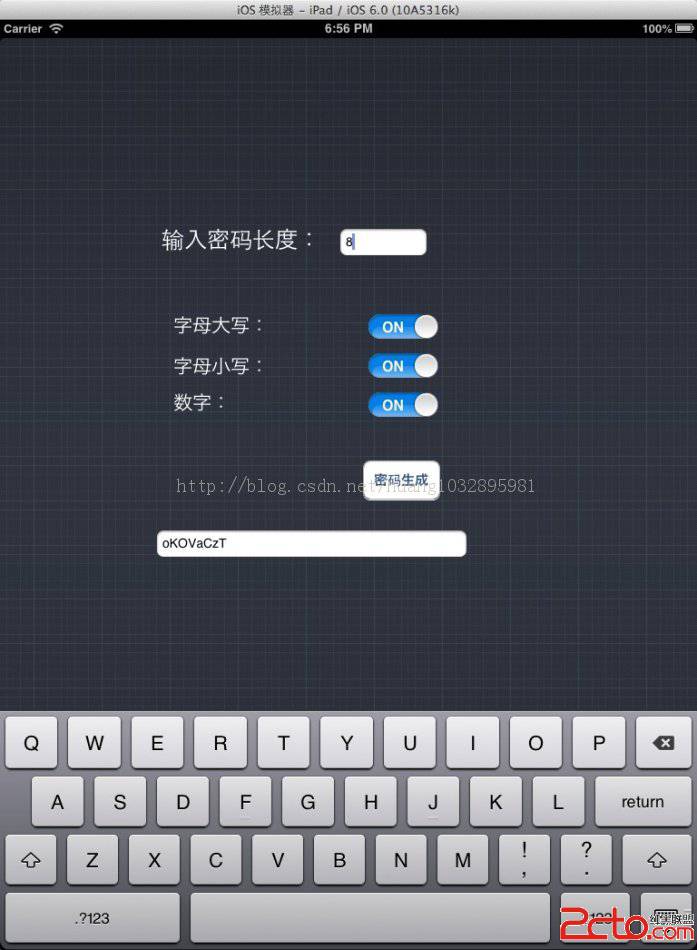
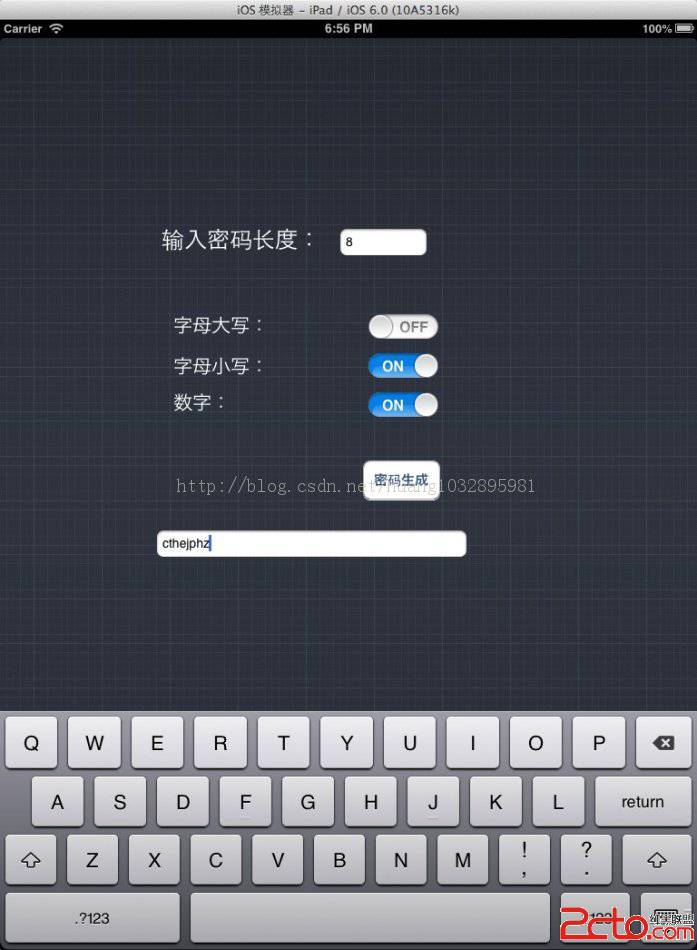
執行後,輸入長度、勾選要包含的字元類型,按下按鈕就會看到結果:
幾個可以改進的地方
第一,RANDOM_SEED() 放在每次點擊都呼叫一次,如果使用者在一秒內連續按兩次,time(NULL) 相同,就會產生一模一樣的密碼。實務上把 seed 移到 App 啟動時只設一次即可。
第二,若三個開關全部關閉,passwordChars 會是空字串,此時 [passwordChars length] - 1 等於 -1,取餘數會得到無意義的結果甚至崩潰。記得在組字元池之後加一段防呆判斷。
第三,用 stringWithFormat: 反覆串接字串每次都會產生新物件,長度大時不必要的拷貝很多;改用 NSMutableString 的 appendString: 更直接。
第四,textFieldShouldReturn: 想生效,記得把 text field 的 delegate 設為 self,並讓控制器採用 UITextFieldDelegate 協定。