
iPhone 小費計算器:從 TextField、Slider 到即時計算的完整實作
編輯:iOS 開發綜合
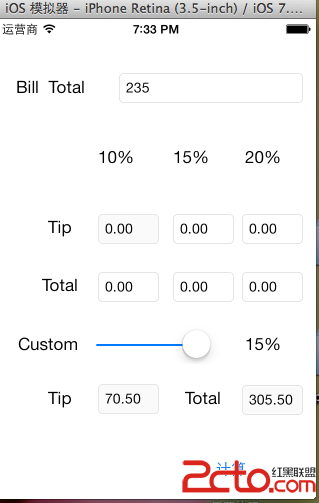
這個小專案示範幾個常見的 iOS 基礎元件怎麼協同運作:文字輸入框、多個標籤顯示結果、滑桿調整自訂比例,以及如何在輸入變動時即時重算所有數字。
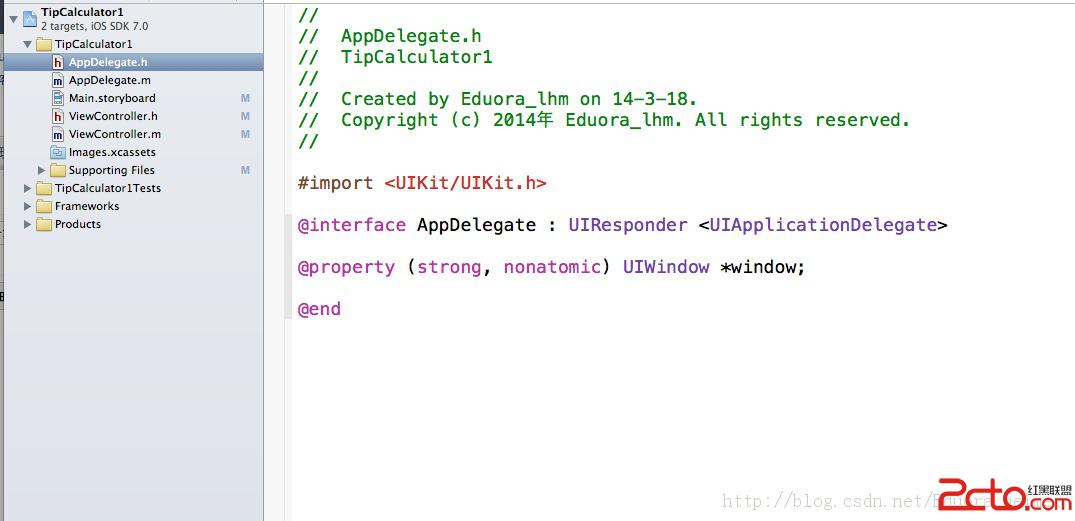
1. AppDelegate.h
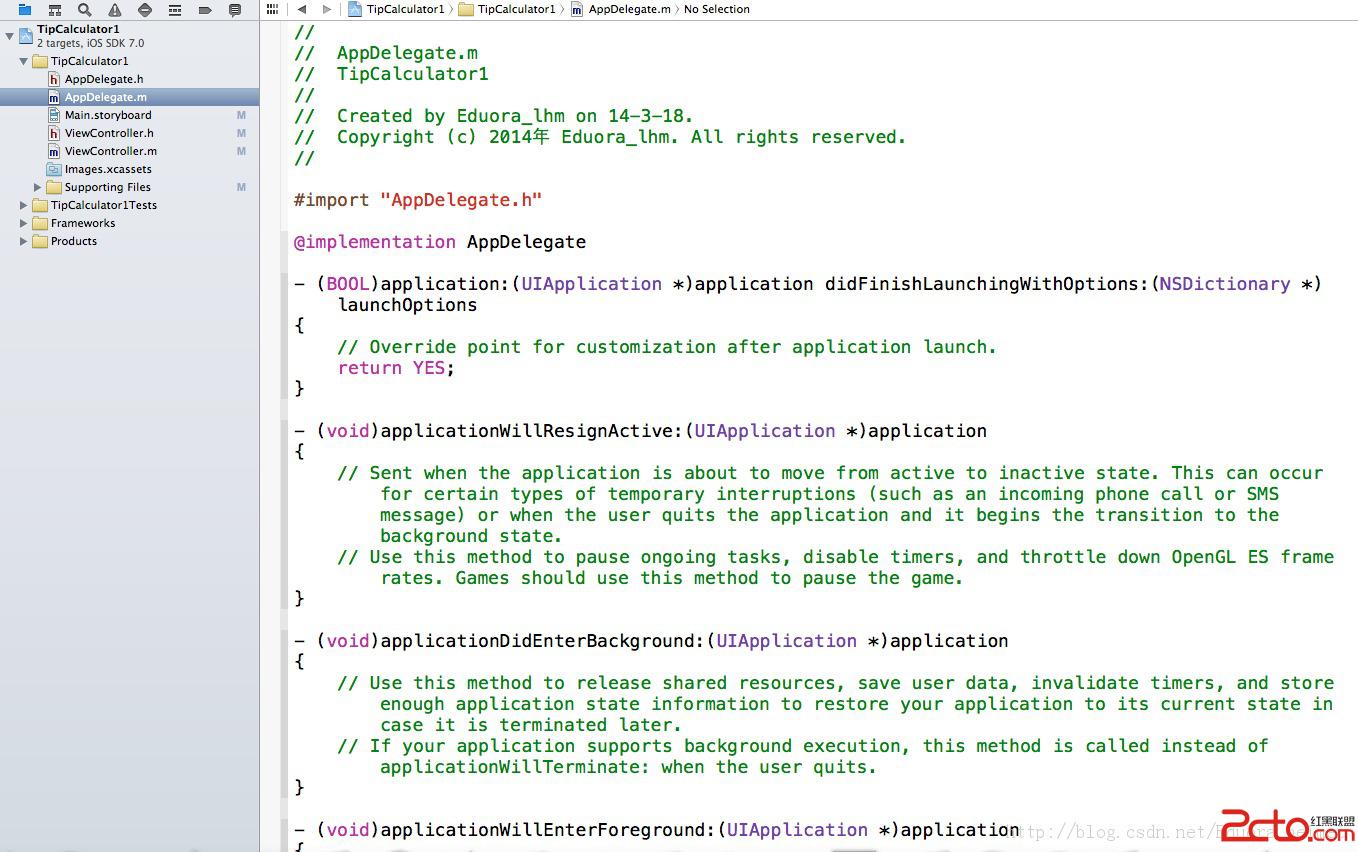
2. AppDelegate.m
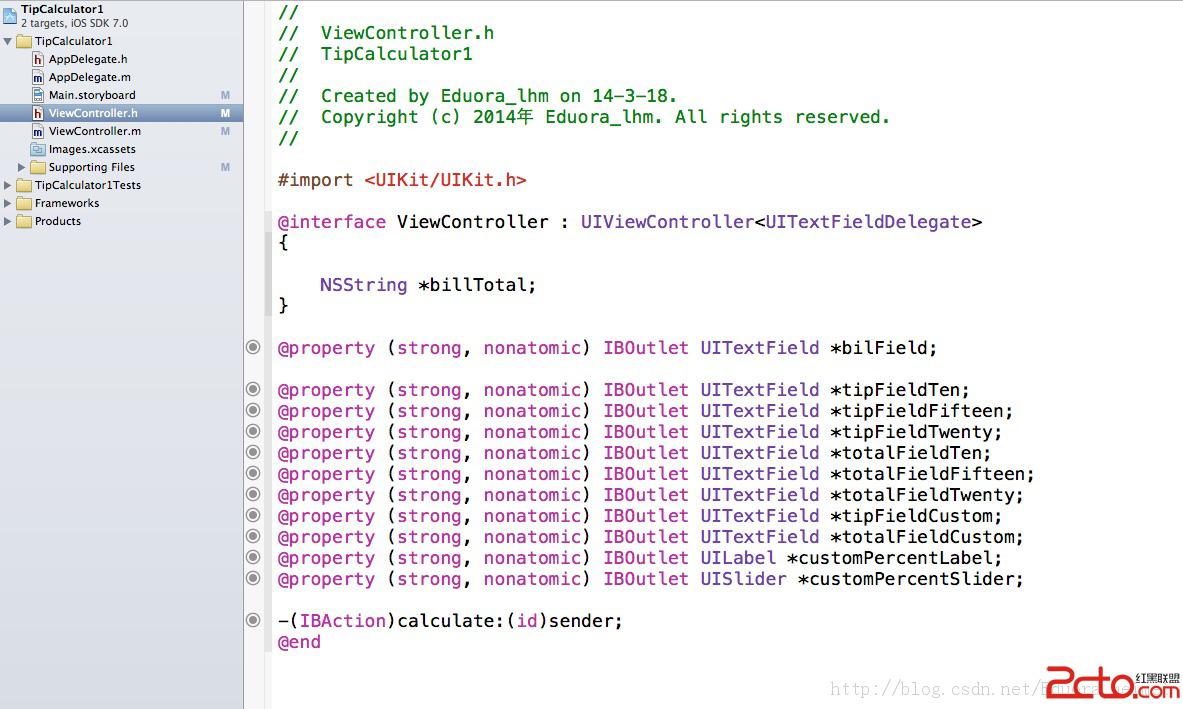
3. ViewController.h
4. ViewController.m
#import "ViewController.h"

@interface ViewController ()
@end

@implementation ViewController

@synthesize bilField;
@synthesize tipFieldTen, tipFieldFifteen, tipFieldTwenty, tipFieldCustom;
@synthesize totalFieldTen, totalFieldFifteen, totalFieldTwenty, totalFieldCustom;
@synthesize customPercentLabel, customPercentSlider;

- (void)viewDidLoad {
    [super viewDidLoad];
    bilField.delegate = self;
}

- (void)didReceiveMemoryWarning {
    [super didReceiveMemoryWarning];
}

// 所有 GUI 元素載入完成後呼叫,讓輸入框立刻取得焦點、彈出鍵盤
- (void)awakeFromNib {
    [bilField becomeFirstResponder];
}

// 按下鍵盤的 Return 時收起鍵盤
- (BOOL)textFieldShouldReturn:(UITextField *)textField {
    [textField resignFirstResponder];
    return YES;
}

- (IBAction)calculate:(id)sender {
    // 標記這次呼叫是否由使用者觸發
    static BOOL toggle = YES;

    if (toggle) {
        toggle = NO;   // 下次呼叫將由程式自己觸發,避免無限迴圈

        NSString *billFieldText = bilField.text;
        float newTotal = [billFieldText floatValue];       // 字串轉浮點
        float customTipPercent = customPercentSlider.value; // 取得滑桿比例

        if (sender == bilField) {
            // 依輸入長度判斷使用者是在放大或縮小金額,決定小數位數
            if (billFieldText.length < billTotal.length)
                billTotal = [NSString stringWithFormat:@"%.02f", newTotal / 10];
            else
                billTotal = [NSString stringWithFormat:@"%.02f", newTotal * 10];

            bilField.text = billTotal;   // 把格式化後的結果寫回畫面
            newTotal = [billTotal floatValue];

            // 依 10%、15%、20% 分別計算小費
            float tenTip     = newTotal * 0.10;
            float fifteenTip = newTotal * 0.15;
            float twentyTip  = newTotal * 0.20;

            tipFieldTen.text     = [NSString stringWithFormat:@"%0.2f", tenTip];
            tipFieldFifteen.text = [NSString stringWithFormat:@"%0.2f", fifteenTip];
            tipFieldTwenty.text  = [NSString stringWithFormat:@"%0.2f", twentyTip];

            totalFieldTen.text     = [NSString stringWithFormat:@"%0.2f", newTotal + tenTip];
            totalFieldFifteen.text = [NSString stringWithFormat:@"%0.2f", newTotal + fifteenTip];
            totalFieldTwenty.text  = [NSString stringWithFormat:@"%0.2f", newTotal + twentyTip];
        }
        else if (sender == customPercentSlider) {
            // 滑桿的 0~1 值轉成百分比整數
            int percentage = (int)(customTipPercent * 100);
            customPercentLabel.text = [NSString stringWithFormat:@"%i%%", percentage];

            // 反寫回滑桿,確保顯示值與實際值一致
            customPercentSlider.value = ((float)percentage) / 100;
            customTipPercent = customPercentSlider.value;
        }

        // 自訂比例的小費與總額
        float customTip = customTipPercent * newTotal;
        tipFieldCustom.text   = [NSString stringWithFormat:@"%.02f", customTip];
        totalFieldCustom.text = [NSString stringWithFormat:@"%.02f", customTip + newTotal];
    }
    else {
        toggle = YES;
    }
}

@end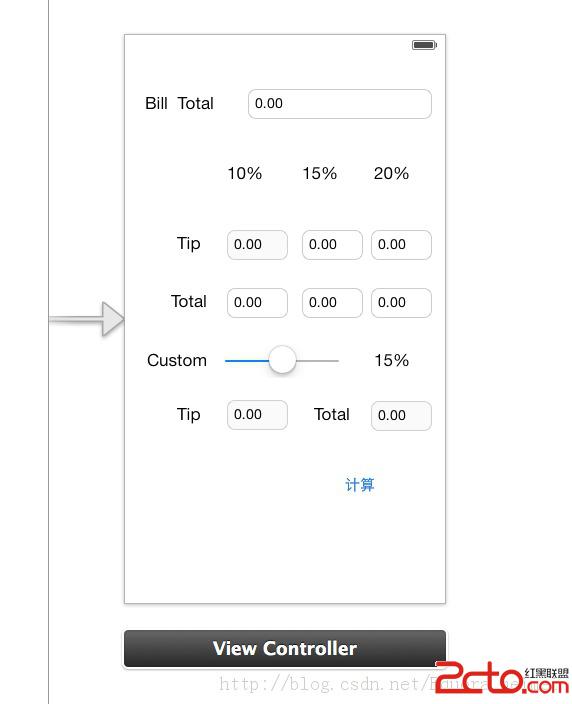
執行後的畫面:
這個範例值得學的幾個設計手法
- 用 toggle 旗標避免無限迴圈。程式中會主動改寫
bilField.text與customPercentSlider.value,而這些動作又會觸發UIControlEventValueChanged事件、再次呼叫calculate:。用一個 static BOOL 讓「程式自己造成的變更」跳過重算,是打破迴圈的關鍵。這在處理任何雙向綁定的控制項時都會遇到。 becomeFirstResponder放在awakeFromNib。這個時機所有 xib 元件都已載入完成,可以安全地操作,比放在viewDidLoad更貼近「畫面即將出現」的語意。textFieldShouldReturn:收起鍵盤。記得回傳 YES,否則 Return 鍵不會有任何作用。%.02f控制金額格式。貨幣顯示一律保留兩位,且用%0.2f而非%d,避免四捨五入誤差累積。
可以怎麼改進
- 金額用
float做貨幣運算會累積浮點誤差。正式 App 建議改用NSDecimalNumber或long long搭配「以分為單位」的整數運算。 billTotal是全域變數,用來記錄上一次的輸入字串以比較長度。這種狀態放在實例屬性裡會更清楚,也不容易與其他邏輯混淆。- 滑桿的即時回饋可以改用
UIControlEventValueChanged直接監聽滑桿,而不必把滑桿與輸入框的事件都接到同一個calculate:再用 sender 判斷。拆成兩個 action,程式碼意圖會更明顯。 - 鍵盤的數字輸入建議把
keyboardType設為UIKeyboardTypeDecimalPad,並自行加上「完成」按鈕,因為小數鍵盤沒有 Return 鍵。