
iOS NSTimer 隨機取色:讀寫 RGB 與設定 view 背景色
編輯:iOS 開發綜合
效果圖:
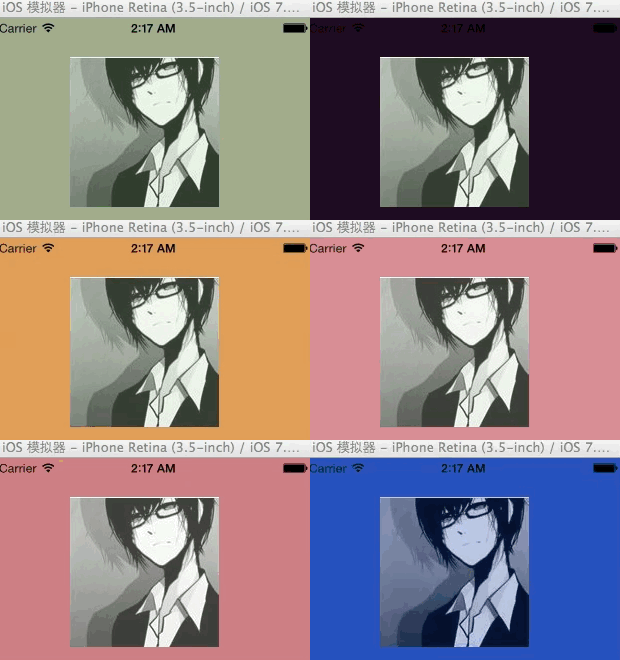
以下示範如何用 NSTimer 定時改變 view 與 label 的背景顏色,並說明如何取得與設定 RGB 值。
- (void)viewDidLoad
{
    [super viewDidLoad];

    // Label 初始顏色
    [_label setBackgroundColor:[UIColor colorWithRed:0 green:0 blue:0 alpha:100]];

    // view 背景顏色改變
    // 1/20.0 讓 1 秒內執行 20 次(可能會有 1 次誤差)
    NSTimer *timer = [NSTimer scheduledTimerWithTimeInterval:1/20.0 target:self selector:@selector(testChangeViewBackColor) userInfo:nil repeats:YES];
    [timer fire]; // 啟動

    // label 背景顏色改變
    NSTimer *timer2 = [NSTimer scheduledTimerWithTimeInterval:1/50.0 target:self selector:@selector(testChangeLableBackColor) userInfo:nil repeats:YES];
    [timer2 fire];
}
改變 label 背景色的方法:
-(void)testChangeLableBackColor
{
    // 取得背景色
    UIColor *color = [self->_label backgroundColor];

    const CGFloat *components = CGColorGetComponents(color.CGColor);

    // 取得 RGB 顏色
    CGFloat red = components[0];
    CGFloat green = components[1];
    CGFloat blue = components[2];

    // 判斷是否已到峰值
    if (red != 1)
    {
        // 每次 RGB +1(注意傳入時不能帶整數),alpha:0.5 設為半透明
        [self->_label setBackgroundColor:[UIColor colorWithRed:red + 1.0/255.0 green:green + 1.0/255.0 blue:blue + 1.0/255.0 alpha:0.5]];
    }
    else
    {
        // 隨機 RGB 顏色,需先有時間因子,否則每次都一樣
        time(NULL);

        CGFloat red = (CGFloat)random() / (CGFloat)RAND_MAX;
        CGFloat green = (CGFloat)random() / (CGFloat)RAND_MAX;
        CGFloat blue = (CGFloat)random() / (CGFloat)RAND_MAX;

        [self->_label setBackgroundColor:[UIColor colorWithRed:red green:green blue:blue alpha:0.5]];
    }
}
改變 view 背景色的方法:
-(void)testChangeViewBackColor
{
    static BOOL seeded = NO;
    if (!seeded)
    {
        seeded = YES;
        time(NULL);
    }

    CGFloat red = (CGFloat)random() / (CGFloat)RAND_MAX;
    CGFloat green = (CGFloat)random() / (CGFloat)RAND_MAX;
    CGFloat blue = (CGFloat)random() / (CGFloat)RAND_MAX;

    [_myview setBackgroundColor:[UIColor colorWithRed:red green:green blue:blue alpha:1]];
}
- 上一篇文章: 把 iOS 應用資源批次改名給 Android 用的腳本技巧
- 下一篇文章: PhoneGap 插件開發完整示例(iOS)