
iOS 建立帶動畫的提示 View 引導使用者
編輯:iOS 開發綜合
在 iOS 中,可以建立自訂 UIView 並加入動畫,做成提示氣泡或引導框,協助使用者理解下一步操作。
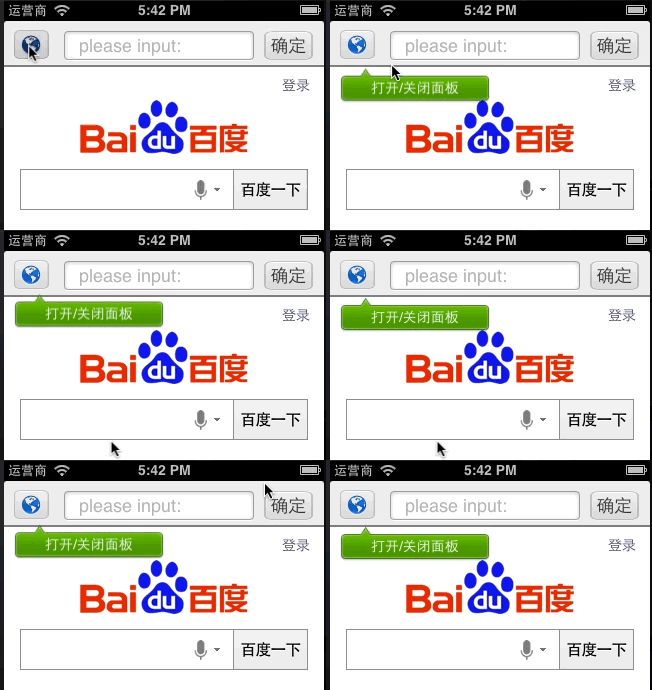
自訂提示 View
可在 drawRect 中繪製背景圖與文字,讓提示框呈現想要的樣式。
- (id)initWithFrame:(CGRect)frame backImage:(UIImage *)image msgStr:(NSString *)txt txtColor:(UIColor *)color {
    self = [super initWithFrame:frame];
    if (self) {
        self.backgroundColor = [UIColor clearColor];
        _paopaoImage = image;
        _txt = txt;
        _color = color;
    }
    return self;
}
加入彈跳動畫
CABasicAnimation *jumpAnimation = [CABasicAnimation animationWithKeyPath:@"transform.translation.y"];
jumpAnimation.fromValue = [NSNumber numberWithFloat:0.0f];
jumpAnimation.toValue = [NSNumber numberWithFloat:8.0f];
jumpAnimation.duration = 0.5f;
jumpAnimation.repeatCount = 10;
jumpAnimation.autoreverses = YES;
[menu.layer addAnimation:jumpAnimation forKey:@"animateLayer"];
透過 autoreverses 與 repeatCount,可以讓提示框持續上下跳動,吸引注意但不會過度干擾操作。
Demo 下載:提示動畫範例
- 上一篇文章: Android 仿 iOS 回彈效果:ScrollView 回彈總結
- 下一篇文章: iOS 自訂 UITabBar 完整實作