
iOS 滑動切換頁面:UIScrollView 與 UIPageControl 實作
編輯:iOS 開發綜合
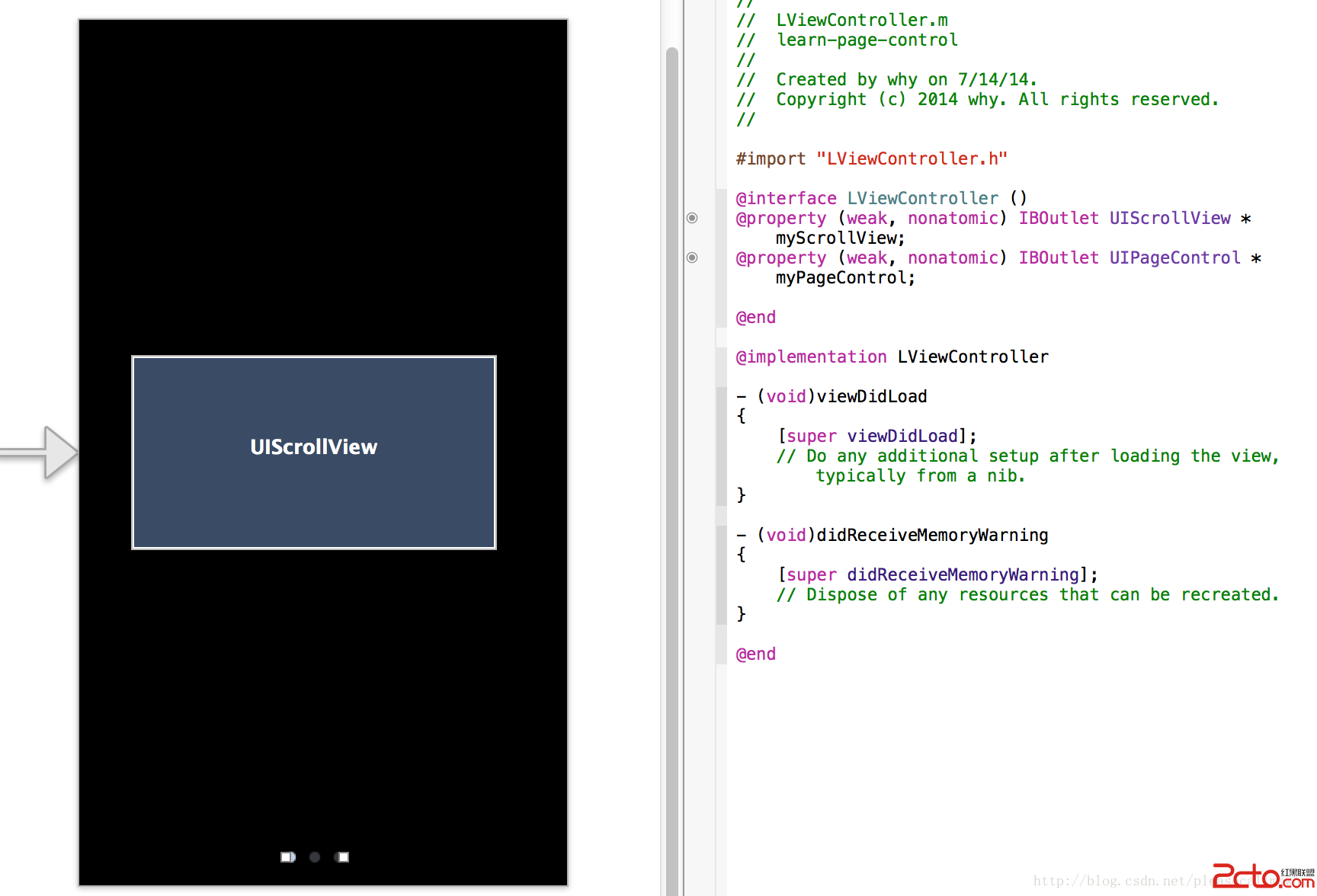
在 iOS 中,若要製作類似簡報或引導頁的左右滑動效果,常見做法是搭配 UIScrollView 與 UIPageControl。前者負責承載多頁內容,後者則用來顯示目前所在頁數。

實作步驟
- 建立新專案,在 Storyboard 中放入 UIScrollView 與 UIPageControl,並建立 Outlet 關聯。
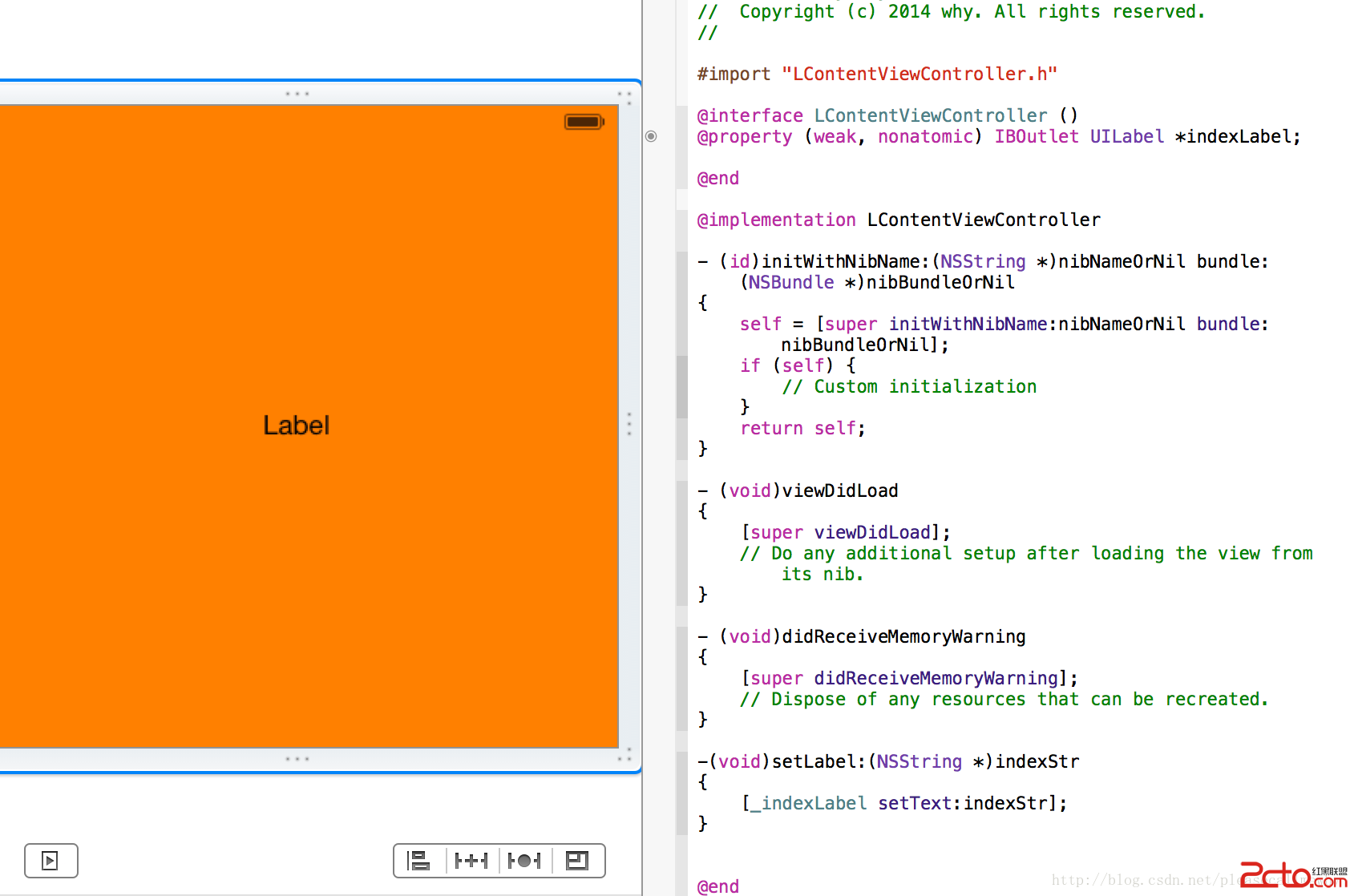
- 新增 ContentViewController,作為每一頁的內容檢視。
- 在主檢視控制器中設定 scrollView 的 pagingEnabled、contentSize、delegate 與 pageControl 的 numberOfPages。
- 每次捲動結束後,依 contentOffset 計算目前頁碼,並同步更新 pageControl。
關鍵程式碼
- (void)viewDidLoad {
    [super viewDidLoad];
    _contentList = [NSArray arrayWithObjects:@"1", @"2", @"3", @"4", nil];
    NSUInteger numberPages = self.contentList.count;

    self.myScrollView.pagingEnabled = YES;
    self.myScrollView.contentSize = CGSizeMake(CGRectGetWidth(self.myScrollView.frame) * numberPages, CGRectGetHeight(self.myScrollView.frame));
    self.myScrollView.showsHorizontalScrollIndicator = NO;
    self.myScrollView.delegate = self;

    _numberOfPages = numberPages;
    _myPageControl.numberOfPages = numberPages;
    _currentPage = 0;

    [self loadScrollViewWithPage:0];
    [self loadScrollViewWithPage:1];
}
載入頁面時,可先以 NSNull 佔位,再依需要建立對應的 ContentViewController,並將其 view 放到 scrollView 上。
- (void)loadScrollViewWithPage:(NSUInteger)page {
    if (page >= self.contentList.count) return;

    LContentViewController *controller = [self.viewControllers objectAtIndex:page];
    if ((NSNull *)controller == [NSNull null]) {
        controller = [[LContentViewController alloc] init];
        [self.viewControllers replaceObjectAtIndex:page withObject:controller];
    }

    if (controller.view.superview == nil) {
        CGRect frame = self.myScrollView.frame;
        frame.origin.x = CGRectGetWidth(frame) * page;
        frame.origin.y = 0;
        controller.view.frame = frame;
        [controller setLabel:[_contentList objectAtIndex:page]];
        [self.myScrollView addSubview:controller.view];
    }
}
滑動結束時,透過 contentOffset 判斷目前頁數,並更新 PageControl。
- (void)scrollViewDidEndDecelerating:(UIScrollView *)scrollView {
    CGFloat pageWidth = CGRectGetWidth(self.myScrollView.frame);
    NSUInteger page = floor((self.myScrollView.contentOffset.x - pageWidth / 2) / pageWidth) + 1;
    self.myPageControl.currentPage = page;

    [self loadScrollViewWithPage:page - 1];
    [self loadScrollViewWithPage:page];
    [self loadScrollViewWithPage:page + 1];
}
若使用者點擊 PageControl,也可透過 scrollRectToVisible 讓 ScrollView 移動到指定頁面。
- 上一篇文章: iOS 後台運行機制全解析:狀態切換、注意事項與實作範例
- 下一篇文章: iOS 取得本機 IP:C socket 的簡便做法