
iOS 學習之定位服務(二):CLLocationManager 實作基本定位
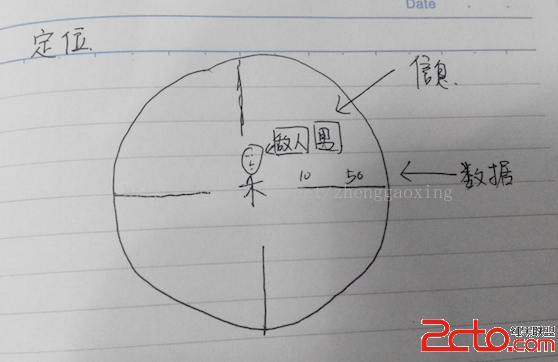
定位能做的事大致分兩類:取得位置相關的數據(經緯度、海拔、速度、方向),以及取得位置相關的資訊(地址、地名)。本文示範最基礎的 CLLocationManager 用法。
一、建立定位管理器
locationManager = [[CLLocationManager alloc] init];
locationManager.delegate = self;

// 請求授權(永久 / 使用期間)
[locationManager requestAlwaysAuthorization];

// 定位精度
locationManager.desiredAccuracy = kCLLocationAccuracyBest;

// 更新門檻:位置變動超過 1000 公尺才回報
locationManager.distanceFilter = 1000.0f;
授權有兩種:
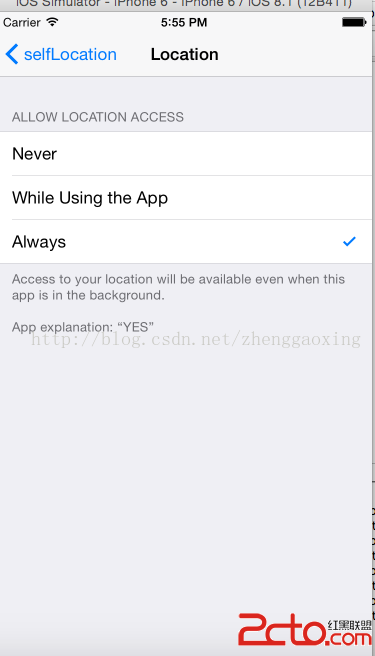
· requestAlwaysAuthorization —— 永久授權,App 在背景也能定位
· requestWhenInUseAuthorization —— 僅在使用期間授權
精度的六個選項,由高到低:
· kCLLocationAccuracyBestForNavigation —— 導航級最高精度,搭配車充使用
· kCLLocationAccuracyBest —— 電池供電下的最高精度
· kCLLocationAccuracyNearestTenMeters —— 精確到 10 公尺
· kCLLocationAccuracyHundredMeters —— 精確到 100 公尺
· kCLLocationAccuracyKilometer —— 精確到 1000 公尺
· kCLLocationAccuracyThreeKilometers —— 精確到 3 公里
精度越高越耗電,請依實際需求選擇,不要一律設 Best。
二、開始與停止更新
- (void)viewDidAppear:(BOOL)animated {
    [locationManager startUpdatingLocation];
}

- (void)viewDidDisappear:(BOOL)animated {
    [locationManager stopUpdatingLocation];
}
把 start/stop 綁在 viewDidAppear/viewDidDisappear 是好習慣:使用者離開畫面就停止耗電,回來時自動恢復。
三、實作更新成功與失敗的回呼
#pragma mark - CLLocationManagerDelegate

- (void)locationManager:(CLLocationManager *)manager didUpdateLocations:(NSArray *)locations {
    CLLocation *currentLocation = [locations lastObject];
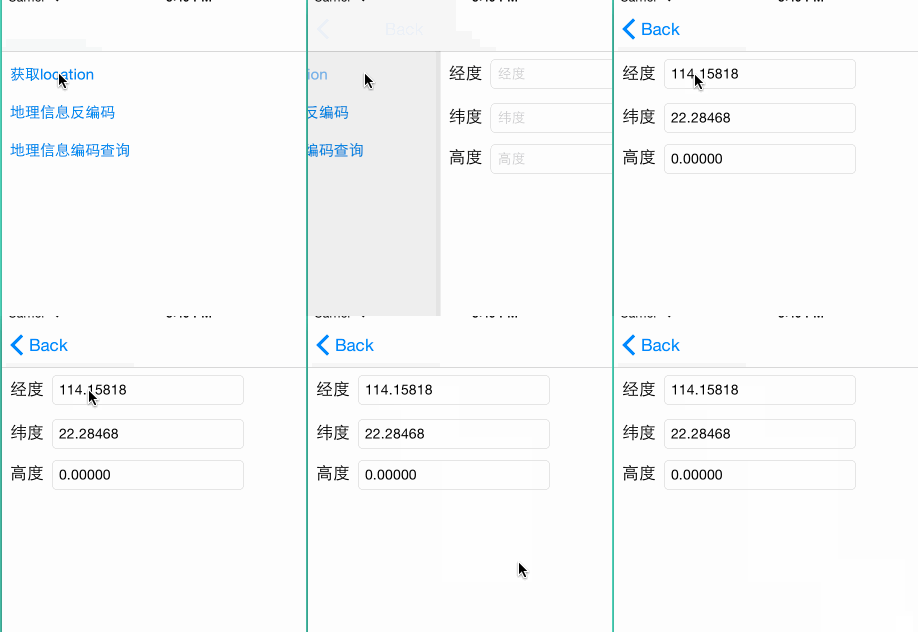
    longtitudeTextField.text = [NSString stringWithFormat:@"%3.5f", currentLocation.coordinate.longitude];
    latitudeTextField.text  = [NSString stringWithFormat:@"%3.5f", currentLocation.coordinate.latitude];
    highTextField.text      = [NSString stringWithFormat:@"%3.5f", currentLocation.altitude];
}

- (void)locationManager:(CLLocationManager *)manager didFailWithError:(NSError *)error {
    if (error.code == kCLErrorDenied) {
        NSLog(@"拒絕訪問");
    } else if (error.code == kCLErrorLocationUnknown) {
        NSLog(@"位置資訊未知");
    }
}
didUpdateLocations: 的 locations 是陣列,最新一筆在最後,因此取 lastObject。而 didFailWithError: 不可省略——少了它,使用者拒絕授權時你會完全不知道發生了什麼。
四、Info.plist 的必填設定
定位在你以為可以開始之前就失敗,最常見的原因就是漏了這一步。必須加入下列鍵(值為向使用者說明的用途文字):
· NSLocationAlwaysUsageDescription
· NSLocationWhenInUseUsageDescription
在 Xcode 中新增時,右鍵選擇 Raw Keys / Values 才能輸入完整的鍵名。
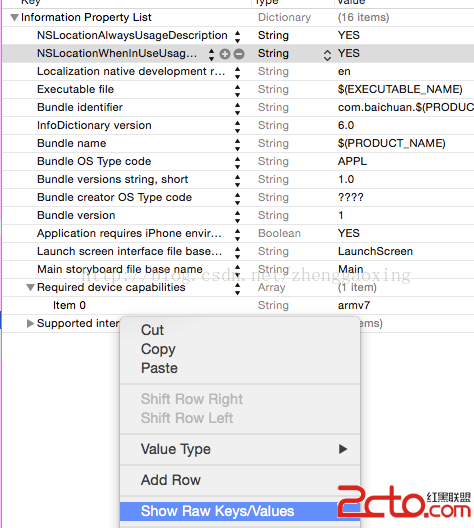
設定完成後,App 的權限項目會出現在系統的「設定 → 隱私權 → 定位服務」中:
五、執行結果
六、幾個實務提醒
1. 模擬器需要預設位置。在 Xcode 的 Debug → Simulate Location 中選擇一個城市,否則永遠不會有回呼。
2. iOS 8 之後必須主動請求授權。舊版只要在心 plist 宣告即可取得位置;現在若未呼叫 request…Authorization,系統不會提示也不會回報。
3. 取得位置後記得停止。除非需要持續追蹤,收到一次結果就該呼叫 stopUpdatingLocation,這是使用者最在意的電量細節。
4. 需要地址時用 CLGeocoder。經緯度轉地址(反向地理編碼)請使用 CLGeocoder 的 reverseGeocodeLocation:completionHandler:,它是非同步的,且呼叫頻率受系統限制。
- 上一篇文章: iOS 推播(一):本地推送 Local Notification 完整實作
- 下一篇文章: iOS 集成支付寶常見問題與解法整理