
iOS Target-Action 設計模式:原理與自製按鈕實作
編輯:iOS 開發綜合
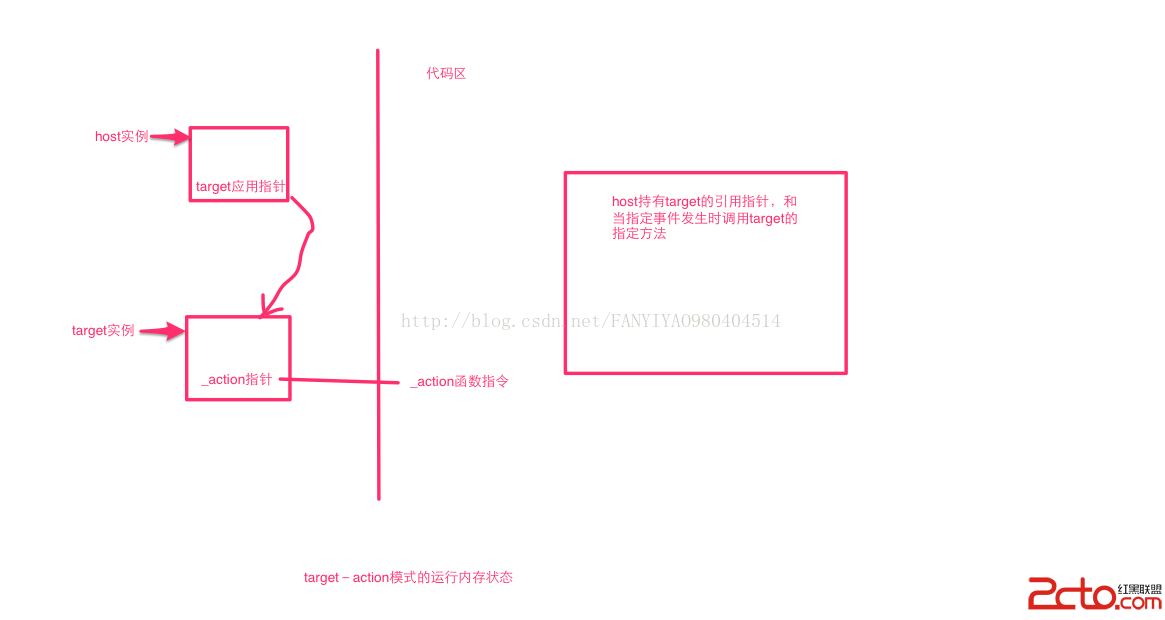
Target-Action 是 Cocoa Touch 中事件分發的核心機制。它的本質很單純:由控制元件在事件發生時,去呼叫另一個物件(target)上的某個方法(action)。UIButton 的 addTarget:action:forControlEvents: 就是最典型的例子。
自己動手實作一次
下面示範如何在一個自訂的 UIView 子類上,複刻 UIButton 的點擊行為:
@interface CustomButton : UIView

- (void)addCustomButton:(id)target andSelector:(SEL)action;

@end

@implementation CustomButton
{
    id  _target;
    SEL _action;
}

- (void)addCustomButton:(id)target andSelector:(SEL)action
{
    if (target == _target)
    {
        return;
    }
    _target = target;
    _action = action;
}

- (void)touchesBegan:(NSSet *)touches withEvent:(UIEvent *)event
{
}

- (void)touchesEnded:(NSSet *)touches withEvent:(UIEvent *)event
{
    if (_target)
    {
        if ([_target respondsToSelector:_action])
        {
            [_target performSelector:_action withObject:self];
        }
    }
}

@end
三個關鍵點:target 是接收訊息的物件、action 是要呼叫的方法(SEL 型別)、而觸發時機則由元件自己在 touchesEnded 中決定。呼叫前先用 respondsToSelector: 確認對方有實作該方法,是避免 crash 的必要防護。
使用方式
- (void)viewDidLoad
{
    [super viewDidLoad];

    CustomButton *btn = [[CustomButton alloc] initWithFrame:CGRectMake(0, 100, 200, 200)];
    btn.backgroundColor = [UIColor redColor];

    [btn addCustomButton:self andSelector:@selector(hello:)];

    [self.view addSubview:btn];
}

- (void)hello:(id)sender
{
    NSLog(@"hello customer");
}
執行結果:
2015-03-29 17:09:03.803 Target_action[1863:89334] hello customer
這個模式的價值在哪裡
Target-Action 最大的優點是降低耦合:控制元件不需要知道接收方的型別,只要對方有實作該 selector 就能收到訊息。這讓元件可以被任意複用,同一個 CustomButton 可以綁到任何物件的任何方法上。
不過在實務撰寫時,若 target 是已知的固定型別,改用 block 或 delegate 會更安全:block 讓程式碼集中、可讀性高;delegate 則有編譯器型別檢查。而 performSelector: 這類動態呼叫在 ARC 專案下還可能引發記憶體管理警告,需要留意。