
iOS 抽屜效果實作:MMDrawerController 快速上手
編輯:iOS 開發綜合
在 iOS 開發中,展示類應用通常需要用到抽屜效果。由於專案需求,這裡以 MMDrawerController 為例,整理出一個精簡實用的實作範例。首先為工程加入 MMDrawerController 第三方類庫。
本範例只加入了左滑抽屜;右滑抽屜只是在初始化時多加入一個右視圖控制器,其他方法基本相同。
一、手勢實現抽屜拉出與收回
首先在 AppDelegate 中匯入頭檔:
#import <MMDrawerController/MMDrawerController.h>
初始化時先建立左視圖與中心視圖(此例為 BoutiqueCollectionViewController 與 LeftDrawerTableViewController),再初始化抽屜根視圖控制器 MMDrawerController,並將兩者加入其中:
// CollectionView 的樣式
UICollectionViewFlowLayout *flowLayout = [[UICollectionViewFlowLayout alloc] init];

// 初始化中心視圖
BoutiqueCollectionViewController *boutiqueCVC =
    [[BoutiqueCollectionViewController alloc] initWithCollectionViewLayout:flowLayout];
boutiqueCVC.collectionView.backgroundColor = [UIColor whiteColor];
UINavigationController *boutiqueNC =
    [[UINavigationController alloc] initWithRootViewController:boutiqueCVC];

// 初始化左視圖
LeftDrawerTableViewController *leftTVC = [[LeftDrawerTableViewController alloc] init];
UINavigationController *leftNC =
    [[UINavigationController alloc] initWithRootViewController:leftTVC];

// 初始化抽屜視圖控制器
MMDrawerController *drawerController =
    [[MMDrawerController alloc] initWithCenterViewController:boutiqueNC
                                      leftDrawerViewController:leftNC];

// 設置抽屜抽出的寬度
drawerController.maximumLeftDrawerWidth = 200;
完成初始化後,加入滑動手勢來拉出與收回抽屜(手勢已封裝在第三方類庫中):
// 滑動手勢快捷抽屜
[drawerController setOpenDrawerGestureModeMask:MMOpenDrawerGestureModeAll];
[drawerController setCloseDrawerGestureModeMask:MMCloseDrawerGestureModeAll];

self.window.rootViewController = drawerController;
將抽屜根視圖控制器設為 window 的根視圖控制器後,運行程序即可用手勢控制抽屜的拉出與收回。
二、以按鈕控制抽屜
若需要用按鈕控制抽屜,可在中心視圖控制器中加入相關頭檔,並在 viewDidLoad 中呼叫建立按鈕的方法:
#import <MMDrawerController/UIViewController+MMDrawerController.h>
#import <MMDrawerController/MMDrawerBarButtonItem.h>
#import "LeftDrawerTableViewController.h"

- (void)viewDidLoad {
    [super viewDidLoad];
    [self setupLeftMenuButton]; // 添加左抽屜控制按鈕
}

-(void)setupLeftMenuButton {
    MMDrawerBarButtonItem *leftDrawerButton =
        [[MMDrawerBarButtonItem alloc] initWithTarget:self action:@selector(leftDrawerButtonPress:)];
    [self.navigationItem setLeftBarButtonItem:leftDrawerButton animated:YES];
}

// 抽屜按鈕動作
-(void)leftDrawerButtonPress:(id)sender {
    [self.mm_drawerController toggleDrawerSide:MMDrawerSideLeft animated:YES completion:nil];
}
效果展示如下:
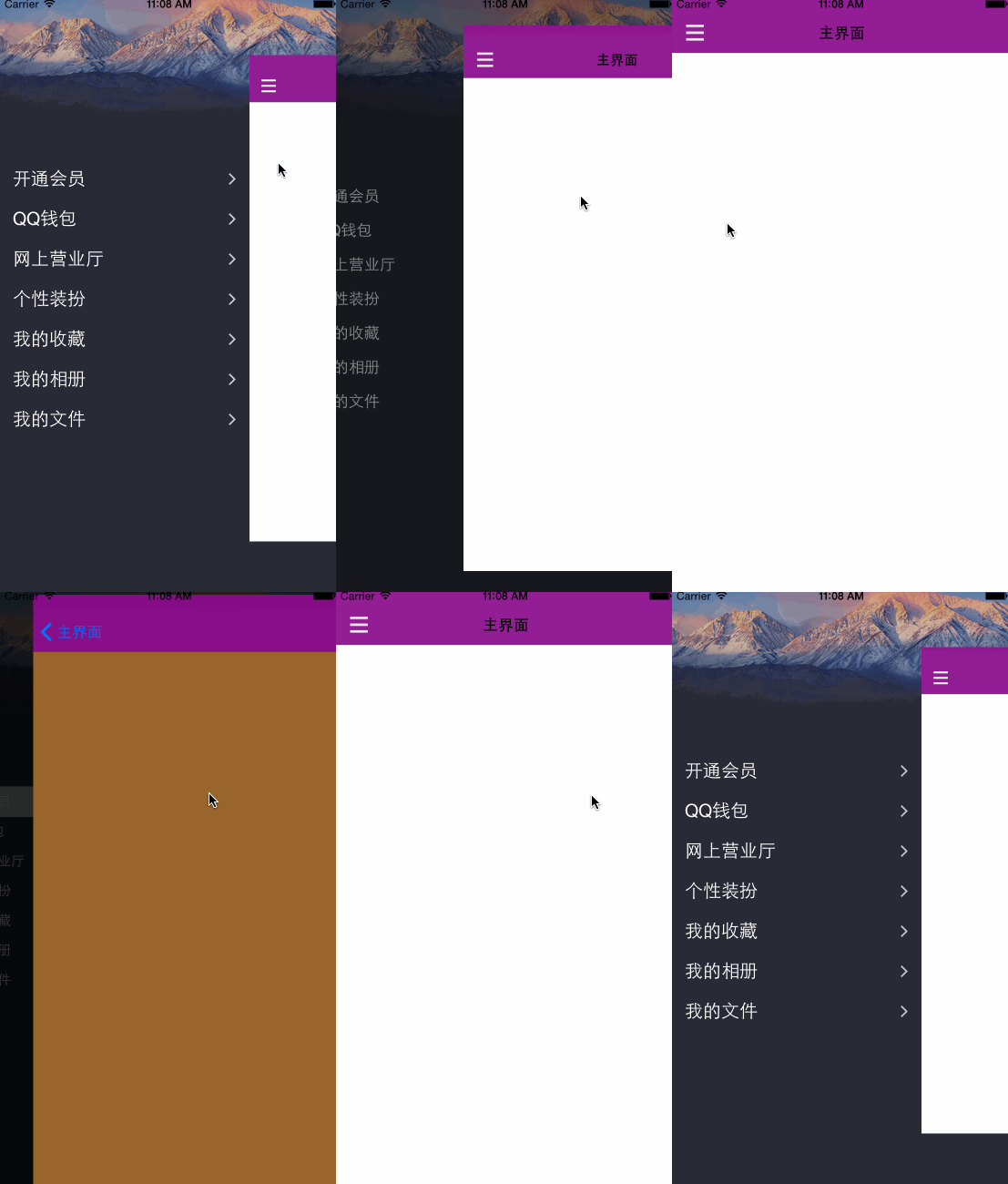
透過 MMDrawerController,無論是手勢還是按鈕,都能輕鬆實現流暢的抽屜式導航體驗。
- 上一篇文章: iOS 遊戲開發:機器人投射遊戲成形記(十二)關卡與限制設定
- 下一篇文章: iOS PCH 檔案詳解:預編譯標頭檔的作用與設定