這個功能主要是針對「下載」場景設計的。安卓與 iOS 的下載網址通常不同,我們希望能依使用者裝置自動導向對應的連結。同時,微信本身就會屏蔽下載類網址的跳轉,因此還需要辨識微信,並提示使用者改用其他瀏覽器開啟。
程式碼其實很簡單,完整範例如下:
1 2
3
4
5
6 11 <script> 12 function detectOS() { 13 var osUserAgent = navigator.userAgent.toLowerCase(); 14 if (osUserAgent.indexOf("iphone") > -1 || osUserAgent.indexOf("ipad") > -1 || osUserAgent.indexOf("ipod") > -1) { 15 if (osUserAgent.indexOf("micromessenger") > -1) { 16 return "wechat"; 17 } 18 //alert("注意:只限越獄用戶可安裝"); 19 top.location.href = 'https://www.apple.com/'; 20 return "iphone"; 21 } 22 if (osUserAgent.indexOf("android") > -1 || osUserAgent.indexOf("adr") > -1) { 23 if (osUserAgent.indexOf("micromessenger") > -1) { 24 return "wechat"; 25 } 26 top.location.href = 'https://www.baidu.com'; 27 return "android"; 28 } 29 if (osUserAgent.indexOf("win") > -1) { 30 top.location.href = 'https://www.baidu.com'; 31 return "windows"; 32 } 33 return osUserAgent; 34 } 35 detectOS(); 36 </script>383940
三個 if 判斷式分別負責查詢 iOS、Android 與 Windows(PC)。而在 iOS 與 Android 的判斷中,都加入了這段:
if (osUserAgent.indexOf("micromessenger") > -1) { return "wechat"; }
用來驗證是否開啟於微信中,若不需要此功能可直接刪去。
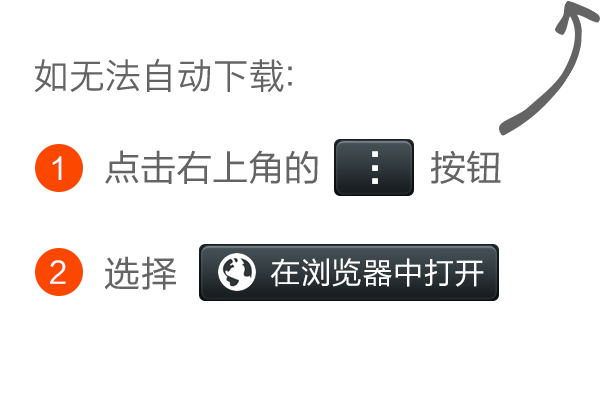
而 top.location.href = 'https://www.apple.com/'; 就是各裝置對應的跳轉網址。最後,body 裡擺了一張圖片,當偵測為微信訪問時便顯示該圖,內容是提示使用者改用其他瀏覽器開啟。
