
iOS 開發從入門到精通——UIGesture 手勢擴充:平移、滑動、長按
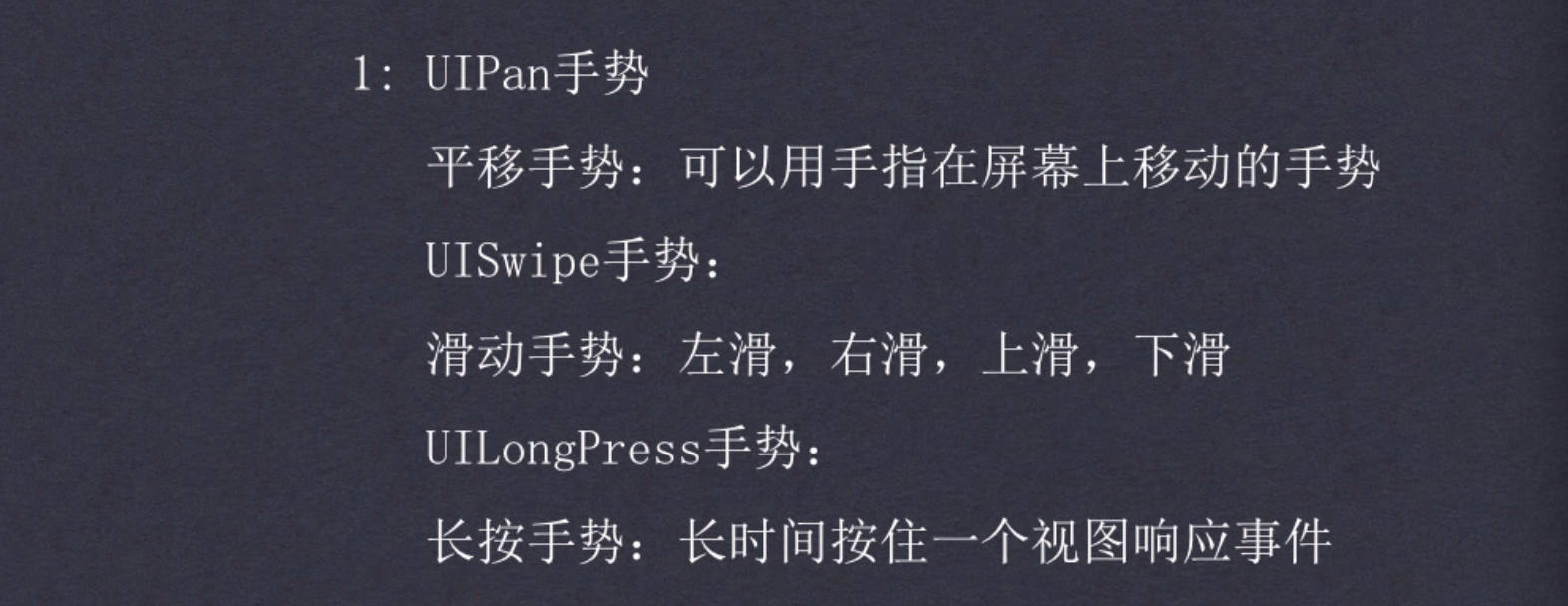

在 iOS 中,所有手勢都走同一套設計:建立 recognizer → 指定 target-action → 掛到視圖上。差別只在各類 recognizer 自己的專屬屬性。本文用平移、滑動、長按這三種最常用來示範。
完整範例
#import "ViewController.h"

@interface ViewController ()
@end

@implementation ViewController

- (void)viewDidLoad {
    [super viewDidLoad];

    UIImageView *iView = [[UIImageView alloc] initWithImage:[UIImage imageNamed:@"17_8.png"]];
    iView.frame = CGRectMake(50, 50, 200, 300);
    // 手勢要生效,userInteractionEnabled 必須為 YES
    // UIImageView 預設是 NO,這是最常見的「手勢沒反應」原因
    iView.userInteractionEnabled = YES;

    // ---- 平移手勢 ----
    // p1: 事件處理的對象  p2: 事件處理方法
    UIPanGestureRecognizer *pan = [[UIPanGestureRecognizer alloc] initWithTarget:self action:@selector(panAct:)];
    [iView addGestureRecognizer:pan];
    // 需要時也可以取消
    // [iView removeGestureRecognizer:pan];

    [self.view addSubview:iView];

    // ---- 滑動手勢 ----
    UISwipeGestureRecognizer *swipe = [[UISwipeGestureRecognizer alloc] initWithTarget:self action:@selector(swipeAct:)];
    // 指定接收哪些方向
    // Up 上 / Down 下 / Left 左 / Right 右
    swipe.direction = UISwipeGestureRecognizerDirectionRight | UISwipeGestureRecognizerDirectionLeft;
    [iView addGestureRecognizer:swipe];

    // ---- 長按手勢 ----
    UILongPressGestureRecognizer *longPress = [[UILongPressGestureRecognizer alloc] initWithTarget:self action:@selector(longPressAct:)];
    [iView addGestureRecognizer:longPress];
    // 長按的判定時間,預設 0.5 秒
    longPress.minimumPressDuration = 3;
}

// 長按
- (void)longPressAct:(UILongPressGestureRecognizer *)longpress {
    // 長按是「持續性」手勢,會多次回呼,必須靠 state 判斷階段
    if (longpress.state == UIGestureRecognizerStateBegan) {
        NSLog(@"狀態開始");
    } else if (longpress.state == UIGestureRecognizerStateEnded) {
        NSLog(@"結束狀態");
    }
}

// 滑動
- (void)swipeAct:(UISwipeGestureRecognizer *)swipe {
    NSLog(@"swipe 滑動");
}

// 平移:只要手指座標變化就會被呼叫
- (void)panAct:(UIPanGestureRecognizer *)pan {
    // 取得相對於某視圖的位移
    // CGPoint pt = [pan translationInView:self.view];
    // NSLog(@"pt.x=%.2f, pt.y=%.2f", pt.x, pt.y);

    // 取得移動時的相對速度
    CGPoint pv = [pan velocityInView:self.view];
    NSLog(@"pv.x=%.2f, pv.y=%.2f", pv.x, pv.y);
}

- (void)didReceiveMemoryWarning {
    [super didReceiveMemoryWarning];
}
@end
三個容易忽略的細節
一、UIImageView 預設不接收使用者互動。如果直接把手勢掛在 UIImageView 上卻沒反應,第一個要檢查的就是 userInteractionEnabled 是否設為 YES。UILabel 也有同樣問題。
二、長按與平移都是「持續性手勢」。UISwipeGestureRecognizer 是一次性的——手指抬起後回呼一次就結束;但 UILongPressGestureRecognizer 與 UIPanGestureRecognizer 會在整個過程中持續回呼。因此處理它們時必須先判斷 state,否則同一個動作會被執行十幾次。常見的 state 有 Began、Changed、Ended、Cancelled、Failed。
三、translationInView 是「累加位移」,不是絕對座標。若要做拖曳效果,正確寫法是在 Changed 階段取出 translation,更新視圖中心,然後呼叫 [pan setTranslation:CGPointZero inView:self.view] 把位移歸零。少了這一步,視圖會以加速度的方式飛出去。
補充一個拖曳的標準寫法:
- (void)panAct:(UIPanGestureRecognizer *)pan {
    UIView *view = pan.view;
    CGPoint translation = [pan translationInView:self.view];
    view.center = CGPointMake(view.center.x + translation.x, view.center.y + translation.y);
    // 歸零,避免位移累加
    [pan setTranslation:CGPointZero inView:self.view];
}
手勢之間的衝突
同一個視圖上掛多個 recognizer 時,系統會依優先順序判定。若需要自訂共存規則,實作 UIGestureRecognizerDelegate 的 gestureRecognizer:shouldRecognizeSimultaneouslyWithGestureRecognizer: 回傳 YES 即可讓它們同時觸發。反之,若希望某個手勢優先取得事件,則實作 gestureRecognizer:shouldReceiveTouch: 做條件攔截。
- 上一篇文章: iOS第三方框架CocoaPods的安裝、使用與原理全解析
- 下一篇文章: iOS富文本NSAttributedString屬性詳解