
iOS 開發:Protocol 協議與 Delegate 委托代理傳值完整示範
編輯:iOS 開發基礎
前言:Objective-C 不支援多重繼承,因此實務上常以 Protocol(協議)取代。協議只能定義一套共用介面,不提供具體實作——它只告訴你「要做什麼」,至於「怎麼做」並不關心。
當一個類別採用某個協議時,就必須遵循它。若有標為必要的方法沒實作,編譯器會發出警告提醒。注意是警告而非錯誤:即使不實作那些必要方法,程式依然能跑,只是多了幾行提示。
協議的兩大用途
1. 定義一套共用介面(Public)
@required:必須實作的方法@optional:可選實作的方法(甚至可以全部不寫)
2. 委托代理(Delegate)傳值
這本身是一個設計模式,意思是「委託他人去做某件事」。常見場景有兩種:
- 類別 A 呼叫類別 B 的方法,B 在執行中遇到狀況需要回頭通知 A。
- 控制器之間傳值:從 C1 跳轉到 C2,C2 返回時需要通知 C1 更新 UI 或做其他處理。
一、定義共用介面
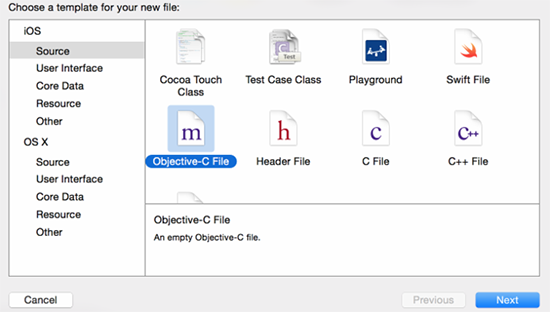
先新增一個協議檔案:
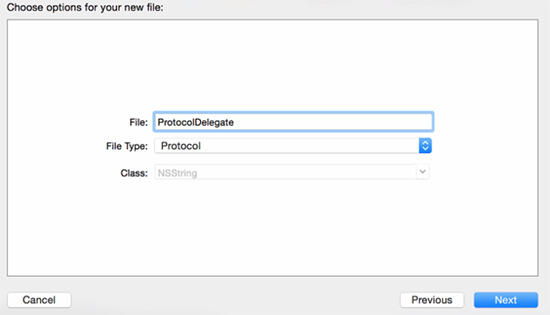
填寫檔名並選擇檔案類型為 Protocol:
ProtocolDelegate.h(協議不會產生 .m 檔):
#import <Foundation/Foundation.h>

@protocol ProtocolDelegate <NSObject>

// 必須實作的方法
@required
- (void)error;

// 可選實作的方法
@optional
- (void)other;
- (void)other2;
- (void)other3;

@end
在要使用協議的類別中匯入標頭:
#import "ViewController.h"
#import "ProtocolDelegate.h"
並宣告遵循協議:
@interface ViewController () <ProtocolDelegate>
@end
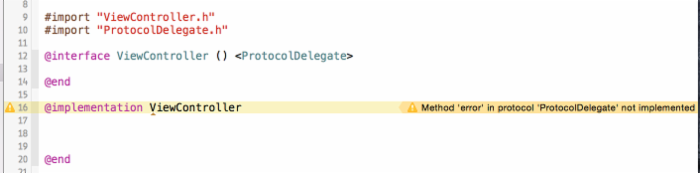
此時會出現警告,因為協議中有一個必要方法尚未實作:
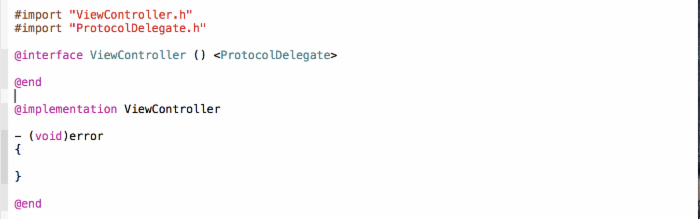
補上實作後警告即消失:
至於 optional 方法,實不實作都由你決定。
二、委托代理傳值實作
先在 Storyboard 上把介面搭好:
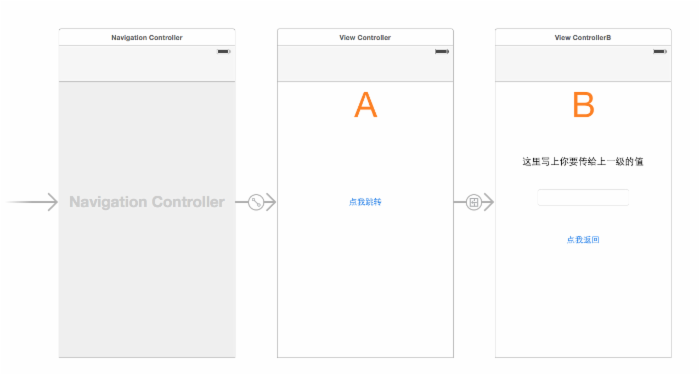
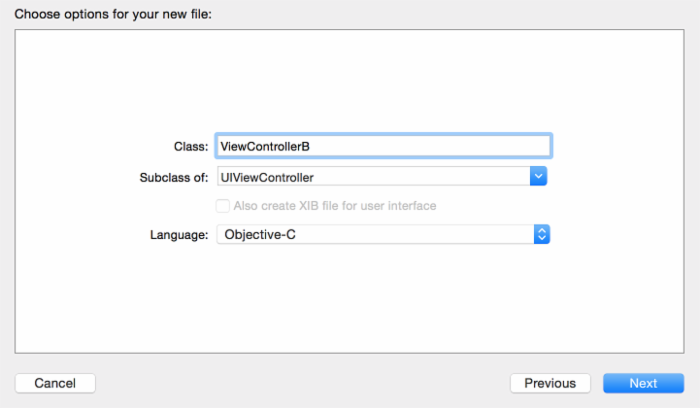
新增 ControllerB:
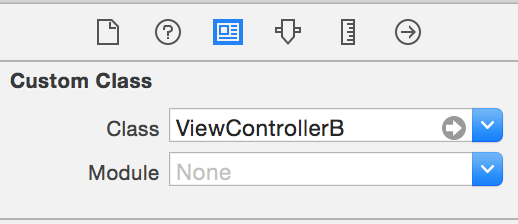
把 B 界面的類別設為 ViewControllerB:
ViewController.m:
#import "ViewController.h"
#import "ProtocolDelegate.h"
#import "ViewControllerB.h"

@interface ViewController () <ProtocolDelegate>
@end

@implementation ViewController

- (void)prepareForSegue:(UIStoryboardSegue *)segue sender:(id)sender {
    ViewControllerB *vc = segue.destinationViewController;
    [vc setDelegate:self];
}

// 此處實作 B 控制器的協議方法
- (void)sendValue:(NSString *)value {
    UIAlertView *alertView = [[UIAlertView alloc] initWithTitle:@"成功"
                                                        message:value
                                                       delegate:nil
                                              cancelButtonTitle:@"確定"
                                              otherButtonTitles:nil, nil];
    [alertView show];
}

- (void)error {
}

@end
ViewControllerB.h:
#import <UIKit/UIKit.h>

// 協議名稱慣例為「類別名 + Delegate」
@protocol ViewControllerBDelegate <NSObject>

// 代理傳值方法
- (void)sendValue:(NSString *)value;

@end

@interface ViewControllerB : UIViewController

// 代理通常使用弱引用,避免循環引用
@property (weak, nonatomic) id <ViewControllerBDelegate> delegate;

@end
ViewControllerB.m:
#import "ViewControllerB.h"

@interface ViewControllerB ()
@property (strong, nonatomic) IBOutlet UITextField *textField;
@end

@implementation ViewControllerB

- (IBAction)backAction:(id)sender {
    if ([_delegate respondsToSelector:@selector(sendValue:)]) {
        // 先確認代理有實作該方法,再呼叫
        [_delegate sendValue:_textField.text];
    }
    [self.navigationController popViewControllerAnimated:YES];
}

@end
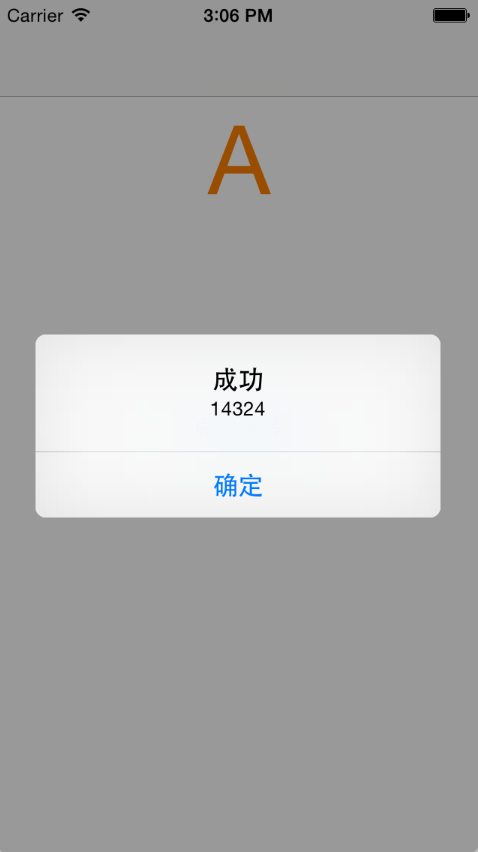
完成效果:
小結
需要定義一套共用介面、而各實作方的行為可以不同時,用 Protocol 協議。
需要在類別之間雙向傳值時,以 Protocol 為基礎搭配代理設計模式。
測試環境:Xcode 6.1、iOS 8.0 模擬器。
Demo 下載:GCProtocol&Delegate
(本文作者:GarveyCalvin)