
動手實現一套不規則圖片瀑布流布局算法

我常年泡在 500px 上看照片、發照片。以前看它首頁的圖片展示,只覺得好看、洋氣,沒想過自己在 iOS 上實現一遍。昨天不知怎麼就開始琢磨其中的算法,現把思考過程貼出來分享,如果你有更好的方案,歡迎一起探討。
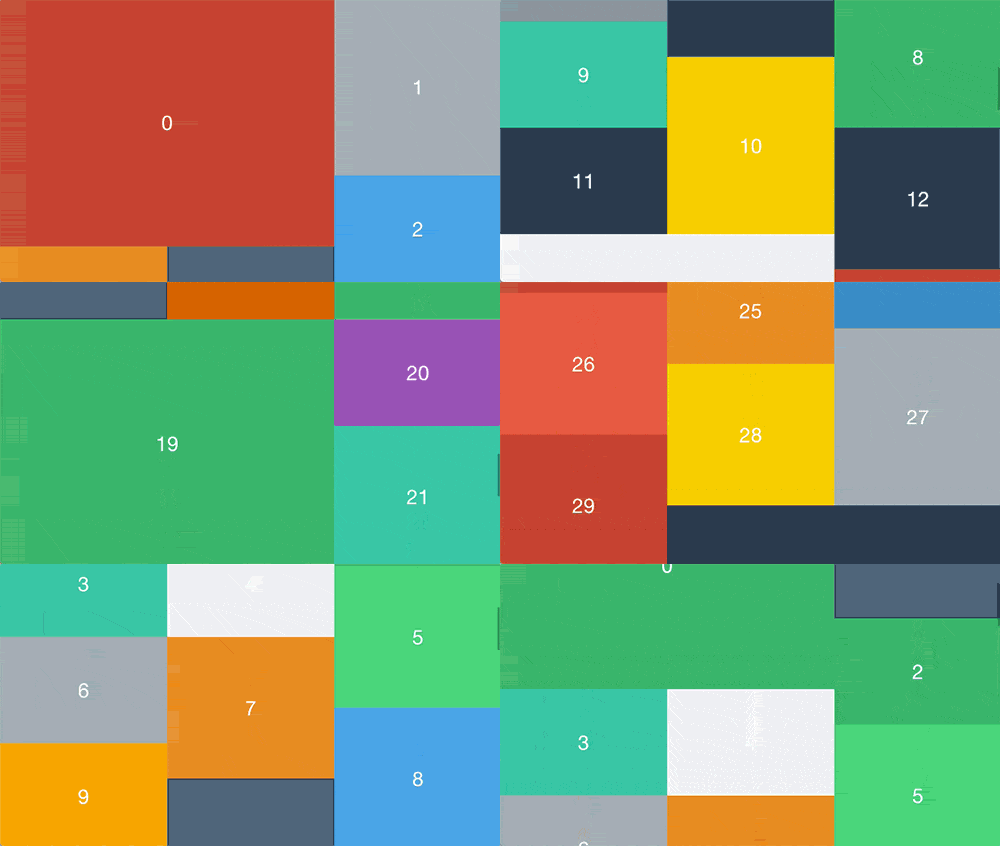
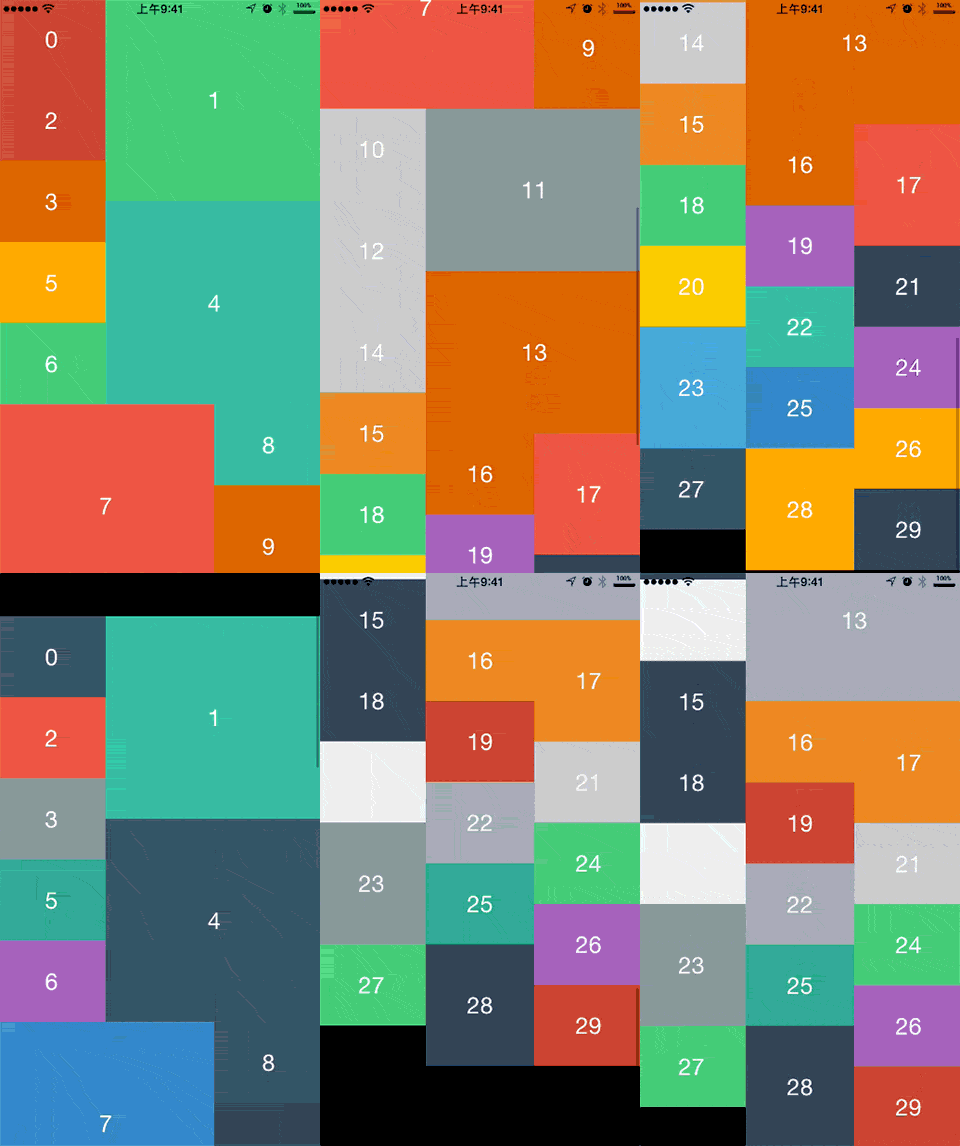
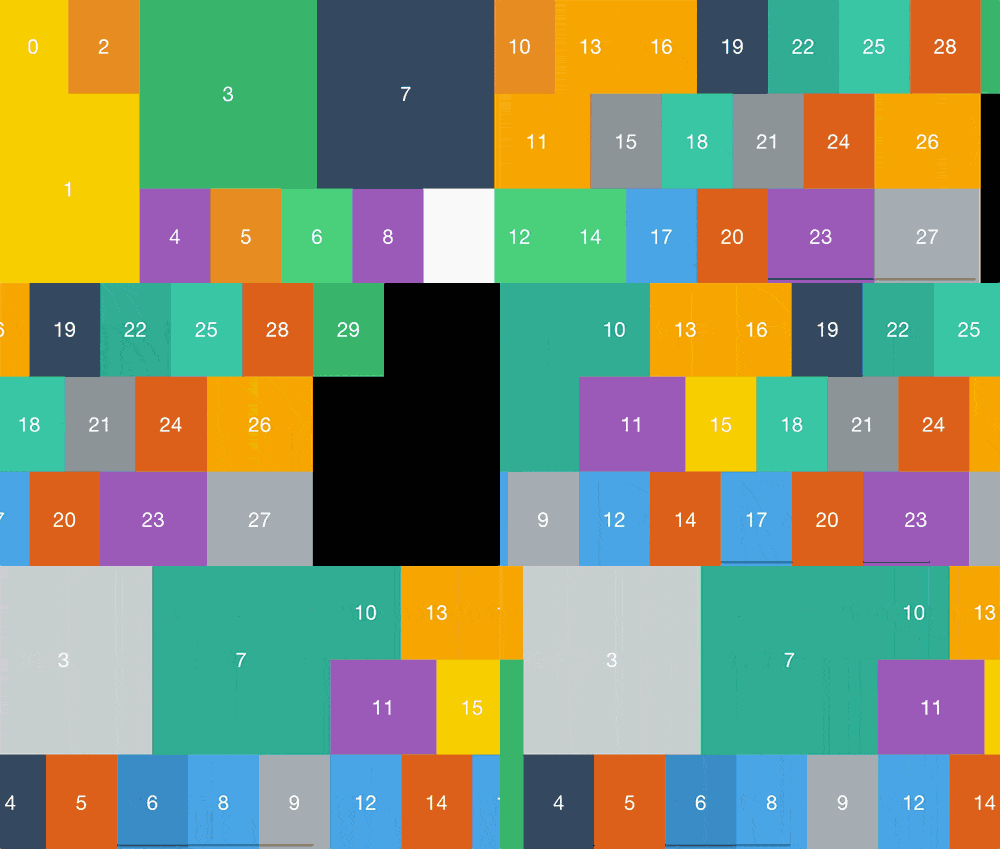
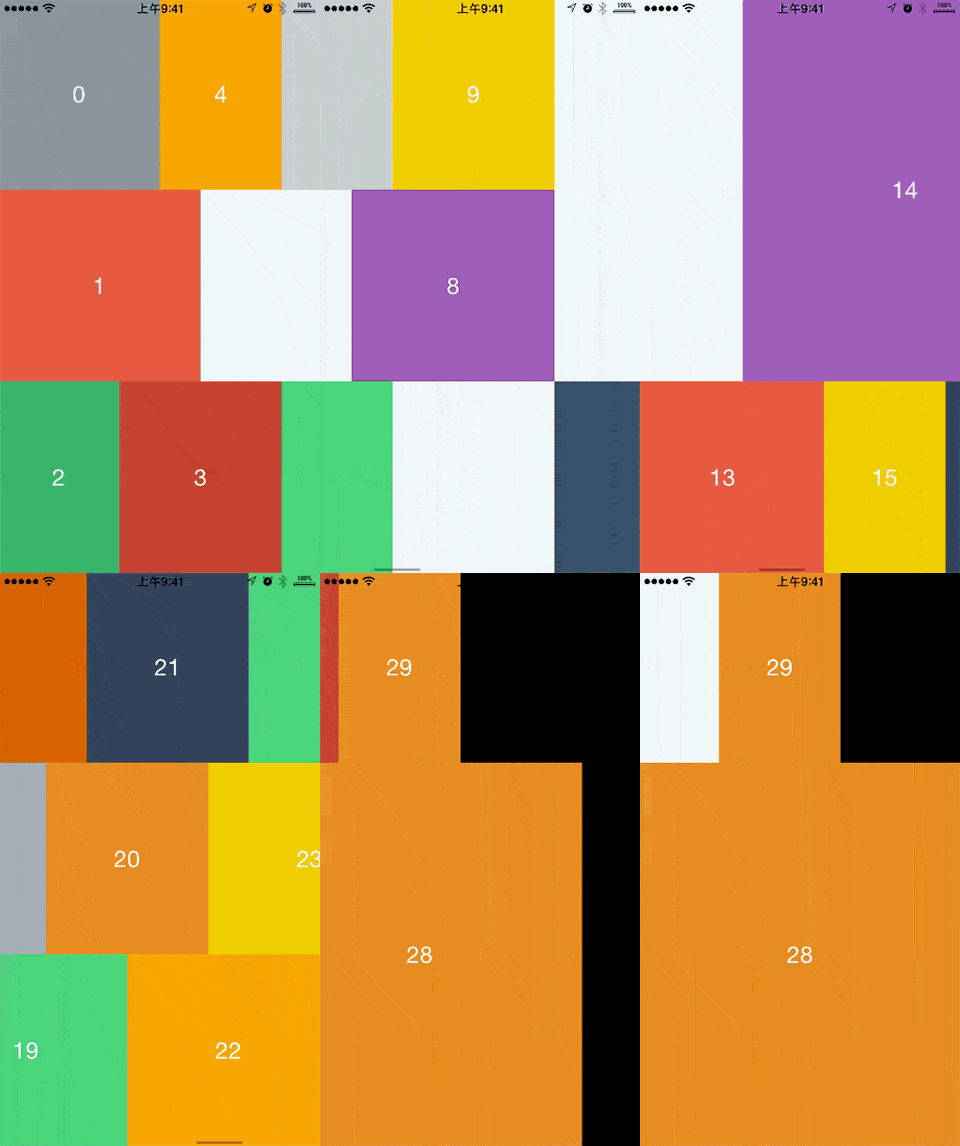
最終做出的效果是這樣的:
垂直滾動
水平滾動
算法總體思路
先說整體思路。既然每張圖片的大小、位置各不相同,我們自然會想到:需要算出每個 item 的 frame,再把這些 frame 賦值給對應的 UICollectionViewLayoutAttributes。
自定義 UICollectionViewLayout 的關鍵兩步,是先後重寫下面兩個方法:
- (void)prepareLayout;
和
- (NSArray *)layoutAttributesForElementsInRect:(CGRect)rect;
所以我們的做法是:在 prepareLayout 中算出所有 item 的 frame,並賦值給對應的 UICollectionViewLayoutAttributes。用圖來看更直觀:
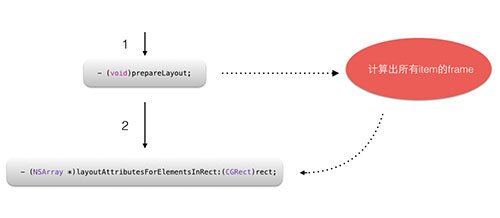
接下來,問題就歸化為如何求每個 item 的 frame。
這裡我們抽象出一個列的概念:
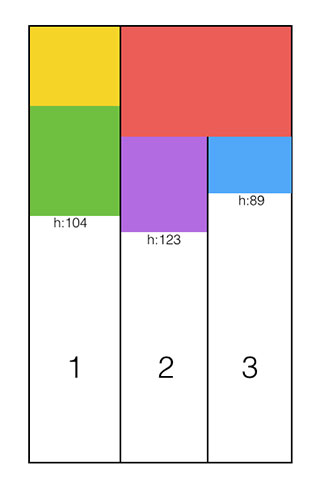
除此之外,還需要維護一個存儲高度的數組 COLUMNSHEIGHTS。數組有 n 個元素,n 即列數(上圖 n = 3),每個元素緩存當前列的當前高度,上圖中 COLUMNSHEIGHTS = [104, 123, 89]。
然後把 item 逐個放進列中,規則是:從左到右,item 優先放入 COLUMNSHEIGHTS 中最短的那一列。
打個比方,下一個 item 就該放進最短的第三列:
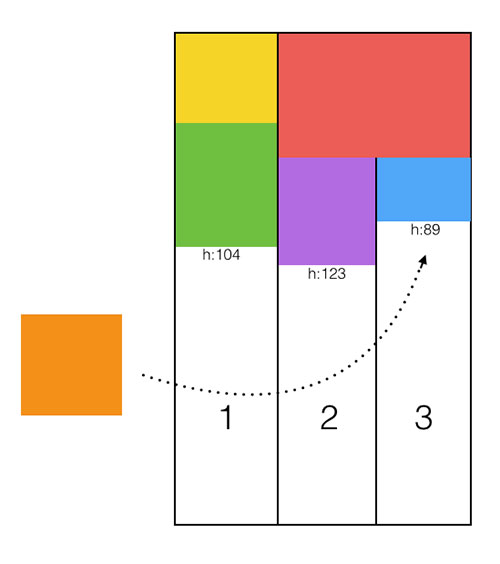
依此規則循環下去,直到所有 item 放置完畢。
細節
item.frame.origin:
用自然語言描述:x 坐標 =(最短列的編號 - 1)× 列寬;y 坐標 = COLUMNSHEIGHTS 中取出最短列對應的高度。
所以我們需要一個算法找出當前最短的列。最直接的就是 O(n) 的循環比較——這裡數據量不大,夠用了;如果數據量很大,可能就得考慮分治法。
// 尋找此時高度最短的列,第一列為 0
- (NSUInteger)findShortestColumn {
    NSUInteger shortestIndex = 0;
    CGFloat shortestValue = MAXFLOAT;
    NSUInteger index = 0; // 游標
    for (NSNumber *columnHeight in self.COLUMNSHEIGHTS) {
        if ([columnHeight floatValue] < shortestValue) {
            shortestValue = [columnHeight floatValue];
            shortestIndex = index;
        }
        index++;
    }
    return shortestIndex;
}
找到最短列之後,item 的 x、y 坐標就很好寫了:
NSUInteger origin_x = [self findShortestColumn] * [self columnWidth];
NSUInteger origin_y = [self.COLUMNSHEIGHTS[shtIndex] integerValue];
item.frame.size.width:
列數由用戶決定,是個變量,因此列寬 columnWidth = self.collectionView.bounds.size.width / self.columnsCount。我們規定默認情況下 item 寬度等於 columnWidth。當「當前列與下一列高度相等」時(如上圖紅色方塊,它位於第 2 列,第 3 列為它的下一列),允許橫跨兩列。之所以能跨,是因為在它放進去之前,第 2 列與第 3 列高度都是 0,滿足了條件。
但是!
如果出現下面這種情況:
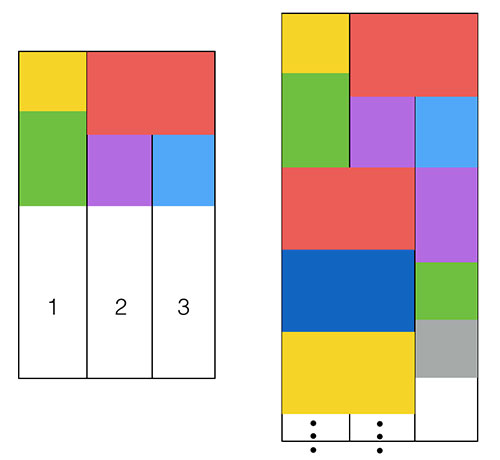
也就是說,僅滿足「當前列和下一列高度相等」並不夠——一旦滿足,後續會一直處於橫跨狀態。所以還要再加一個條件來篩選。這裡用隨機數:
NSUInteger randomOfWhetherDouble = arc4random() % 100; // 隨機數標記是否要雙行
arc4random() % 100 會生成一個 0~100 的整數。設定一個閾值,比如 40:只有同時滿足「當前列和下一列高度相等」與「randomOfWhetherDouble < 40」的 item 才真正橫跨兩列。也就是說,即使高度相等,也只有 40% 的機率出現跨列 item,這樣就能很好地保證寬度不一的 item 隨機出現。
寬度的代碼:
if (shtIndex < self.columnsCount - 1
    && [self.COLUMNSHEIGHTS[shtIndex] floatValue] == [self.COLUMNSHEIGHTS[shtIndex+1] floatValue]
    && randomOfWhetherDouble < 40) {
    size_width = 2 * [self columnWidth];
} else {
    size_width = [self columnWidth];
}
item.frame.size.height:
這個可以自由規定,因為豎直方向沒有特別限制。我的規定是:
1. 如果是橫跨的,高度 = 寬度 × (0.75 ~ 1 隨機)
float extraRandomHeight = arc4random() % 25;
CGFloat retVal = 0.75 + (extraRandomHeight / 100);
size_height = size_width * retVal;
2. 如果是單列的,高度 = 寬度 × (0.75 ~ 1.25 隨機)
float extraRandomHeight = arc4random() % 50;
CGFloat retVal = 0.75 + (extraRandomHeight / 100);
size_height = size_width * retVal;   // 高度為寬度的 0.75~1.25 倍
補充:
實測中發現,即使把閾值調成 0(只要兩列高度相等就 100% 橫跨),橫跨情況依然少之又少。原因出在數據類型上:我原先用的全是 CGFloat 或 float 浮點類型,兩個浮點數恰好相等的概率可想而知;改成 NSUInteger 之後就好多了。此外,為了提高橫跨出現的概率,我還用了四捨五入的思路——讓 item 高度對某個整數取餘,比如以 40 為單位,再把餘數剪掉,剩下的高度必然是 40 的整數倍。
代碼很簡單:
size_height = size_height - (size_height % 40);
這能把某個範圍內的高度歸約到同一個值,讓左右兩列高度相等的概率顯著提升,出現橫跨 item 的可能性自然也變大了。
然後,在循環過程中把每個 item 的 frame 賦值給對應的 attributes,並保存到數組裡:
// 給 attributes.frame 賦值,並存入 self.itemsAttributes
NSIndexPath *indexPath = [NSIndexPath indexPathForItem:i inSection:0];
UICollectionViewLayoutAttributes *attributes =
    [UICollectionViewLayoutAttributes layoutAttributesForCellWithIndexPath:indexPath];
attributes.frame = CGRectMake(origin_x, origin_y, size_width, size_height);
[self.itemsAttributes addObject:attributes];
最後在 layoutAttributesForElementsInRect 中返回:
- (NSArray *)layoutAttributesForElementsInRect:(CGRect)rect {
    return self.itemsAttributes;
}
最後一點
要讓 collectionView 能滾起來,還需要設置 ContentSize。其實只要讓 ContentSize 的高度等於 COLUMNSHEIGHTS 中最長列的高度即可;求最長列的算法與求最短列類似:
- (CGSize)collectionViewContentSize {
    CGSize size = self.collectionView.bounds.size;
    NSUInteger longstIndex = [self findLongestColumn];
    float columnMax = [self.COLUMNSHEIGHTS[longstIndex] floatValue];
    size.height = columnMax;
    return size;
}
結語
如果你有興趣,還可以繼續試試:
讓圖片在豎屏和橫屏時使用不同列數,並以過渡動畫切換;
實現 contentView 的水平滾動並套用上面的不規則布局。
這兩個功能我都已經實現並封裝好了,可以像普通 UICollectionViewLayout 一樣使用,有興趣可以去取來參考。
- 上一篇文章: 精選開源推薦(6.19):趣味下拉刷新與手勢動畫合集
- 下一篇文章: Auto Layout 的奧秘 Part 1:聽譯加講解(上)