
iOS 開發實戰:用 FHHFPSIndicator 即時監控畫面幀率
編輯:iOS 開發基礎
在做 iOS 效能優化時,隨時掌握 App 的畫面流暢度是必修課,而 FPS(每秒幀數)正是最直觀的指標。開源工具 FHHFPSIndicator 就能幫你把實時幀率顯示在畫面上,讓你在真機測試時一目了然地評估滑動、動畫的順暢程度。
這個工具提供了三種顯示位置,預設為「中偏下」,此外還有「中偏左」與「中偏右」可供切換。對於 iPhone 4、5 這類螢幕較小的機型,建議沿用預設的中偏下位置,避免遮擋主要內容。
GitHub 專案地址:https://github.com/jvjishou/FHHFPSIndicator
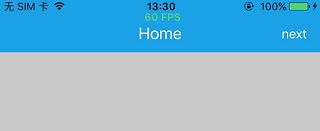
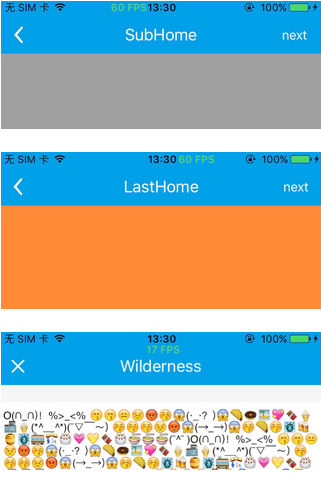
整合方式與使用步驟:
第一步,把 FHHFPSIndicator 資料夾中的所有原始碼拖曳進你的專案裡。
第二步,在 AppDelegate.m 中加入以下程式碼即可啟用:
#if defined(DEBUG) || defined(_DEBUG) #import "FHHFPSIndicator.h" #endif - (BOOL)application:(UIApplication *)application didFinishLaunchingWithOptions:(NSDictionary *)launchOptions { // Override point for customization after application launch. self.window = [[UIWindow alloc] initWithFrame:[UIScreen mainScreen].bounds]; [self.window makeKeyAndVisible]; // add the follwing code after the window become keyAndVisible #if defined(DEBUG) || defined(_DEBUG) [[FHHFPSIndicator sharedFPSIndicator] show]; // [FHHFPSIndicator sharedFPSIndicator].fpsLabelPosition = FPSIndicatorPositionTopRight; #endif self.window.rootViewController = [[UINavigationController alloc] initWithRootViewController:[[HomeViewController alloc] init]]; return YES; }特別提醒:這段初始化程式碼一定要放在下面這行之後,否則幀率標籤無法正常顯示。
[self.window makeKeyAndVisible];
更多細節與自訂選項,歡迎直接參考 GitHub 上的專案說明。