
談談 UIView Animation:八種動畫玩法一次收藏
歡迎收看本期節目《小明講故事》,我是小明!今天的主題是——動畫。
有人問我:「小明,你覺得誰最『作』?」我說:「卓別林先生啊,作得有風格,作得有國際范,作界的佛爺。」又有人說:「《貓和老鼠》裡的 Tom 追了 Jerry 一百四十集還沒抓到,作界二爺也。」
得動畫者得天下。今天我們就請來啞劇之王卓別林先生,與深愛 Jerry 的 Tom 先生,一起聊聊動畫這檔事。
動畫是怎麼產生的?
「在英國,動畫叫 Animation,動詞 Animate,中文意思是賦予生命。人眼看到一幅畫之後,影像約 0.34 秒內不會消失;利用這個原理,在前一幅畫消失前播放下一幅,就會產生流暢的視覺變化。至於蒼蠅嘛,那就叫反應遲鈍了。」——卓別林

卓先生說的,就是逐幀動畫:每一張畫面就是一幀,逐一播放形成連續動畫。
「我是看卓先生的電影長大的。不過我那個年代的動畫已經不一樣了——不只是單張畫面播放,我的鬍子能被 Jerry 拉得誇張地長,追逐時身體還會誇張伸縮。這些變化,是透過電腦計算每個時間點的狀態,再合成每一幀畫面。」——Tom
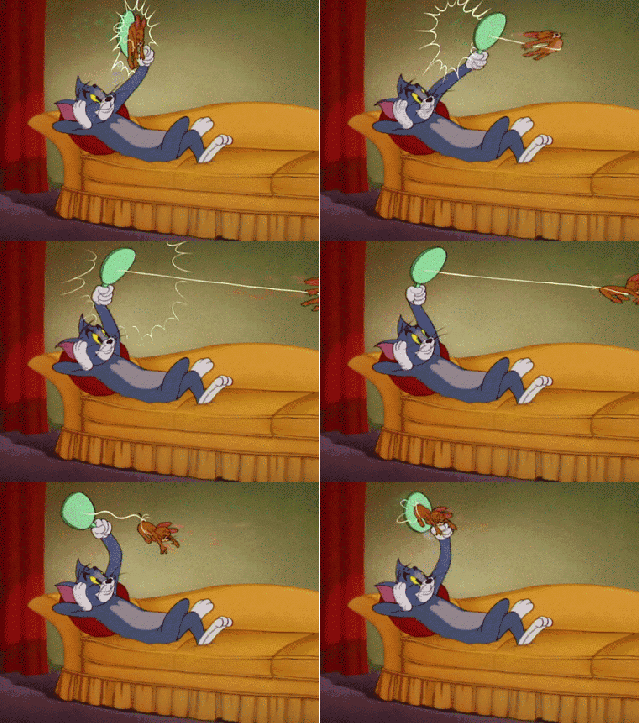
Tom 先生說的,就是關鍵幀動畫,也是現代最常見的做法。iOS 上的按鈕縮放、圖片移動、旋轉,全都屬於這一類;而 UIView Animation 正是其中的代表。
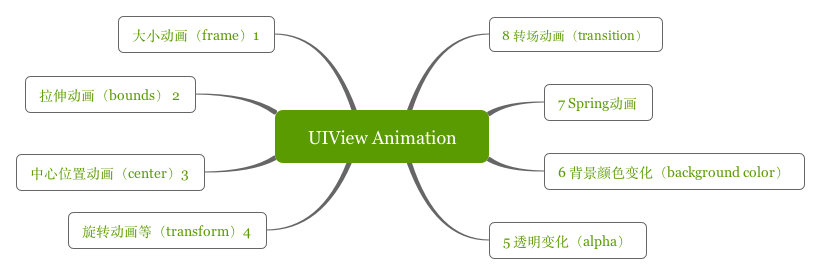
一、大小動畫(改 frame)
-(void)changeFrame{
    CGRect originalRect = self.anView.frame;
    CGRect rect = CGRectMake(self.anView.frame.origin.x - 20, self.anView.frame.origin.y - 120, 160, 80);
    [UIView animateWithDuration:1 animations:^{
        self.anView.frame = rect;
    } completion:^(BOOL finished) {
        [UIView animateWithDuration:1 animations:^{
            self.anView.frame = originalRect;
        }];
    }];
}
二、拉伸動畫(改 bounds)
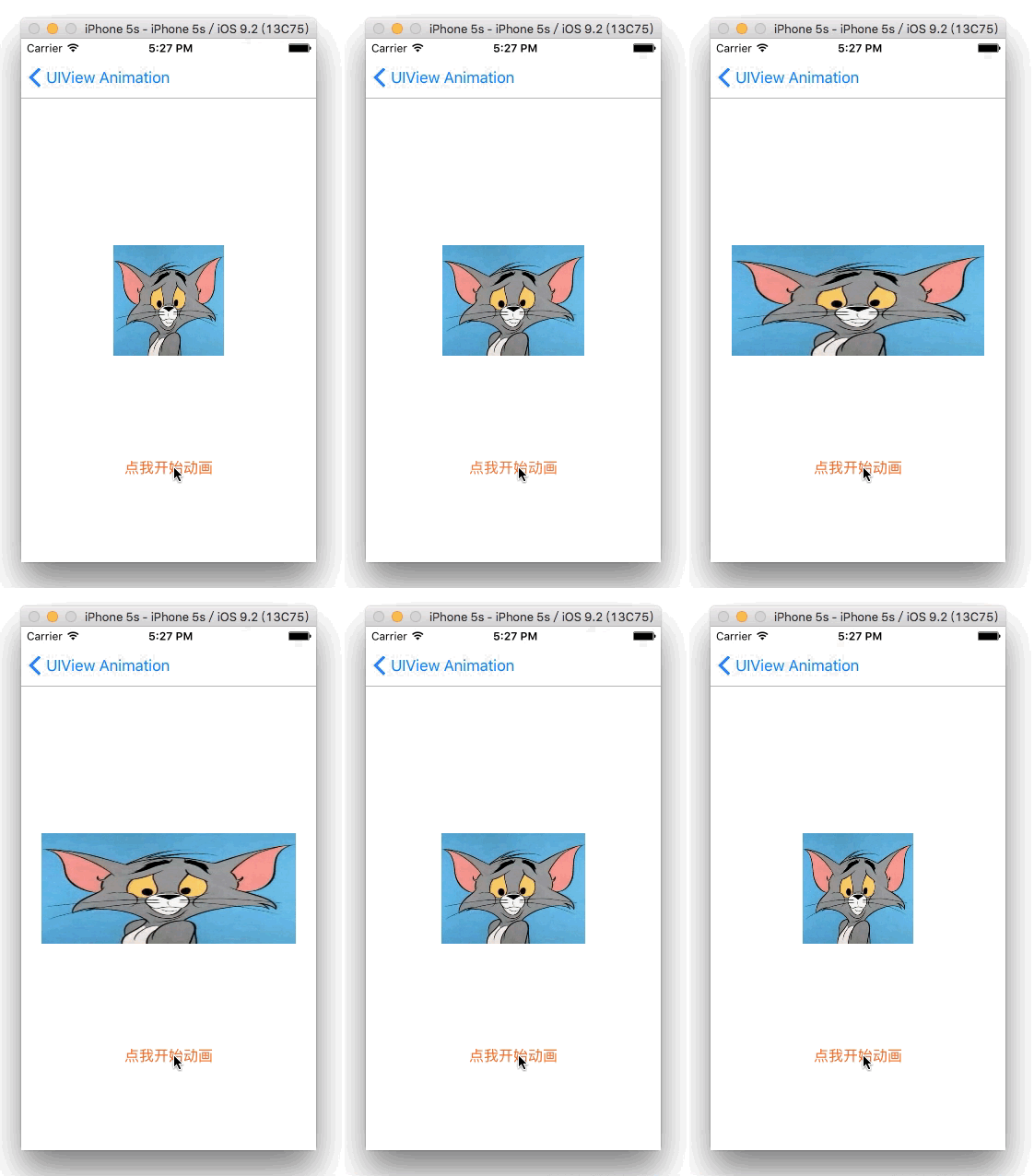
-(void)changeBounds{
    CGRect originalBounds = self.anView.bounds;
    // 即使 x、y 與原始值不同,動畫實際只改變了寬高
    CGRect rect = CGRectMake(0, 0, 300, 120);
    [UIView animateWithDuration:1 animations:^{
        self.anView.bounds = rect;
    } completion:^(BOOL finished) {
        [UIView animateWithDuration:1 animations:^{
            self.anView.bounds = originalBounds;
        }];
    }];
}
三、轉移動畫(改 center)
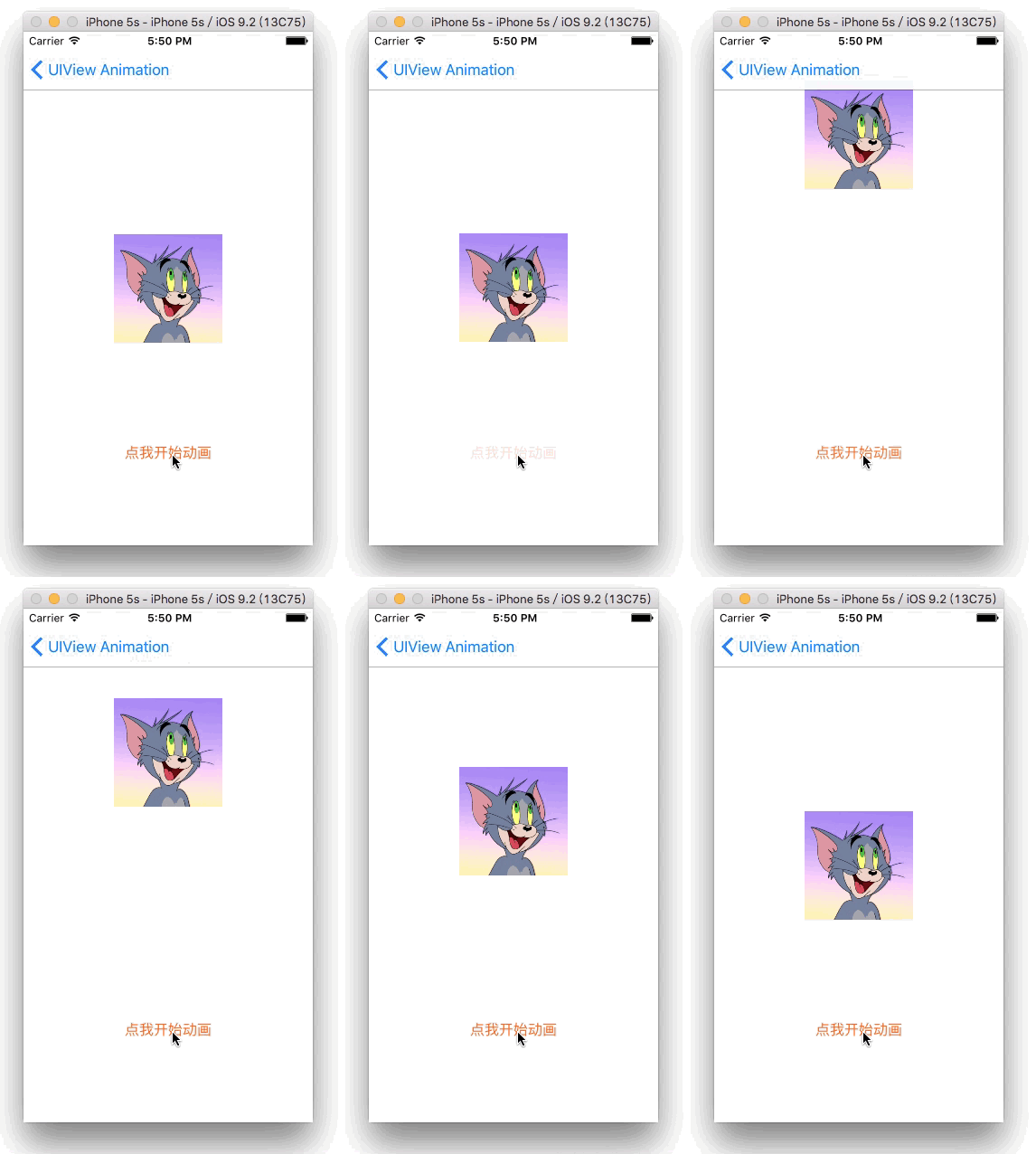
-(void)changeCenter{
    CGPoint originalPoint = self.anView.center;
    CGPoint point = CGPointMake(self.anView.center.x, self.anView.center.y - 170);
    [UIView animateWithDuration:0.3 animations:^{
        self.anView.center = point;
    } completion:^(BOOL finished) {
        [UIView animateWithDuration:1 animations:^{
            self.anView.center = originalPoint;
        }];
    }];
}
以上三個例子有幾個共同點:
1. 都是改變 UIView 的屬性就能產生動畫
2. 都帶有 block 作為結束回調,方便做後續處理
3. 大小與位置的變化可以透過多種屬性組合實現
四、旋轉動畫(改 transform)
-(void)transform{
    CGAffineTransform originalTransform = self.anView.transform;
    [UIView animateWithDuration:2 animations:^{
        // 縮放:CGAffineTransformMakeScale(0.6, 0.6)
        // 位移:CGAffineTransformMakeTranslation(60, -60)
        self.anView.transform = CGAffineTransformMakeRotation(4.0f);
    } completion:^(BOOL finished) {
        [UIView animateWithDuration:2 animations:^{
            self.anView.transform = originalTransform;
        }];
    }];
}
五、透明度動畫(改 alpha)
-(void)alpha{
    [UIView animateWithDuration:2 animations:^{
        self.anView.alpha = 0.3;
    } completion:^(BOOL finished) {
        [UIView animateWithDuration:2 animations:^{
            self.anView.alpha = 1;
        }];
    }];
}
前面五種都只是改動自身屬性值。接下來介紹三種更特別的動畫:Keyframe、Spring 與 Transition。
六、背景色 Keyframes 動畫
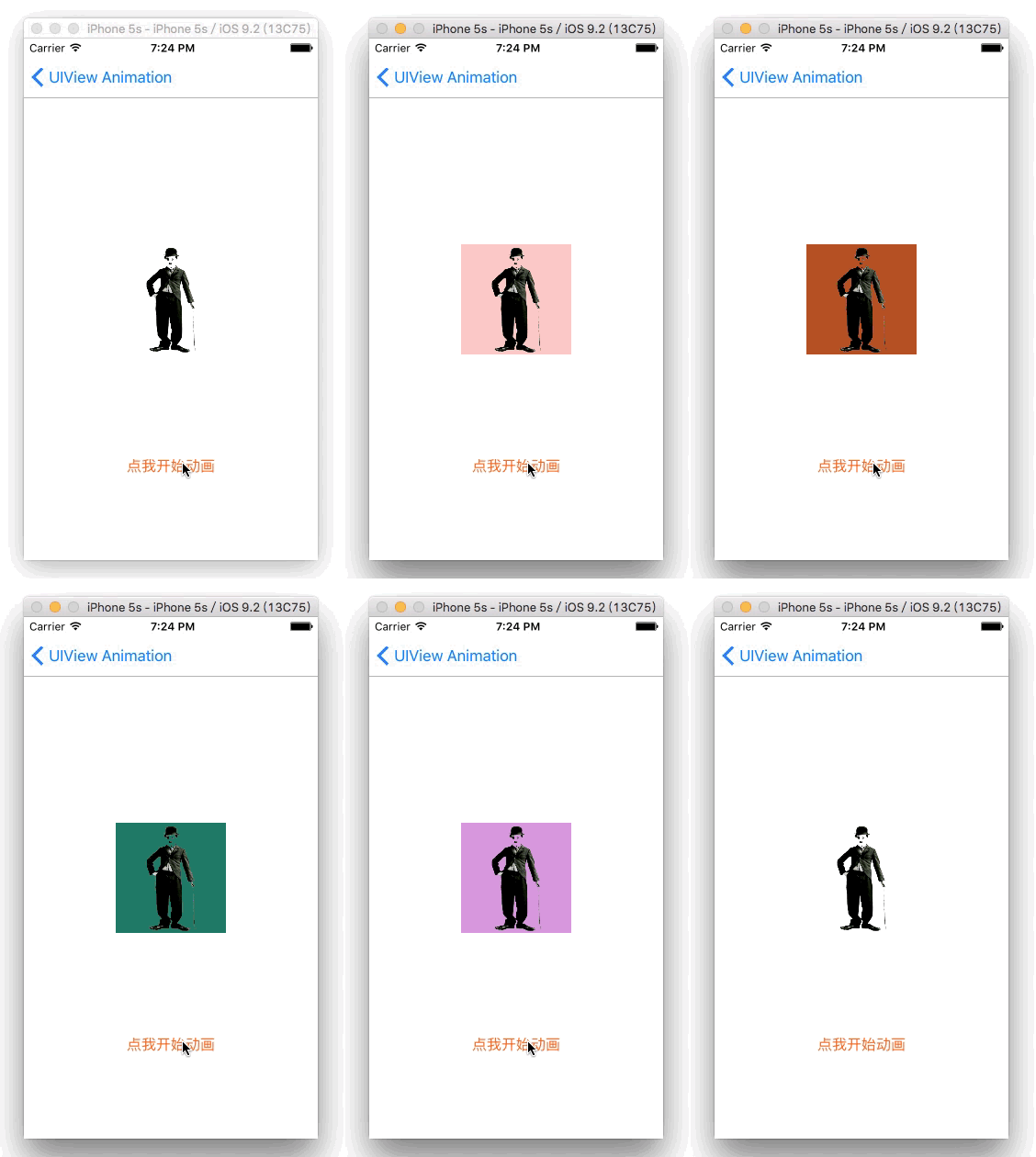
-(void)changeBackground{
    [UIView animateKeyframesWithDuration:9.0 delay:0.f
                                 options:UIViewKeyframeAnimationOptionCalculationModeLinear
                              animations:^{
        [UIView addKeyframeWithRelativeStartTime:0.f relativeDuration:1.0 / 4 animations:^{
            self.anView.backgroundColor = [UIColor colorWithRed:0.9475 green:0.1921 blue:0.1746 alpha:1.0];
        }];
        [UIView addKeyframeWithRelativeStartTime:1.0 / 4 relativeDuration:1.0 / 4 animations:^{
            self.anView.backgroundColor = [UIColor colorWithRed:0.1064 green:0.6052 blue:0.0334 alpha:1.0];
        }];
        [UIView addKeyframeWithRelativeStartTime:2.0 / 4 relativeDuration:1.0 / 4 animations:^{
            self.anView.backgroundColor = [UIColor colorWithRed:0.1366 green:0.3017 blue:0.8411 alpha:1.0];
        }];
        [UIView addKeyframeWithRelativeStartTime:3.0 / 4 relativeDuration:1.0 / 4 animations:^{
            self.anView.backgroundColor = [UIColor colorWithRed:0.619 green:0.037 blue:0.6719 alpha:1.0];
        }];
    } completion:^(BOOL finished) {
        NSLog(@"動畫結束");
    }];
}
七、Spring 動畫(iOS 7.0 起)
-(void)springAnimation{
    CGRect originalRect = self.anView.frame;
    CGRect rect = CGRectMake(self.anView.frame.origin.x - 80, self.anView.frame.origin.y, 120, 120);
    [UIView animateWithDuration:0.4 delay:0 usingSpringWithDamping:0.5 initialSpringVelocity:4
                        options:UIViewAnimationOptionCurveLinear
                     animations:^{
        self.anView.frame = rect;
    } completion:^(BOOL finished) {
        [UIView animateWithDuration:1 delay:1 usingSpringWithDamping:0.5 initialSpringVelocity:4
                            options:UIViewAnimationOptionCurveLinear
                         animations:^{
            self.anView.frame = originalRect;
        } completion:^(BOOL finished) {}];
    }];
}
八、Transition 轉場動畫
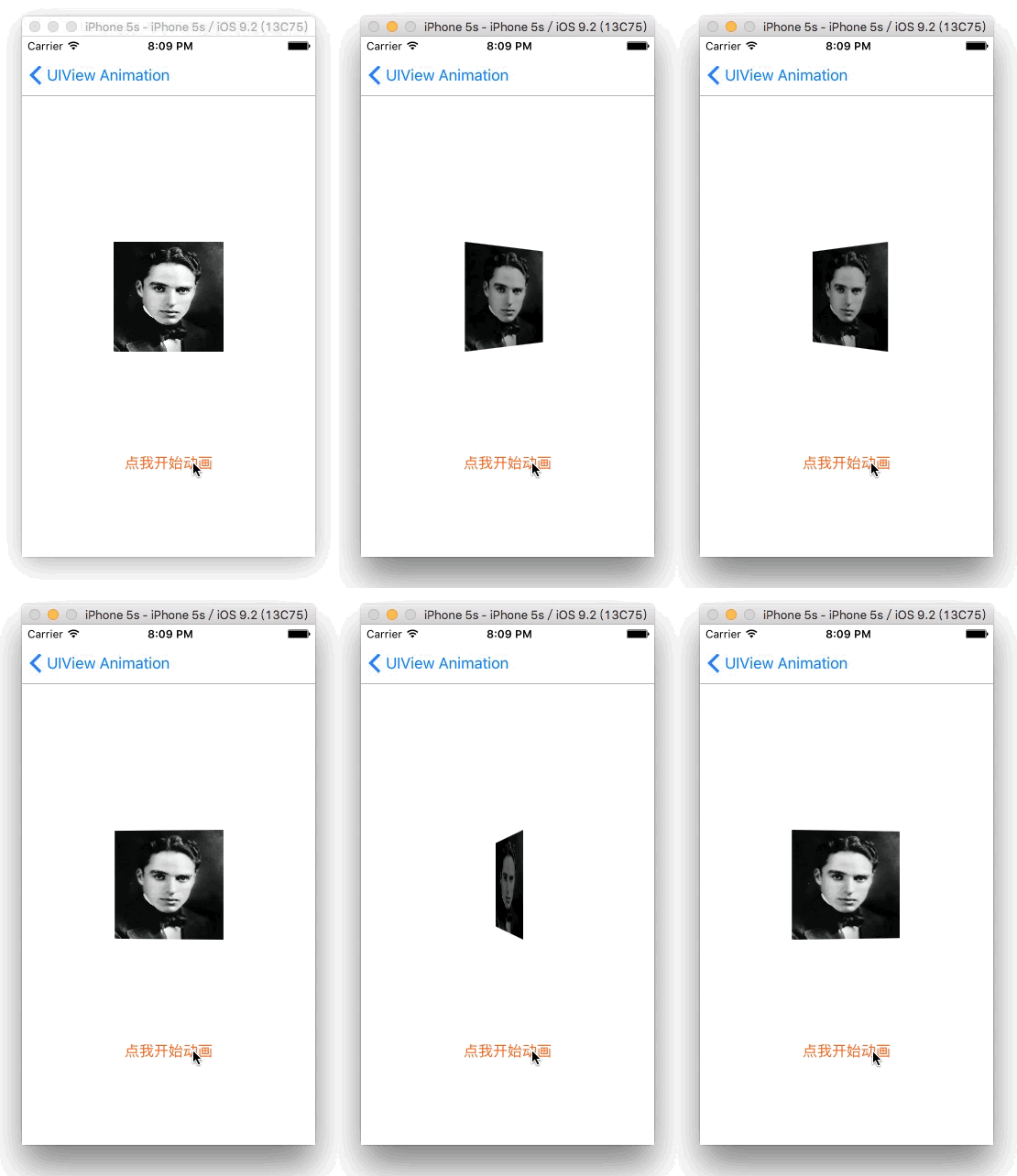
-(void)transitionAnimation{
    [UIView transitionWithView:self.anView duration:2.0
                       options:UIViewAnimationOptionTransitionFlipFromLeft
                    animations:^{
    } completion:^(BOOL finished) {
        [UIView transitionWithView:self.anView duration:2.0
                           options:UIViewAnimationOptionTransitionFlipFromRight
                        animations:^{
        } completion:^(BOOL finished) {}];
    }];
}
參數 option 速查
UIViewAnimationOptions
UIViewAnimationOptionLayoutSubviews          // 動畫時佈局子控件
UIViewAnimationOptionAllowUserInteraction    // 動畫時允許用戶交互
UIViewAnimationOptionBeginFromCurrentState   // 從當前狀態開始動畫
UIViewAnimationOptionRepeat                  // 無限重複執行
UIViewAnimationOptionAutoreverse             // 執行來回動畫
UIViewAnimationOptionOverrideInheritedDuration // 忽略嵌套動畫的執行時間
UIViewAnimationOptionOverrideInheritedCurve  // 忽略嵌套動畫的曲線
UIViewAnimationOptionAllowAnimatedContent    // 轉場時重繪視圖
UIViewAnimationOptionShowHideTransitionViews // 轉場時移除圖層動畫
UIViewAnimationOptionOverrideInheritedOptions // 不繼承父動畫設置
UIViewAnimationOptionCurveEaseInOut          // 慢進慢出(預設)
UIViewAnimationOptionCurveEaseIn             // 慢進
UIViewAnimationOptionCurveEaseOut            // 慢出
UIViewAnimationOptionCurveLinear             // 勻速
UIViewAnimationOptionTransitionNone              // 不使用轉場動畫
UIViewAnimationOptionTransitionFlipFromLeft      // 由左向右翻轉
UIViewAnimationOptionTransitionFlipFromRight     // 由右向左翻轉
UIViewAnimationOptionTransitionCurlUp            // 由下往上捲曲
UIViewAnimationOptionTransitionCurlDown          // 由上往下捲曲
UIViewAnimationOptionTransitionCrossDissolve     // 交叉淡入淡出
UIViewAnimationOptionTransitionFlipFromTop       // 由上向下翻轉
UIViewAnimationOptionTransitionFlipFromBottom    // 由下向上翻轉
UIViewKeyframeAnimationOptions
UIViewAnimationOptionLayoutSubviews             // 動畫時佈局子控件
UIViewAnimationOptionAllowUserInteraction       // 動畫時允許用戶交互
UIViewAnimationOptionBeginFromCurrentState      // 從當前狀態開始動畫
UIViewAnimationOptionRepeat                     // 無限重複執行
UIViewAnimationOptionAutoreverse                // 執行來回動畫
UIViewAnimationOptionOverrideInheritedDuration  // 忽略嵌套動畫的執行時間
UIViewAnimationOptionOverrideInheritedOptions   // 不繼承父動畫設置
UIViewKeyframeAnimationOptionCalculationModeLinear      // 連續
UIViewKeyframeAnimationOptionCalculationModeDiscrete    // 離散
UIViewKeyframeAnimationOptionCalculationModePaced       // 均勻執行
UIViewKeyframeAnimationOptionCalculationModeCubic       // 平滑
UIViewKeyframeAnimationOptionCalculationModeCubicPaced  // 平滑且均勻
就 UIView 動畫而言,UIViewKeyframeAnimationOptions 只用在 Keyframes,其餘一律使用 UIViewAnimationOptions。
總結
1. UIView 動畫本質上是改變 UIView 自帶的屬性
2. 同一種視覺效果往往有多種實作方式,可依場景挑選
3. Spring 動畫需要 iOS 7.0 以上
4. Keyframes 搭配 UIViewKeyframeAnimationOptions,其餘使用 UIViewAnimationOptions
以上就是 UIView Animation 的基礎內容。感謝卓先生與 Tom 先生的精彩示範,也謝謝大家收看《小明講故事》。
源碼地址
https://github.com/minggo620/iOSViewAnimation
文章轉自 minggo 的簡書