lua in iOS App
起源
其實很早我在參加一個沙龍的時候,就聽到了點評的同學在用lua做ab test,雖然那個時候我覺得我自己很牛逼了,但是其實還是啥都沒有聽懂,直到今天才回過神來仔細看了下這個東西。
Lua(簡稱撸啊)在iOS中的確被廣泛的使用著,在行業中最著名的莫過於魔獸世界(山口山)以及移動互聯網的憤怒的小鳥。
Lua在cocos2d以及iOS的應用動態變化上面使用比較廣泛,下面我們用兩個例子來說明下。
框架
不得不說,最著名的莫過於wax和waxpatch,一個是能夠在iOS中使用lua語言編寫界面控件,一個是能夠動態更新。
wax
我們首先先要下載wax.framework,然後新建一個iOS app的project,將該模塊添加到我們的工程中去。
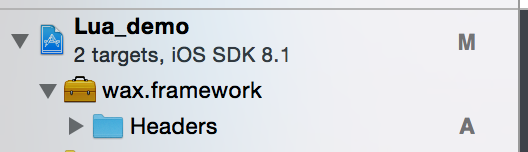
接著我們需要在 AppDelegate.h import #import
在AppDlegate的實現中增加
- (BOOL)application:(UIApplication *)application didFinishLaunchingWithOptions:(NSDictionary *)launchOptions {
    // Override point for customization after application launch.
    wax_start("init.lua", nil);
    return YES;
}
接著我們來增加這個 init.lua ,如下代碼,其實就如同ViewController頭文件定義一樣。
- (BOOL)application:(UIApplication *)application didFinishLaunchingWithOptions:(NSDictionary *)launchOptions {
    // Override point for customization after application launch.
    wax_start("init.lua", nil);
    return YES;
}
有了頭文件之後我們也需要有實現吧,這個代碼可讀性就比oc來的高多了,但是需要在第一行聲明在oc中的這個類名。
waxClass{"ViewController", UIViewController}

function viewDidLoad(self)
self.super:viewDidLoad(self)

local label = UILabel:initWithFrame(CGRect(0, 120, 320, 40))
label:setColor(UIColor:blackColor())
label:setText("Hello Wax!")
label:setTextAlignment(UITextAlignmentCenter)
local font = UIFont:fontWithName_size("Helvetica-Bold",50)
label:setFont(font)
self:view():addSubview(label)
end
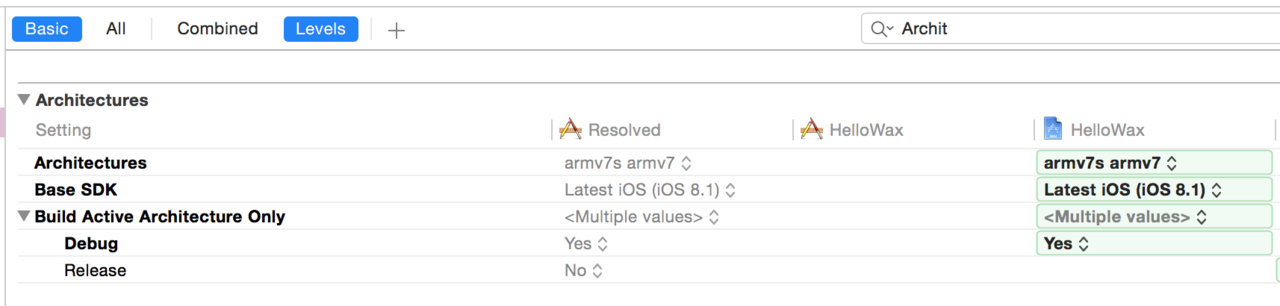
先不要急著編譯,我們還需要更改一下編譯的方式以及確認framework已經被准確導入
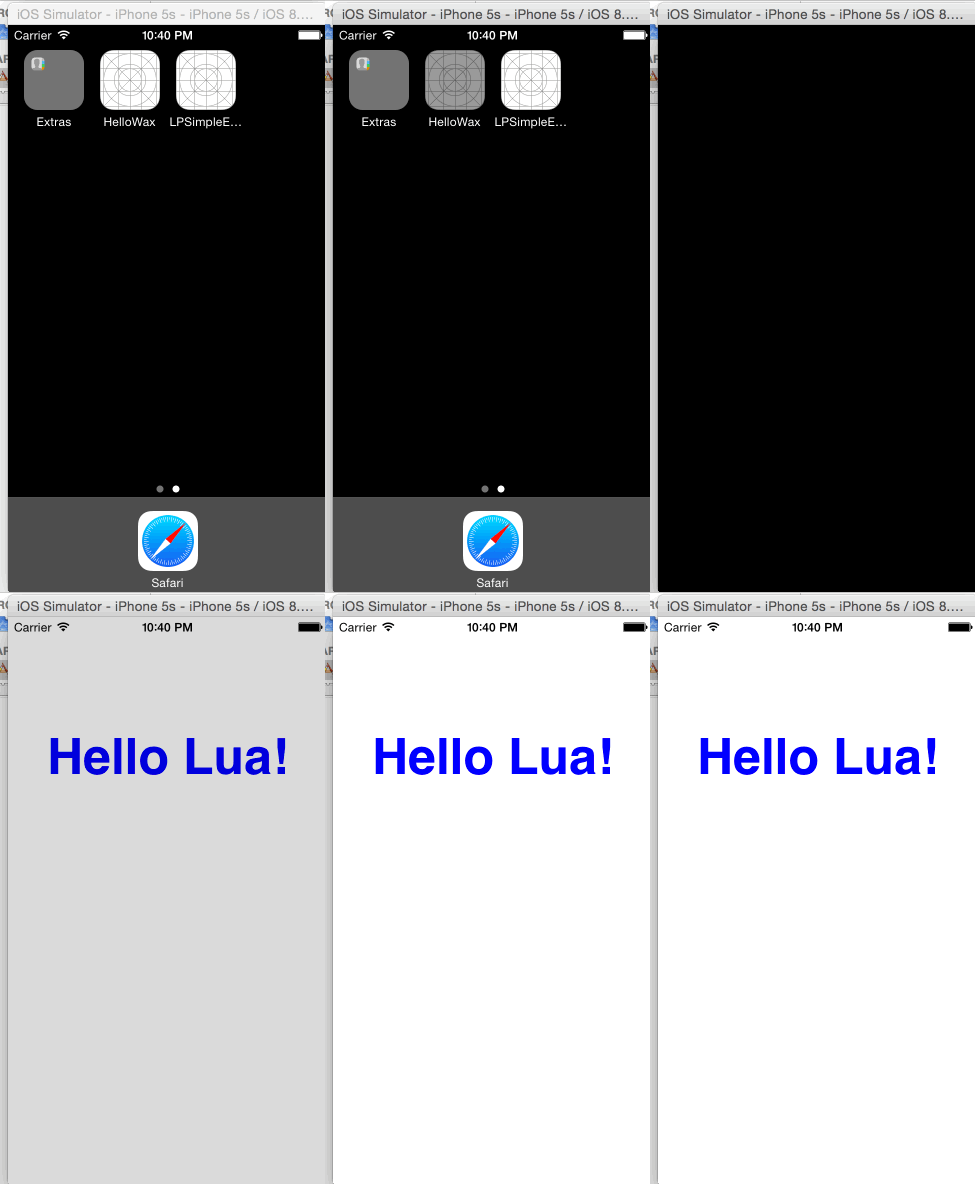
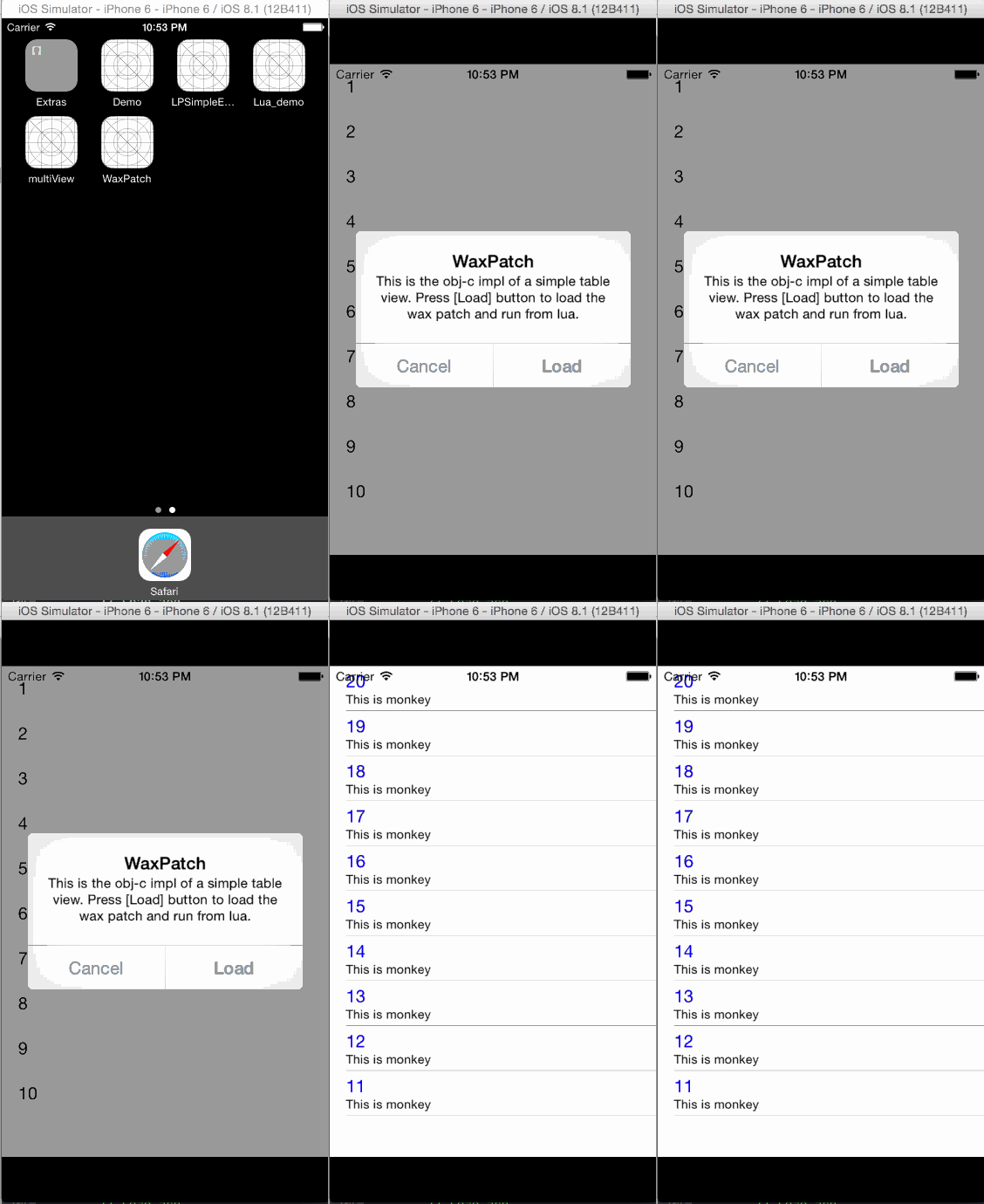
我們來看下效果:
waxpatch
waxpatch完全就是基於這個wax的框架之上去做的一個動態更新的組件了。我們來看下動態更新的流程。
第一步:增加一個加載的協議
增加一個 ProtocolLoader.h ,其中添加需要去動態更新的組建名稱。
#import < UIKit/UIKit.h>

@interface ProtocolLoader : NSObject < UIApplicationDelegate, UIWebViewDelegate, UIActionSheetDelegate, UIAlertViewDelegate, UISearchBarDelegate, UITextViewDelegate, UITabBarControllerDelegate> {}
@end

@implementation ProtocolLoader
@end
第二步:聲明需要加載的遠程服務器地址,並且增加解壓縮的頭文件和實現
我在 AppDelegate.m 中先聲明了我遠程更新庫的地址:
#define WAX_PATCH_URL @"https://github.com/monkeytest15/waxDemo/raw/master/patch.zip"
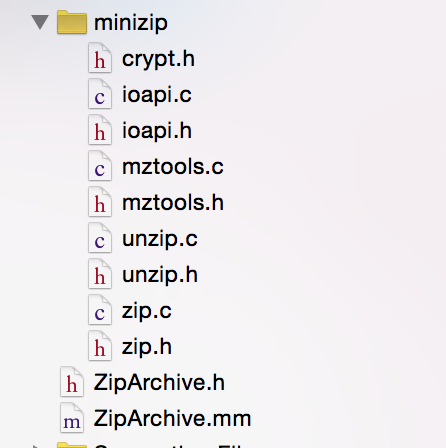
同時增加解壓縮實現:
第三步:加載
當然,我們都會理解為加載的邏輯是在 AppDelegate.m 中實現的,不過其實在該文件中只是調用了加載這個方法,具體的實現我在debug的過程發現在 wax.m 的文件中,核心代碼如下:
    // Load stdlib
    // ---------------
    #ifdef WAX_STDLIB
        // If the stdlib was autogenerated and included in the source, load
        char stdlib[] = WAX_STDLIB;
        size_t stdlibSize = sizeof(stdlib);
    #else
        char stdlib[] = "require 'wax'";
        size_t stdlibSize = strlen(stdlib);
    #endif

    if (luaL_loadbuffer(L, stdlib, stdlibSize, "loading wax stdlib") || lua_pcall(L, 0, LUA_MULTRET, 0)) {
        fprintf(stderr,"Error opening wax scripts: %s\n", lua_tostring(L,-1));
    }
加載之後就會動態的加載我們遠程服務端的邏輯.
遠程zip包
接著我們來看下遠程服務端上都有什麼,遠程服務端可以自己定義zip包的名字以及內容,但約定的內容是必須有一個patch.lua文件以及其他的.lua的文件,patch.lua中是需要定義本次更新的View的主類名稱。比如 require "MainViewController"
而其他的類自然就是需要更新的邏輯,如:
waxClass{"MainViewController", UITableViewController}

function tableView_cellForRowAtIndexPath(self, tableView, indexPath)
    local cell = self:ORIGtableView_cellForRowAtIndexPath(tableView, indexPath)
    cell:textLabel():setText("" .. (20 - indexPath:row()))
    cell:detailTextLabel():setText("This is monkey")
    cell:textLabel():setTextColor(UIColor:blueColor())
    return cell
end
動態效果
然後我們來看下我更新之後的效果吧:
總結
xcode對於lua動態支持做的還是不錯的,不過資料的確比較少,之後看看是不是還有很多可做之處。不過做ab test應該綽綽有余了。


- IOS完成上滑隱蔽NvaigtionBar而下拉則顯示後果
- iOS開辟中#import、#include和@class的差別解析
- iOS開辟中Quartz2D掌握圓形縮放和完成刷幀後果
- 在iOS開辟的Quartz2D應用中完成圖片剪切和截屏功效
- iOS開辟中Quartz2D畫圖途徑的應用和條紋後果的完成
- IOS開辟應用KeychainItemWrapper 耐久存儲用戶名和暗碼
- iOS開辟中Quartz2D的根本應用方法舉例
- iOS開辟中應用Quartz2D繪制高低文棧和矩陣的辦法
- iOS開辟中應用Quartz2D畫圖及自界說UIImageView控件
- 詳解iOS開辟中Keychain的相干應用
- iOS開辟之詳談屬性設置readwrite、readonly、retain、copy、assign、nonatomic
- The apps Info.plist must contain an NSPhotoLibraryUsageDescription key with a string value expl
- iOS 切換到MRC環境下打印 retainCount 一直是-1或許一長串證書
- NSLayoutConstraint 靜態規劃
- IOS 簽名錯誤codesign failed with exit code 1處理辦法