
【源碼分享】iOS精仿手工課(Objective
前言
手工課是利用業余時間完成的一個項目,這個項目適合剛剛接觸 iOS 開發的新手用來練手,首先,這個開源項目中用到了許多優秀的開源框架,感謝開源,好了,廢話不多說.讓我們先來看一下這個項目中涉及到的知識點:
利用 UICollectionView 實現常見界面的搭建,以及自定義布局
轉場動畫的實現
利用 FMDB 實現數據儲存
簡單動畫的實現
利用 Block實現封裝一個常用的控件
如何封裝一個常用的控制器
如何更好的使用三方類庫,比如(AFN...)
我本來就是菜鳥,希望各大神在代碼結構給予指導.......最後說一句,開源萬歲
效果預覽
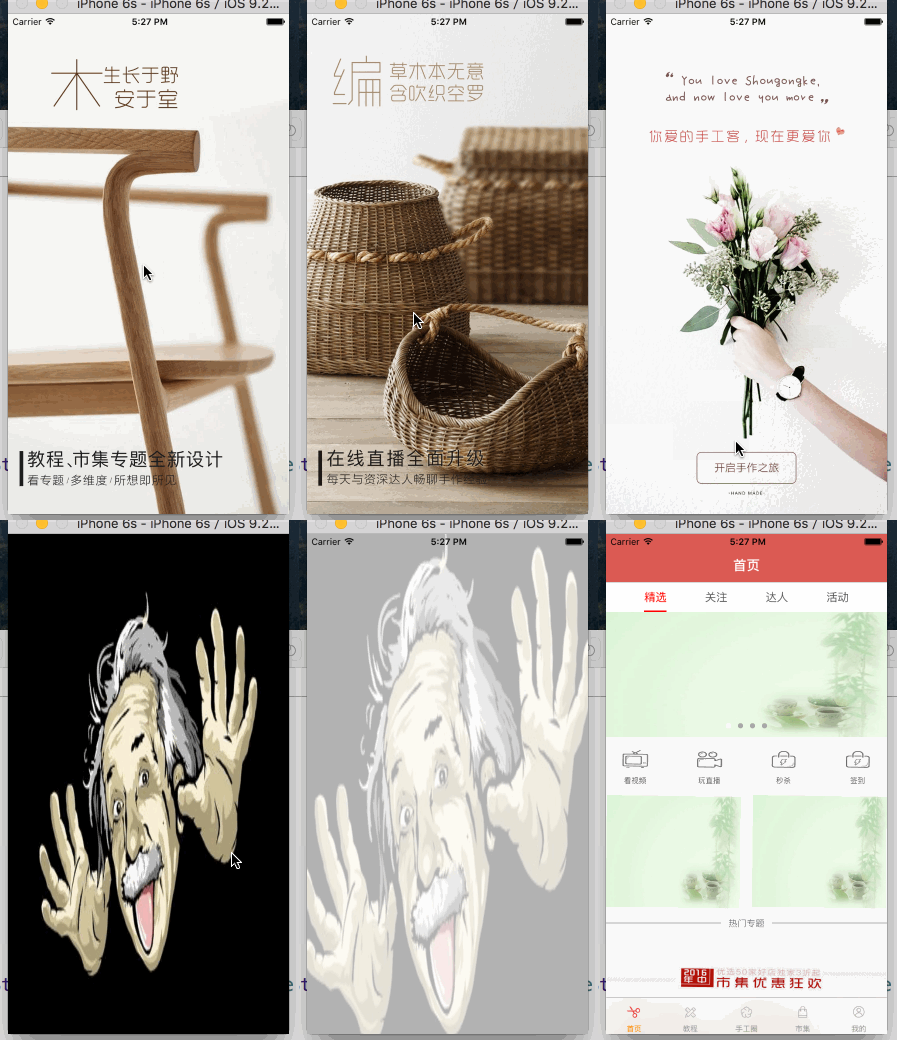
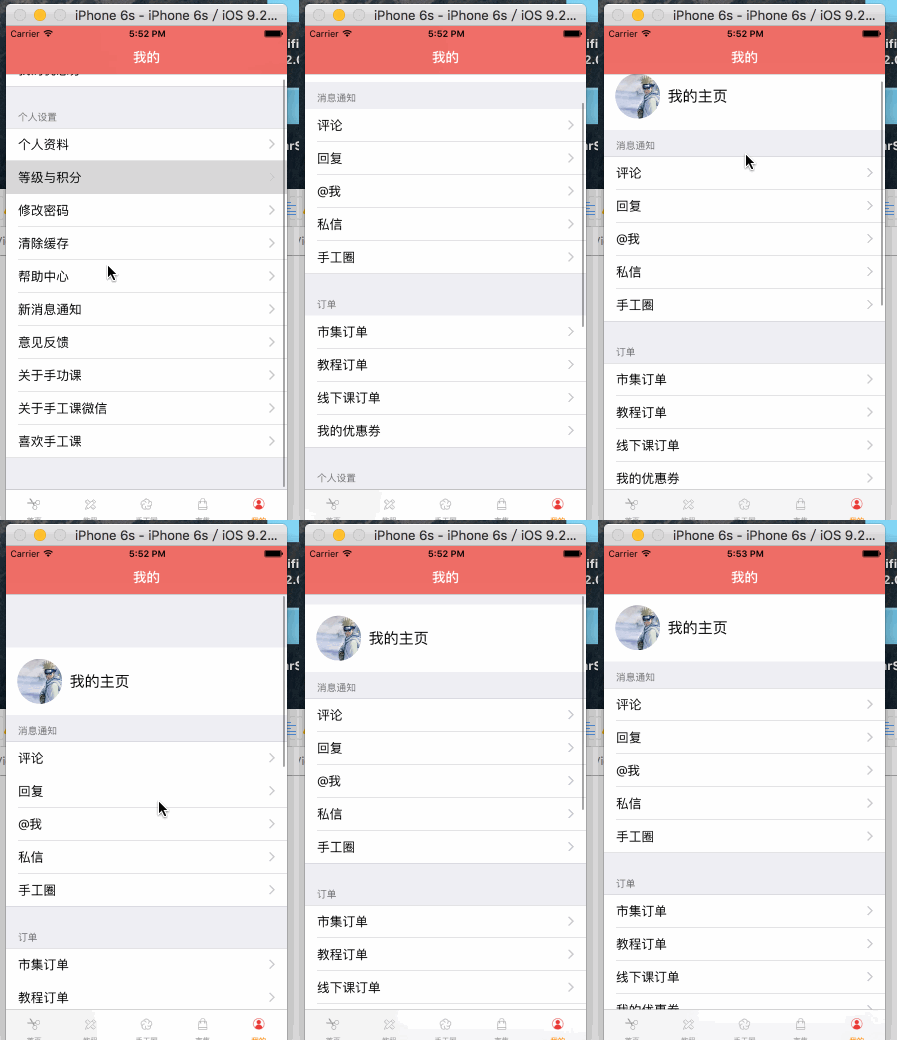
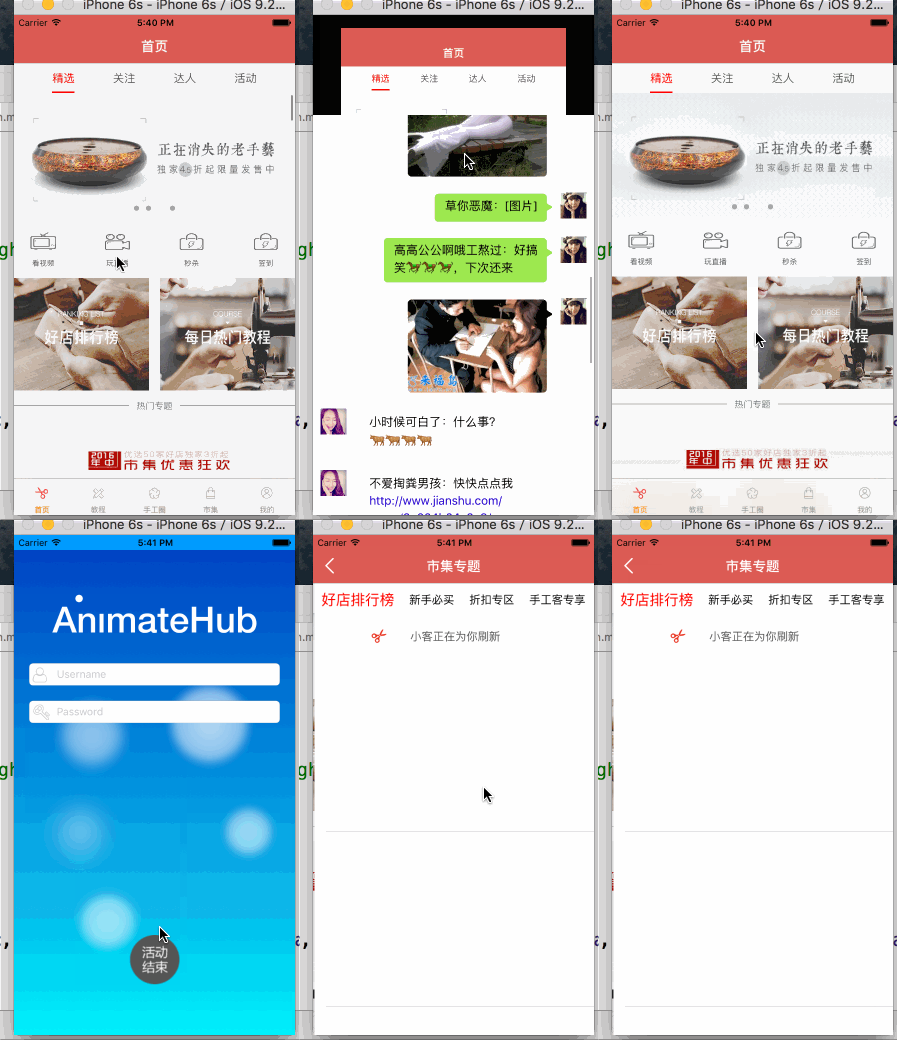
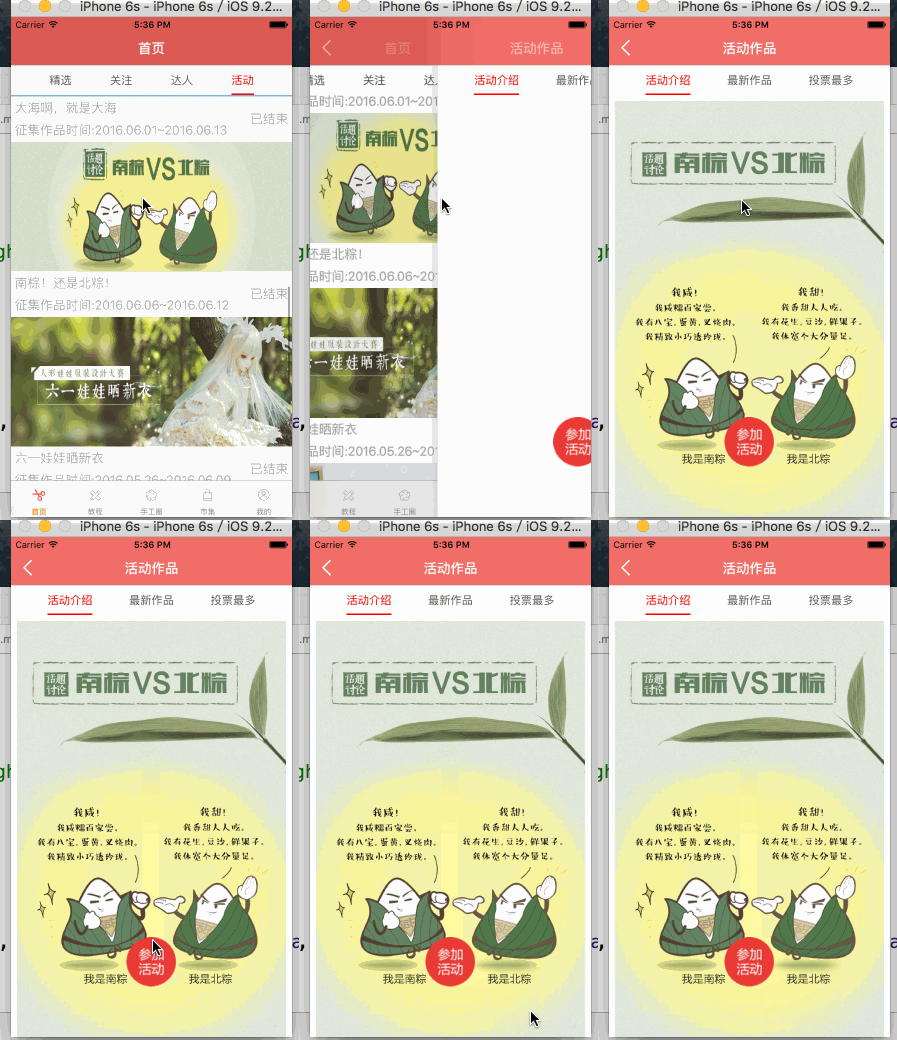
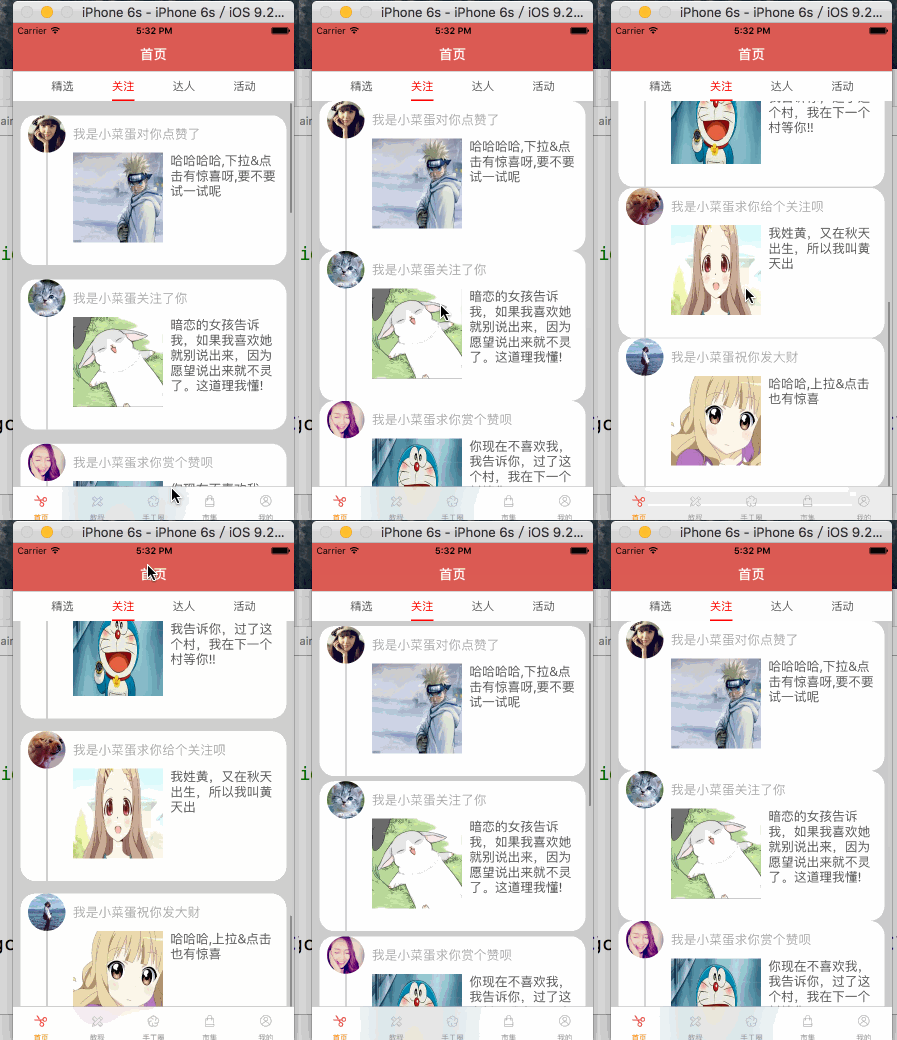
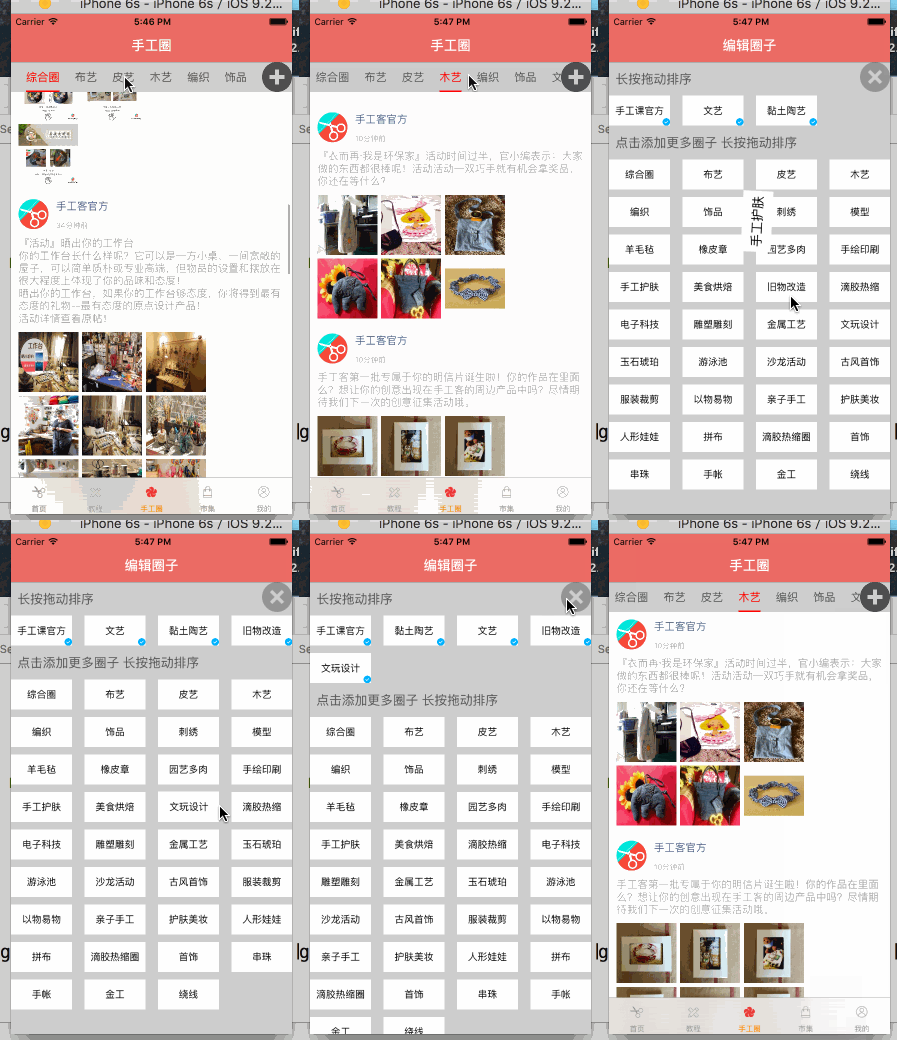
代碼結構
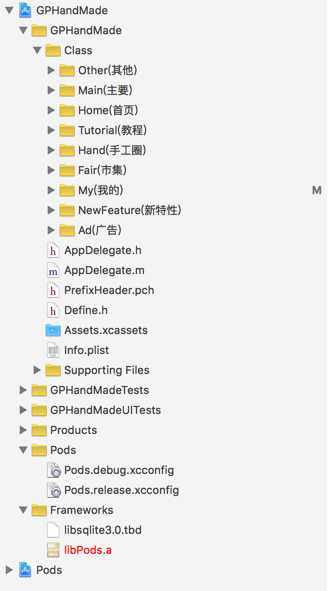
代碼結構我比較喜歡按照業務來區分,大概就是這樣子了
新版本特性
思路和實現都比較簡單,需要注意的一點是將判斷是否有新版本的邏輯提取出來,直接上代碼
AppDelegate
- (BOOL)application:(UIApplication *)application didFinishLaunchingWithOptions:(NSDictionary *)launchOptions {
    self.window = [[UIWindow alloc]initWithFrame:[UIScreen mainScreen].bounds];
    self.window.rootViewController = [GPGuideTool chooseRootViewController];
    [self configApper];
  [self.window makeKeyAndVisible];
  return YES;
}
判斷邏輯
// 加載哪個控制器+ (UIViewController *)chooseRootViewController
{
    UIViewController *rootVc = nil;
    NSDictionary *dict = [NSBundle mainBundle].infoDictionary;    // 獲取最新的版本號
    NSString *curVersion = dict[@"CFBundleShortVersionString"];    // 獲取上一次的版本號
    NSString *lastVersion = [GPUserDefaults objectForKey:GPVersionKey];    // 之前的最新的版本號 lastVersion
    if ([curVersion isEqualToString:lastVersion]) {        // 版本號相等
        rootVc = [[GPAdViewController alloc]init];
    }else{ // 有最新的版本號
        // 保存到偏好設置
        [[NSUserDefaults standardUserDefaults] setObject:curVersion forKey:GPVersionKey];
        rootVc = [[GPNewFeatureController alloc]init];
    }    return rootVc;
}
新特性界面實現
- (instancetype)init
{    // 流水布局
    UICollectionViewFlowLayout *layout = [[UICollectionViewFlowLayout alloc] init];    // 設置cell的尺寸
    layout.itemSize = [UIScreen mainScreen].bounds.size;    // 設置每一行的間距
    layout.minimumLineSpacing = 0;    // 設置每個cell的間距
    layout.minimumInteritemSpacing = 0;    // 設置滾動方向
    layout.scrollDirection = UICollectionViewScrollDirectionHorizontal;
    return [self initWithCollectionViewLayout:layout];
}
- (void)viewDidLoad {
    [super viewDidLoad];
    [self setUpCollectionView];
}// 初始化CollectionView- (void)setUpCollectionView
{    // 注冊cell
    [self.collectionView registerNib:[UINib nibWithNibName:NSStringFromClass([GPNewFeatureCell class]) bundle:nil] forCellWithReuseIdentifier:reuseIdentifier];    // 取消彈簧效果
    self.collectionView.bounces = NO;    // 取消顯示指示器
    self.collectionView.showsHorizontalScrollIndicator = NO;    // 開啟分頁模式
    self.collectionView.pagingEnabled = YES;
}#pragma mark
- (NSInteger)collectionView:(UICollectionView *)collectionView numberOfItemsInSection:(NSInteger)section {
return 5;
}
- (UICollectionViewCell *)collectionView:(UICollectionView *)collectionView cellForItemAtIndexPath:(NSIndexPath *)indexPath {
    GPNewFeatureCell *cell = [collectionView dequeueReusableCellWithReuseIdentifier:reuseIdentifier forIndexPath:indexPath];
    NSString *imageName = [NSString stringWithFormat:@"newfeature_0%ld_736",indexPath.item + 1];
    cell.image = [UIImage imageNamed:imageName];    return cell;
}#pragma mark
- (void)collectionView:(UICollectionView *)collectionView didSelectItemAtIndexPath:(NSIndexPath *)indexPath
{    if (indexPath.row == 4) {        // 切換窗口的根控制器進行跳轉
        [UIApplication sharedApplication].keyWindow.rootViewController = [[GPAdViewController alloc]init];
        CATransition *anim = [CATransition animation];
        anim.type = @"rippleEffect";
        anim.duration = 1;
        [[UIApplication sharedApplication].keyWindow.layer addAnimation:anim forKey:nil];
    }
}
方式一
直接在 AFN上面簡單包裝一下
+(void)get:(NSString *)url params:(NSDictionary *)params success:(void (^)(id responseObj))success failure:(void (^)(NSError *))failure
{
    AFHTTPSessionManager *manager = [AFHTTPSessionManager manager];
    [manager GET:url parameters:params progress:nil success:^(NSURLSessionDataTask * _Nonnull task, id  _Nullable responseObject) {
    if (success) {
            success(responseObject);
        }
    } failure:^(NSURLSessionDataTask * _Nullable task, NSError * _Nonnull error) {
    if (failure) {
            failure(error);
        }
    }];
}
+(void)post:(NSString *)url params:(NSDictionary *)params success:(void (^)(id responseObj))success failure:(void (^)(NSError *))failure
{
    AFHTTPSessionManager *mgr = [AFHTTPSessionManager manager];
    [mgr POST:url parameters:params progress:nil success:^(NSURLSessionDataTask * _Nonnull task, id  _Nullable responseObject) {
    if (success) {
            success(responseObject);
        }
    } failure:^(NSURLSessionDataTask * _Nullable task, NSError * _Nonnull error) {
    if (failure) {
            failure(error);
        }
    }];
}
在上面的基礎上再次進行封裝
+ (void)getWithUrl:(NSString *)url param:(id)param resultClass:(Class)resultClass success:(void (^)(id))success failure:(void (^)(NSError *))failure
{    NSDictionary *params = [param mj_keyValues];
    [GPHttpTool get:url params:params success:^(id responseObj) {
    if (success) {
    id result = [resultClass mj_objectWithKeyValues:responseObj[@"data"]];
            success(result);
        }
    } failure:^(NSError *error) {
    if (failure) {
            failure(error);
        }
    }];
}
+ (void)getMoreWithUrl:(NSString *)url param:(id)param resultClass:(Class)resultClass success:(void (^)(id))success failure:(void (^)(NSError *))failure
{    NSDictionary *params = [param mj_keyValues];
    [GPHttpTool get:url params:params success:^(id responseObj) {
    if (success) {
    id result = [resultClass mj_objectArrayWithKeyValuesArray:responseObj[@"data"]];
            success(result);
        }
    } failure:^(NSError *error) {
    if (failure) {
            failure(error);
        }
    }];
}
+ (void)postWithUrl:(NSString *)url param:(id)param resultClass:(Class)resultClass success:(void (^)(id))success failure:(void (^)(NSError *))failure
{    NSDictionary *params = [param mj_keyValues];
    [GPHttpTool post:url params:params success:^(id responseObj) {
    if (success) {
    id result = [resultClass mj_objectWithKeyValues:responseObj];
            success(result);
        }
    } failure:^(NSError *error) {
    if (failure) {
            failure(error);
        }
    }];
}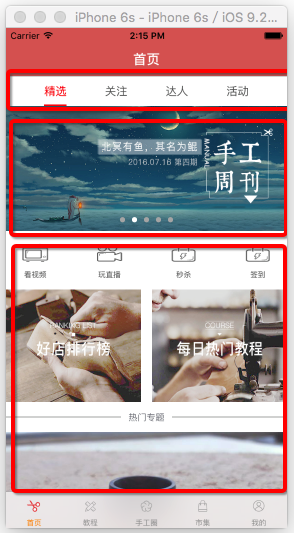
首頁可滾動標題欄在多個地方涉及到,所以可以自己進行簡單封裝,這裡我簡單封裝一下,在開源項目中此處我用到了一個優秀的三方:
#pragma mark - 懶加載
-(NSMutableArray *)btnArray
{    if (!_btnArray) {
        _btnArray = [[NSMutableArray alloc] init];
    }    return _btnArray;
}
- (instancetype)initWithChildControllerS:(NSArray *)titleArray
{
    if (self = [super init]) {
        self.titleArray = titleArray;
        [self layout];
    }
    return self;
}
- (void)layout
{
    UIButton *lastBtn = nil;
    for (int i = 0; i < self.titleArray.count; i ++) {
        UIButton *btn = [[UIButton alloc]init];
        [btn setTitle:self.titleArray[i] forState:UIControlStateNormal];
        [btn setTitleColor:[UIColor colorWithWhite:1 alpha:0.5] forState:UIControlStateNormal];
        [btn setTitleColor:[UIColor whiteColor] forState:UIControlStateSelected];
        btn.userInteractionEnabled = NO;
        [self.btnArray addObject:btn];
        [self addSubview:btn];
        if (lastBtn) {
            btn.sd_layout
            .leftSpaceToView(lastBtn,40)
            .topSpaceToView(lastBtn,0)
            .bottomSpaceToView(lastBtn,0)
            .widthIs(40);
        }else{
            btn.sd_layout
            .leftSpaceToView(self,0)
            .topSpaceToView(self,0)
            .bottomSpaceToView(self,0).widthIs(40);
        }
        lastBtn = btn;
    }
    [self setupAutoWidthWithRightView:lastBtn rightMargin:0];
}// 改變按鈕狀態
-(void)changeSelectBtn:(UIButton *)btn
{
    self.previousBtn = self.currentBtn;
    self.currentBtn = btn;
    self.previousBtn.selected = NO;
    self.currentBtn.selected = YES;
}// 更新按鈕狀態
-(void)updateSelecterToolsIndex:(NSInteger )index
{
    UIButton *selectBtn = self.btnArray[index];
  [self changeSelectBtn:selectBtn];
}- (instancetype)initWithChildControllerS:(NSArray *)vcArray selectBlock:(selecBlock)selecB
{
if (self = [super init]) {
self.selecB = selecB;
self.backgroundColor = [UIColor whiteColor];
self.pagingEnabled = YES;
self.showsVerticalScrollIndicator = NO;
self.showsHorizontalScrollIndicator = NO;
self.delegate = self;
self.childVcArray = vcArray;
[self layout];
}
return self;
}
- (void)layout
{
UIView *lastView = nil;
for (UIViewController *viewVc in self.childVcArray) {
[self addSubview:viewVc.view];
if (lastView) {
viewVc.view.sd_layout
.widthIs(SCREEN_WIDTH)
.heightIs(SCREEN_HEIGHT)
.leftSpaceToView(lastView,0);
}else{
viewVc.view.sd_layout
.widthIs(SCREEN_WIDTH)
.heightIs(SCREEN_HEIGHT)
.leftSpaceToView(self,0);
}
lastView = viewVc.view;
}
[self setupAutoContentSizeWithRightView:lastView rightMargin:0];
}
-(void)updateVCViewFromIndex:(NSInteger )index
{
[self setContentOffset:CGPointMake(index*SCREEN_WIDTH, 0) animated:YES];
}
-(void)scrollViewDidScroll:(UIScrollView *)scrollView
{
int page = (scrollView.contentOffset.x + SCREEN_WIDTH / 2) / SCREEN_WIDTH;
self.selecB(page);
}
無限滾動的簡單思路就是,當滾動到最右邊或最左邊的時候,交換圖片,具體貼代碼
- (void)viewDidLoad {
    [super viewDidLoad];    // Do any additional setup after loading the view, typically from a nib.
    CGFloat w = self.view.frame.size.width;    CGFloat h = self.view.frame.size.height;    // 初始化scrollView
    _scrollView.pagingEnabled = YES;
    _scrollView.contentSize = CGSizeMake(w * 3, 0);
    _scrollView.contentOffset = CGPointMake(w, 0);
    _scrollView.showsHorizontalScrollIndicator = NO;
    _scrollView.delegate = self;    // 創建可見的imageView
    UIImageView *visibleView = [[UIImageView alloc] init];
    _visibleView = visibleView;
    _visibleView.image = [UIImage imageNamed:@"00"];
    _visibleView.frame = CGRectMake(w, 0, w, h);
    _visibleView.tag = 0;
    [_scrollView addSubview:_visibleView];    // 創建重復利用的imageView
    UIImageView *reuseView = [[UIImageView alloc] init];
    _reuseView = reuseView;
    _reuseView.frame = self.view.bounds;
    [_scrollView addSubview:_reuseView];
}
- (void)scrollViewDidScroll:(UIScrollView *)scrollView
{    // 獲取偏移量
    CGFloat offsetX = scrollView.contentOffset.x;    CGFloat w = scrollView.frame.size.width;    // 1.設置 循環利用view 的位置
    CGRect f = _reuseView.frame;    NSInteger index = 0;    if (offsetX > _visibleView.frame.origin.x) { // 顯示在最右邊
        f.origin.x = scrollView.contentSize.width - w;
        index = _visibleView.tag + 1;        if (index >= kCount) index = 0;
    } else { // 顯示在最左邊
        f.origin.x = 0;
        index = _visibleView.tag - 1;        if (index < 0) index = kCount - 1;
    }    // 設置重復利用的視圖
    _reuseView.frame = f;
    _reuseView.tag = index;    NSString *icon = [NSString stringWithFormat:@"0%ld", index];
    _reuseView.image = [UIImage imageNamed:icon];    // 2.滾動到 最左 或者 最右 的圖片
    if (offsetX = w * 2) {        // 2.1.交換 中間的 和 循環利用的指針
        UIImageView *temp = _visibleView;
        _visibleView = _reuseView;
        _reuseView = temp;        // 2.2.交換顯示位置
        _visibleView.frame = _reuseView.frame;        // 2.3 初始化scrollView的偏移量
        scrollView.contentOffset = CGPointMake(w, 0);
    }
}- (void)collectionView:(UICollectionView *)collectionView willDisplayCell:(UICollectionViewCell *)cell forItemAtIndexPath:(NSIndexPath *)indexPath
{
CATransform3D rotation;//3D旋轉// rotation = CATransform3DMakeTranslation(0 ,50 ,20);
rotation = CATransform3DMakeRotation( M_PI_4 , 0.0, 0.7, 0.4); //逆時針旋轉
rotation = CATransform3DScale(rotation, 0.8, 0.8, 1);
rotation.m34 = 1.0/ 1000;
cell.layer.shadowColor = [[UIColor redColor]CGColor];
cell.layer.shadowOffset = CGSizeMake(10, 10);
cell.alpha = 0;
cell.layer.transform = rotation;
[UIView beginAnimations:@"rotation" context:NULL]; //旋轉時間
[UIView setAnimationDuration:0.6];
cell.layer.transform = CATransform3DIdentity;
cell.alpha = 1;
cell.layer.shadowOffset = CGSizeMake(0, 0);
[UIView commitAnimations];
}
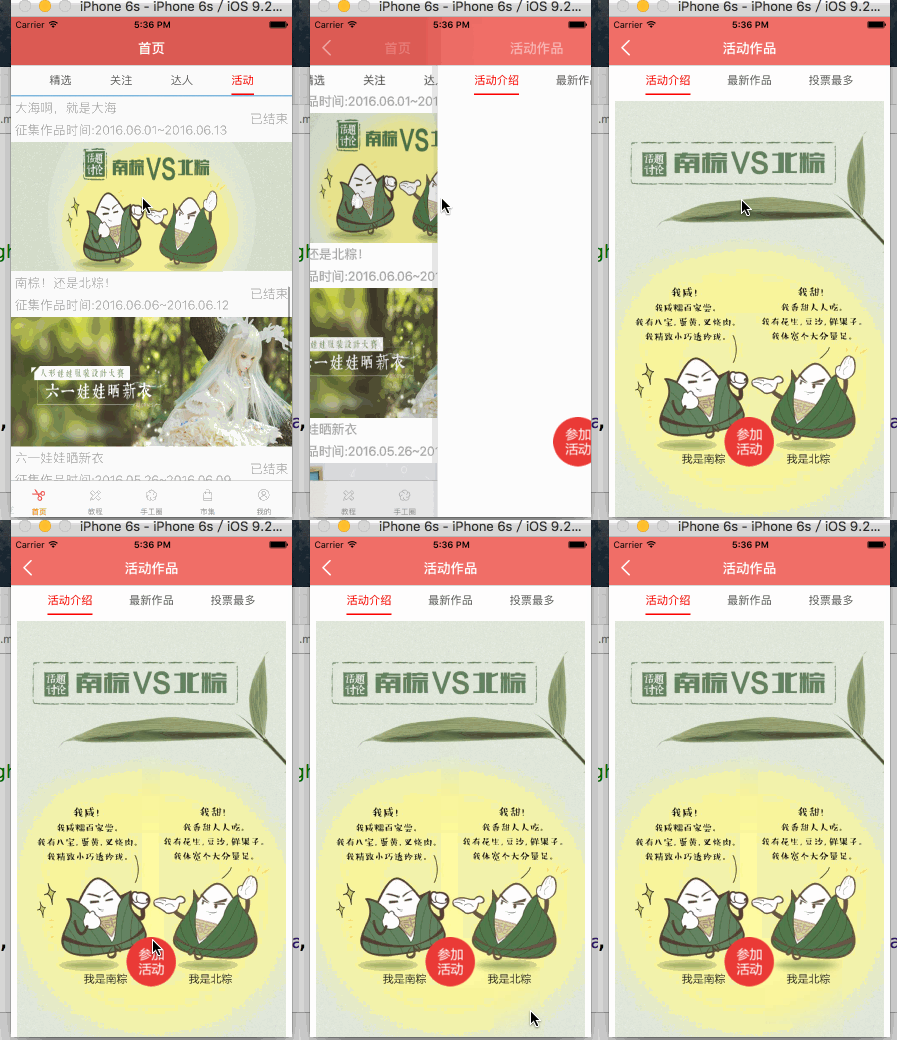
關於轉場動畫,網上有好多大神寫的博客,這裡我就直接貼一些地址,有興趣的可以看看,喵神,wr大神;
登錄界面
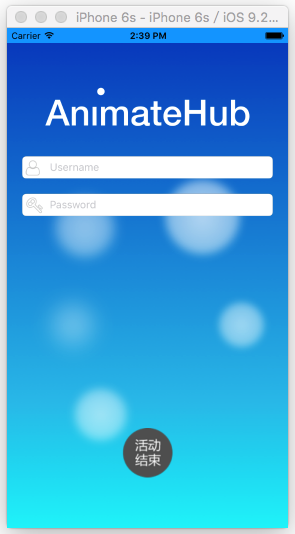
#pragma mark - 生命周期
- (void)viewDidLoad {
    [super viewDidLoad];
    [self setupView];
    [self setupAnimtion];
    [self addEventBar];
}
- (void)viewWillAppear:(BOOL)animated
{
    [super viewWillAppear:animated];
    [self nextAnimtion];
}
#pragma mark - 初始化
- (void)setupView
{
    self.navigationController.navigationBarHidden = YES;
    UIActivityIndicatorView *acView = [[UIActivityIndicatorView alloc]initWithActivityIndicatorStyle:UIActivityIndicatorViewStyleWhiteLarge];
    self.acView = acView;
    UIImageView *snipImageView = [[UIImageView alloc]initWithImage:[UIImage imageNamed:@"Warning"]];
    snipImageView.hidden = YES;
    [self.view addSubview:snipImageView];
    self.snipImageView = snipImageView;
}
- (void)addEventBar
{
    GPEventBtn *eventBtn = [[GPEventBtn alloc]init];
    [eventBtn setImage:[UIImage imageNamed:@"activity_works_Btn"] forState:UIControlStateNormal];
    [eventBtn sizeToFit];
    eventBtn.transform = CGAffineTransformMakeScale(2, 2);
    [eventBtn showEventButCenter:CGPointMake(SCREEN_WIDTH * 0.5 , SCREEN_HEIGHT - GPEventScale * eventBtn.width)];
    eventBtn.transform = CGAffineTransformMakeScale(2, 2);
    [eventBtn addTarget:self action:@selector(dismissVc) forControlEvents:UIControlEventTouchUpInside];
    [self.view addSubview:eventBtn];
    [self.view bringSubviewToFront:eventBtn];
    eventBtn.hidden = YES;
    self.eventBtn = eventBtn;
}
#pragma mark - 動畫
- (void)setupAnimtion
{
    self.buble1.transform = CGAffineTransformMakeScale(0, 0);
    self.buble2.transform = CGAffineTransformMakeScale(0, 0);
    self.buble3.transform = CGAffineTransformMakeScale(0, 0);
    self.buble4.transform = CGAffineTransformMakeScale(0, 0);
    self.buble5.transform = CGAffineTransformMakeScale(0, 0);
    self.logo.centerX-= self.view.width;
    self.dot.centerX -= self.view.width/2;
    UIView *paddingUserView = [[UIView alloc]initWithFrame:CGRectMake(0, 0, 30, self.userName.height)];
    self.userName.leftView = paddingUserView;
    self.userName.leftViewMode = UITextFieldViewModeAlways;
    UIView *paddingPassView = [[UIView alloc]initWithFrame:CGRectMake(0, 0, 30, self.password.height)];
    self.password.leftView = paddingPassView;
    self.password.leftViewMode = UITextFieldViewModeAlways;
    UIImageView *userImageView = [[UIImageView alloc]initWithImage:[UIImage imageNamed:@"User"]];
    userImageView.x = 5;
    userImageView.y = 5;
    [self.userName addSubview:userImageView];
    UIImageView *passImageView = [[UIImageView alloc]initWithImage:[UIImage imageNamed:@"Key"]];
    passImageView.x = 5;
    passImageView.y = 5;
    [self.password addSubview:passImageView];
    self.userName.centerX -= self.view.width;
    self.password.centerX -= self.view.width;
    self.loginBtn.centerX -= self.view.width;
}
- (void)nextAnimtion
{
    [UIView animateWithDuration:0.3 delay:0.3 usingSpringWithDamping:0.4 initialSpringVelocity:0 options:UIViewAnimationOptionCurveEaseInOut animations:^{
        self.buble1.transform = CGAffineTransformMakeScale(1, 1);
        self.buble2.transform = CGAffineTransformMakeScale(1, 1);
        self.buble3.transform = CGAffineTransformMakeScale(1, 1);
    } completion:nil];
    [UIView animateWithDuration:0.3 delay:0.4 usingSpringWithDamping:0.4 initialSpringVelocity:0 options:UIViewAnimationOptionCurveEaseInOut animations:^{
        self.buble4.transform = CGAffineTransformMakeScale(1, 1);
        self.buble5.transform = CGAffineTransformMakeScale(1, 1);
    } completion:nil];
    [UIView animateWithDuration:0.5 delay:0.5 usingSpringWithDamping:0.6 initialSpringVelocity:0.5 options:UIViewAnimationOptionCurveEaseInOut animations:^{
        self.logo.centerX += self.view.width;
    } completion:nil];
    [UIView animateWithDuration:0.4 delay:0.6 options:UIViewAnimationOptionCurveEaseOut animations:^{
        self.userName.centerX += self.view.width;
    } completion:nil];
    [UIView animateWithDuration:0.4 delay:0.7 options:UIViewAnimationOptionCurveEaseOut animations:^{
        self.password.centerX += self.view.width;
    } completion:nil];
    [UIView animateWithDuration:0.4 delay:0.8 options:UIViewAnimationOptionCurveEaseOut animations:^{
        self.loginBtn.centerX += self.view.width;
    } completion:nil];
    [UIView animateWithDuration:3 delay:1 usingSpringWithDamping:0.1 initialSpringVelocity:0.6 options:UIViewAnimationOptionCurveEaseInOut animations:^{
        self.dot.centerX += self.view.width * 0.4;
    } completion:nil];
}
#pragma mark - 內部方法
- (IBAction)loginBtnClick:(UIButton *)sender {
    self.loginBtn.enabled = NO;
    self.acView.center = CGPointMake(0, 0);
    [self.acView startAnimating];
    [self.loginBtn addSubview:self.acView];
    self.snipImageView.center = self.loginBtn.center;
    self.loginPoint = self.loginBtn.center;
    [UIView animateWithDuration:0.3 animations:^{
        self.loginBtn.centerX -= 30;
    }completion:^(BOOL finished) {
        [UIView animateWithDuration:1.5 delay:0 usingSpringWithDamping:0.2 initialSpringVelocity:0 options:UIViewAnimationOptionCurveEaseInOut animations:^{
            self.loginBtn.centerX += 30;
        } completion:^(BOOL finished) {
            [UIView animateWithDuration:0.3 animations:^{
                self.loginBtn.centerY += 90;
                [self.acView removeFromSuperview];
            }completion:^(BOOL finished) {
                [UIView transitionWithView:self.snipImageView duration:0.3 options:UIViewAnimationOptionTransitionFlipFromTop animations:^{
                    self.snipImageView.hidden = NO;
                }completion:^(BOOL finished) {
                        [UIView transitionWithView:self.snipImageView duration:3 options:UIViewAnimationOptionTransitionCrossDissolve animations:^{
                            self.snipImageView.hidden = YES;
                        } completion:^(BOOL finished) {
                            [UIView animateWithDuration:0.2 animations:^{
                                self.loginBtn.center = self.loginPoint;
                            }completion:^(BOOL finished) {
                                self.loginBtn.enabled = YES;
                            }];
                        }];
                }];
            }];
        }];
    }];
}
- (void)dismissVc
{
    [self dismissViewControllerAnimated:YES completion:nil];
}
- (void)touchesBegan:(NSSet *)touches withEvent:(UIEvent *)event
{
    [self.loginBtn removeFromSuperview];
    [UIView transitionWithView:self.eventBtn duration:0.5 options:UIViewAnimationOptionTransitionFlipFromTop animations:^{
        self.eventBtn.hidden = NO;
    } completion:nil];
}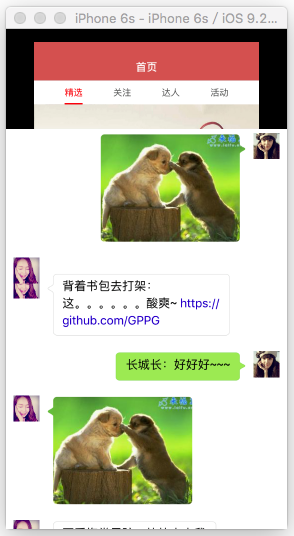
- (instancetype)initWithStyle:(UITableViewCellStyle)style reuseIdentifier:(NSString *)reuseIdentifier
{
    if (self = [super initWithStyle:style reuseIdentifier:reuseIdentifier]) {

        [self setupView];

    }
    return self;
}
- (void)setupView
{
    self.selectionStyle = UITableViewCellSelectionStyleNone;

    _iconImageView = [UIImageView new];
    [self.contentView addSubview:_iconImageView];

    _container = [UIView new];
    [self.contentView addSubview:_container];

    _label = [MLEmojiLabel new];
    _label.delegate = self;
    _label.font = [UIFont systemFontOfSize:16.0f];
    _label.numberOfLines = 0;
    _label.textInsets = UIEdgeInsetsMake(0, 0, 0, 0);
    _label.isAttributedContent = YES;
    [_container addSubview:_label];

    _messageImageView = [UIImageView new];
    [_container addSubview:_messageImageView];

    _containerBackgroundImageView = [UIImageView new];
    [_container insertSubview:_containerBackgroundImageView atIndex:0];

    _maskImageView = [UIImageView new];

    [self setupAutoHeightWithBottomView:_container bottomMargin:0];

    // 設置containerBackgroundImageView填充父view
    _containerBackgroundImageView.sd_layout.spaceToSuperView(UIEdgeInsetsMake(0, 0, 0, 0));

}
- (void)setModel:(GPChatData *)model
{
    _model = model;

    _label.text = model.text;

    // 根據model設置cell左浮動或者右浮動樣式
    [self setMessageOriginWithModel:model];

    if (model.imageName) { // 有圖片的先看下設置圖片自動布局

        // cell重用時候清除只有文字的情況下設置的container寬度自適應約束
        [self.container clearAutoWidthSettings];
        self.messageImageView.hidden = NO;

        self.messageImageView.image = [UIImage imageNamed:model.imageName];

        // 根據圖片的寬高尺寸設置圖片約束
        CGFloat standardWidthHeightRatio = kMaxChatImageViewWidth / kMaxChatImageViewHeight;
        CGFloat widthHeightRatio = 0;
        UIImage *image = [UIImage imageNamed:model.imageName];
        CGFloat h = image.size.height;
        CGFloat w = image.size.width;

        if (w > kMaxChatImageViewWidth || w > kMaxChatImageViewHeight) {

            widthHeightRatio = w / h;

            if (widthHeightRatio > standardWidthHeightRatio) {
                w = kMaxChatImageViewWidth;
                h = w * (image.size.height / image.size.width);
            } else {
                h = kMaxChatImageViewHeight;
                w = h * widthHeightRatio;
            }
        }

        self.messageImageView.size_sd = CGSizeMake(w, h);
        _container.sd_layout.widthIs(w).heightIs(h);

        // 設置container以messageImageView為bottomView高度自適應
        [_container setupAutoHeightWithBottomView:self.messageImageView bottomMargin:kChatCellItemMargin];

        // container按照maskImageView裁剪
        self.container.layer.mask = self.maskImageView.layer;

        __weak typeof(self) weakself = self;
        [_containerBackgroundImageView setDidFinishAutoLayoutBlock:^(CGRect frame) {
            // 在_containerBackgroundImageView的frame確定之後設置maskImageView的size等於containerBackgroundImageView的size
            weakself.maskImageView.size_sd = frame.size;
        }];

    } else if (model.text) { // 沒有圖片有文字情況下設置文字自動布局

        // 清除展示圖片時候用到的mask
        [_container.layer.mask removeFromSuperlayer];

        self.messageImageView.hidden = YES;

        // 清除展示圖片時候_containerBackgroundImageView用到的didFinishAutoLayoutBlock
        _containerBackgroundImageView.didFinishAutoLayoutBlock = nil;

        _label.sd_resetLayout
        .leftSpaceToView(_container, kLabelMargin)
        .topSpaceToView(_container, kLabelTopMargin)
        .autoHeightRatio(0); // 設置label縱向自適應

        // 設置label橫向自適應
        [_label setSingleLineAutoResizeWithMaxWidth:kMaxContainerWidth];

        // container以label為rightView寬度自適應
        [_container setupAutoWidthWithRightView:_label rightMargin:kLabelMargin];

        // container以label為bottomView高度自適應
        [_container setupAutoHeightWithBottomView:_label bottomMargin:kLabelBottomMargin];
    }
}


- (void)setMessageOriginWithModel:(GPChatData *)model
{
    if (model.messageType == GPMessageTypeSendToOthers) {
        self.iconImageView.image = [UIImage imageNamed:@"001"];

        // 發出去的消息設置居右樣式
        self.iconImageView.sd_resetLayout
        .rightSpaceToView(self.contentView, kChatCellItemMargin)
        .topSpaceToView(self.contentView, kChatCellItemMargin)
        .widthIs(kChatCellIconImageViewWH)
        .heightIs(kChatCellIconImageViewWH);

        _container.sd_resetLayout.topEqualToView(self.iconImageView).rightSpaceToView(self.iconImageView, kChatCellItemMargin);

        _containerBackgroundImageView.image = [[UIImage imageNamed:@"SenderTextNodeBkg"] stretchableImageWithLeftCapWidth:50 topCapHeight:30];
    } else if (model.messageType == GPMessageTypeSendToMe) {
        self.iconImageView.image = [UIImage imageNamed:@"003"];

        // 收到的消息設置居左樣式
        self.iconImageView.sd_resetLayout
        .leftSpaceToView(self.contentView, kChatCellItemMargin)
        .topSpaceToView(self.contentView, kChatCellItemMargin)
        .widthIs(kChatCellIconImageViewWH)
        .heightIs(kChatCellIconImageViewWH);

        _container.sd_resetLayout.topEqualToView(self.iconImageView).leftSpaceToView(self.iconImageView, kChatCellItemMargin);

        _containerBackgroundImageView.image = [[UIImage imageNamed:@"ReceiverTextNodeBkg"] stretchableImageWithLeftCapWidth:50 topCapHeight:30];
    }

    _maskImageView.image = _containerBackgroundImageView.image;
}


#pragma mark - MLEmojiLabelDelegate

- (void)mlEmojiLabel:(MLEmojiLabel *)emojiLabel didSelectLink:(NSString *)link withType:(MLEmojiLabelLinkType)type
{
    if (self.didSelectLinkTextOperationBlock) {
        self.didSelectLinkTextOperationBlock(link, type);
    }
}
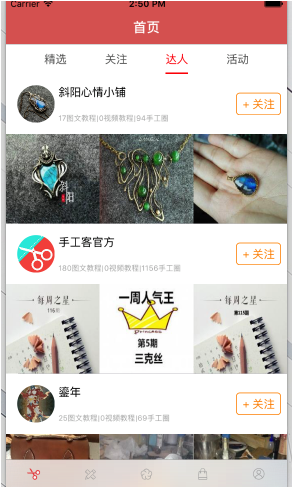
這個界面,有一個下拉彈簧的效果,自定義了流水布局來實現
- (BOOL)shouldInvalidateLayoutForBoundsChange:(CGRect)newBounds
{
    return YES;
}
- (NSArray *)layoutAttributesForElementsInRect:(CGRect)rect
{
    CGFloat offsetY = self.collectionView.contentOffset.y;
    NSArray *attrsArray = [super layoutAttributesForElementsInRect:rect];
    CGFloat collectionViewFrameHeight = self.collectionView.frame.size.height;
    CGFloat collectionViewContentHeight = self.collectionView.contentSize.height;
    CGFloat ScrollViewContentInsetBottom = self.collectionView.contentInset.bottom;
    CGFloat bottomOffset = offsetY + collectionViewFrameHeight - collectionViewContentHeight - ScrollViewContentInsetBottom;
    CGFloat numOfItems = [self.collectionView numberOfItemsInSection:nil];

    for (UICollectionViewLayoutAttributes *attr in attrsArray) {
        if (attr.representedElementCategory == UICollectionElementCategoryCell) {

        CGRect cellRect = attr.frame;
        if (offsetY  0 ){
            CGFloat distance = bottomOffset / 8;
            cellRect.origin.y += bottomOffset - distance *(CGFloat)(numOfItems - attr.indexPath.section);
        }
        attr.frame = cellRect;
    }
}
    return attrsArray;
}
#pragma mark - 初始化
- (instancetype)init
{
    // 流水布局
    UICollectionViewFlowLayout *layout = [[UICollectionViewFlowLayout alloc] init];
    layout.itemSize =[UIScreen mainScreen].bounds.size;
    layout.minimumLineSpacing = 0;
    layout.minimumInteritemSpacing = 0;
    layout.scrollDirection = UICollectionViewScrollDirectionHorizontal;
    return [self initWithCollectionViewLayout:layout];
}
- (void)setupNav
{
    self.collectionView.showsHorizontalScrollIndicator = NO;
    self.collectionView.pagingEnabled = YES;
    self.collectionView.bounces = NO;
    self.collectionView.backgroundColor = [UIColor whiteColor];
    UIButton *disBtn = [[UIButton alloc]init];
    [disBtn setImage:[UIImage imageNamed:@"Image"] forState:UIControlStateNormal];
    disBtn.frame = CGRectMake(5, 25, 20, 20);
    [disBtn addTarget:self action:@selector(disBtnClick) forControlEvents:UIControlEventTouchUpInside];
    [self.collectionView addSubview:disBtn];
}
- (void)regisCell
{
    [self.collectionView registerNib:[UINib nibWithNibName:NSStringFromClass([GPDaRenStepOneCell class]) bundle:nil] forCellWithReuseIdentifier:OneIdentifier];
    [self.collectionView registerNib:[UINib nibWithNibName:NSStringFromClass([GPDaRenStepTwoCell class]) bundle:nil] forCellWithReuseIdentifier:TwoIdentifier];
    [self.collectionView registerNib:[UINib nibWithNibName:NSStringFromClass([GPDaRenStepThreeCell class]) bundle:nil] forCellWithReuseIdentifier:TheerIdentifier];
}
- (void)loadData
{
        // 1.添加參數
        NSMutableDictionary *params = [NSMutableDictionary dictionary];
        params[@"c"] = @"Course";
        params[@"a"] = @"CourseDetial";
        params[@"vid"] = @"18";
        params[@"id"] = self.tagCpunt;

        __weak typeof(self) weakSelf = self;
        // 2.發起請求
        [GPHttpTool get:HomeBaseURl params:params success:^(id responder) {
            weakSelf.picData = [GPDaRenPicData mj_objectWithKeyValues:responder[@"data"]];

            weakSelf.stepArray = weakSelf.picData.step;
            weakSelf.stepToolsArray = weakSelf.picData.tools;
            weakSelf.stepMaetasArray = weakSelf.picData.material;
            weakSelf.stepPicArray = weakSelf.picData.step;

            [weakSelf.collectionView reloadData];
        } failure:^(NSError *error) {
            [SVProgressHUD showErrorWithStatus:@"跪了"];
        }];
}
#pragma mark - (NSInteger)numberOfSectionsInCollectionView:(UICollectionView *)collectionView
{
    return 3;
}
- (NSInteger)collectionView:(UICollectionView *)collectionView numberOfItemsInSection:(NSInteger)section {
    NSInteger row = 1;
    if (section == 2) {
       row = self.stepArray.count;
    }
    return row;
}
- (UICollectionViewCell *)collectionView:(UICollectionView *)collectionView cellForItemAtIndexPath:(NSIndexPath *)indexPath {
    UICollectionViewCell *collecTionCell = nil;
    if (indexPath.section == 0) {
        GPDaRenStepOneCell *oneCell = [collectionView dequeueReusableCellWithReuseIdentifier:OneIdentifier forIndexPath:indexPath];
        oneCell.picData = self.picData;
        collecTionCell = oneCell;
    }else if (indexPath.section == 1){
        GPDaRenStepTwoCell *twoCell = [collectionView dequeueReusableCellWithReuseIdentifier:TwoIdentifier forIndexPath:indexPath];
        twoCell.toolsArray = self.stepToolsArray;
        twoCell.materiaArray = self.stepMaetasArray;
        collecTionCell = twoCell;
    }else{
        GPDaRenStepThreeCell *threeCell = [collectionView dequeueReusableCellWithReuseIdentifier:TheerIdentifier forIndexPath:indexPath];
        threeCell.sumNum = self.stepPicArray.count;
        threeCell.currentNum = indexPath.row + 1;
        threeCell.setpData = self.stepPicArray[indexPath.row];
        threeCell.setpBtnClick = ^{
            [self setpPicBtnClick];
        };
        collecTionCell = threeCell;
    }
    return collecTionCell;
}
#pragma mark - 內部方法
- (void)disBtnClick
{
    [self dismissViewControllerAnimated:YES completion:nil];
}
- (void)setpPicBtnClick
{
    XWCoolAnimator *animator = [XWCoolAnimator xw_animatorWithType:XWCoolTransitionAnimatorTypePageFlip];
    GPDaRenPicsController *picsVc = [[GPDaRenPicsController alloc]init];
    picsVc.stepDataArray = self.stepPicArray;
    picsVc.picData = self.picData;
    [self xw_presentViewController:picsVc withAnimator:animator];
}
-(void)scroolCollection:(NSNotification *)ifno
{

    NSLog(@"%@",ifno.userInfo[@"pic"]);
    NSIndexPath *indexPath = ifno.userInfo[@"pic"];

    CGPoint point = CGPointMake((indexPath.row + 2) * SCREEN_WIDTH, 0);
    [self.collectionView setContentOffset:point];
}
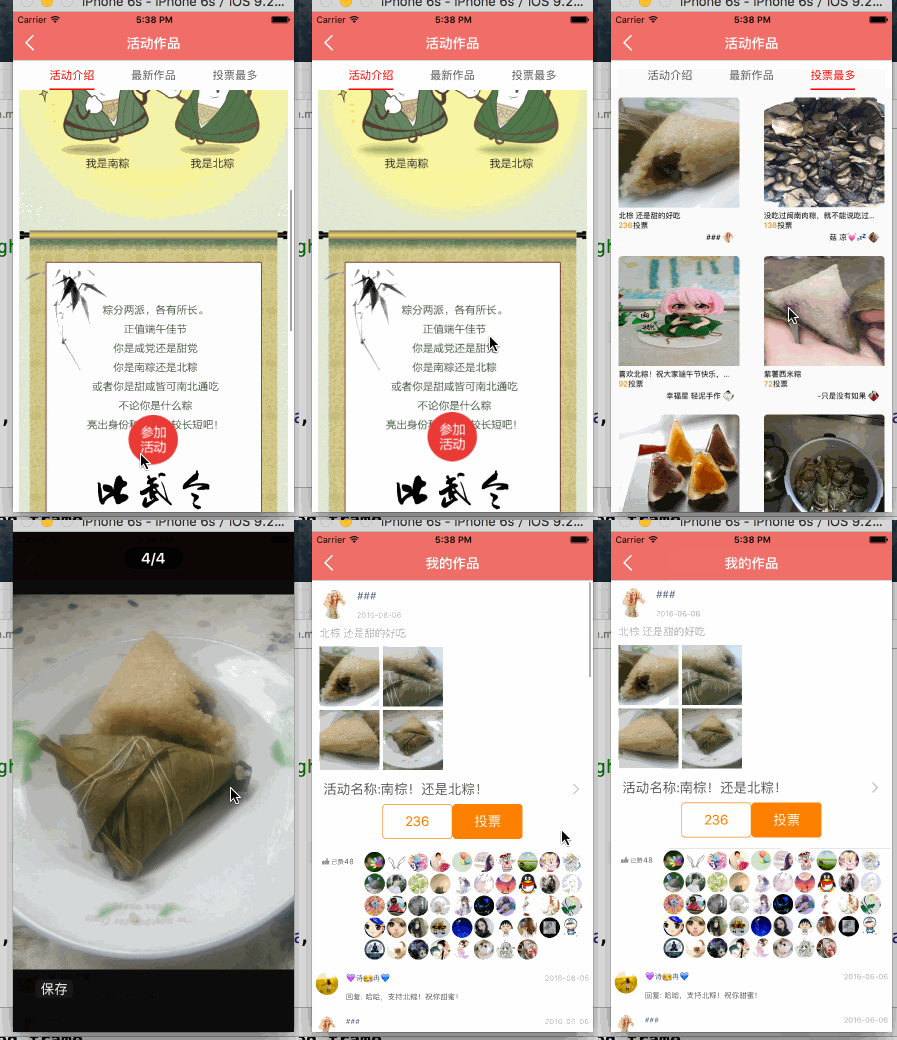
#pragma mark - 生命周期
- (void)viewDidLoad {
    [super viewDidLoad];
    [self regisCell];
    [self configThame];
    [self loadData];
    self.title = @"我的作品";
}
- (void)viewWillDisappear:(BOOL)animated{
    [super viewWillDisappear:animated];
    [SVProgressHUD dismiss];
}
#pragma mark - 懶加載
- (NSMutableArray *)picUrlS
{
    if (!_picUrlS) {

        _picUrlS = [[NSMutableArray alloc] init];
    }
    return _picUrlS;
}
- (NSMutableArray *)laudUrlS
{
    if (!_laudUrlS) {

        _laudUrlS = [[NSMutableArray alloc] init];
    }
    return _laudUrlS;
}
- (NSMutableArray *)sizeArray
{
    if (!_sizeArray) {

        _sizeArray = [[NSMutableArray alloc] init];
    }
    return _sizeArray;
}
#pragma mark - 初始化
- (void)regisCell
{
    [self.tableView registerClass:[GPTimeLineHeadCell class] forCellReuseIdentifier:HeadCell];
    [self.tableView registerClass:[GPTimeLineEventCell class] forCellReuseIdentifier:EventCell];
    [self.tableView registerClass:[GPTimeLineApperCell class] forCellReuseIdentifier:ApperCell];
    [self.tableView registerClass:[GPTimeLIneCommentCell class] forCellReuseIdentifier:CommentCell];
}
- (void)configThame
{
    self.view.backgroundColor = [UIColor whiteColor];
}
#pragma mark - 數據處理
- (void)loadData
{
    // 1.添加請求參數
    NSMutableDictionary *params = [NSMutableDictionary dictionary];
    params[@"c"] = @"HandCircle";
    params[@"a"] = @"info";
    params[@"vid"] = @"18";
    params[@"item_id"] = self.circleID;
    __weak typeof(self) weakSelf = self;
    // 2.請求數據
    [GPHttpTool get:HomeBaseURl params:params success:^(id responseObj) {

        weakSelf.timeLineData = [GPTimeLineData mj_objectWithKeyValues:responseObj[@"data"]];
        // 九宮格圖片
        for (GPTimeLinePicData *PicData in weakSelf.timeLineData.pic) {
            [weakSelf.picUrlS addObject:PicData.url];
        }
        // 只有一張圖片的尺寸
        GPTimeLinePicData *picFistData = weakSelf.timeLineData.pic.firstObject;
        [weakSelf.sizeArray addObjectsFromArray:@[picFistData.width,picFistData.height]];

        // 點贊頭像
        for (GPTimeLineLaudData *laudData in weakSelf.timeLineData.laud_list) {
            [weakSelf.laudUrlS addObject:laudData.avatar];
        }

        // 評論
        weakSelf.commentS = weakSelf.timeLineData.comment;
        [weakSelf.tableView reloadData];
    } failure:^(NSError *error) {
        [SVProgressHUD showErrorWithStatus:@"小編出差了"];
    }];
}
#pragma mark - 內部方法

#pragma mark - Table view data source
- (NSInteger)numberOfSectionsInTableView:(UITableView *)tableView
{
    return 4;
}
- (NSInteger)tableView:(UITableView *)tableView numberOfRowsInSection:(NSInteger)section {
    NSInteger sectionRow = 1;
    if (section == 3) {
        sectionRow = self.commentS.count;
    }
    return sectionRow;
}
- (UITableViewCell *)tableView:(UITableView *)tableView cellForRowAtIndexPath:(NSIndexPath *)indexPath
{
    if (indexPath.section == 0) {
        GPTimeLineHeadCell *headLineCell = [tableView dequeueReusableCellWithIdentifier:HeadCell];
        headLineCell.sizeArray = self.sizeArray;
        headLineCell.timeLineData = self.timeLineData;
        headLineCell.picUrlArray = self.picUrlS;
        return headLineCell;
    }else if(indexPath.section == 1){
        GPTimeLineEventCell *timeEventCell = [tableView dequeueReusableCellWithIdentifier:EventCell];
            timeEventCell.lineData = self.timeLineData;
        timeEventCell.EventBtnClick = ^{
            [self eventBtnClcik];
        };
        timeEventCell.backgroundColor = [UIColor whiteColor];
            return timeEventCell;
    }else if (indexPath.section == 2){
        GPTimeLineApperCell *timeApperCell = [tableView dequeueReusableCellWithIdentifier:ApperCell];
                timeApperCell.laudnum = self.timeLineData.laud_num;
                timeApperCell.laudArray = self.laudUrlS;
                return timeApperCell;
    }else{
        GPTimeLIneCommentCell *timeCommentCell = [tableView dequeueReusableCellWithIdentifier:CommentCell];
                timeCommentCell.commentData = self.timeLineData.comment[indexPath.row];
                return timeCommentCell;
    }
}
- (CGFloat)tableView:(UITableView *)tableView heightForRowAtIndexPath:(NSIndexPath *)indexPath
{
    return [self cellHeightForIndexPath:indexPath cellContentViewWidth:SCREEN_WIDTH];
}
#pragma mark - 內部方法
- (void)eventBtnClcik
{
    GPLoginController *loginVc = [UIStoryboard storyboardWithName:@"GPLoginController" bundle:nil].instantiateInitialViewController;

    UINavigationController *nav = [[UINavigationController alloc] initWithRootViewController:loginVc];
    self.transition = [[HYBEaseInOutTransition alloc] initWithPresented:^(UIViewController *presented, UIViewController *presenting, UIViewController *source, HYBBaseTransition *transition) {
        HYBEaseInOutTransition *modal = (HYBEaseInOutTransition *)transition;

        modal.animatedWithSpring = YES;
    } dismissed:^(UIViewController *dismissed, HYBBaseTransition *transition) {
        // do nothing
    }];

    nav.transitioningDelegate = self.transition;
    [self presentViewController:nav animated:YES completion:NULL];

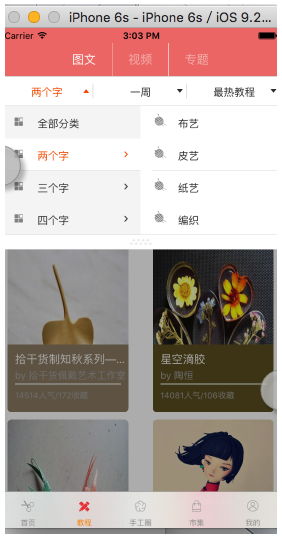
}
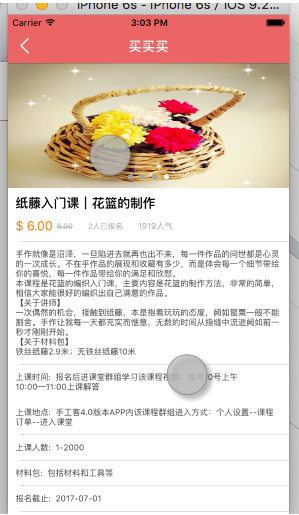
- (void)viewDidLoad {
    [super viewDidLoad];
    [self addNavTitleView];
    [self addChildVc];
    [self addConterView];
//    [[NSNotificationCenter defaultCenter]addObserver:self selector:@selector(setGes) name:@"dawang" object:nil];
}
- (void)dealloc{
    [[NSNotificationCenter defaultCenter]removeObserver:self];
}
#pragma mark - 初始化
- (void)addNavTitleView
{
    __weak typeof(self) weakSelf = self;
    GPNavTitleView *titleView = [[GPNavTitleView alloc]initWithFrame:CGRectMake(0, 0, SCREEN_WIDTH * 0.6, 44) block:^(UIButton *button) {
        [weakSelf.containView updateVCViewFromIndex:button.tag];
    }];
    self.titleView = titleView;
    self.navigationItem.titleView = titleView;
}
// 添加子控制器
- (void)addChildVc
{
    self.picVc = [[GPTutorialPicController alloc]init];
    self.videoVc = [[GPTutoriaVideoController alloc]init];
    self.subVc = [[GPTutoriSubController alloc]init];
    self.chidVcArray = @[self.picVc,self.videoVc,self.subVc];
    [self addChildViewController:self.picVc];
    [self addChildViewController:self.videoVc];
    [self addChildViewController:self.subVc];
}
// 添加容器
- (void)addConterView
{
    __weak typeof(self) weakSelf = self;
  self.containView = [[GPContainerView alloc]initWithChildControllerS:self.chidVcArray selectBlock:^(int index) {
      [weakSelf.titleView updateSelecterToolsIndex:index];
    }];
    [self.view addSubview:self.containView];
    self.containView.sd_layout.spaceToSuperView(UIEdgeInsetsZero);
}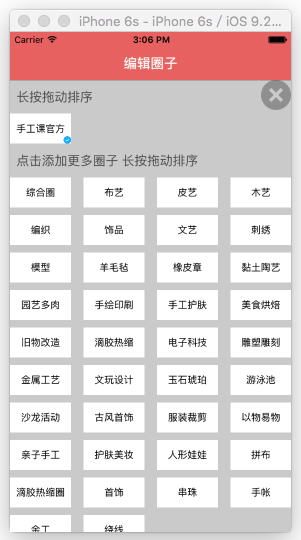
+ (void)initialize
{
    // 1.獲得數據庫文件的路徑
    NSString *doc = [NSSearchPathForDirectoriesInDomains(NSDocumentDirectory, NSUserDomainMask, YES) lastObject];
    NSString *filename = [doc stringByAppendingPathComponent:@"handMore.sqlite"];
    // 2.得到數據庫
    _db = [FMDatabase databaseWithPath:filename];
    NSLog(@"%@",filename);
    // 3.打開數據庫
    if ([_db open]) {
        // 4.創表
        BOOL result = [_db executeUpdate:@"CREATE TABLE IF NOT EXISTS t_more (id integer PRIMARY KEY AUTOINCREMENT, moreName blob NOT NULL,moreStr blob NOT NULL,Remark text NOT NULL)"];
       BOOL zero = [_db executeUpdate:@"CREATE TABLE IF NOT EXISTS t_zero (id integer PRIMARY KEY AUTOINCREMENT, moreName blob NOT NULL,moreStr blob NOT NULL,Remark text NOT NULL)"];
        if (result && zero) {
            NSLog(@"成功創表");
        } else {
            NSLog(@"創表失敗");
        }
    }
}
+ (void)saveItemArray:(NSMutableArray *)itemArray remark:(NSString *)remark type:(NSMutableArray *)strArray
{
    NSData *nameData = [NSKeyedArchiver archivedDataWithRootObject:itemArray];
    NSData *strData = [NSKeyedArchiver archivedDataWithRootObject:strArray];

    [_db executeUpdateWithFormat:@"INSERT INTO t_more (moreName,moreStr,Remark) VALUES (%@, %@,%@)",nameData,strData,remark];
}
+ (void)saveZeroArray:(NSMutableArray *)itemArray remark:(NSString *)remark type:(NSMutableArray *)strArray
{
    NSData *nameData = [NSKeyedArchiver archivedDataWithRootObject:itemArray];
    NSData *strData = [NSKeyedArchiver archivedDataWithRootObject:strArray];

    [_db executeUpdateWithFormat:@"INSERT INTO t_zero (moreName,moreStr,Remark) VALUES (%@, %@,%@)",nameData,strData,remark];
}

+ (BOOL)updateItemArray:(NSArray *)moreNameArray strArray:(NSArray *)moreStrArray remark:(NSString *)remark
{
    NSData *nameData = [NSKeyedArchiver archivedDataWithRootObject:moreNameArray];
    NSData *strData = [NSKeyedArchiver archivedDataWithRootObject:moreStrArray];

    BOOL isSuccess = [_db executeUpdateWithFormat:@"UPDATE t_more SET moreName = %@,moreStr = %@ WHERE Remark = %@", nameData,strData,remark];

    if (isSuccess) {
        NSLog(@"更新成功");
    }else{
        NSLog(@"更新失敗%@",_db.lastErrorMessage);
    }
    return isSuccess;
}
+ (BOOL)updateZeroArray:(NSArray *)moreNameArray strArray:(NSArray *)moreStrArray remark:(NSString *)remark
{
    NSData *nameData = [NSKeyedArchiver archivedDataWithRootObject:moreNameArray];
    NSData *strData = [NSKeyedArchiver archivedDataWithRootObject:moreStrArray];

    BOOL isSuccess = [_db executeUpdateWithFormat:@"UPDATE t_zero SET moreName = %@,moreStr = %@ WHERE Remark = %@", nameData,strData,remark];

    if (isSuccess) {
        NSLog(@"更新成功");
    }else{
        NSLog(@"更新失敗%@",_db.lastErrorMessage);
    }
    return isSuccess;
}
+ (NSMutableArray *)list:(NSString *)name
{
    NSString *sql = [NSString stringWithFormat:@"SELECT * FROM t_more"];

    FMResultSet *set = [_db executeQuery:sql];
    NSMutableArray *list = [NSMutableArray array];
    while (set.next) {
        NSData *item = [set objectForColumnName:name];
        list = [NSKeyedUnarchiver unarchiveObjectWithData:item];
    }
    return list;
}
+ (NSMutableArray *)zeroList:(NSString *)name
{
    NSString *sql = [NSString stringWithFormat:@"SELECT * FROM t_zero"];

    FMResultSet *set = [_db executeQuery:sql];
    NSMutableArray *list = [NSMutableArray array];
    while (set.next) {
        NSData *item = [set objectForColumnName:name];
        list = [NSKeyedUnarchiver unarchiveObjectWithData:item];
    }
    return list;
}
市集
- (void)loadNewData
{
    GPFariParmer *parmers = [[GPFariParmer alloc]init];
    parmers.c = @"Shiji";
    parmers.vid = @"18";
    parmers.a = self.product;
    __weak typeof(self) weakSelf = self;
    [GPFariNetwork fariDataWithParms:parmers success:^(GPFariData *fariData) {
        weakSelf.hotArray = [NSMutableArray arrayWithArray:fariData.hot];
        weakSelf.bestArray = [NSMutableArray arrayWithArray:fariData.best];
        weakSelf.topicBestArray = [NSMutableArray arrayWithArray:fariData.topicBest];
        weakSelf.topicArray = [NSMutableArray arrayWithArray:fariData.topic];
        GPFariTopicData *topicData = weakSelf.topicArray.lastObject;
        weakSelf.lastId = topicData.last_id;
        [weakSelf.collectionView reloadData];
        [weakSelf.collectionView.mj_header endRefreshing];
    } failuer:^(NSError *error) {
        [weakSelf.collectionView.mj_header endRefreshing];
        [SVProgressHUD showErrorWithStatus:@"啦啦啦,失敗了"];
    }];
}
- (void)loadMoreData
{
    GPFariParmer *parmers = [[GPFariParmer alloc]init];
    parmers.c = @"Shiji";
    parmers.vid = @"18";
    parmers.last_id = self.lastId;
    parmers.a = @"topicList";
    parmers.page = self.page;
    __weak typeof(self) weakSelf = self;
    [GPFariNetwork fariMoreDataWithParms:parmers success:^(NSArray *topicDataS) {
        [weakSelf.topicArray addObjectsFromArray:topicDataS];
        [weakSelf.collectionView reloadData];
        [weakSelf.collectionView.mj_footer endRefreshing];
    } failuer:^(NSError *error) {
        [weakSelf.collectionView.mj_footer endRefreshing];
    }];
}
#pragma mark - UICollectionView 數據源
- (NSInteger)numberOfSectionsInCollectionView:(UICollectionView *)collectionView
{    return SectionCouton;
}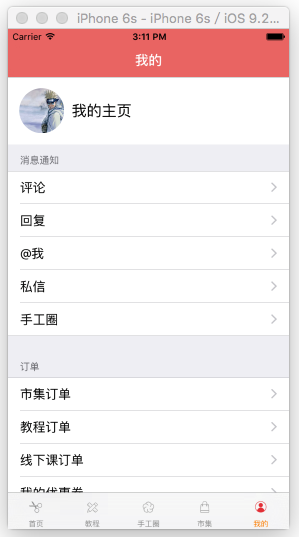
- (NSMutableArray *)groups
{    if (_groups == nil) {
        _groups = [NSMutableArray array];
    }    return _groups;
}
- (instancetype)init
{    return [self initWithStyle:UITableViewStyleGrouped];
}// 返回有多少組- (NSInteger)numberOfSectionsInTableView:(UITableView *)tableView{
return self.groups.count;
}// 返回每一組有多少行- (NSInteger)tableView:(UITableView *)tableView numberOfRowsInSection:(NSInteger)section
{    // 獲取當前的組模型
    GPSettingGroup *group = self.groups[section];    return group.items.count;
}
- (UITableViewCell *)tableView:(UITableView *)tableView cellForRowAtIndexPath:(NSIndexPath *)indexPath
{    // 1.創建cell
    GPSettingCell *cell = [GPSettingCell cellWithTableView:tableView style:UITableViewCellStyleValue1]; // 獲取對應的組模型
    GPSettingGroup *group = self.groups[indexPath.section];    // 獲取對應的行模型
    GPSettingItem *item = group.items[indexPath.row];    // 2.給cell傳遞模型
    cell.item = item;    return cell;
}// 返回每一組的頭部標題- (NSString *)tableView:(UITableView *)tableView titleForHeaderInSection:(NSInteger)section
{    // 獲取組模型
    GPSettingGroup *group = self.groups[section];
    return group.header;
}
- (NSString *)tableView:(UITableView *)tableView titleForFooterInSection:(NSInteger)section
{    // 獲取組模型
    GPSettingGroup *group = self.groups[section];
    return group.footer;
}// 選中cell的時候調用- (void)tableView:(UITableView *)tableView didSelectRowAtIndexPath:(NSIndexPath *)indexPath
{    // 取出對應的組模型
    GPSettingGroup *group = self.groups[indexPath.section];    // 取出對應的行模型
    GPSettingItem *item = group.items[indexPath.row];
    if (item.operation) {
        item.operation(indexPath);
        return;
    }    // 判斷下是否需要跳轉
    if ([item isKindOfClass:[GPSettingArrowItem class]]) {        // 箭頭類型,才需要跳轉
        GPSettingArrowItem *arrowItem = (GPSettingArrowItem *)item;
        if (arrowItem.destVcClass == nil) return;        // 創建跳轉控制器
        UIViewController *vc = [[arrowItem.destVcClass alloc] init];
        [self.navigationController pushViewController:vc animated:YES];
    }
}#import @interface GPSettingGroup : NSObject /** 組頭 */ @property (nonatomic, copy) NSString *header; /** 組尾 */ @property (nonatomic, copy) NSString *footer; /** * 行模型 */ @property (nonatomic, strong) NSMutableArray *items; @end
@implementation GPSettingCell

+ (instancetype)cellWithTableView:(UITableView *)tableView style:(UITableViewCellStyle)cellStyle
{
    static NSString *ID = @"cell";
    GPSettingCell *cell = [tableView dequeueReusableCellWithIdentifier:ID];
    if (cell == nil) {
        cell = [[self alloc] initWithStyle:cellStyle reuseIdentifier:ID];
    }
    return cell;
}
- (void)setItem:(GPSettingItem *)item
{
    _item = item;

    [self setUpData];

    [self setUpAccessoryView];
}
// 設置數據
- (void)setUpData
{
    self.textLabel.text = _item.title;
    self.detailTextLabel.text = _item.subtitle;
}
// 設置右邊的輔助視圖
- (void)setUpAccessoryView
{
    if ([_item isKindOfClass:[GPSettingArrowItem class]]) { // 箭頭
        self.accessoryType = UITableViewCellAccessoryDisclosureIndicator;
    }else{
        self.accessoryView = nil;
        self.accessoryType = UITableViewCellAccessoryNone;
    }
}由於代碼量較大,所以還是上源碼吧:https://github.com/GPPG
最後,死皮賴臉求個Star,我是小菜蛋,我為自己帶鹽。


- iOS高仿微信表情輸出功用代碼分享
- 搜集2016年值得學習的源碼、第三方和插件
- cocos2dx 休閒、塔防、回合制游戲《機械和平塔防》源碼下載
- cocos2dx 休閒、酷跑、回合制游戲《萌萌酷跑》完好源碼下載
- CardboardSDK-iOS 源碼復雜剖析
- opencv源碼閱讀之——iOS的兩條接口UIImageToMat()和MatToUIImage()
- 在Xcode中使用Git進行源碼版本控制
- iOS8.4.1完美越獄工具什麼時候發布?iOS8.4.1越獄源碼公布
- 源碼推薦(11.18):超強模仿AutoLayout API,Twitter
- AFNetworking源碼解析
- 源碼推薦(11.25):支持橫向和縱向的分類滑動視圖,Swift編寫的CoreData管理庫
- 源碼推薦(12.1):多樣式分段控件,Swift和ObjC文檔生成工具
- 源碼推薦(12.2):在設備上發現內存洩露等問題,Swift實現Pinterest轉場效果
- Xcode概覽:在源碼編輯器中編寫代碼
- 源碼和工具(12.4):Xcode自動補全功能補充,3D效果分段控件
- 正確使用@synchronized()
- iOS Xcode Server持續集成(一)
- 模仿Uber的啟動畫面(上)
- iOS tableView右滑顯示選擇
- UITableViewCell多種滑動變化及動畫效果 Airbnb家的開源動畫庫
- iOS 9適配技巧(更新版)
- 源碼推薦(7.01):SXPhotoShow三種好看的布局,GitHub第三方客戶端Monkey for GitHub
- 源碼推薦(3.6):根據文字繪制路徑產生動畫,馬賽克人臉相機
- 源碼推薦(0602):二維碼生成及掃描,星星進度條,炫酷的登陸注冊界面
- 源碼推薦(6.8):帶標題、可改變樣式的自定義ActionSheet,TYWaterWaveView 水波浪圓形進度