iOS Charts 集成步驟
編輯:IOS開發基礎
如果,你的是Objective-C創建的工程,而今要使用Charts。那麼,你可以選擇繼續往下看。
如果,你的是Swift創建的工程,也要使用Charts,那麼,你可以選擇繞行了。
准備前提:
我在此假設你已經安裝好 Cocoapods 了。
如果你還未安裝。
請參考此鏈接:Cocoapods安裝&解決安裝錯誤&使用創建一個Objective-C工程。
然後,關掉該打開的工程。
打開終端。
依次執行如下命令行:
cd 把工程直接拖過來
敲回車
//新建一個podfile文件touch podfile?
敲回車
//使用xcode打開文件open -a xcode podfile?
敲回車
//查找自己需要的第三方庫,Charts search Charts
在Xcode打開的Podfile中,輸入如下內容:
platform :ios, '8.0'target 'TestCharts' douse_frameworks!
pod 'Charts'end
use_frameworks!選項是告訴 CocoaPods 使用 framework 而不是靜態庫。這在 Swift 項目中是必選。
我們添加的那行(pod 'Charts')是讓 CocoaPods 知道我們要用 Charts。
退出pod search
退出的命令是::wq
導入
pod install
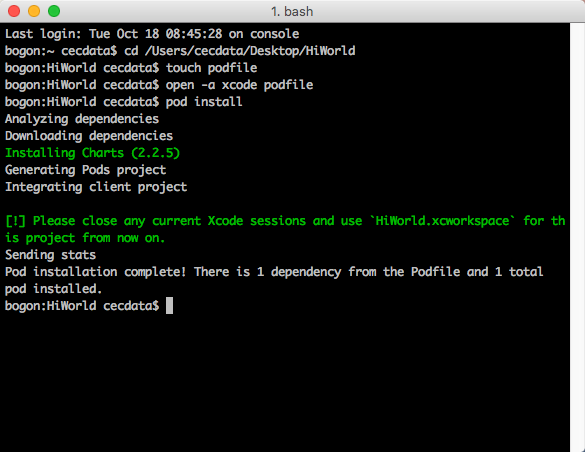
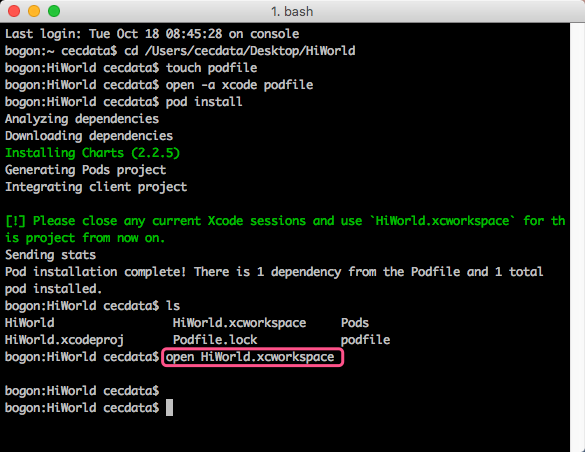
打開工程
創建Swift文件。
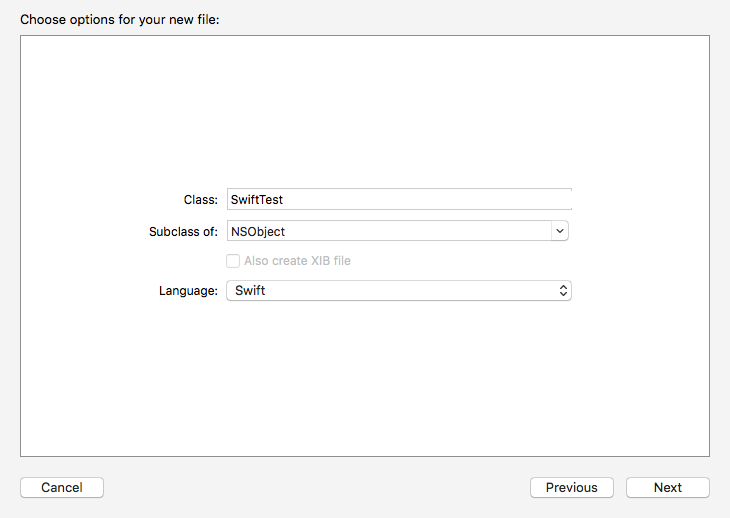
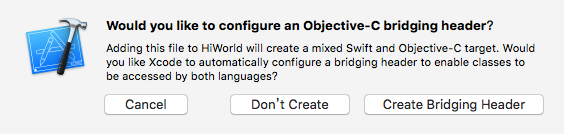
配置
找到
添加框架.pngGeneral->Embedded Binaries,點擊+號添加Charts.framework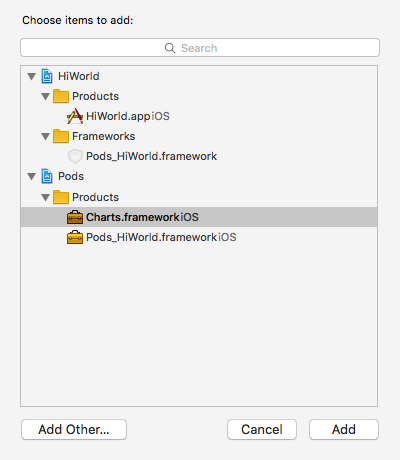
Clean一下,編譯一下
在
橋接文件項目名-Bridging-Header.h中,寫上要引用的Swift頭文件。@import Charts;
測試:
在ViewController.m中加入如下代碼:
#import "ViewController.h"
#import "HiWorld-Bridging-Header.h"
#import "HiWorld-Swift.h"
@interface ViewController ()
@end
@implementation ViewController
-(void)viewDidLoad {
  [super viewDidLoad];

  BarChartView *chartView = [[BarChartView alloc] initWithFrame:CGRectMake(10, 10, 300, 300)];
  chartView.backgroundColor = [UIColor colorWithRed:0.184 green:1.000 blue:0.738 alpha:1.000];
  [self.view addSubview:chartView];
}
@end
運行效果如圖:
因為沒有數據。所以,只要這樣的提示。

文章轉自 青燈素箋的簡書


相關文章
+