
TableView 靜態版面設定筆記:四個必做的調整
編輯:iOS 程式設計技術
第一次用 tableview 的靜態格(Static Cells)版面,把踩到的坑記下來。
1. 必須使用 UITableViewController
靜態版面只有在 UITableViewController 中才能設定。若你的畫面是繼承自 UIViewController 再手動擺一個 tableView,Content 那個下拉選單不會出現 Static Cells 選項。
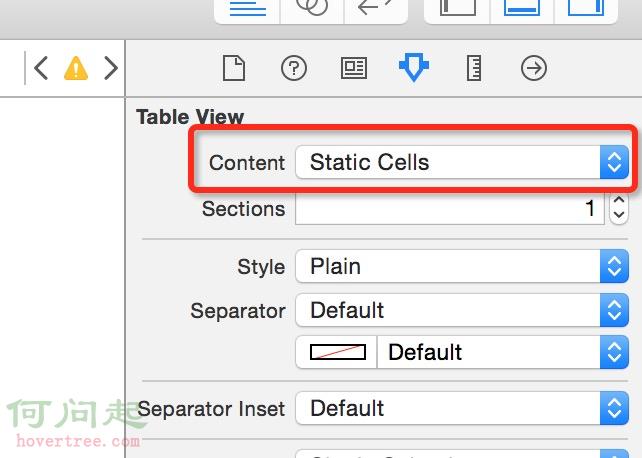
2. 把 Content 設為 Static Cells
如下圖:
3. 移除尾端多餘的空白列
// 去除尾部多餘的空行
self.tableView.tableFooterView = [[UIView alloc] initWithFrame:CGRectZero];
4. 刪掉這兩個委派方法,否則內容顯示不出來
- (NSInteger)numberOfSectionsInTableView:(UITableView *)tableView {
    return 0;
}

- (NSInteger)tableView:(UITableView *)tableView
 numberOfRowsInSection:(NSInteger)section {
    return 0;
}
原因很直接:靜態格是由 storyboard 上的實體排版決定的,一旦實作了這兩個方法,tableView 就會改以委派回傳的數字為準,回傳 0 等於告訴它「什麼都沒有」,於是畫面空白。
補充
同理,cellForRowAtIndexPath: 也應一併移除。靜態格的內容與數量都在 storyboard 上設定,程式碼端不需要、也不應該再提供 cell。反過來說,若你的需求是「格子數量固定但內容要動態填入」,那麼靜態格是合適的選擇——直接在 storyboard 上拉好版型,再用 IBOutlet 連到對應的 label 或元件上更新內容即可。