
iOS 網路請求圖片並加上載入動畫的實作
編輯:iOS 技巧大全
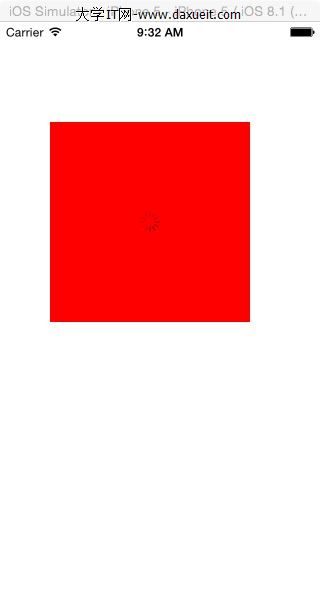
效果圖:
程式碼:
- (void)viewDidLoad { [super viewDidLoad]; // Do any additional setup after loading the view, typically from a nib. UIImageView *imageView=[[UIImageView alloc]initWithFrame:CGRectMake(50, 100, 200, 200)]; imageView.backgroundColor=[UIColor redColor]; [self.view addSubview:imageView]; [self setImageUrlWithActivityIndicator:@"我愛你!" :imageView]; } //網絡請求圖片時,添加loading控件 -(void)setImageUrlWithActivityIndicator:(NSString*)urlString :(UIImageView *)image { if (![urlString isEqualToString:@""]) { // __block UIActivityIndicatorView *activityIndicator = nil; UIActivityIndicatorView *activityIndicator = nil; activityIndicator = [UIActivityIndicatorView.alloc initWithActivityIndicatorStyle:UIActivityIndicatorViewStyleGray]; [image addSubview:activityIndicator]; CGPoint point = CGPointMake(image.frame.size.width/2, image.frame.size.height/2); activityIndicator.center = point; [activityIndicator startAnimating]; [image setImageWithURL:[NSURL URLWithString:[Image_URL stringByAppendingFormat:@"%@",urlString]] placeholderImage:nil success:^(UIImage *image) { NSLog(@"...success code here..."); [activityIndicator stopAnimating]; [activityIndicator removeFromSuperview]; } failure:^(NSError *error) { NSLog(@"... failure code here ..."); [activityIndicator stopAnimating]; [activityIndicator removeFromSuperview]; }]; } } 這段程式碼的重點在於:在發請求之前先在 imageView 中央放一個轉圈的 activityIndicator 並啟動動畫,等到圖片下載成功或失敗後,再停止動畫並將其移除。這樣一來,使用者在等待圖片載入時就能看到明確的載入提示,避免畫面出現空白而產生困惑。
- 上一篇文章: 用一行命令統計 iOS 專案的程式碼總行數
- 下一篇文章: Objective-C 檔案的基本讀寫與 NSFileManager 操作全解