BaseControl 按鈕合集:用繼承封裝互動控件基類
編輯:iOS 技巧大全
做互動控件時,按下縮放、透明度變化、事件回調這些邏輯幾乎每個自定義按鈕都要重寫一遍。把它抽成基類,子類只關心「視覺上長什麼樣」,是相當划算的分層。
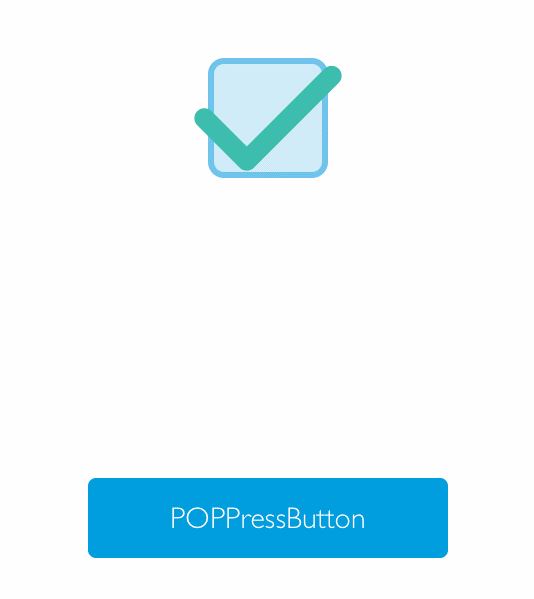
效果:
源碼:https://github.com/YouXianMing/Animations
基類接口
// POPBaseControl.h
#import <UIKit/UIKit.h>

@class POPBaseControl;

@protocol POPBaseControlDelegate <NSObject>
/** 縮放百分比變化 */
- (void)POPBaseControl:(POPBaseControl *)controll currentPercent:(CGFloat)percent;
/** 事件觸發 */
- (void)POPBaseControlEvent:(POPBaseControl *)controll;
@end

@interface POPBaseControl : UIView

@property (nonatomic, weak) id <POPBaseControlDelegate> delegate;
/** 動畫時長,默認 0.4 */
@property (nonatomic) CFTimeInterval animationDuration;
@property (nonatomic, weak) id target;
@property (nonatomic) SEL selector;
@property (nonatomic) BOOL enabled;
@property (nonatomic) BOOL selected;

#pragma mark - 供子類使用與重寫

/** 容器 view,子類在此添加自己的控件 */
@property (nonatomic, strong, readonly) UIView *contentView;

/** 當前動畫比例,子類重寫以驅動自身動畫 */
- (void)currentPercent:(CGFloat)percent;

/** 事件激活時的回調 */
- (void)controllEventActived;

@end
實現思路
基類內部疊了三層視圖:最底層一個不可交互的 absView 承擔透明度動畫,中間是給子類放內容的 contentView,最上面蓋一個透明 UIButton 統一接管觸摸事件。這樣任何子類都不用再操心手勢與命中測試。
// POPBaseControl.m
#import "POPBaseControl.h"
#import "POP.h"

@interface POPBaseControl ()
@property (nonatomic, strong) UIView *absView;
@property (nonatomic, strong) UIButton *button;
@property (nonatomic, strong) UIView *contentView;
@property (nonatomic) CGFloat percent;
@end

@implementation POPBaseControl

- (void)layoutSubviews {
    [super layoutSubviews];
    _button.frame = CGRectMake(0, 0, self.frame.size.width, self.frame.size.height);
    _contentView.bounds = CGRectMake(0, 0, self.frame.size.width, self.frame.size.height);
}

- (instancetype)initWithFrame:(CGRect)frame {
    if (self = [super initWithFrame:frame]) {
        _animationDuration = 0.4f;

        // 承擔透明度動畫的底層
        _absView = [[UIView alloc] init];
        _absView.userInteractionEnabled = NO;
        _absView.backgroundColor = [UIColor clearColor];
        [self addSubview:_absView];

        // 子類的內容容器
        _contentView = [[UIView alloc] initWithFrame:self.bounds];
        _contentView.userInteractionEnabled = NO;
        [self addSubview:_contentView];

        // 統一接管觸摸的透明按鈕
        _button = [[UIButton alloc] initWithFrame:self.bounds];
        [self addSubview:_button];
        [_button addTarget:self action:@selector(touchBeginOrTouchDragEnter)
          forControlEvents:UIControlEventTouchDown | UIControlEventTouchDragEnter];
        [_button addTarget:self action:@selector(touchUpInside)
          forControlEvents:UIControlEventTouchUpInside];
        [_button addTarget:self action:@selector(touchDragExitOrTouchCancel)
          forControlEvents:UIControlEventTouchDragExit | UIControlEventTouchCancel];
    }
    return self;
}

#pragma mark - 動畫

- (void)touchUpInside {
    [self touchDragExitOrTouchCancel];
    [self controllEventActived];

    if (self.target && self.selector) {
#pragma clang diagnostic push
#pragma clang diagnostic ignored "-Warc-performSelector-leaks"
        [self.target performSelector:self.selector withObject:self];
#pragma clang diagnostic pop
    }
    if (self.delegate && [self.delegate respondsToSelector:@selector(POPBaseControlEvent:)]) {
        [self.delegate POPBaseControlEvent:self];
    }
}

- (void)touchDragExitOrTouchCancel {
    [_absView.layer pop_removeAllAnimations];
    POPBasicAnimation *scaleAnimation = [POPBasicAnimation animationWithPropertyNamed:kPOPLayerOpacity];
    scaleAnimation.toValue = @(1);
    scaleAnimation.delegate = self;
    scaleAnimation.duration = _animationDuration;
    [_absView.layer pop_addAnimation:scaleAnimation forKey:nil];
}

- (void)touchBeginOrTouchDragEnter {
    [_absView.layer pop_removeAllAnimations];
    POPBasicAnimation *scaleAnimation = [POPBasicAnimation animationWithPropertyNamed:kPOPLayerOpacity];
    scaleAnimation.toValue = @(0);
    scaleAnimation.delegate = self;
    scaleAnimation.duration = _animationDuration;
    [_absView.layer pop_addAnimation:scaleAnimation forKey:nil];
}

#pragma mark - POPAnimation 回調

- (void)pop_animationDidApply:(POPAnimation *)anim {
    NSNumber *toValue = (NSNumber *)[anim valueForKeyPath:@"currentValue"];
    _percent = (toValue.floatValue - [POPBaseControl calculateConstantWithX1:0 y1:1 x2:1 y2:0])
             / [POPBaseControl calculateSlopeWithX1:0 y1:1 x2:1 y2:0];
    [self currentPercent:_percent];
}

#pragma mark - 子類重寫點

- (void)currentPercent:(CGFloat)percent { }
- (void)controllEventActived { }

#pragma mark - 數學工具

+ (CGFloat)calculateSlopeWithX1:(CGFloat)x1 y1:(CGFloat)y1 x2:(CGFloat)x2 y2:(CGFloat)y2 {
    return (y2 - y1) / (x2 - x1);
}

+ (CGFloat)calculateConstantWithX1:(CGFloat)x1 y1:(CGFloat)y1 x2:(CGFloat)x2 y2:(CGFloat)y2 {
    return (y1 * (x2 - x1) - x1 * (y2 - y1)) / (x2 - x1);
}

#pragma mark - setter & getter

@synthesize enabled = _enabled;
- (void)setEnabled:(BOOL)enabled { _button.enabled = enabled; }
- (BOOL)enabled { return _button.enabled; }

@synthesize selected = _selected;
- (void)setSelected:(BOOL)selected { _button.selected = selected; }
- (BOOL)selected { return _button.selected; }

@end
基類裡那兩個數學方法用來把 POP 動畫回傳的 0~1 透明度值反算回「進度百分比」,子類拿到 percent 後就能驅動自己的縮放、旋轉或顏色插值。
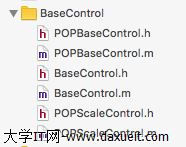
總共封裝了三種按鈕基類控件,上面只是一個示例,用來演示如何通過繼承得到想要的形態: