
AFNetworking 報錯 _UTTypeCopyPreferredTagWithClass 的解決方案
編輯:iOS 技巧大全
問題現象
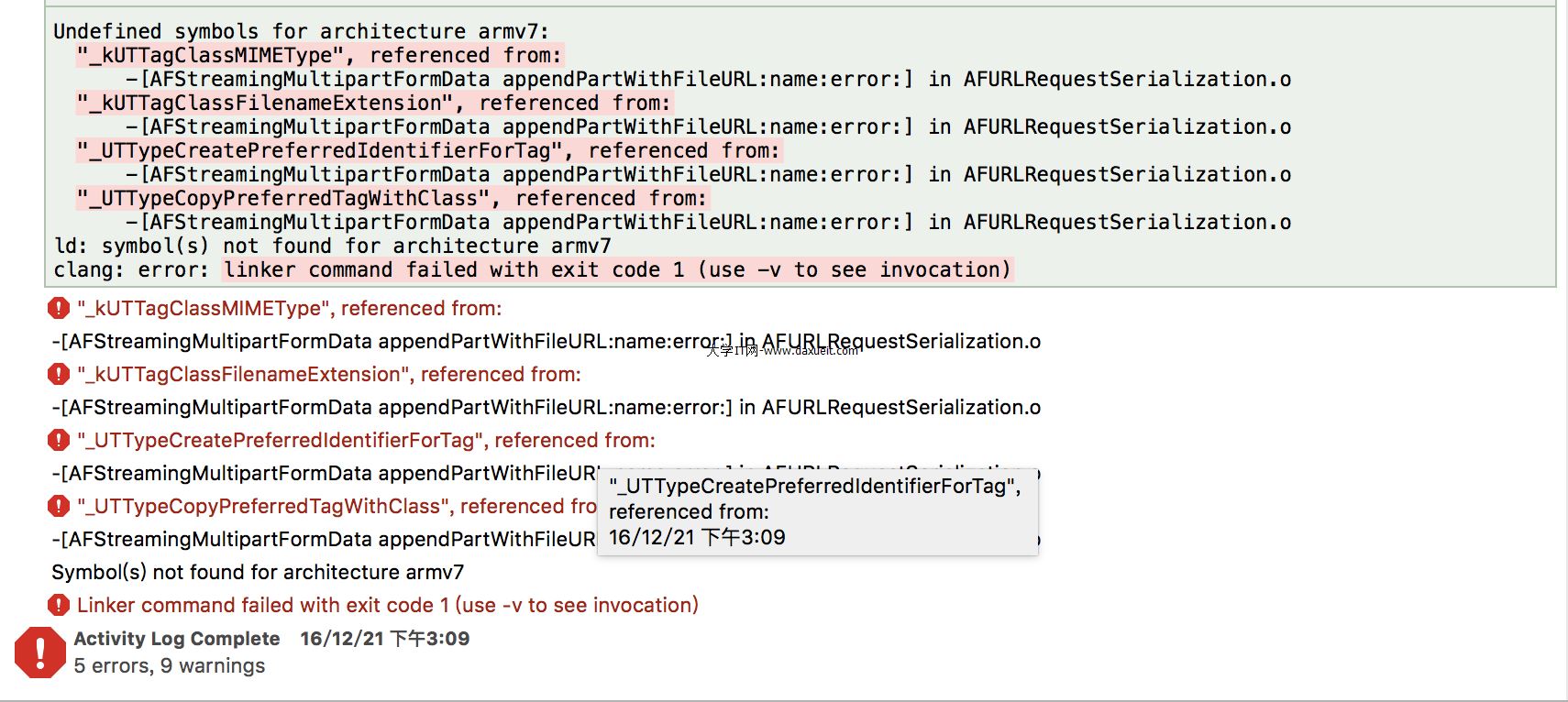
在與 Unity 協同開發的過程中,從 Unity 打包生成的 iOS 工程裡加入 AFNetworking 庫後,運行時出現鏈接錯誤:
Undefined symbols for architecture armv7:
  "_kUTTagClassMIMEType", referenced from:
      -[AFStreamingMultipartFormData appendPartWithFileURL:name:error:] in AFURLRequestSerialization.o
  "_kUTTagClassFilenameExtension", referenced from:
      -[AFStreamingMultipartFormData appendPartWithFileURL:name:error:] in AFURLRequestSerialization.o
  "_UTTypeCreatePreferredIdentifierForTag", referenced from:
      -[AFStreamingMultipartFormData appendPartWithFileURL:name:error:] in AFURLRequestSerialization.o
  "_UTTypeCopyPreferredTagWithClass", referenced from:
      -[AFStreamingMultipartFormData appendPartWithFileURL:name:error:] in AFURLRequestSerialization.o
ld: symbol(s) not found for architecture armv7
clang: error: linker command failed with exit code 1 (use -v to see invocation)
原因分析
這些符號(kUTTagClassMIMEType、UTTypeCopyPreferredTagWithClass 等)都來自 MobileCoreServices.framework,該框架定義了統一類型標識符(UTI)相關的底層類型與函數。
AFNetworking 在處理文件上傳時,需要根據文件擴展名推斷 MIME 類型,因此依賴這個框架。Unity 生成的工程默認並沒有引入它,於是就出現了符號找不到的鏈接錯誤。
解決方法
在 Xcode 中進入 Build Phases → Link Binary With Libraries,點擊 + 添加 MobileCoreServices.framework。
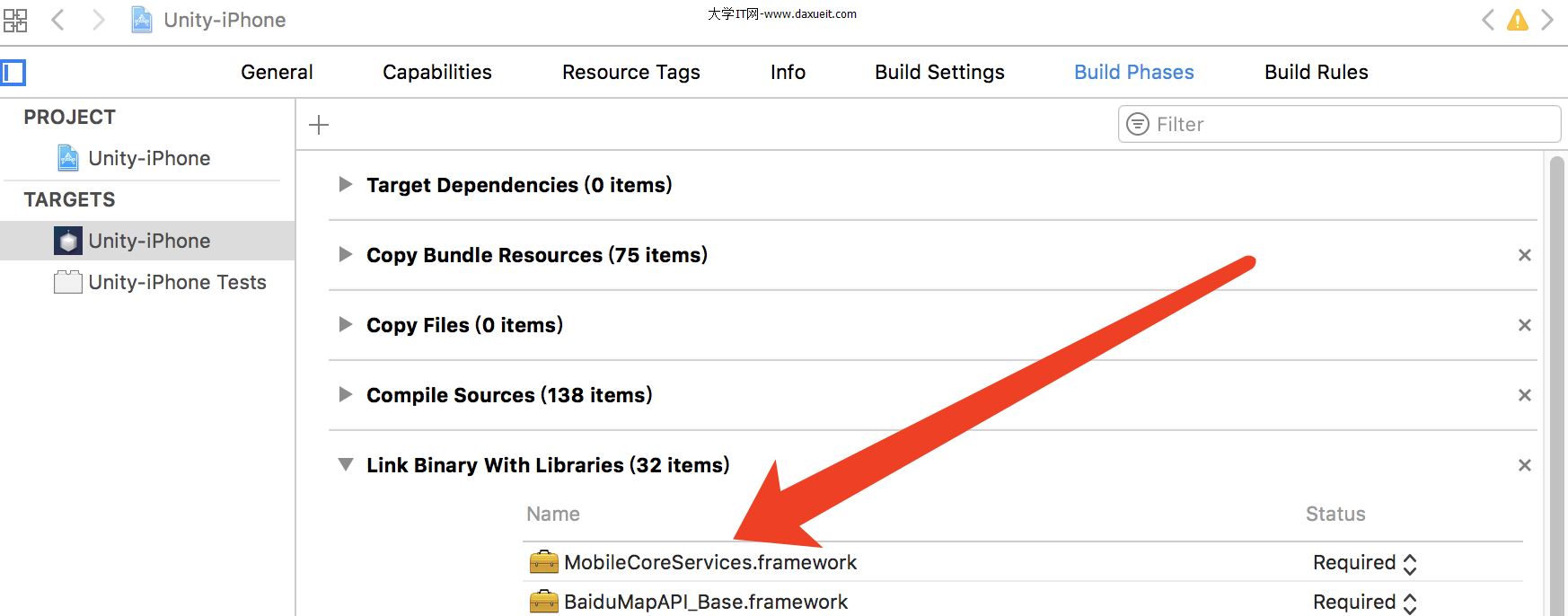
添加完成後重新運行,問題即解決。
補充:在較新的 iOS SDK 中,UTI 相關 API 已被遷移到 CoreServices.framework(Swift 中則是 import CoreServices)。如果項目使用的是新版本 SDK 且提示找不到 MobileCoreServices,改為引入 CoreServices.framework 即可。